4G AIRSPOT 220 Mobil Wi-Fi med Display
Alle spørgsmål
4G AIRSPOT 220 Mobil Wi-Fi med Display
Hvordan nulstiller jeg min router til fabriksindstillingerne?
Det kan i nogle tilfælde forekomme, at din enhed ikke fungerer korrekt, og at du ikke har adgang til internettet. I så fald anbefaler vi, at du nulstiller enheden til fabriksindstillingerne og derefter opdaterer firmwaren igen, hvis det er nødvendigt.
Der er to måder at gøre det på: Du kan nulstille enheden ved at trykke på nulstillingsknappen eller gøre det via webgrænsefladen.
TILFÆLDE 1: Nulstillingsknap.
For at gøre dette skal du fjerne dækslet på bagsiden af routeren og trykke på RESET-knappen i 2 sekunder med en papirclips.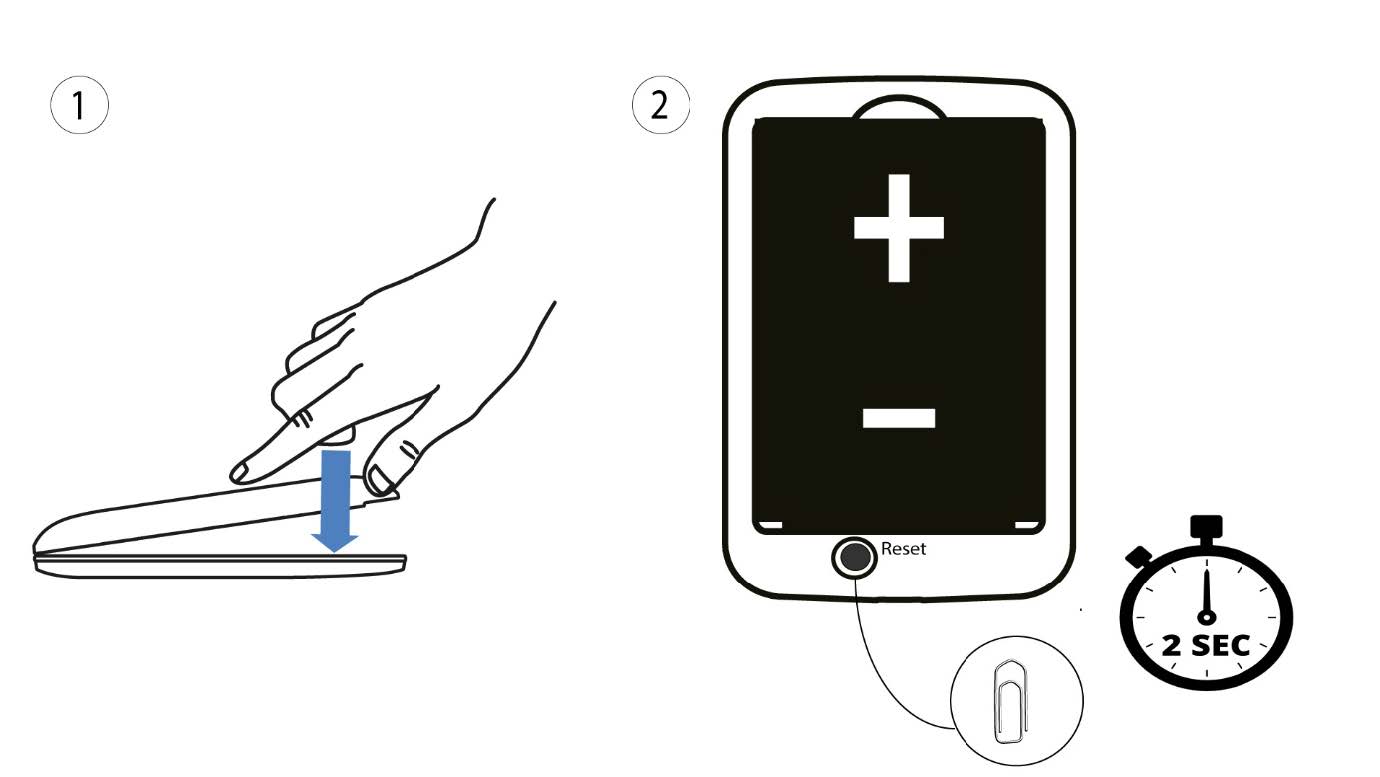
1Sag2: Nulstilling via webgrænsefladen
1. Du skal oprette forbindelse til din enheds Wi-Fi-netværk.

2Gåtil IP-adressen for webgrænsefladen
Indtast derefter følgende IP-adresse: 192.168.188.1 i din browser.

3Login
Du skal indtaste adgangskoden.

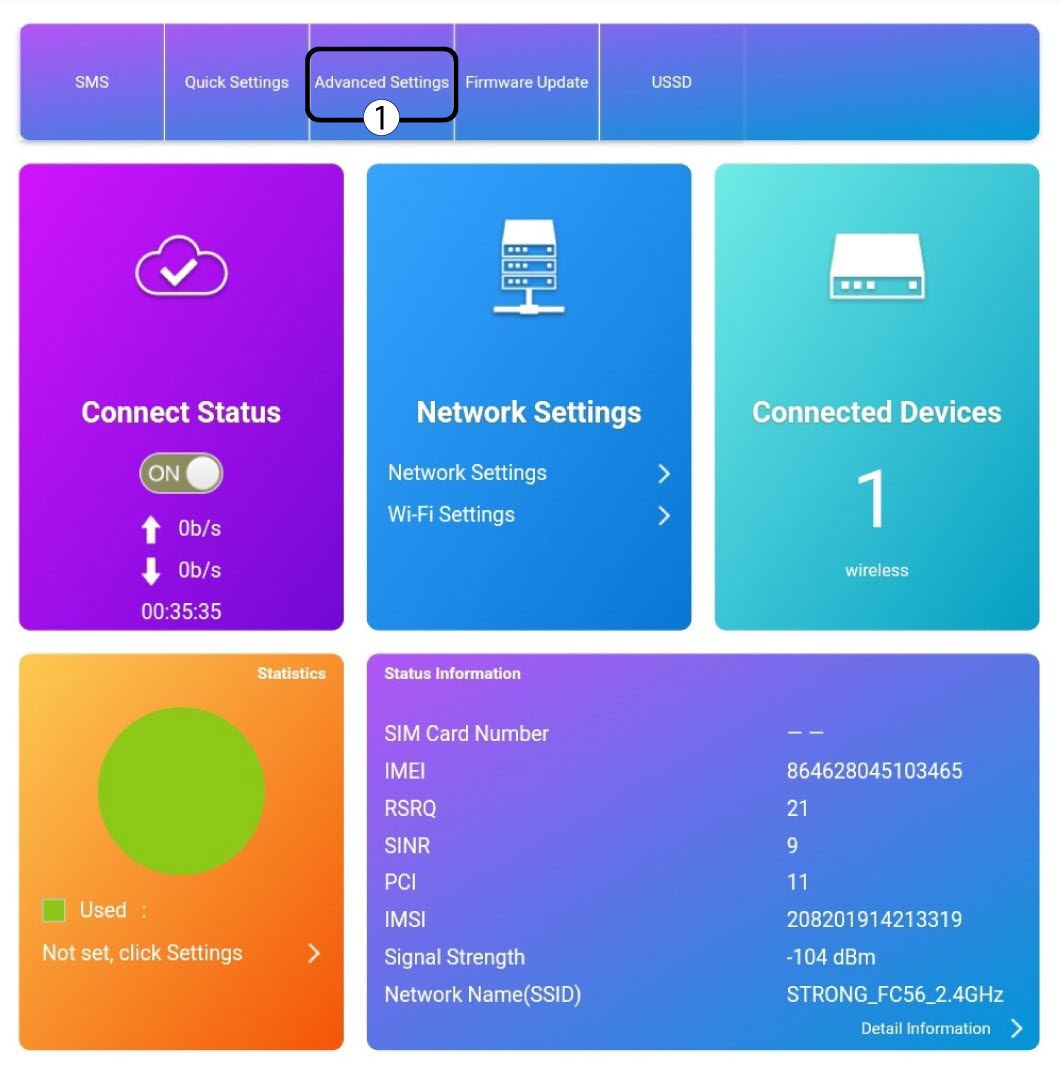
4Indstillinger
Klik derefter på »Avancerede indstillinger«.
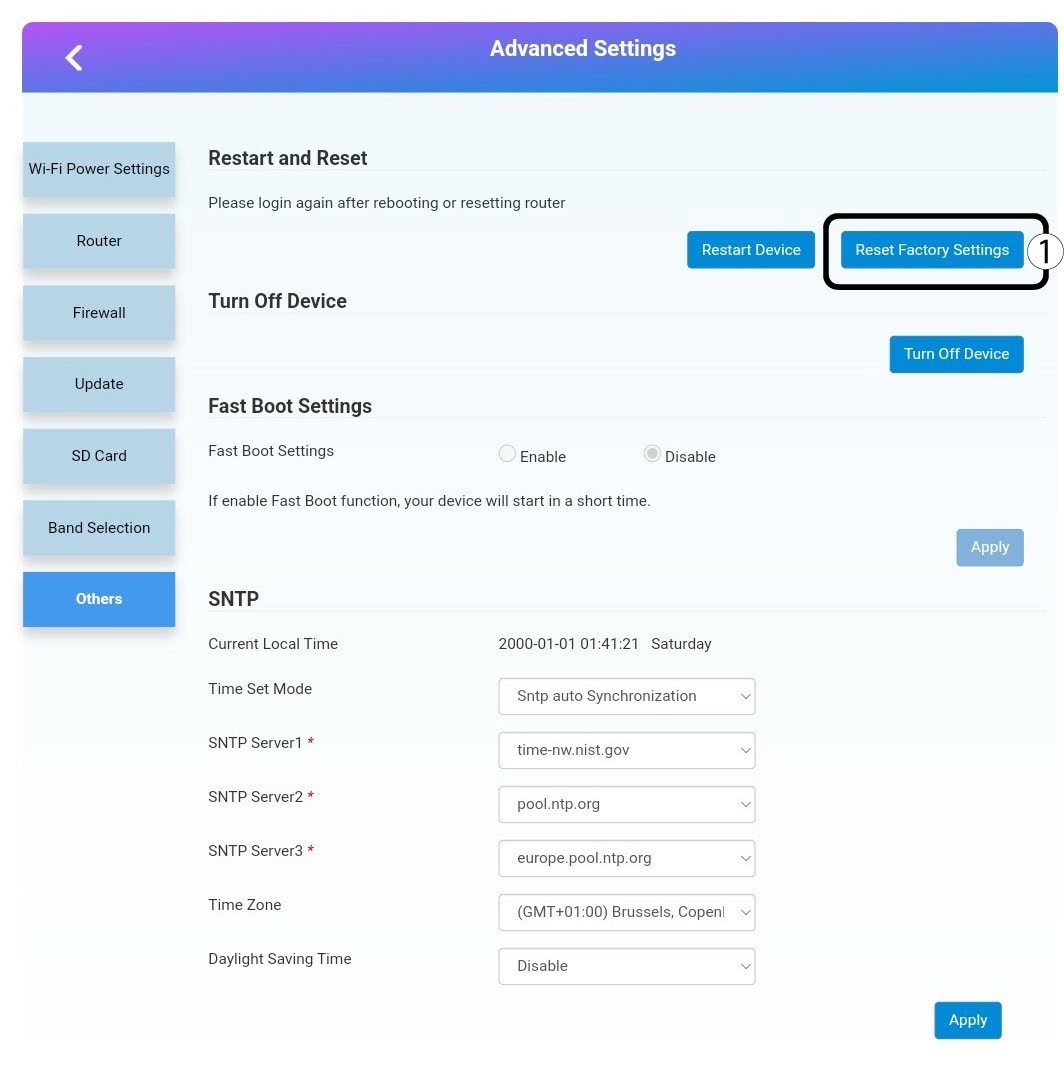
5Nulstiltil fabriksindstillinger
Klik på »Andet«. I afsnittet »Genstart og nulstilling « skal du klikke på »Nulstil til fabriksindstillinger«.
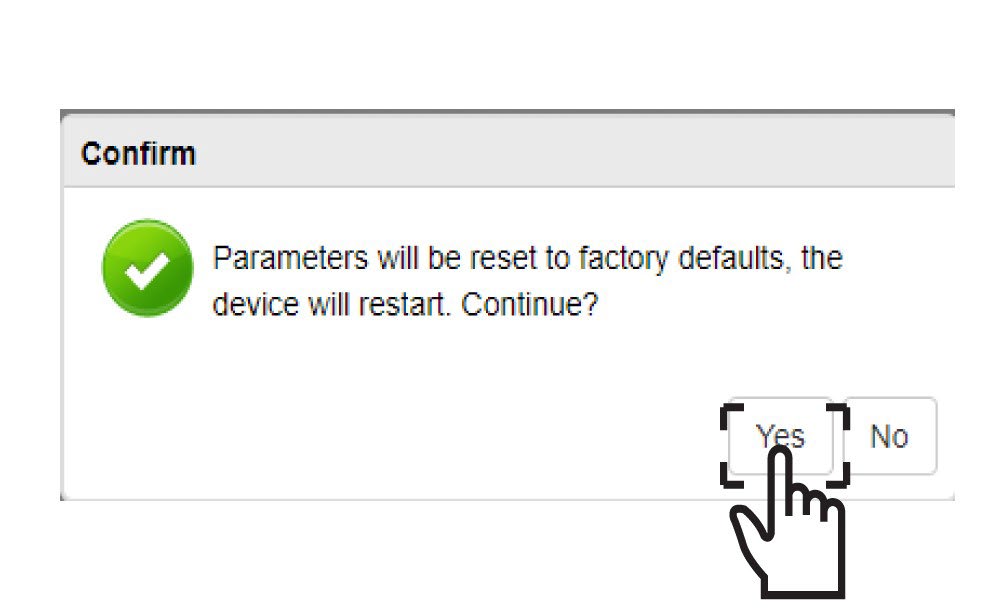
6Bekræftelse
Klik påJA i pop op-meddelelsen.