
ATRIA Wi-Fi 5 Mesh 2100 (2-pak)
Alle spørgsmål
ATRIA Wi-Fi 5 Mesh 2100 (2-pak)
Hvordan skal jeg indstille mit » Mesh «-netværk for at optimere mit Wi-Fi-netværk?
For at optimere din dækning bør du installere mesh på det sted, hvor du har dækningsproblemer, så du kan dække et så stort område som muligt i din bolig.
Sørg for, at enhederne fra mesh ikke placeres i et rum, hvor der er en bærende væg, da Wi-Fi-signalet kan have svært ved at trænge igennem, jo tykkere væggen er.
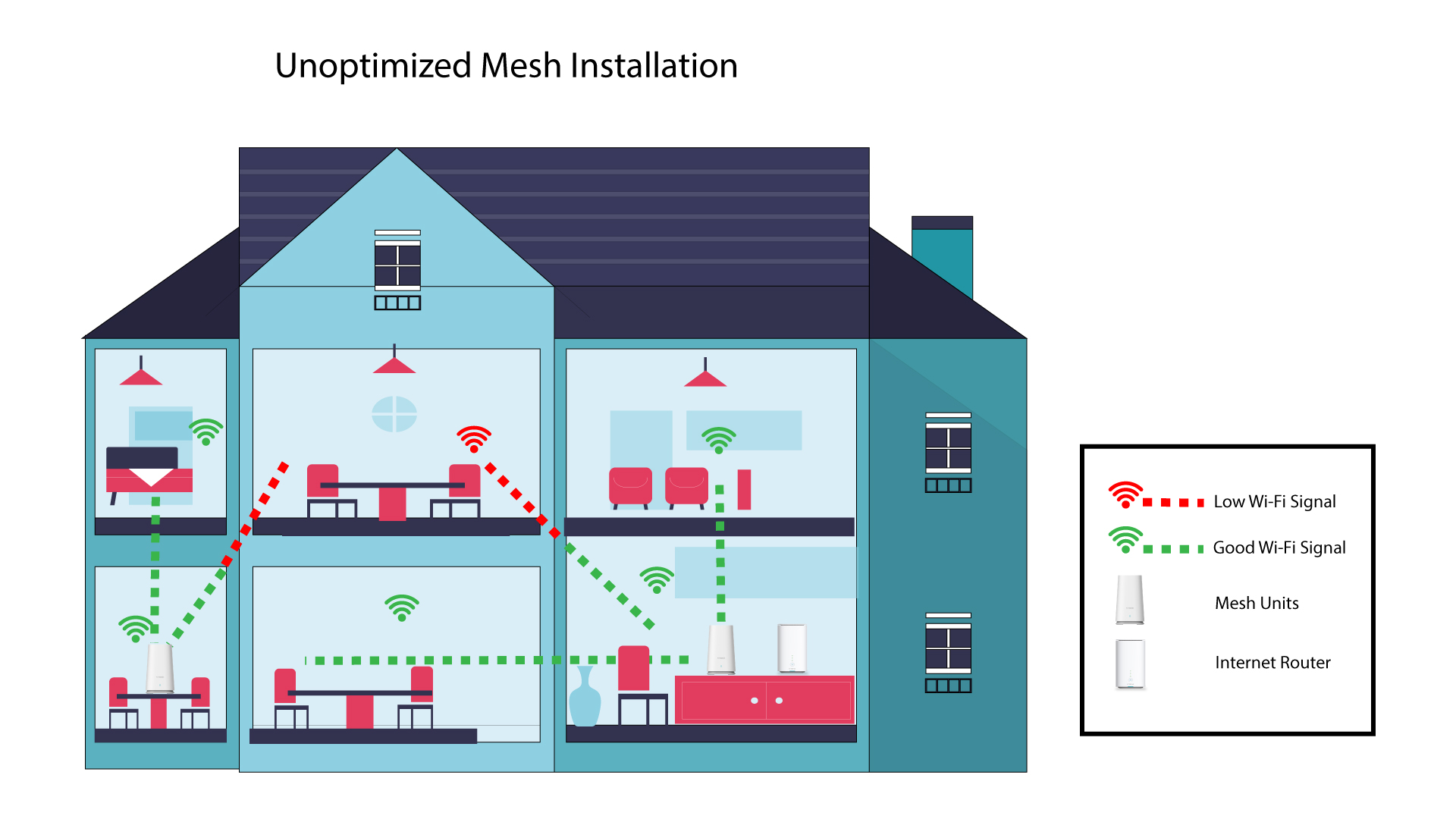
1Ikke-optimeretinstallation af » Mesh «
Følgende skema viser Wi-Fi-dækningen inde i et hus, hvor mesh -enhederne ikke er placeret i den rette del af huset til at sikre en tilstrækkelig dækning.
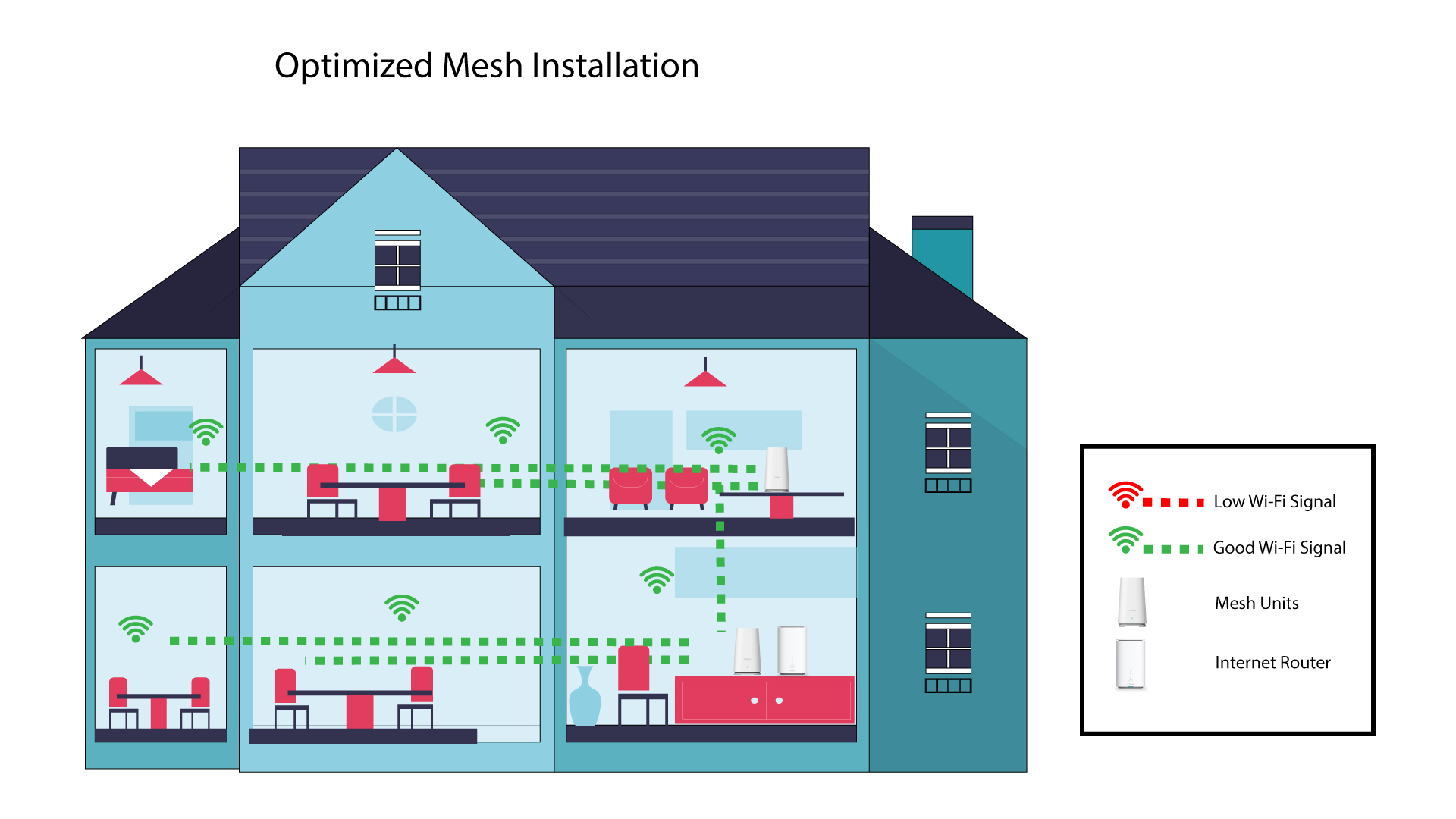
2Optimeretinstallation af Mesh
Følgende skema viser Wi-Fi-dækningen inde i et hus, hvor der er placeret » mesh «-enheder i den højre del af huset for at sikre en god dækning.
1Atria-appen» Mesh «
Download smartphone-appen»ATRIA MESH « fra App Store eller Google Play Store.

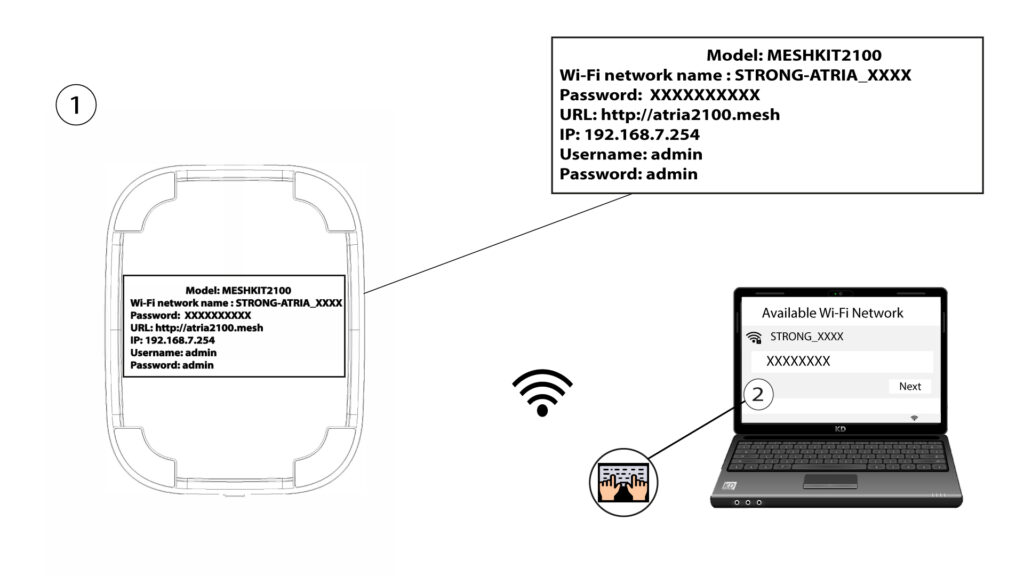
2. Tilslutningtil Wi-Fi
Opret forbindelse til Wi-Fi-netværket på din » mesh «-enhed.
3. Referencer
Derefter skal du oprette forbindelse til Wi-Fi-netværket på Mesh med din smartphone og derefter logge ind på appen med dine loginoplysninger, som bør være»admin« og»admin«, hvis du ikke har ændret dem.

4Mitnetværk
Klik på »Mit netværk«.

5Navnetpå Mesh
Du vil kunne se navnene på de » mesh «-enheder, du har konfigureret på dit netværk.
Klik på navnet på enheden » mesh « for at få adgang til oplysninger om den.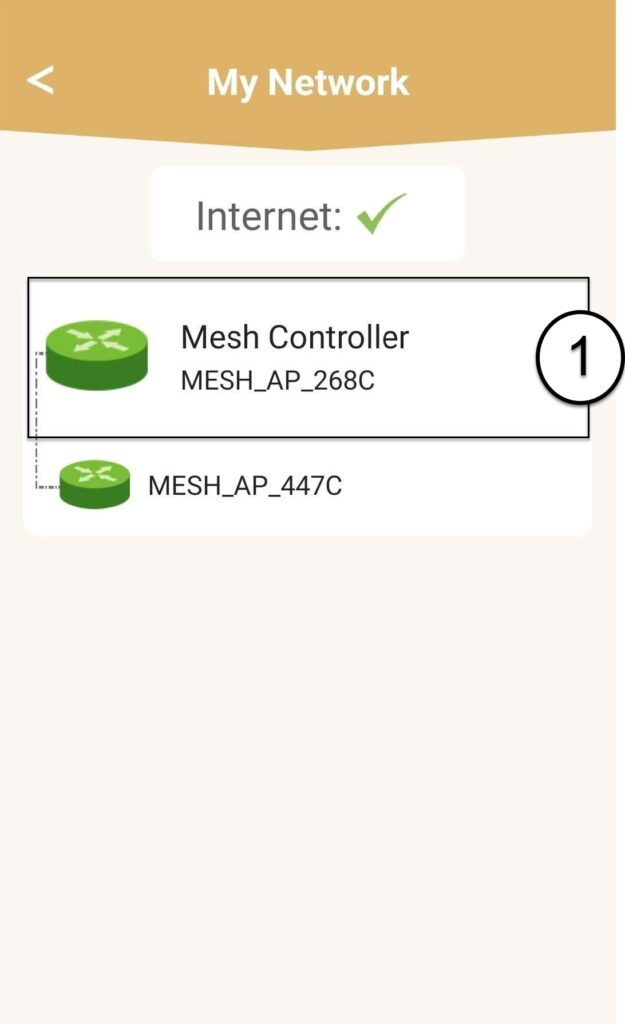
6Navn
Klik på navnefeltet.
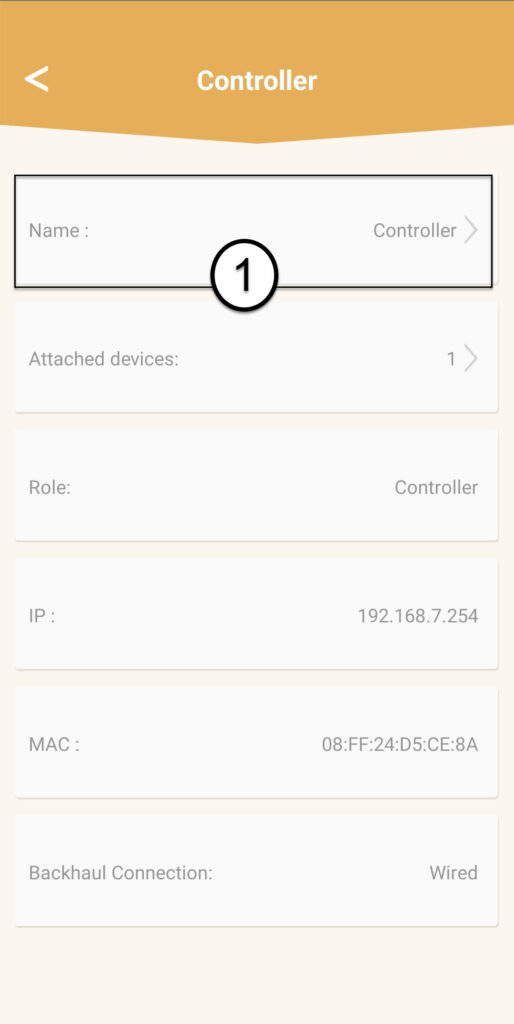
7. Ændrnavnet på controlleren
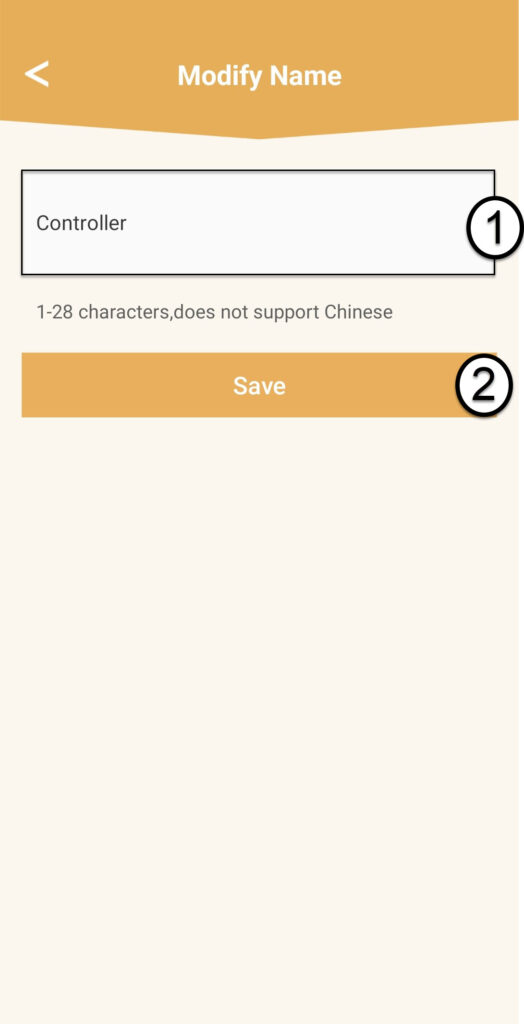
Indtast et nyt navn, og klik på »Gem«:
- mesh -controlleren skal navngives på følgende måde: MeshAX3000-Main-Navnetpårummet
- mesh -enhederne skal navngives på følgende måde: MeshAX3000-Navnetpårummet

Advarsel: Hvis enheden » mesh « vises i gråt, betyder det, at den ikke dækker området tilstrækkeligt, og at du bør justere dens placering for at optimere netværket » mesh «.