
Powerline 500 Wi-Fi-tredobbeltpakke
Alle spørgsmål
Powerline 500 Wi-Fi-tredobbeltpakke
Jeg har ikke adgang til internettet, og/eller LED-lampen på »hjem«-ikonet lyser ikke.
Du skal nulstille adapterne til fabriksindstillingerne. Følg nedenstående trin for at nulstille adapterne:
1. Tilslutadapterne til en stikdåse
Tilslut adapterne én efter én til en stikdåse.
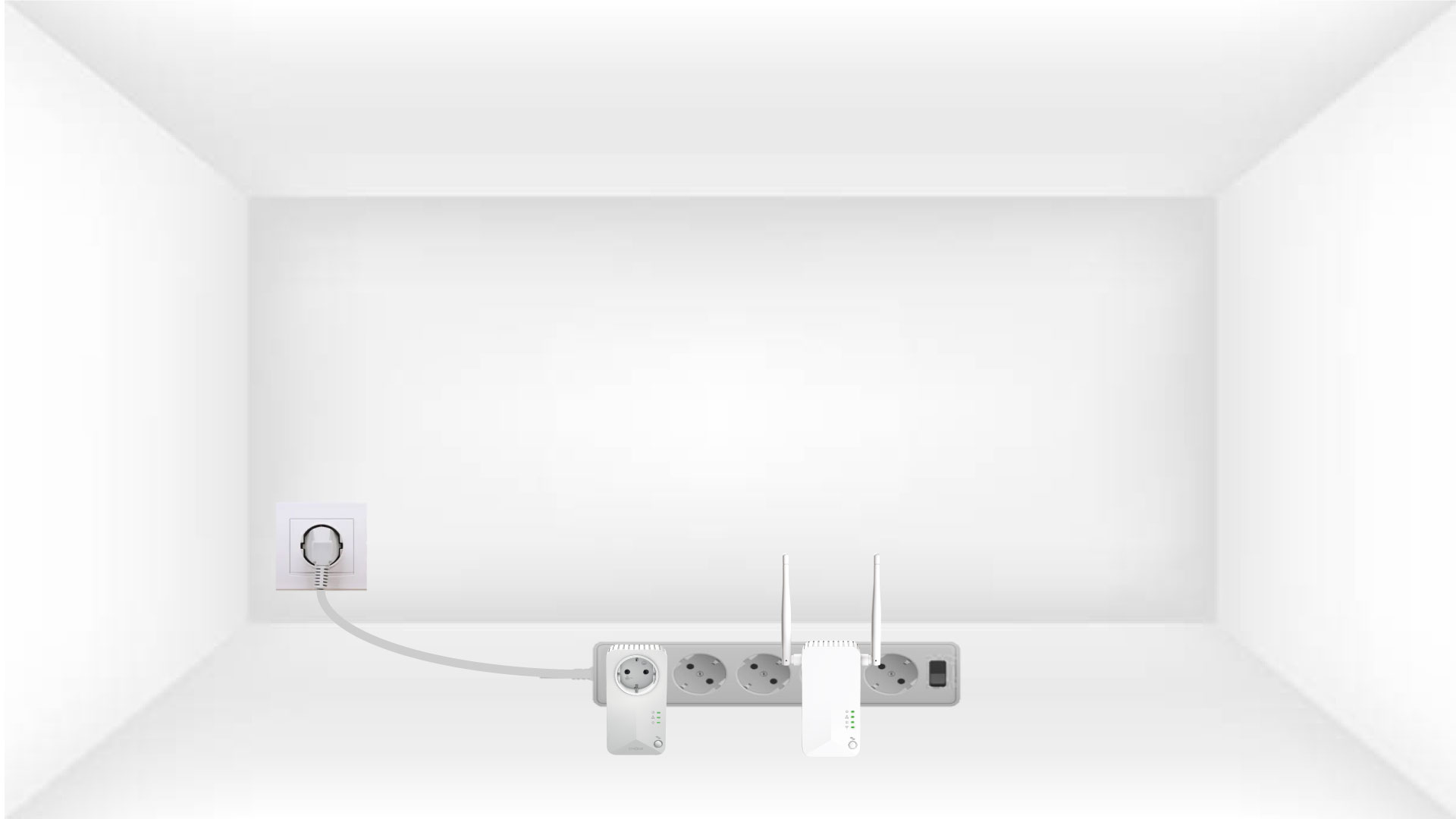
2. Tilslutadapterne til internettet
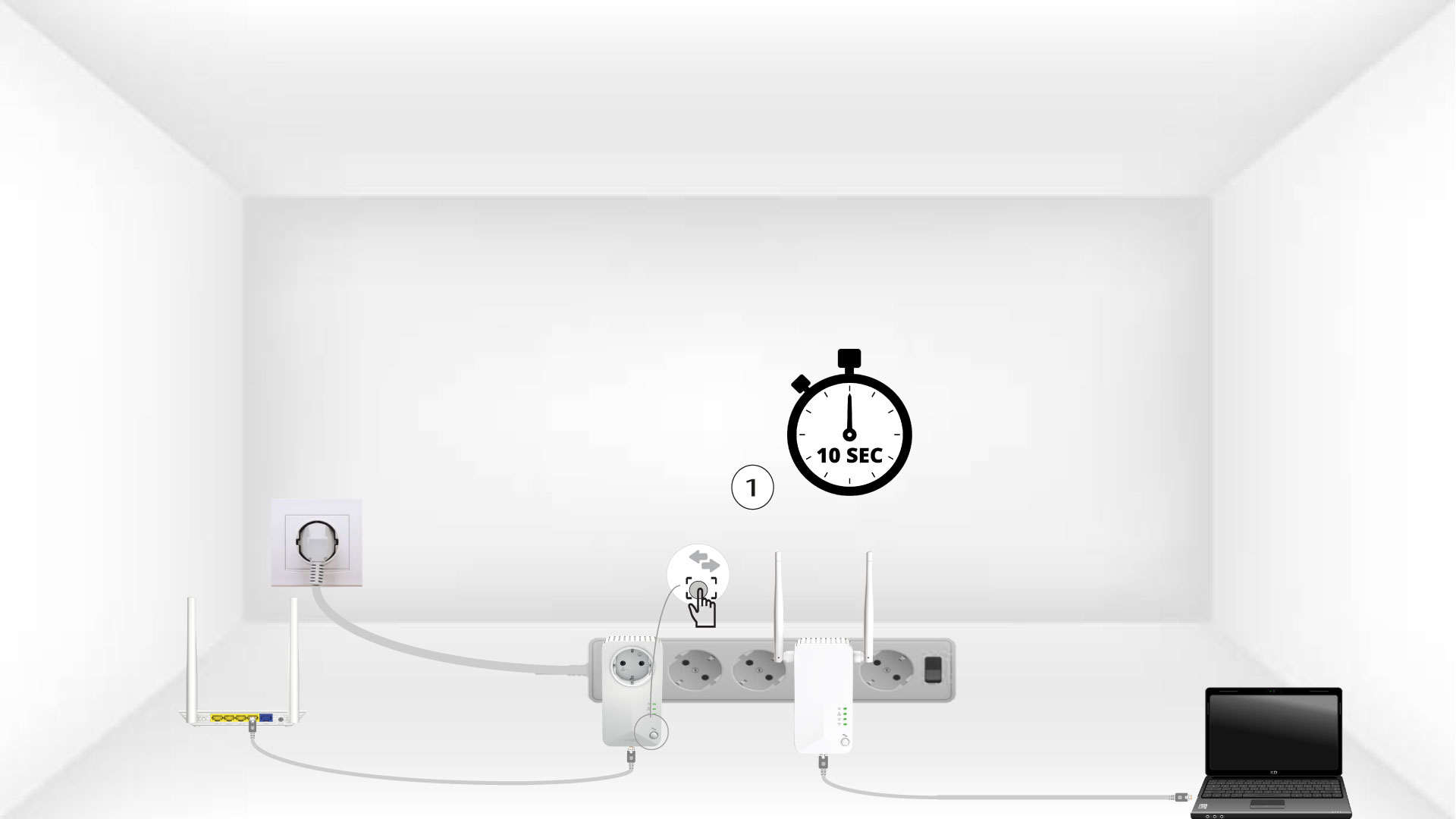
Tilslut hver adapter til en fungerende enhed (internetrouter/gateway, Android- boks, Smart TV, computer osv.) med et Ethernet-kabel. Der skal være kommunikation mellem enhederne, ellers går adapteren automatisk i standbytilstand.

3Tryk påknappen »Connect & Secure« (første enhed)
Når adapteren er sat i stikkontakten og tilsluttet Ethernet, skal du blot trykke på knappen »Connect & Secure« på frontpanelet i 10 sekunder.
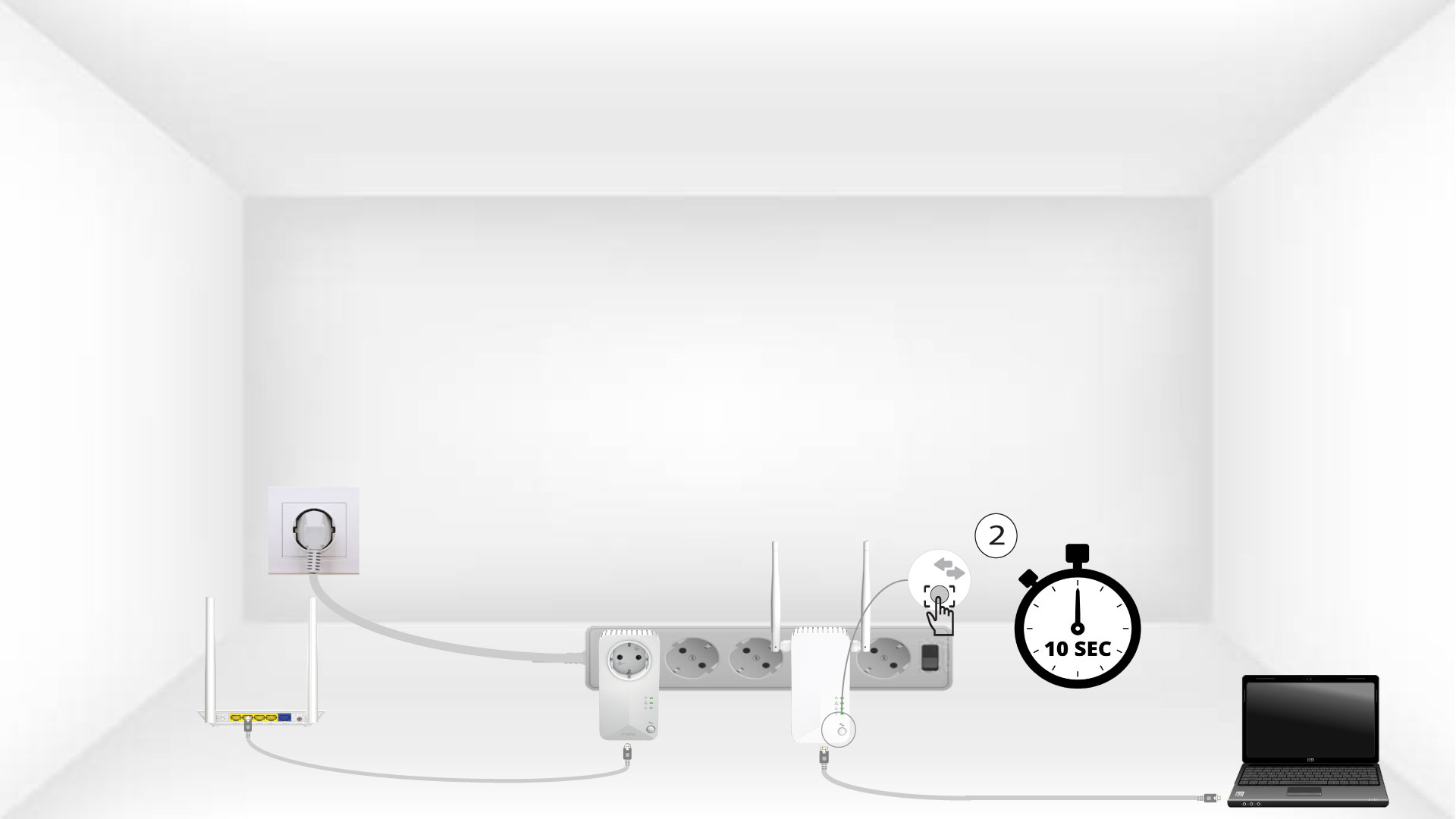
4Tryk påknappen »Connect & Secure« (anden enhed)
Tryk på knappen »Connect & Secure« på frontpanelet på den anden enhed i 10 sekunder.
5Home-ikonet blinker på enhederne
LED-lamperne i hjemmet bør begynde at blinke.

6Enhedernenulstilles
Alle LED’erne skal lyse grønt, når operationerne er afsluttet.
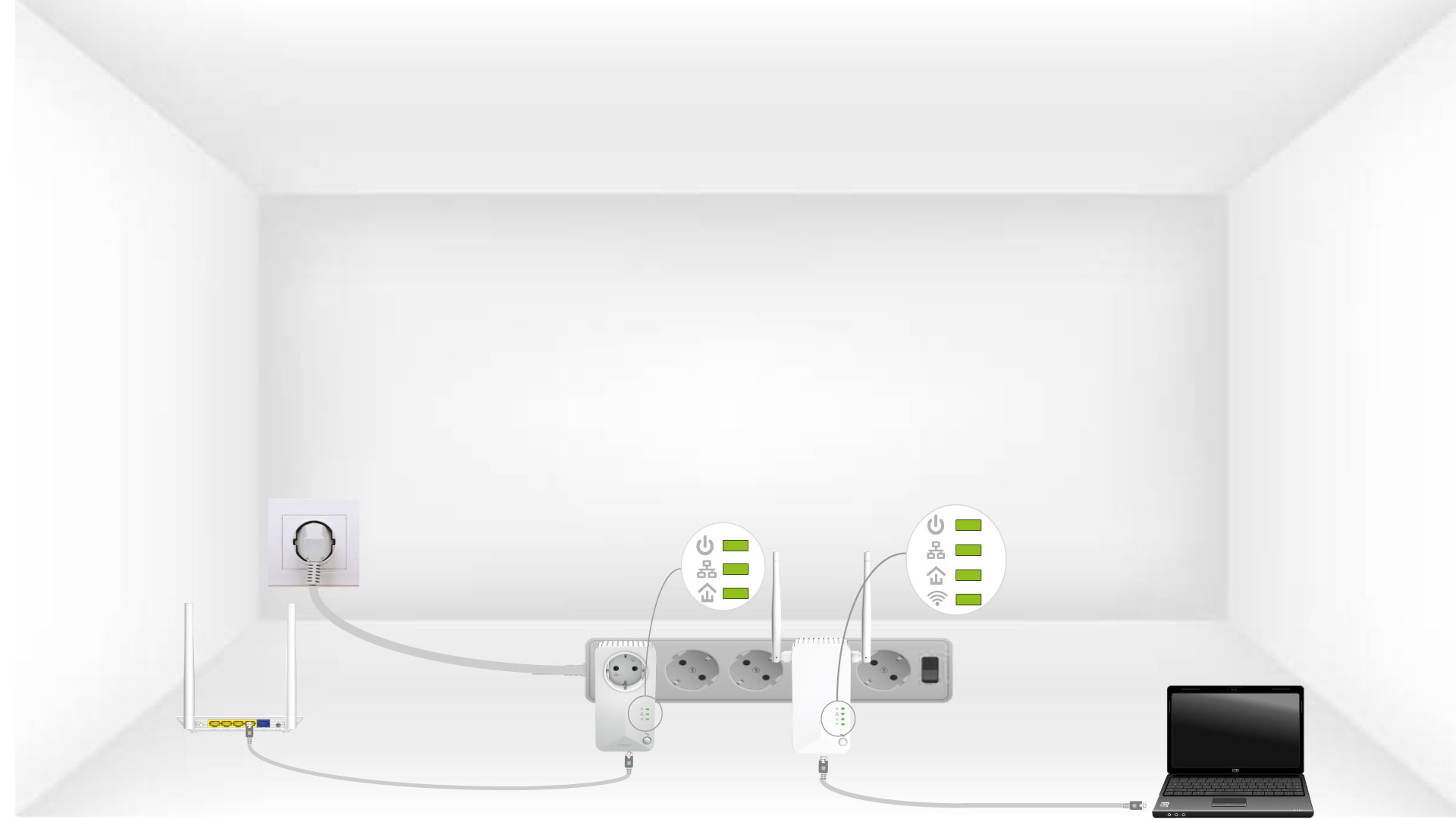
Gentag samme fremgangsmåde for en tredje Powerline-enhed. Der kan være op til otte Powerline 500-enheder på samme elinstallation.
Når du har nulstillet alle enhederne, kan du placere dem i det rum, hvor du har brug for dem.