Keine Artikel gefunden.
LEAP
Keine Artikel gefunden.
Alle Fragen
Keine Artikel gefunden.
LEAP
Keine Artikel gefunden.
Wie kann ich eine App auf dem Startbildschirm hinzufügen oder von dort entfernen?
1Fall1: Eine App hinzufügen
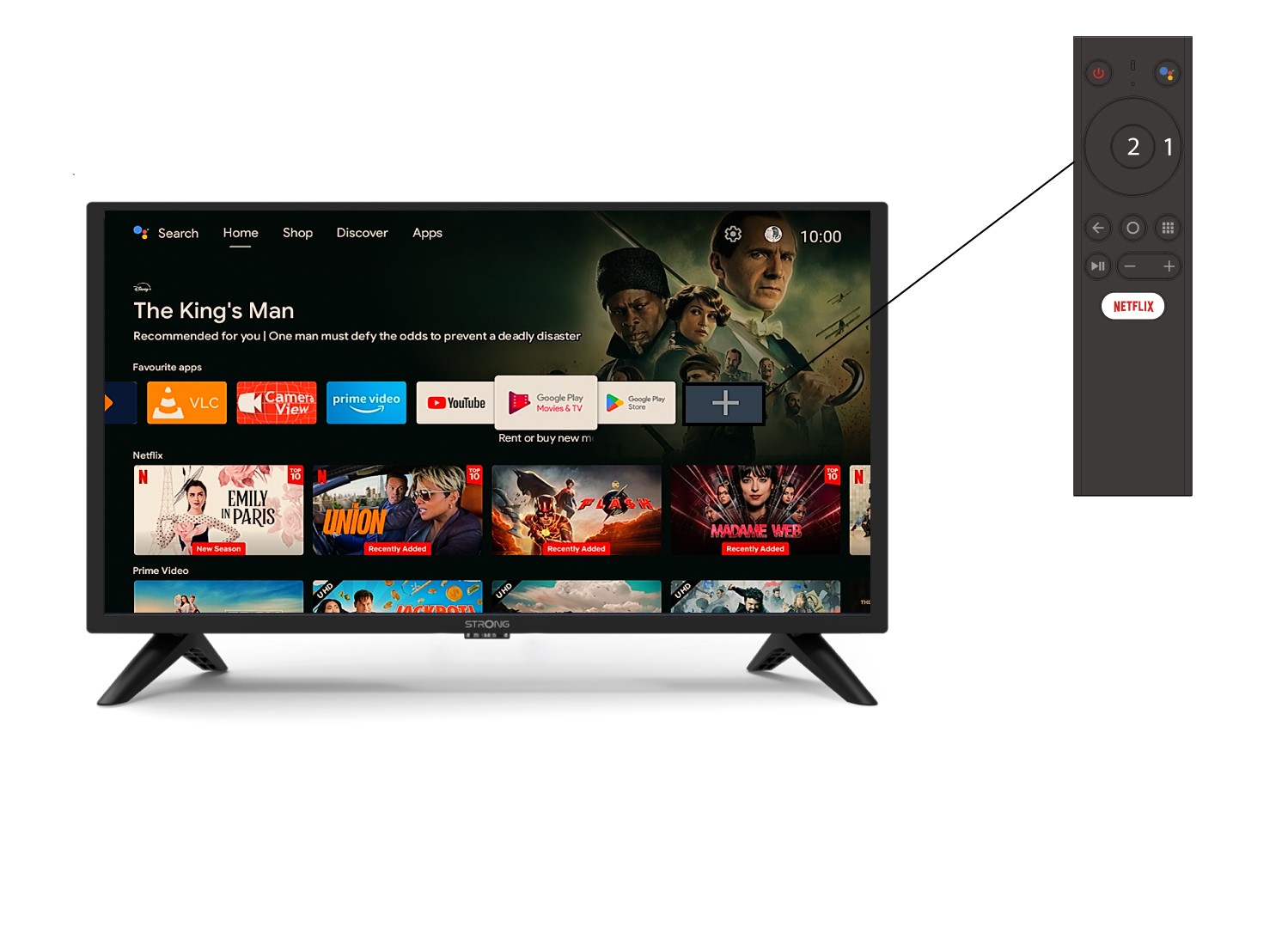
Um eine App auf dem Startbildschirm hinzuzufügen, tippen Sie auf das Pluszeichen (+) am Ende der Liste der bereits auf dem Startbildschirm angezeigten Apps und tippen Sie anschließend auf „OK“.
2App-Liste
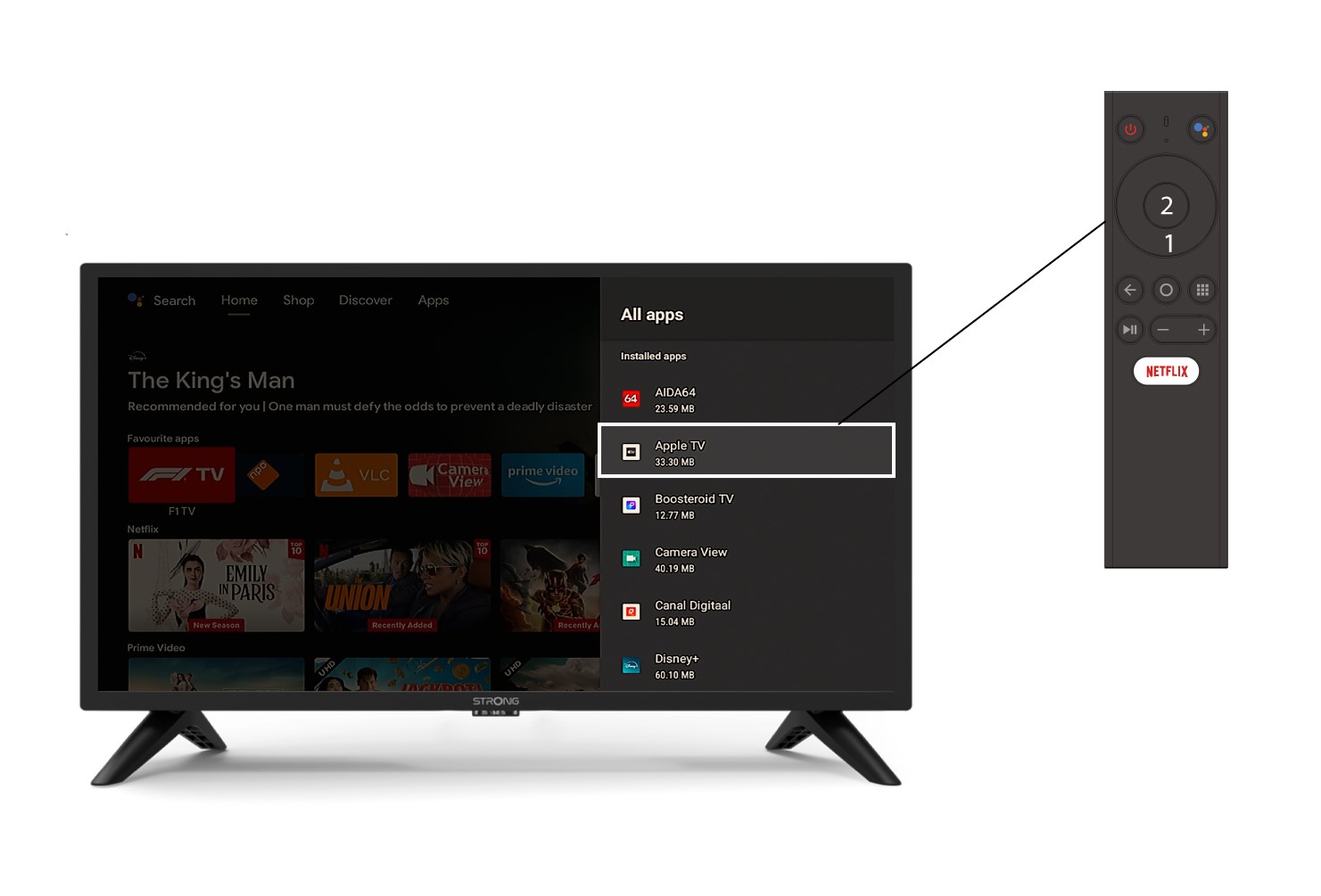
Daraufhin öffnet sich die Liste der Anwendungen. Wählen Sie die gewünschte Anwendung aus und drücken Sie die OK-Taste auf Ihrer Fernbedienung.
3Fall2: Eine App entfernen
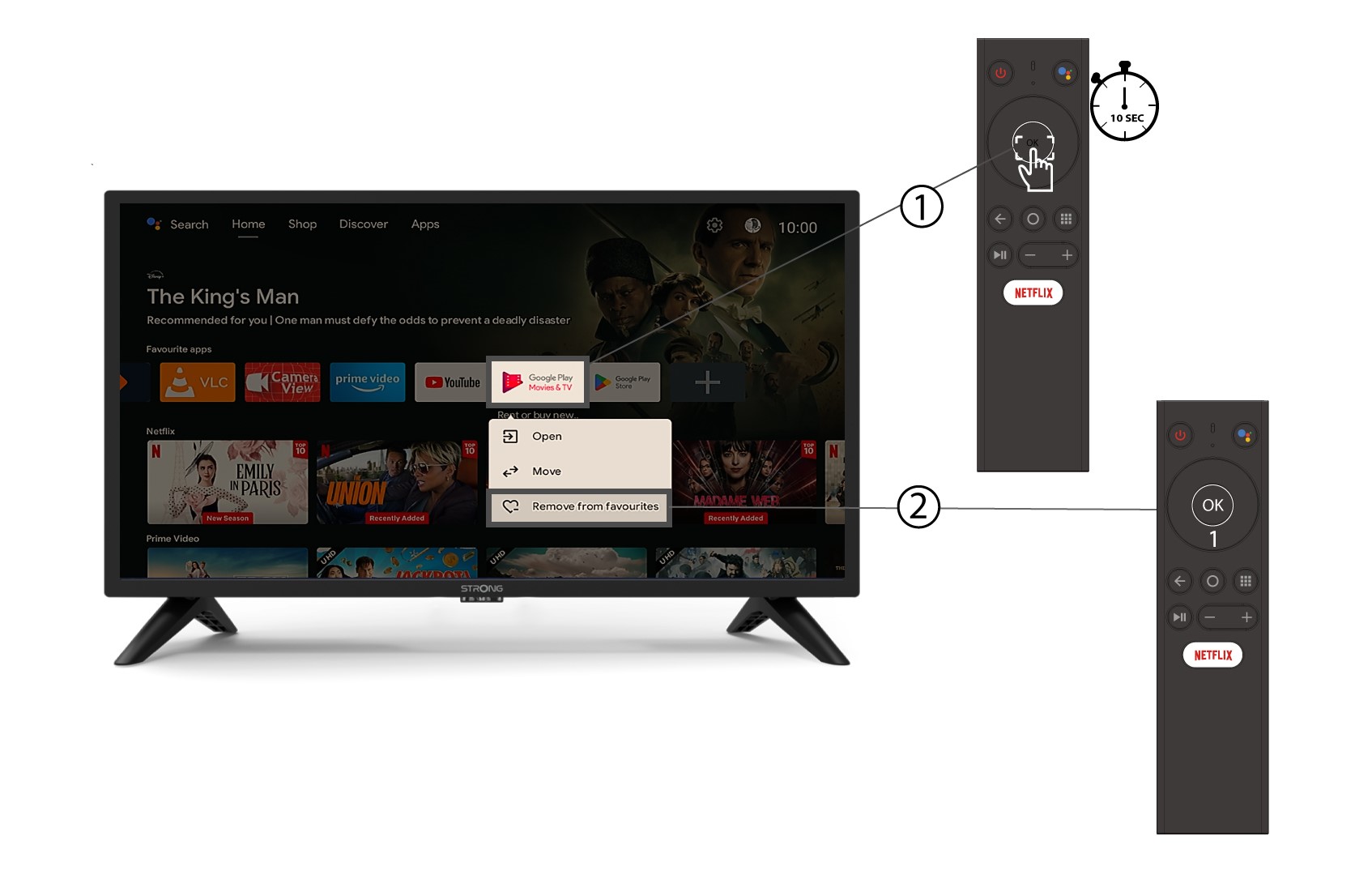
Um eine App vom Startbildschirm zu entfernen, gehen Sie in der Liste der bereits auf der Startseite vorhandenen Apps zu der App, die Sie entfernen möchten, drücken Sie lange auf die Schaltfläche „OK“ – es erscheint ein Fenster –, und wählen Sie „Aus den Favoriten entfernen“.