LEAP
Alle Fragen
LEAP
Ich habe eine AZERTY-Tastatur über USB angeschlossen, sie wird jedoch als QWERTY-Tastatur erkannt. Warum?

Warnung: Bitte beachten Sie, dass die unterstützten Tastaturlayouts für externe Tastaturen von Google festgelegt werden. Daher wird Ihr Tastaturlayout möglicherweise nicht unterstützt. In diesem Fall empfehlen wir Ihnen, sich an den Hersteller Ihrer Tastatur zu wenden, um zu erfahren, ob es eine App gibt, mit der Ihre Tastatur kompatibel gemacht werden kann.
1. Schalten Siedas Gerät ein.
Schalten Sie Ihren Fernseher und Ihren LEAP S1 ein.
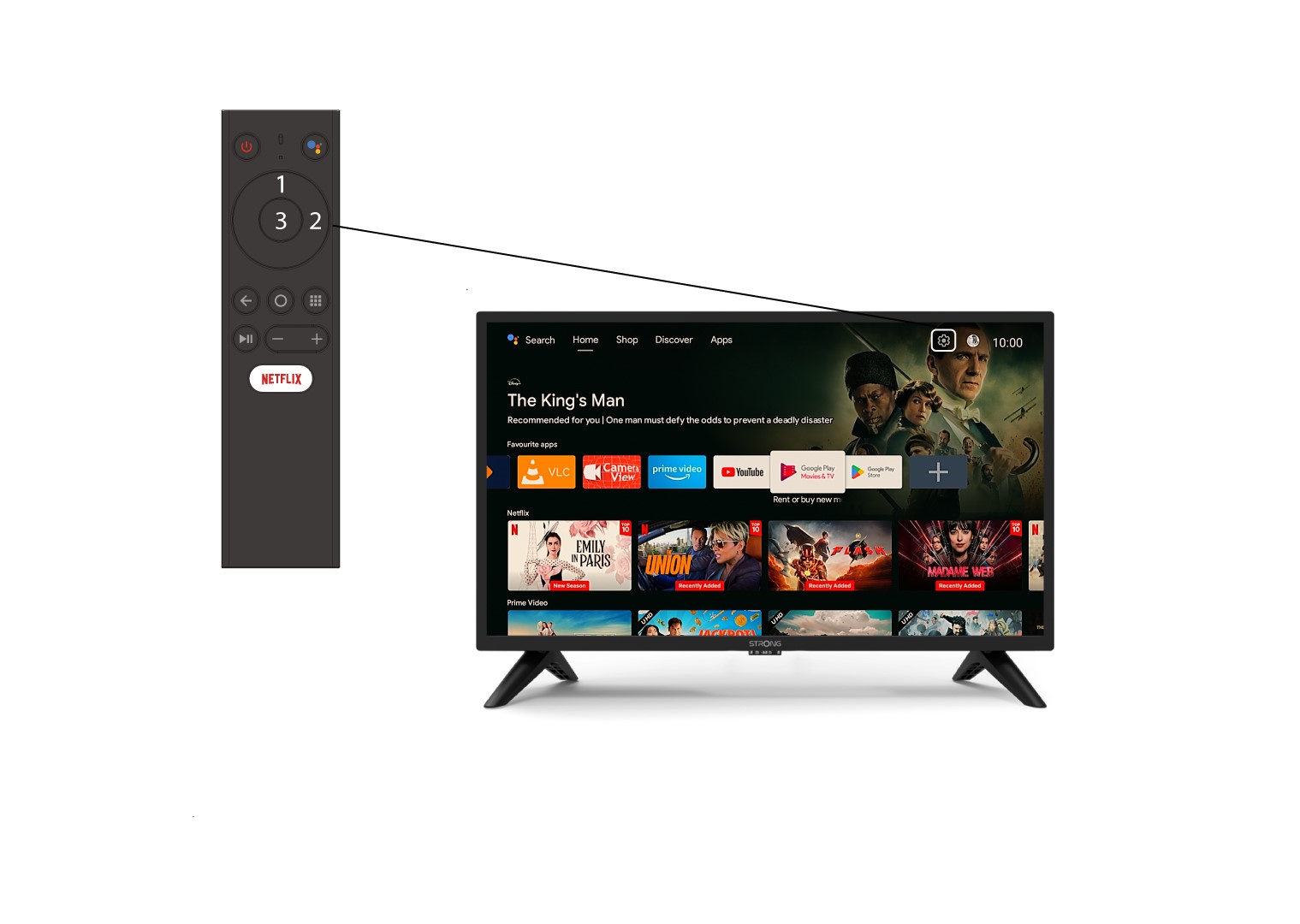
2. Rufen Siedas Einstellungsmenü auf.
Suchen Sie das Zahnrad-Symbol (Einstellungsmenü) oben rechts auf Ihrem Bildschirm und wählen Sie es mithilfe der Pfeiltasten Ihres Computers aus. Drücken Sie anschließend die OK-Taste auf Ihrer Fernbedienung, um das Einstellungsmenü zu öffnen.
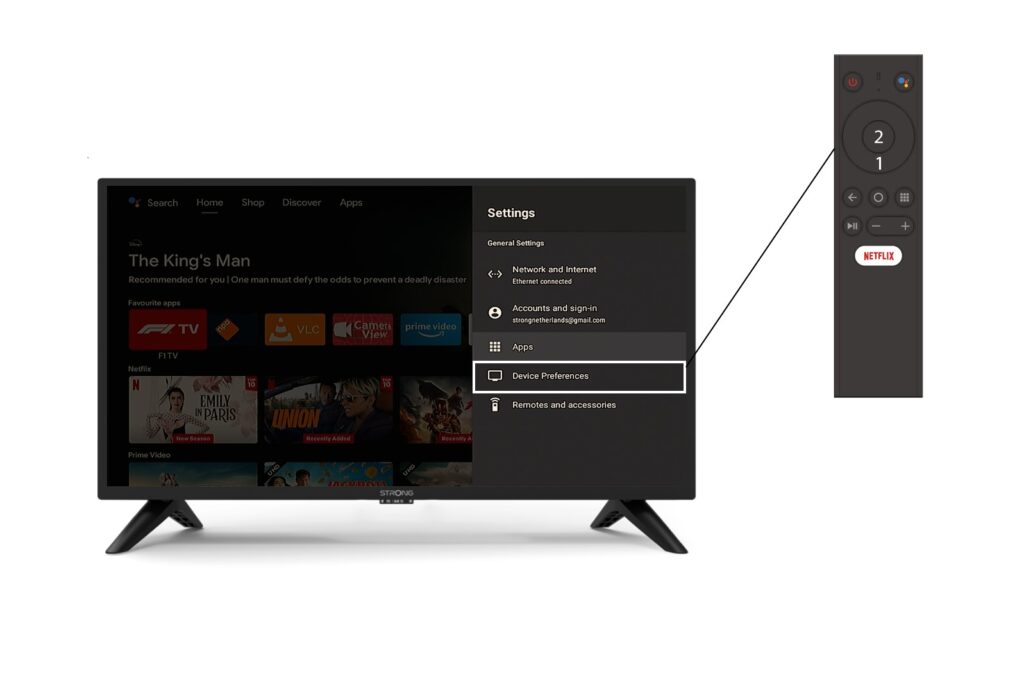
3Geräteeinstellungen
Wählen Sie im Menü „Einstellungen“ die Option „Geräteeinstellungen“ aus und drücken Sie die OK-Taste auf Ihrer Fernbedienung.
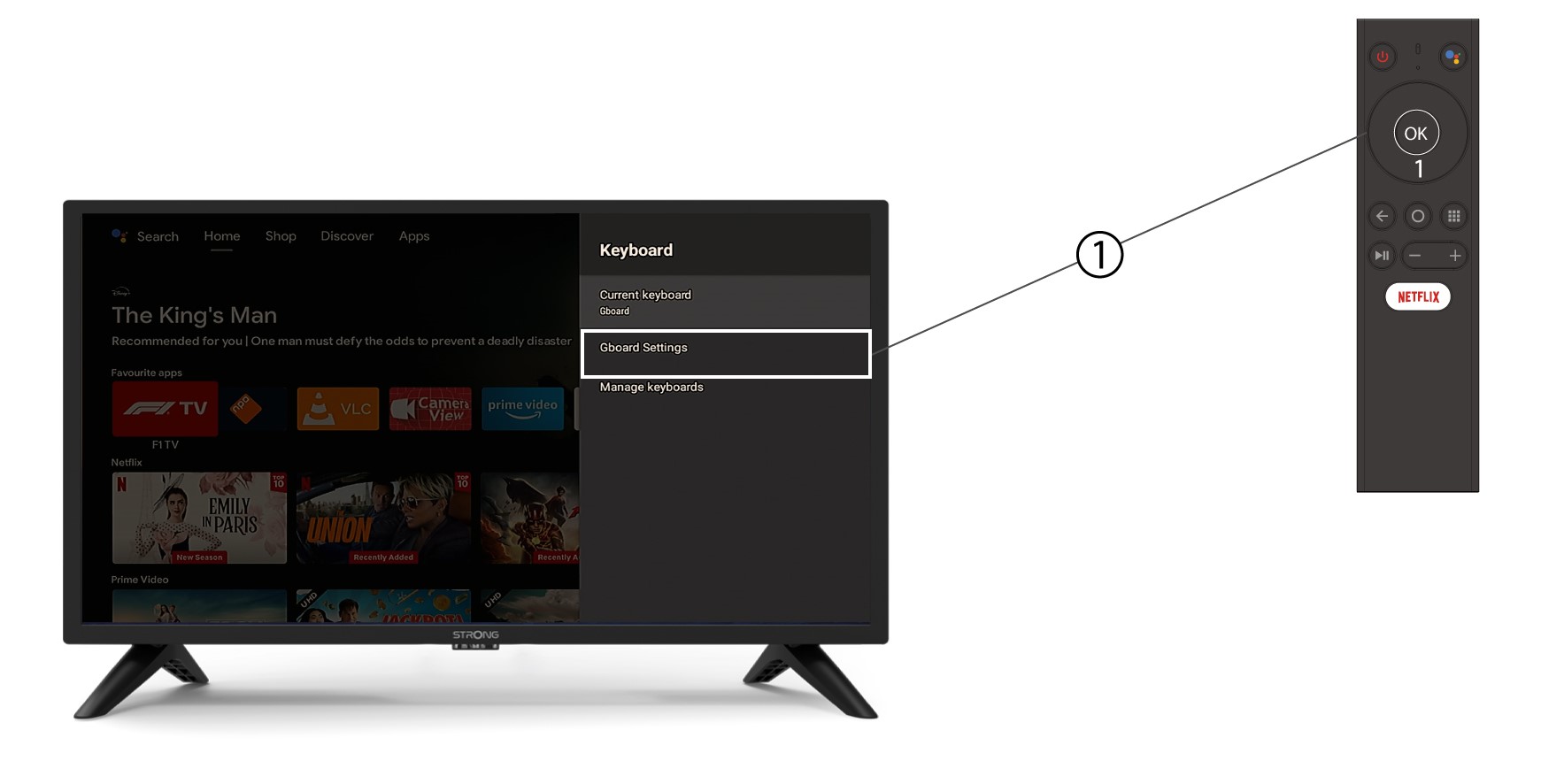
4Tastatureinstellungen
Klicken Sie im Tastaturmenü auf „Gboard-Einstellungen “ und tippen Sie auf „OK“.
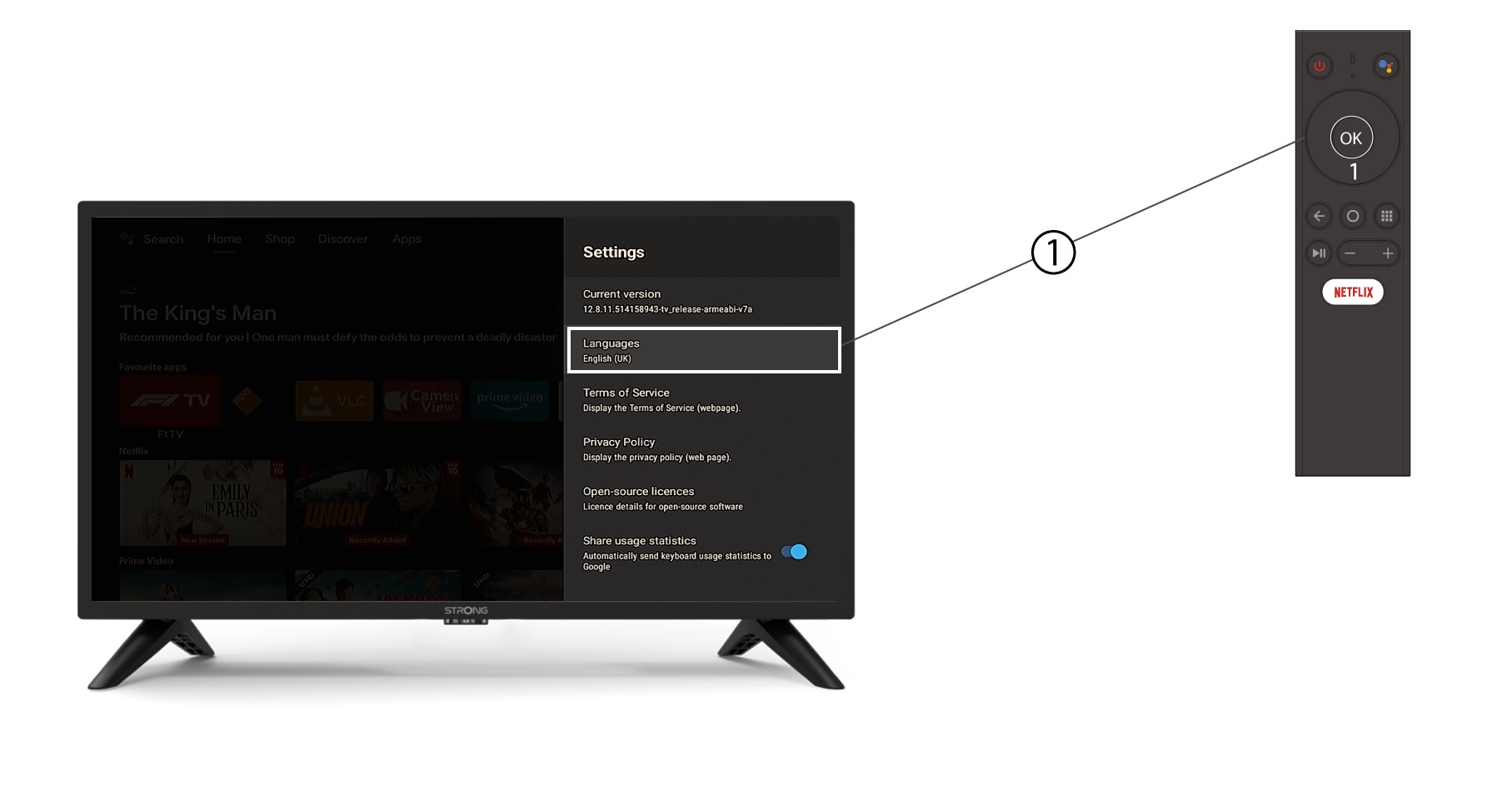
5. Spracheinstellungen
Klicken Sie im sich öffnenden Menü „Einstellungen“ auf „Sprache“, stellen Sie den Wert auf „Englisch“ ( UK ) ein und klicken Sie auf „OK“.