
5G AIRHOME 1050 | Wi-Fi 6
Alle Fragen
5G AIRHOME 1050 | Wi-Fi 6
Wie greife ich auf die Web-Benutzeroberfläche zu?
Um auf die Web-Benutzeroberfläche zugreifen zu können, müssen Sie mit dem WLAN Ihres Geräts verbunden sein, nachdem Sie die SIM-Karte in den Steckplatz eingelegt haben.
1. Stellen Sie eine Verbindungzum WLAN-Netzwerk des Routers her
Geben Sie dazu die SSID (den WLAN-Netzwerknamen) und das WLAN-Passwort des Routers in Ihr Gerät ein:

2. Rufen Siedie IP-Adresse der Web-Benutzeroberfläche auf
Geben Sie anschließend die folgende IP-Adresse in Ihren Browser ein: 192.168.0.1

3FindenSie Ihre Zugangsdaten
Ihre Zugangsdaten finden Sie auf dem Aufkleber auf der Rückseite Ihres Geräts.
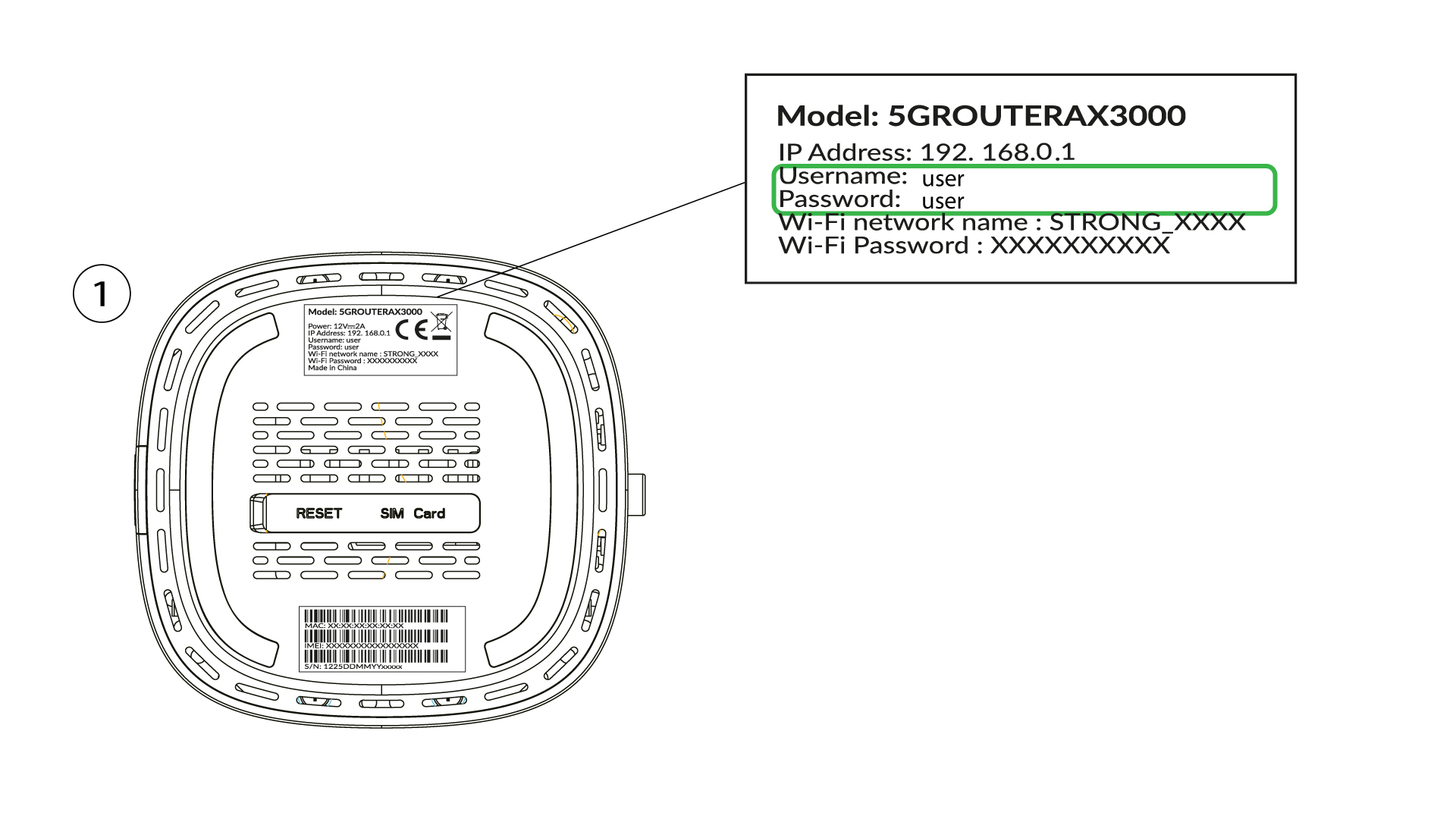
4Geben SieIhre Anmeldedaten ein
Sie müssen den Benutzernamen und das Passwort eingeben und auf „Anmelden“ klicken ( Ihre Anmeldedaten finden Sie im vorherigen Schritt).

5. Administratorkennwort ändern
In dem daraufhin angezeigten Popup-Fenster müssen Sie nach Ihrer ersten Anmeldung ein neues Administratorpasswort erstellen. Geben Sie dazu die folgenden Informationen ein, bevor Sie auf „Commit“ klicken:
- Passwort bearbeiten: Geben Sie ein Passwort mit einer Länge zwischen 8 und 32 Zeichen ein, das Groß- und Kleinbuchstaben, Ziffern und mindestens ein Sonderzeichen (@, $, !, %, *, ?, &) enthält.
- Passwort bestätigen: Geben Sie dasselbe Passwort ein.
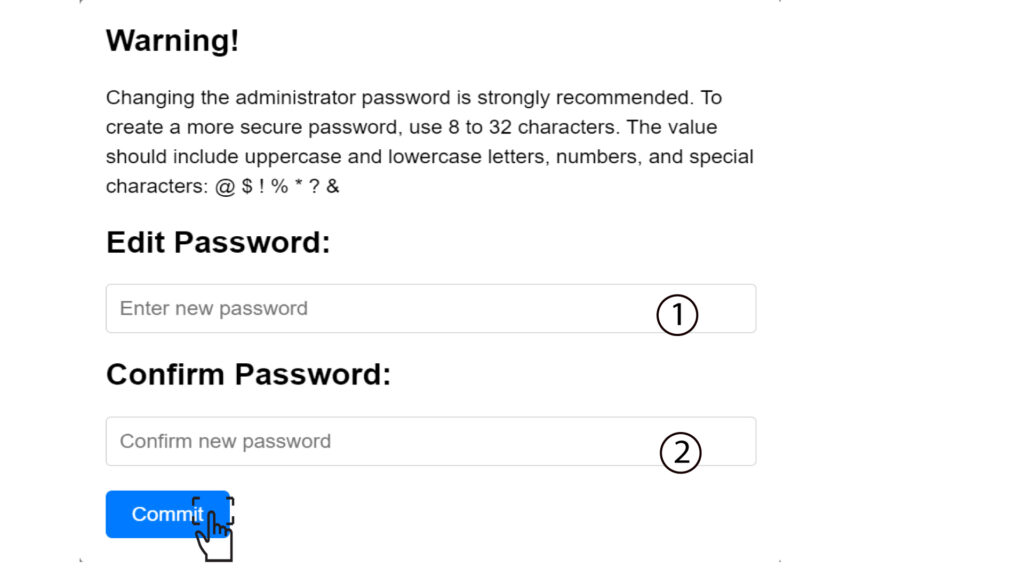
6. Geben Siedie neuen Anmeldedaten ein
Bitte notieren Sie sich das neue Administratorpasswort und den Benutzernamen auf einem Zettel:
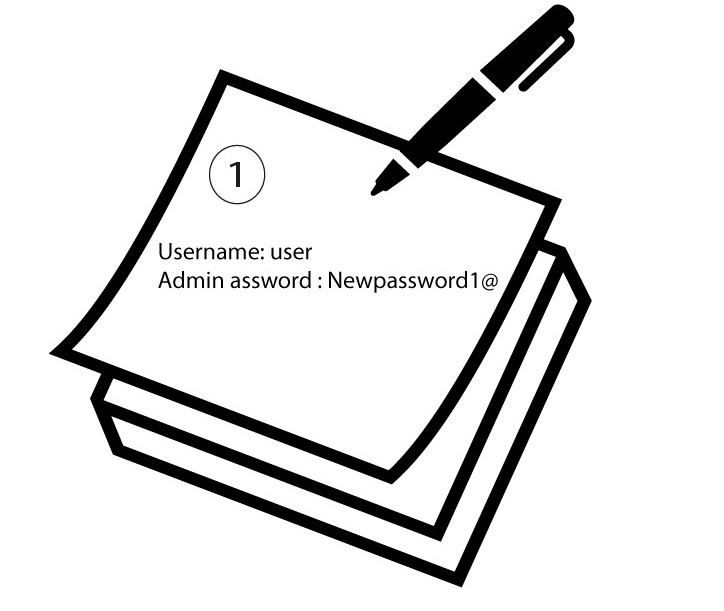

Warnung: Wenn das Standard-Administratorpasswort auf „user“ gesetzt ist, müssen Sie es nach der ersten Verbindung ändern, um den Zugriff auf den Router zu sichern und Hackerangriffe zu verhindern. Notieren Sie sich das neue Passwort bitte, nachdem Sie es eingerichtet haben.