4G+ AIRSPOT 520 WLAN-Hotspot mit Touchscreen
Keine Artikel gefunden.
Keine Artikel gefunden.
Alle Fragen
4G+ AIRSPOT 520 WLAN-Hotspot mit Touchscreen
Keine Artikel gefunden.
Keine Artikel gefunden.
Wie ändere ich die SSID (WLAN-Netzwerkname) und das WLAN-Passwort? (Mi-Fi-Bildschirm)
Sie können die WLAN-Netzwerkinformationen über den Bildschirm Ihres Mi-Fi bearbeiten.
1. Rufen Siedie WLAN-Einstellungen auf
Entsperren Sie den Bildschirm und tippen Sie auf das WLAN-Symbol.
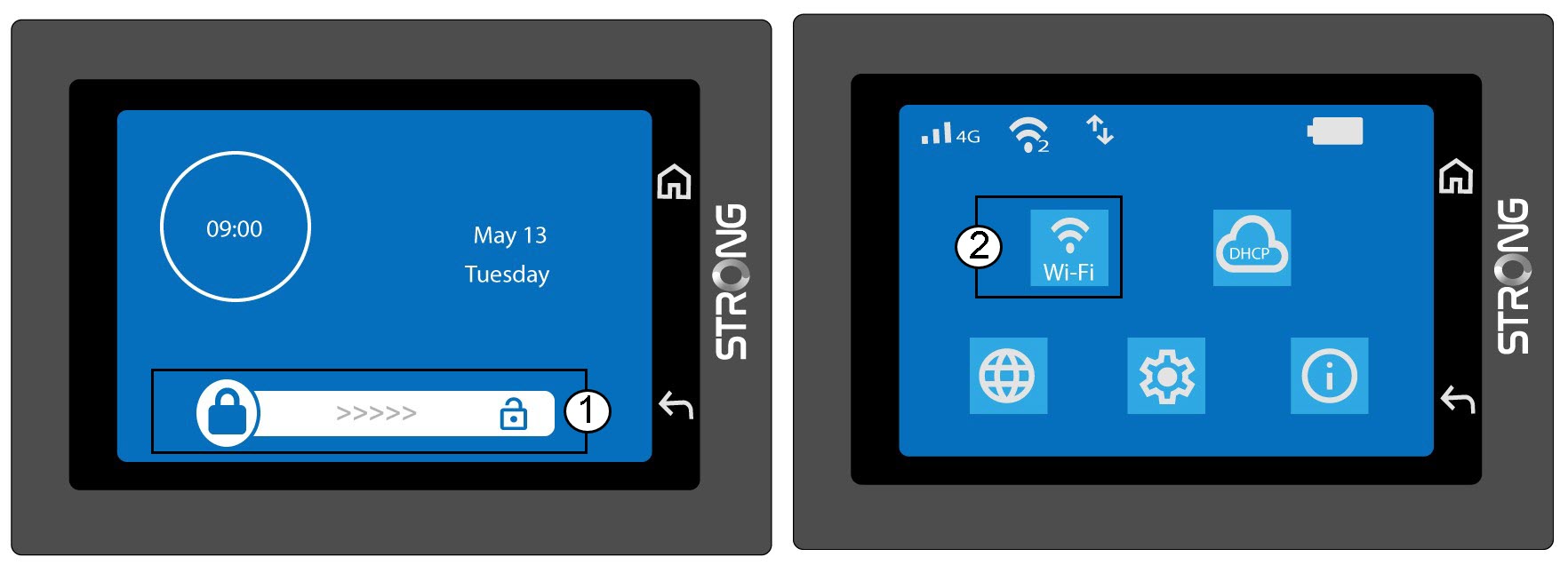
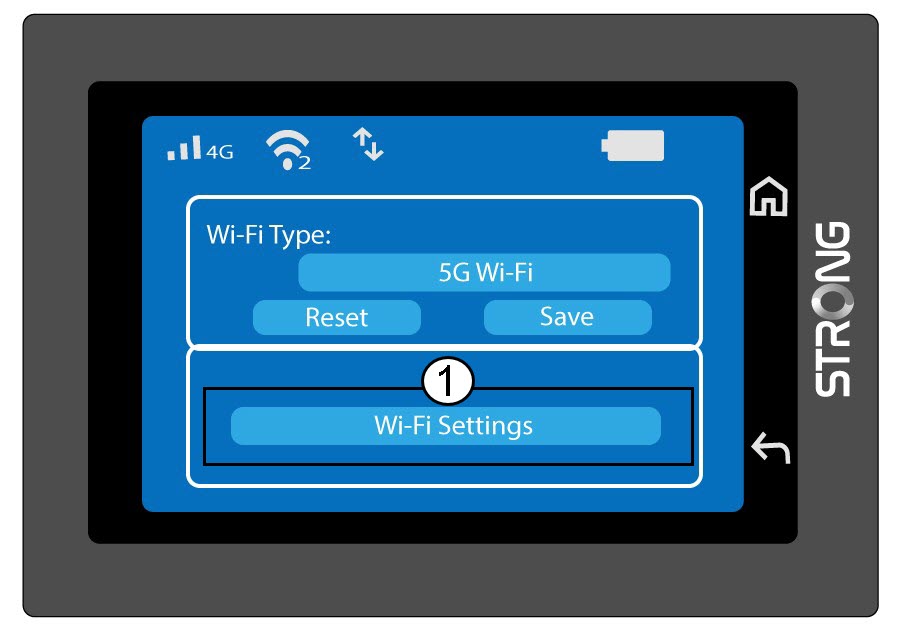
2.Konfiguration von „OpenWi-Fi“
Klicken Sie auf „WLAN-Einstellungen“.
3. Den Netzwerknamen (SSID) ändern
Klicken Sie auf das Stiftsymbol neben dem WLAN-Netzwerknamen, geben Sie den neuen Namen ein und drücken Sie (V), um zu bestätigen.
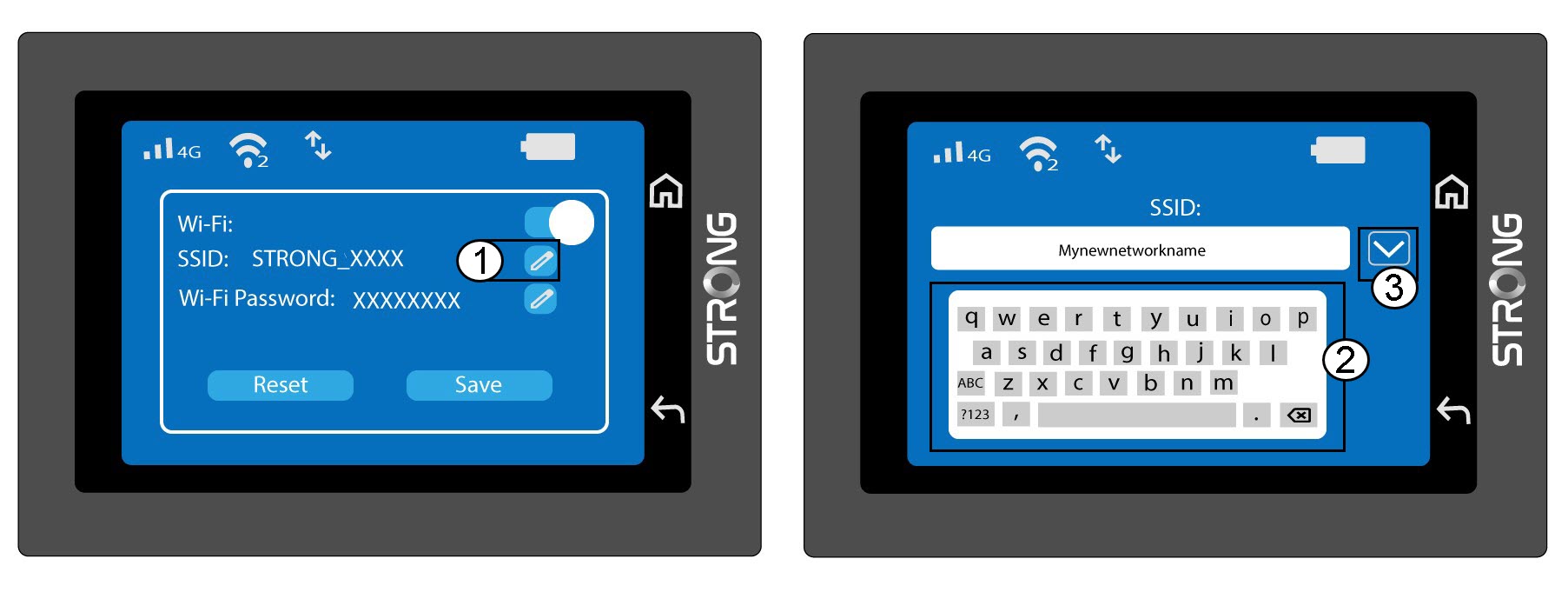
4. Das WLAN-Passwort ändern
Klicken Sie auf das Stiftsymbol neben dem WLAN-Passwort, geben Sie das neue Passwort ein und drücken Sie (V), um die Eingabe zu bestätigen.
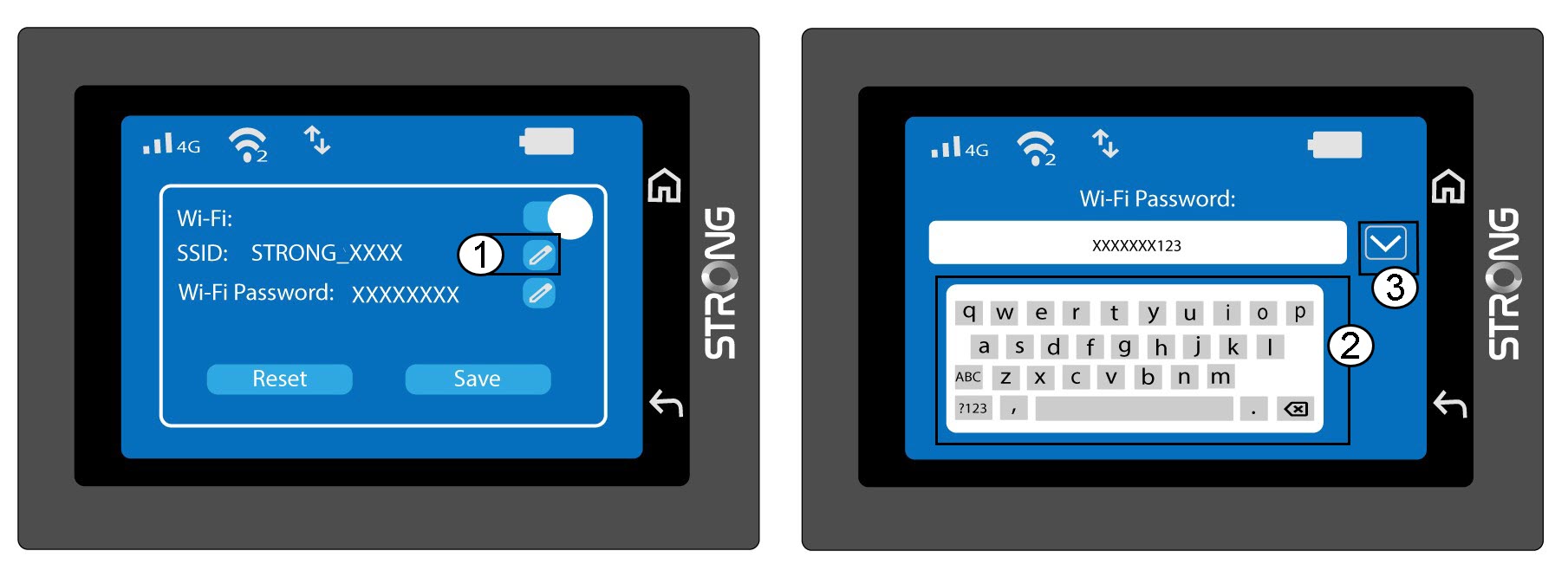
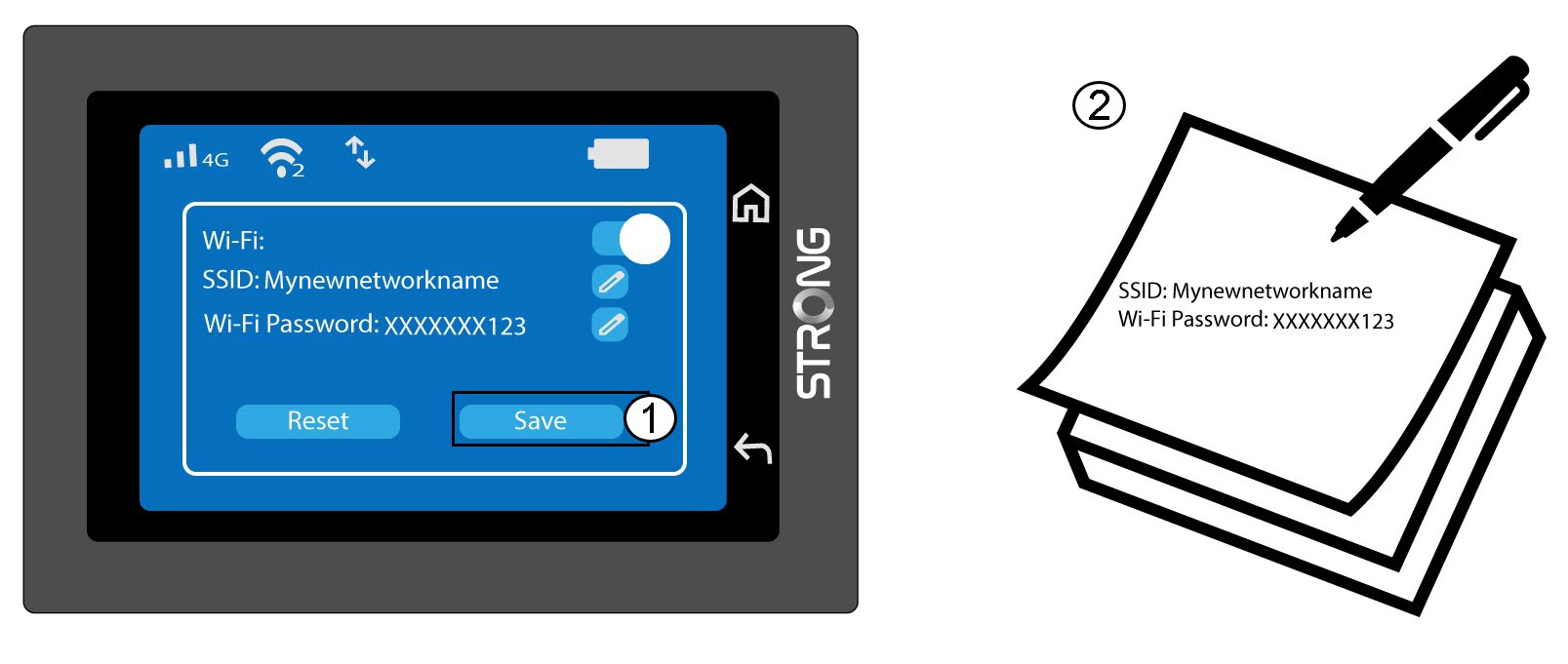
5. Speichern SieIhre Änderungen
Klicken Sie auf „Speichern“ und notieren Sie sich den neuen Netzwerknamen und das Passwort für spätere Verwendung.