
ATRIA Wi-Fi 5 Mesh 1200 (2er-Pack)
Keine Artikel gefunden.
Keine Artikel gefunden.
Alle Fragen
ATRIA Wi-Fi 5 Mesh 1200 (2er-Pack)
Keine Artikel gefunden.
Keine Artikel gefunden.
Wie richte ich mein WLAN- mesh -Netzwerk ein (Fall 1: WPS-Taste)?
Informationen zur Konfiguration Ihres „ Mesh “-Netzwerks finden Sie in der Kurzanleitung (QIG), die im „ box “ Ihres Produkts enthalten ist.
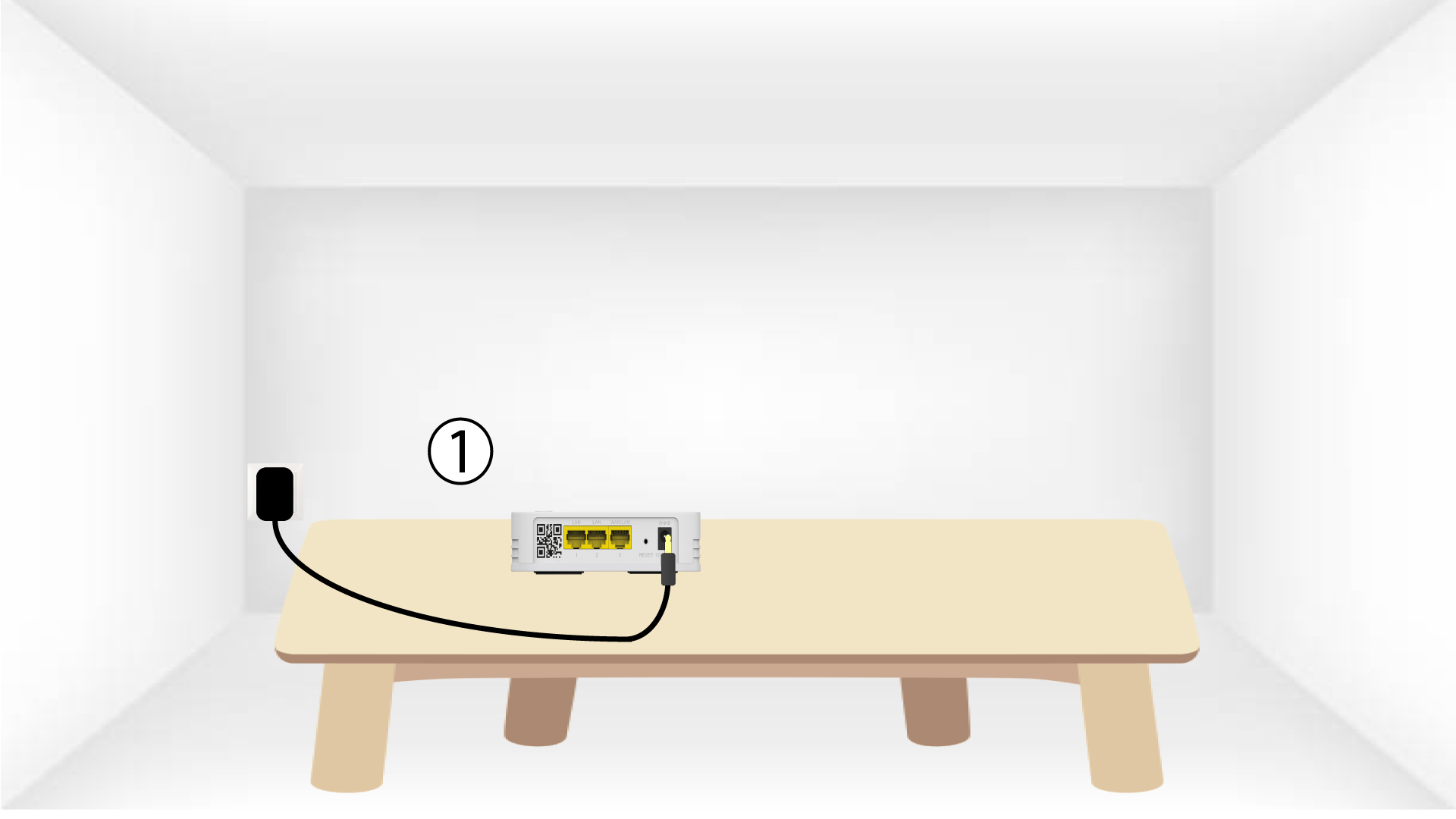
1. Schließen Siedas Gerät an.
Sie müssen das „ mesh “-Gerät an die Steckdose anschließen, um es einzuschalten (das Gerät verfügt über keinen Netzschalter), und es über ein RJ45-Kabel mit Ihrem Modem verbinden (
).

2WartenSie während der Konfiguration
Anschließend müssen Sie einige Minuten warten, bis sich das Gerät selbst konfiguriert hat.
3.Schließen Sie das zweite Gerät an.
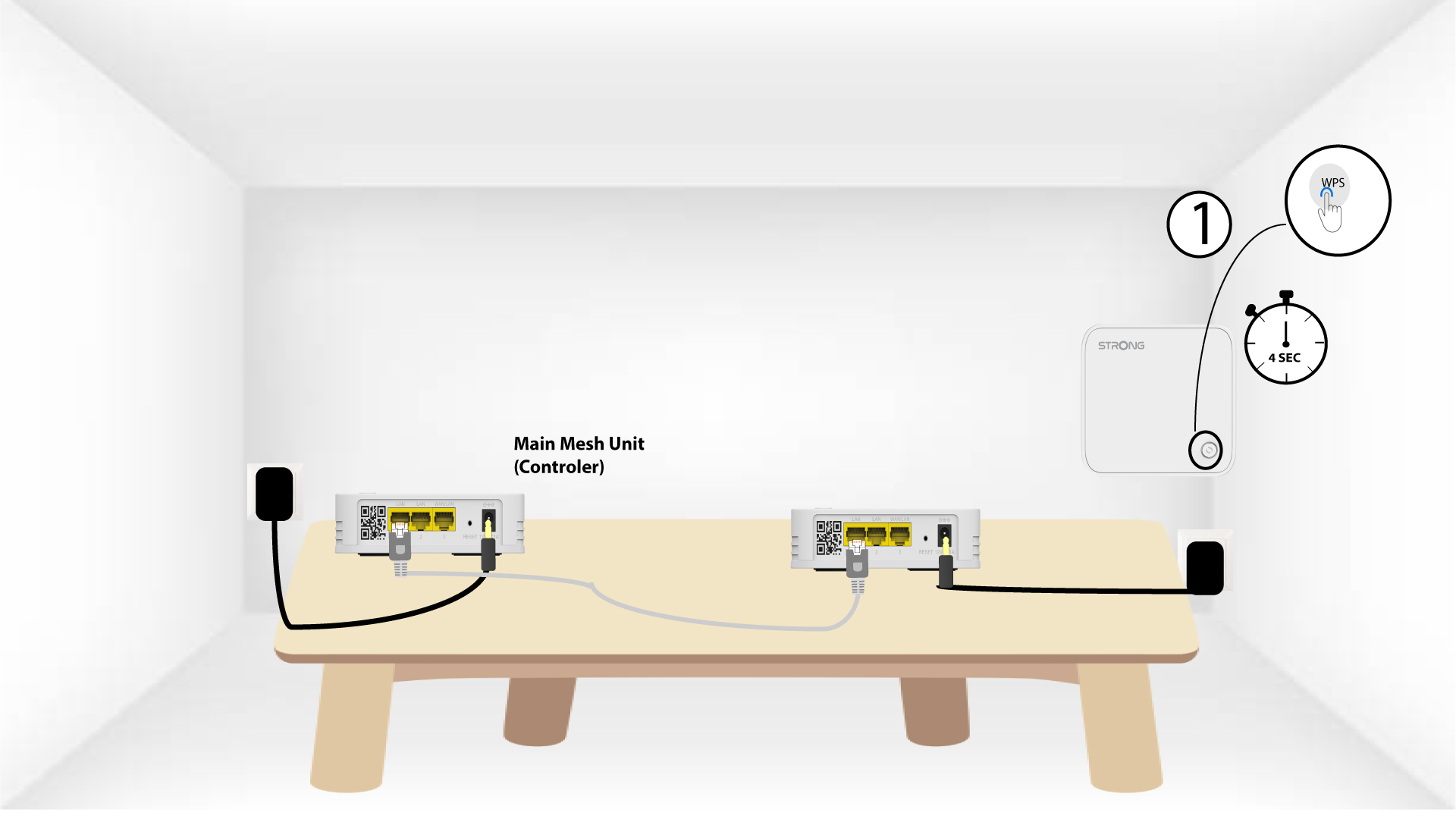
Sie müssen das zweite „ mesh “-Gerät anschließen.
4. Aktivieren Siedas WPS auf dem Hauptgerät mesh
Drücken Sie die WPS-Taste am „ Mesh “-Gerät, das mit Ihrem Modem/Router verbunden ist, mindestens 4 Sekunden lang.
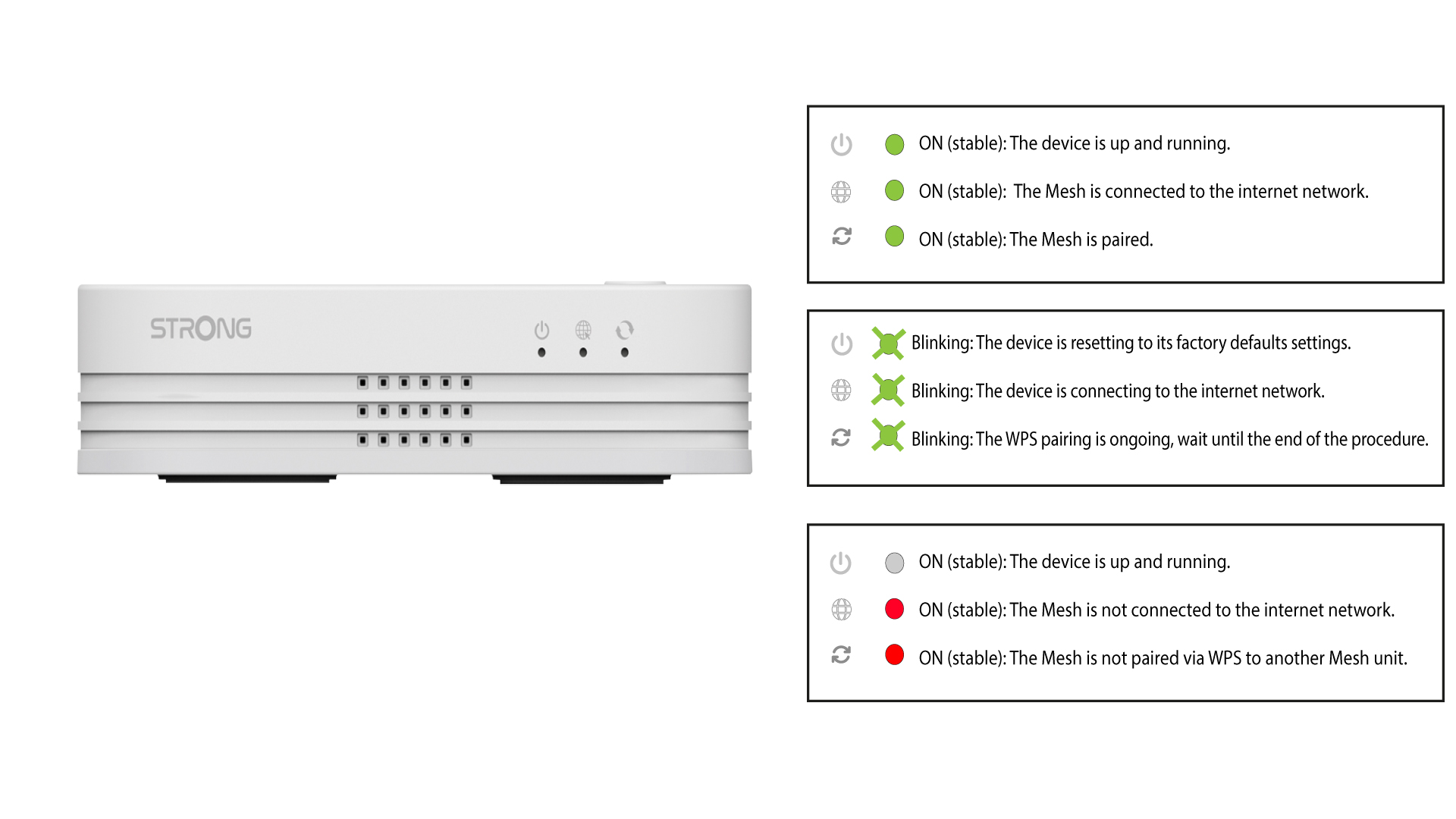
Nach der Aktivierung von WPS blinkt die LED grün.
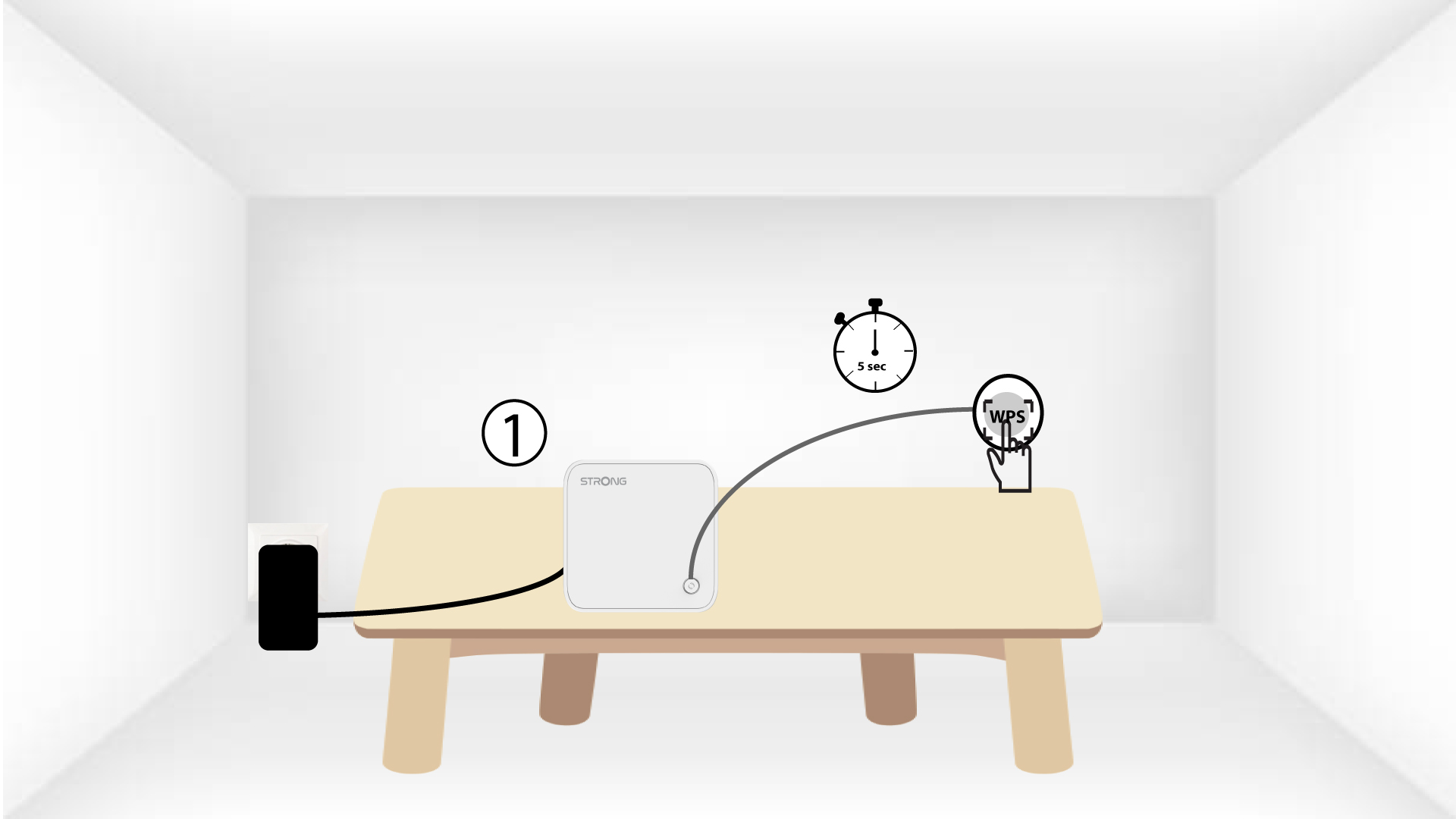
5. Aktivieren Siedas WPS auf dem zweiten mesh
Drücken Sie die WPS-Taste am zweiten „ Mesh “-Gerät mindestens 4 Sekunden lang.
6Gerätewerden gekoppelt
Lorem ipsum dolor sit amet, consectetur adipisicing elit. Denn niemand weiß, dass die Pflicht zur Leistung der Dienstleistung eine Ausnahme darstellt.