Keine Artikel gefunden.
LEAP 41 | 4K Google TV mit HDR10+
Keine Artikel gefunden.
Alle Fragen
Keine Artikel gefunden.
LEAP 41 | 4K Google TV mit HDR10+
Keine Artikel gefunden.
Wie setze ich das Gerät auf die Werkseinstellungen zurück?
1. Schalten SieIhren Fernseher und den Receiver ein.
Schalten Sie Ihren Fernseher und Ihren Receiver ein.
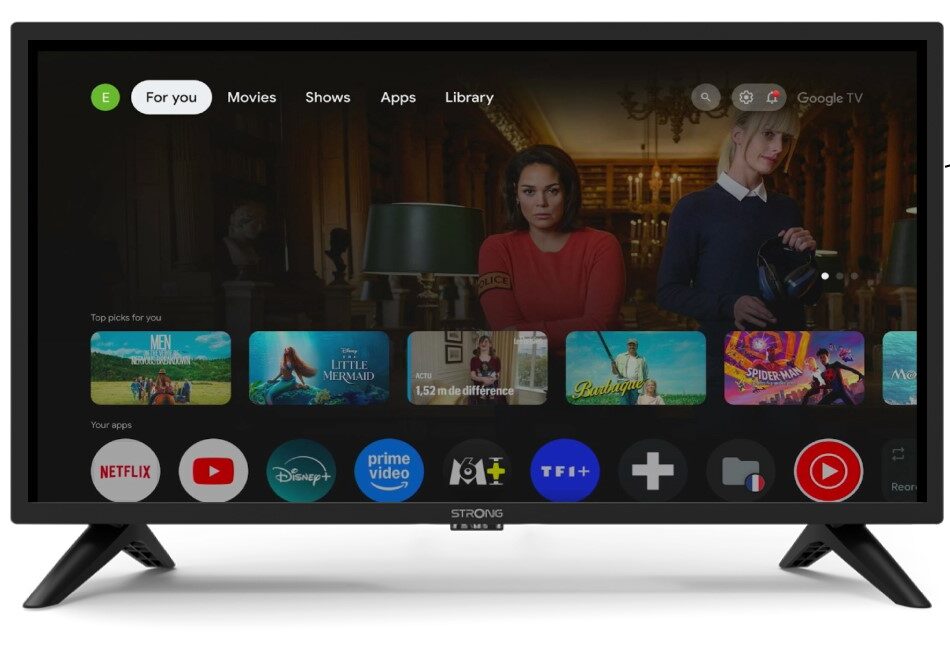
2Einstellungen
Drücken Sie auf das Zahnrad-Symbol auf Ihrer Fernbedienung.
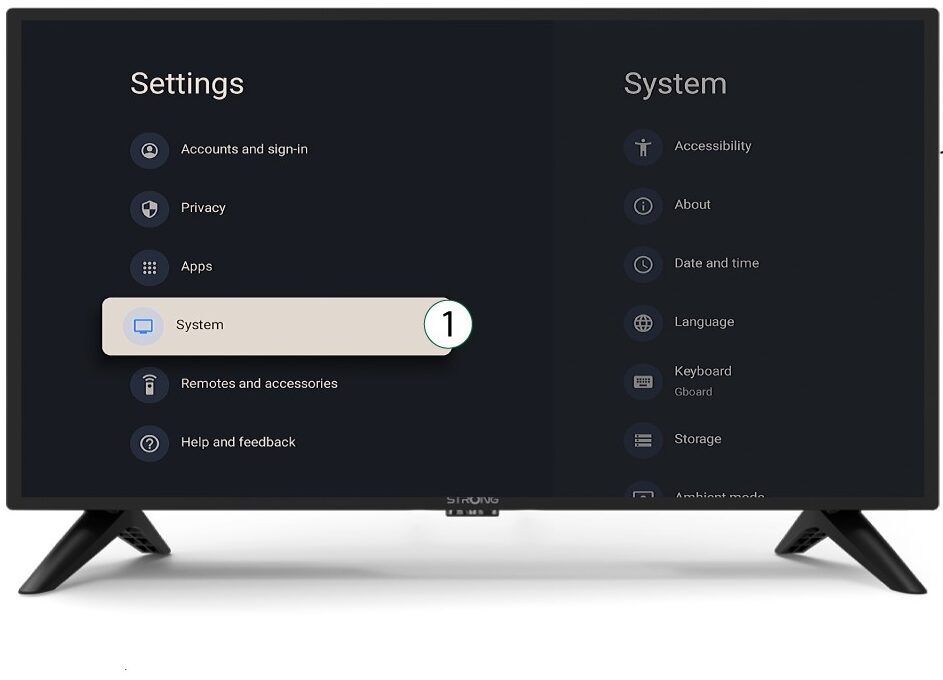
3System
Wählen Sie im Menü „Einstellungen“ die Option „System “ aus und drücken Sie „OK“.
4Über
Wählen Sie im Systemmenü den Eintrag „Info“ aus und drücken Sie „OK“.
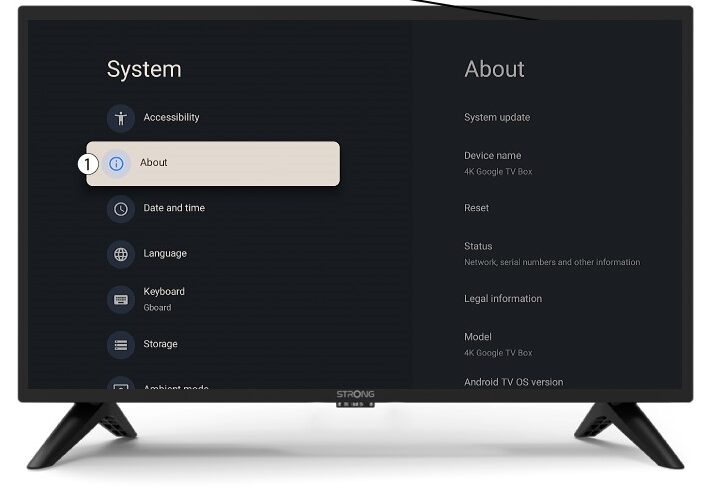
5Zurücksetzen
Wählen Sie „Zurücksetzen“.
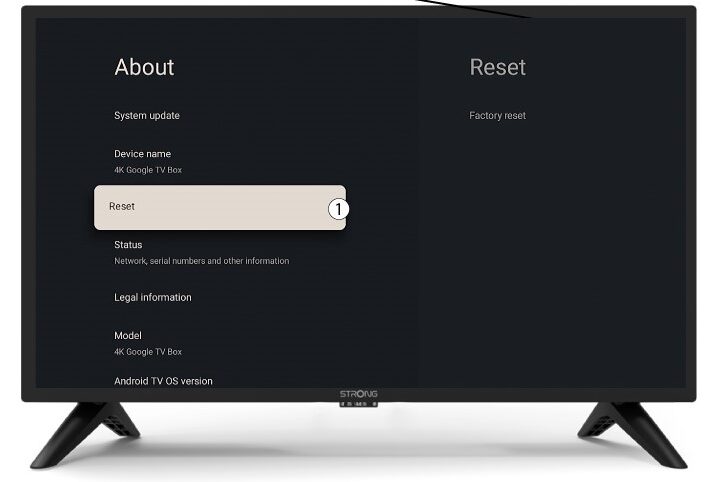
6. Auf Werkseinstellungenzurücksetzen
Wählen Sie „Auf Werkseinstellungen zurücksetzen “ und drücken Sie „OK“.
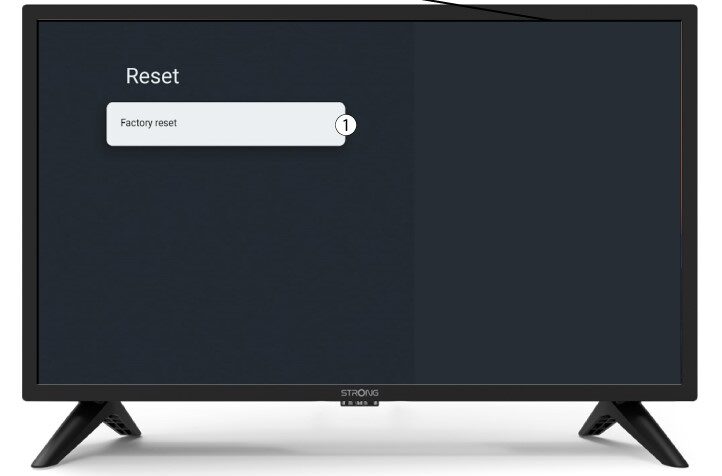
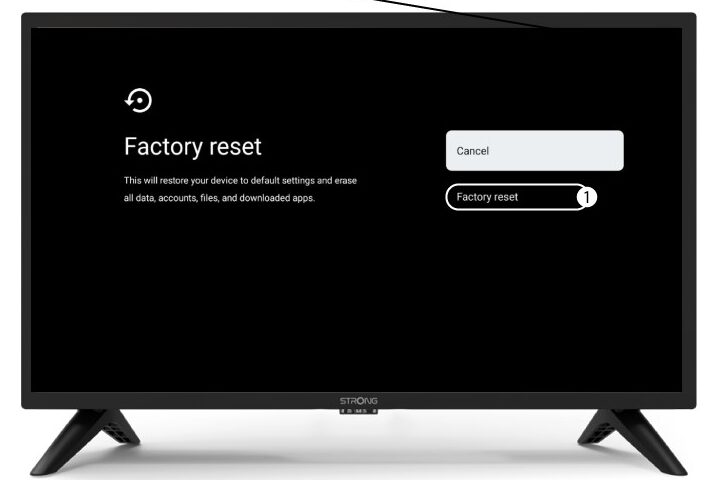
7Zurücksetzen bestätigen
Wählen Sie auf der Seite „Werkseinstellungen zurücksetzen“ die Option „Werkseinstellungen zurücksetzen“ aus.