
Repeater 1200
Alle Fragen
Repeater 1200
Wie aktualisiere ich die Firmware meines „ repeater “?
1. Auf ein Firmware-Update prüfen
Vor dem Update sollten Sie im Download-Bereich unserer Website nachsehen, ob eine neue Softwareversion verfügbar ist.
2Zur Seite „Downloads“ wechseln
Klicken Sie auf „HILFE“ > „Downloads“.

3Wählen SieIhr Produkt aus
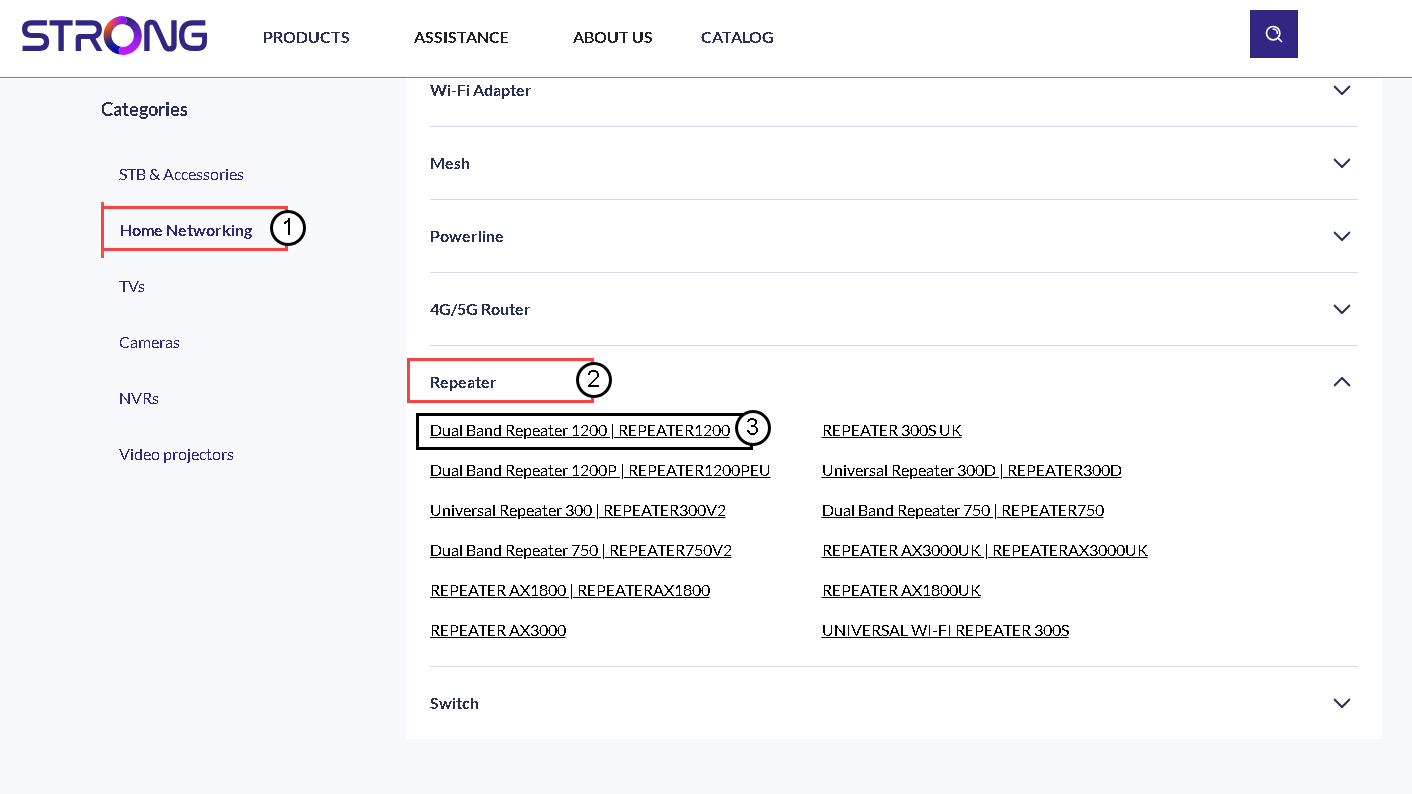
Sobald Sie die Seite „Downloads“ aufgerufen haben, klicken Sie auf „Heimnetzwerk“ und dann auf „ repeater “ und anschließend auf die Produktbezeichnung.
4. Firmware herunterladen
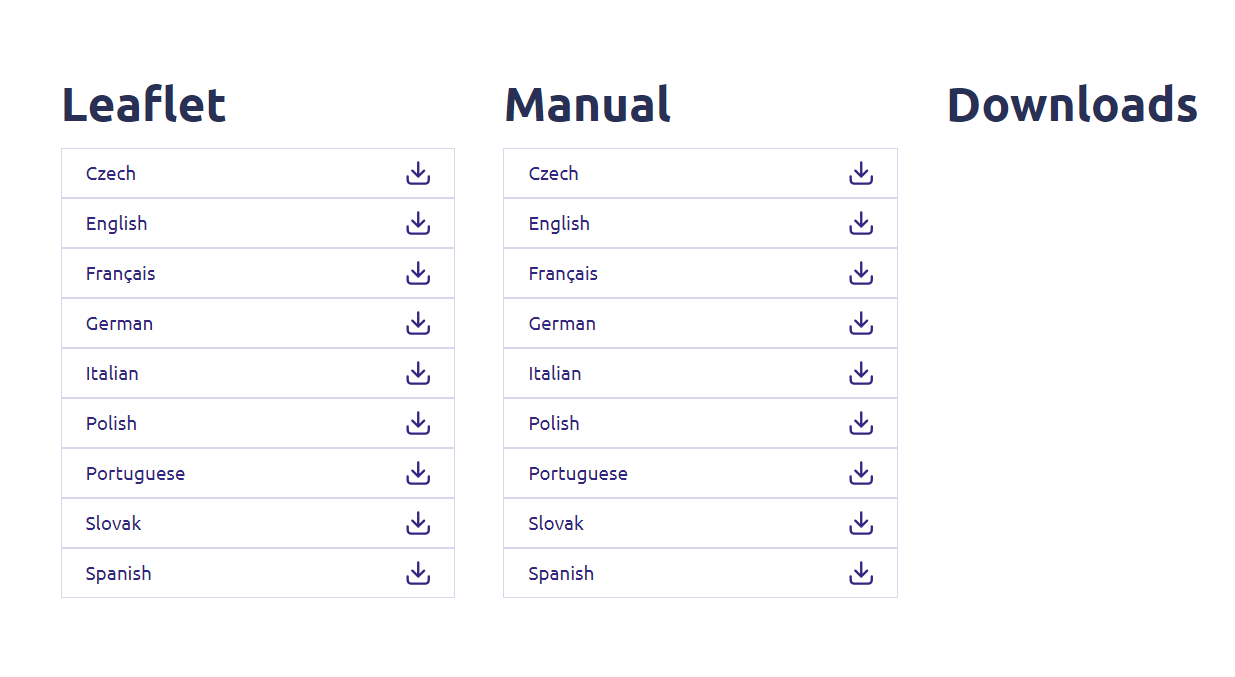
Auf der folgenden Seite finden Sie die neue Softwareversion im Abschnitt „Firmware“. Falls eine Datei verfügbar ist, laden Sie diese bitte herunter.
5Stellen Sie eine Verbindungzum Repeater
Sobald dies erledigt ist, stellen Sie eine Verbindung zum WLAN des „ repeater “ her.

6Aufdie Web-Benutzeroberfläche zugreifen
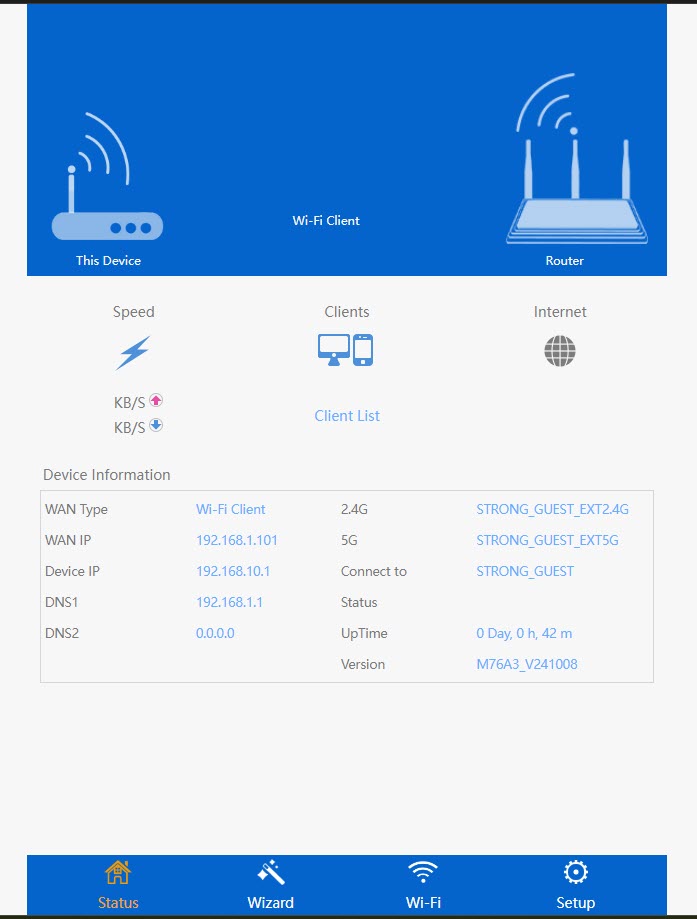
Rufen Sie die URL der Web-Benutzeroberfläche auf.

7. Öffnen Siedas Einstellungsmenü
Klicken Sie auf „Einrichten“.
8. Starten Siedas Firmware-Update
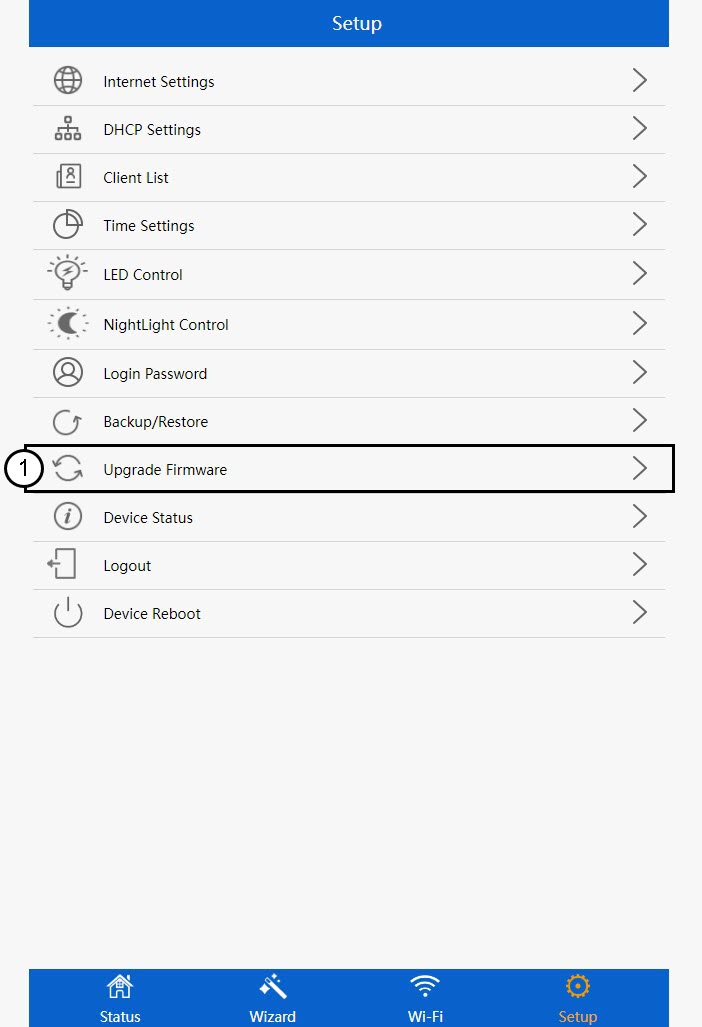
Klicken Sie auf „Firmware aktualisieren“.
9. Wenden Siedas Update an
Wählen Sie Ihre Datei aus und klicken Sie auf „Übernehmen“. Anschließend wird das Update automatisch gestartet.
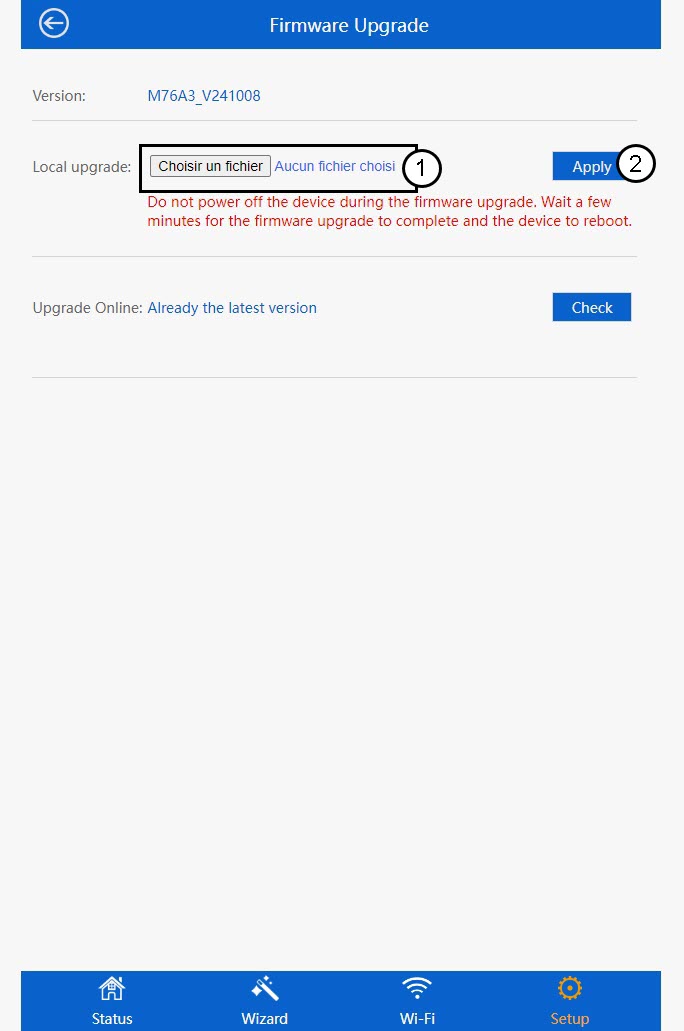
 Warnung: Bitte warten Sie, bis das Update abgeschlossen ist und das Gerät neu gestartet wurde. Nach dem Update müssen Sie die WLAN-Verbindung erneut herstellen.