Powerline 500 Duo | POWERL500DUO
Alle Fragen
Powerline 500 Duo | POWERL500DUO
Wie fügen Sie ein neues „Strong powerline “-Produkt zu Ihrem bestehenden „ powerline “-Netzwerk mit der Sicherheitsstufe 1 hinzu?
Da Ihr bestehendes Netzwerk bereits mit der Konfiguration „Hohe Sicherheitsstufe 1“ eingerichtet wurde, erfolgt das Hinzufügen eines Produkts ganz einfach per Plug & Play. Am Produkt selbst sind keine Maßnahmen erforderlich. Schließen Sie einfach das neue „ powerline “-Produkt an, und es wird automatisch zum Netzwerk hinzugefügt.
In der Regel werden „ powerline “-Adapter in Zweier- oder Dreiergruppen gekoppelt. Wenn Sie also Ihrem Netzwerk, das mit der hohen Sicherheitsstufe 1 konfiguriert ist, weitere „ powerline “-Produkte hinzufügen möchten, müssen Sie die folgenden Schritte befolgen.
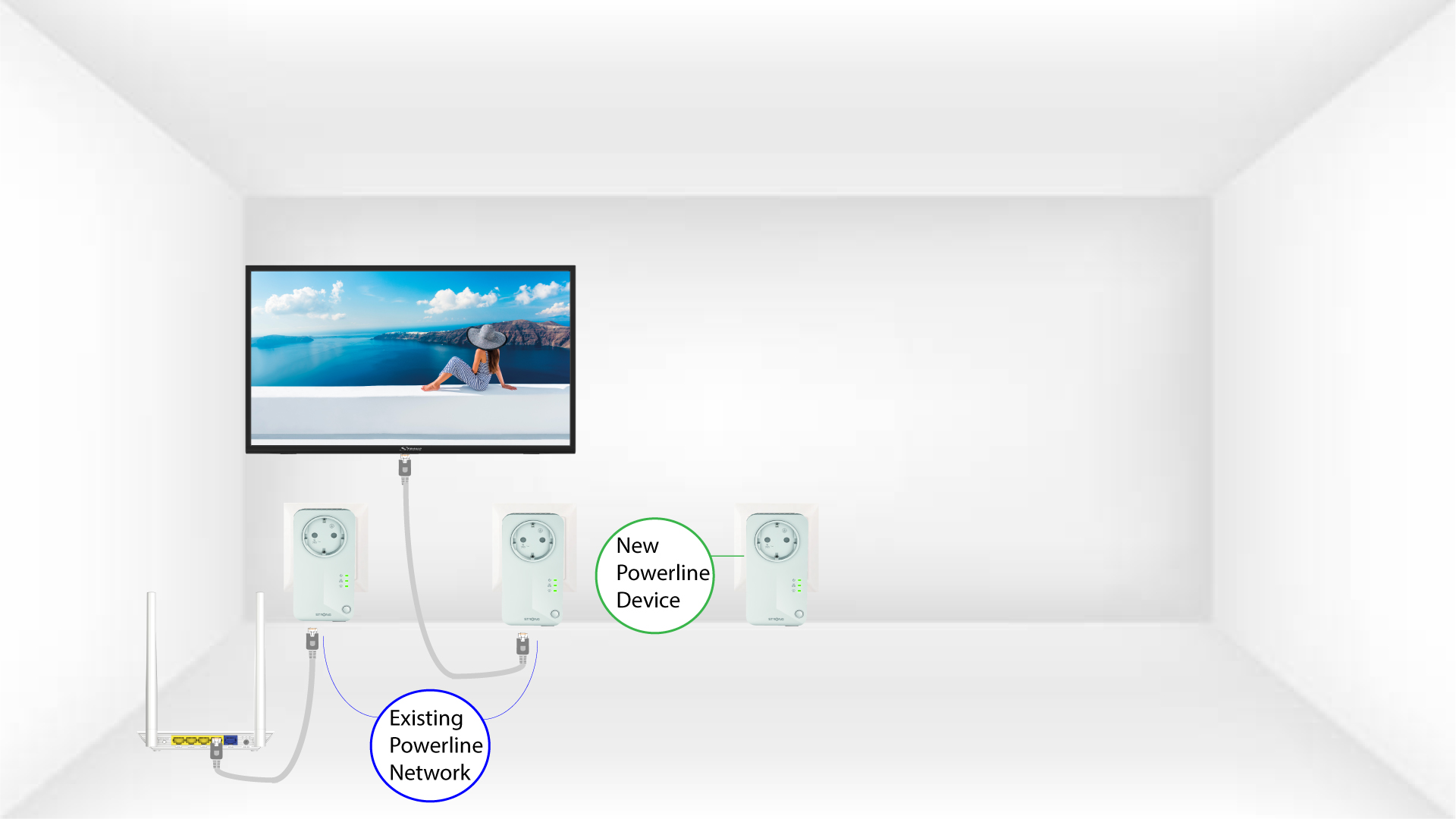
Weitere FAQs anzeigen1. Schließen Siedas zusätzliche Gerät an.
Schließen Sie das/die zusätzliche(n) Gerät(e) an eine Steckdose an.
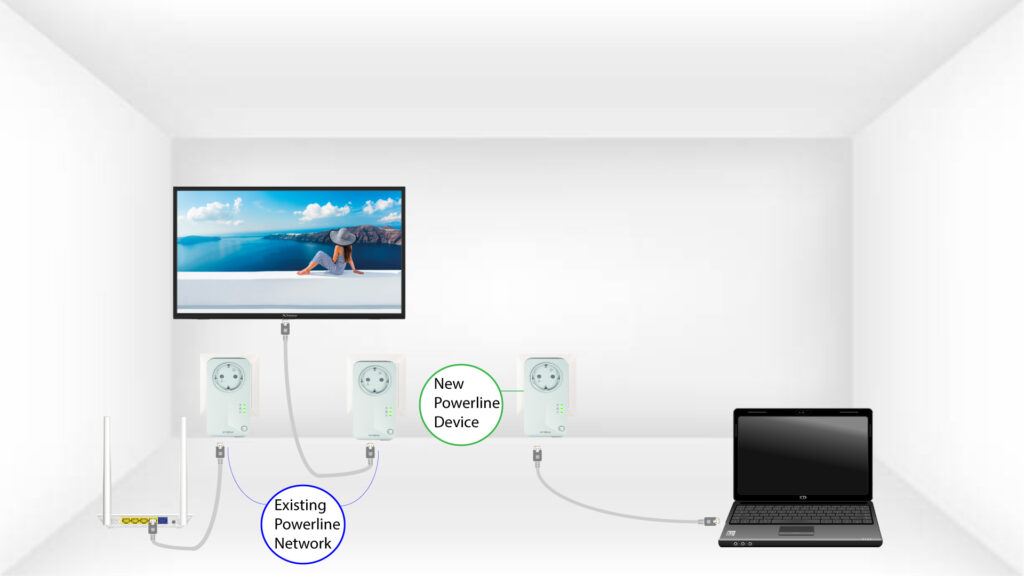
2. Schließen Sieden „ powerline “ über einen RJ45-Anschluss an ein Gerät an.
Schließen Sie das Gerät über einen RJ45-Anschluss an einen Internet-Router/ein Gateway an.
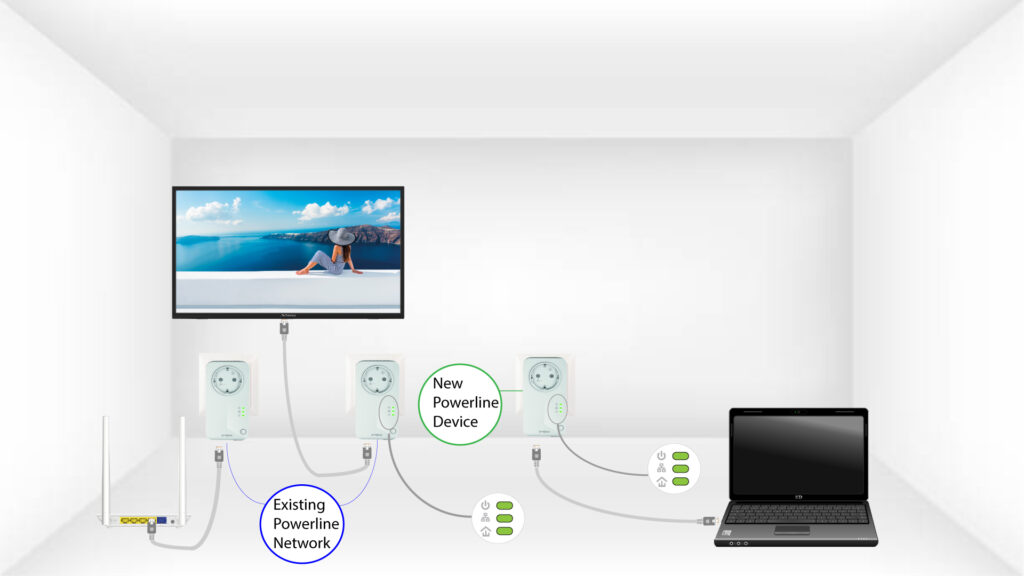
3 AlleLEDs leuchten grün
Nachdem das neue Gerät angeschlossen wurde, leuchten alle LEDs an allen Geräten grün.