
Powerline 600 Duo Wi-Fi Mini UK
Keine Artikel gefunden.
Keine Artikel gefunden.
Alle Fragen
Powerline 600 Duo Wi-Fi Mini UK
Keine Artikel gefunden.
Keine Artikel gefunden.
Wie richtet man die hohe Sicherheitsstufe 2 auf Ihren „ powerline “-Produkten ein?
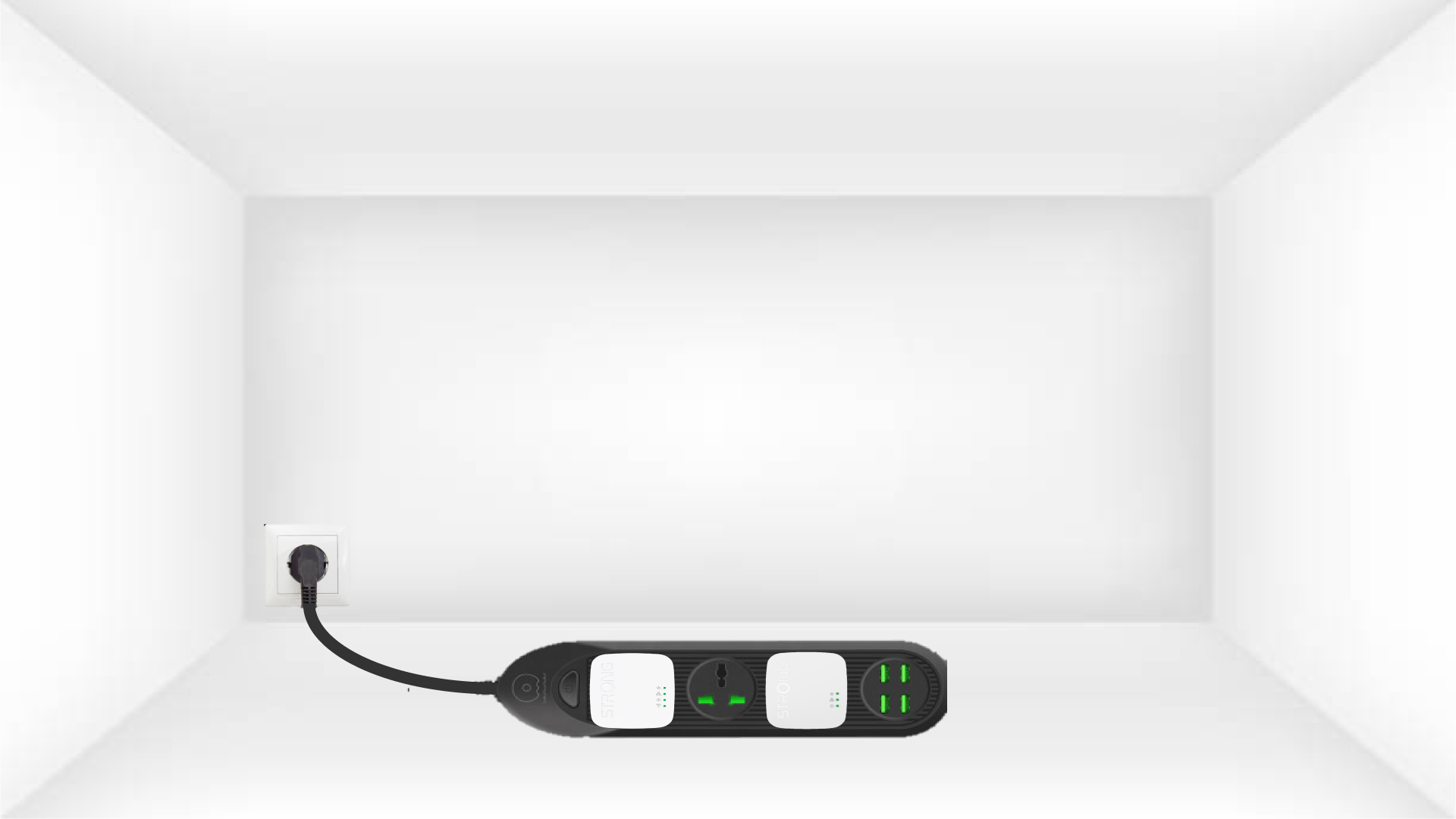
1. Schließen Siedie Adapter an eine Steckdosenleiste an.
Nehmen Sie eine Steckdosenleiste und schließen Sie alle „ powerline “-Adapter daran an.
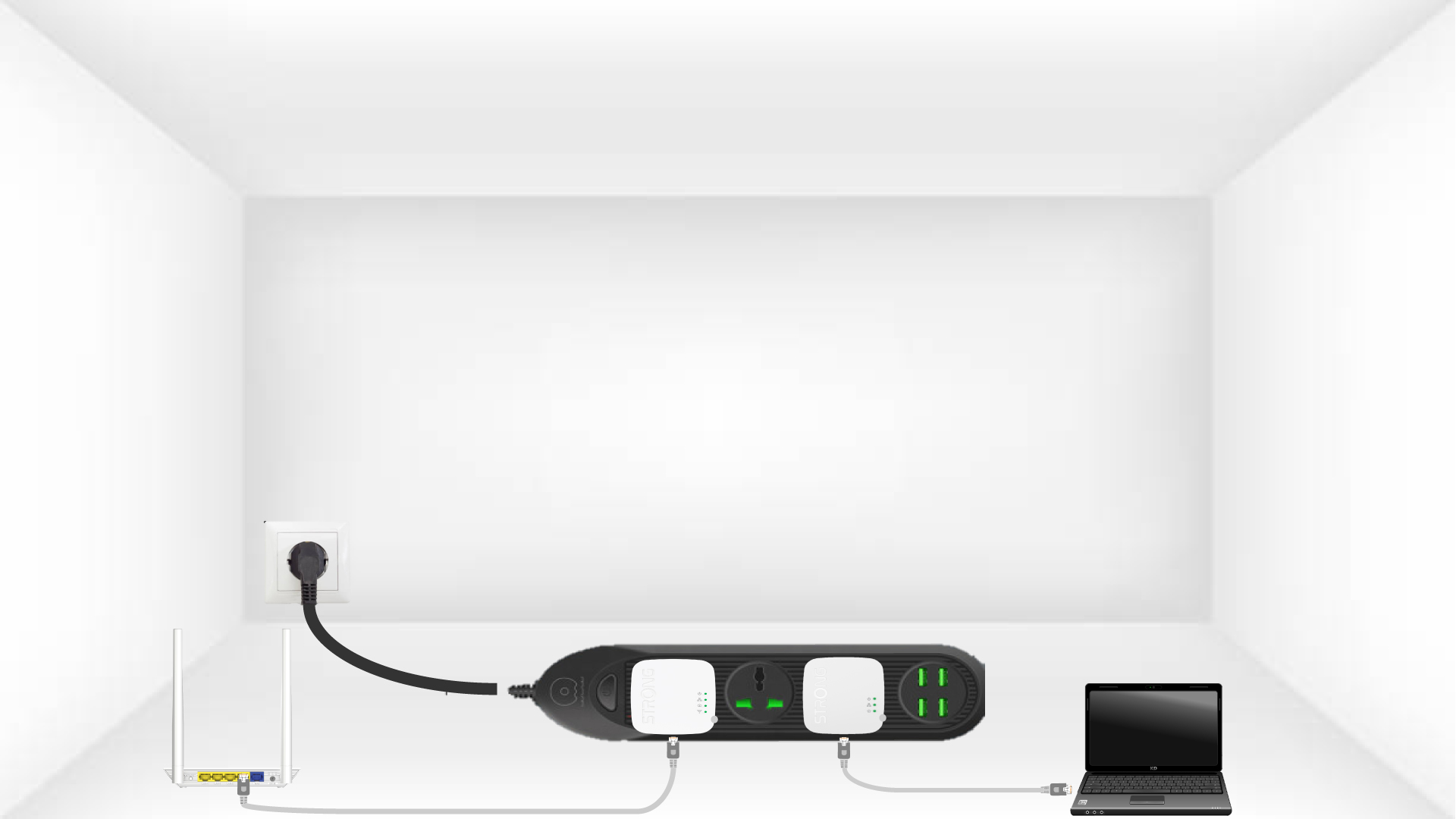
2. Verbinden Siedie Adapter mit dem Internet
Verbinden Sie einen der Adapter über ein RJ45-Kabel mit dem Internet-Gateway bzw. Router.
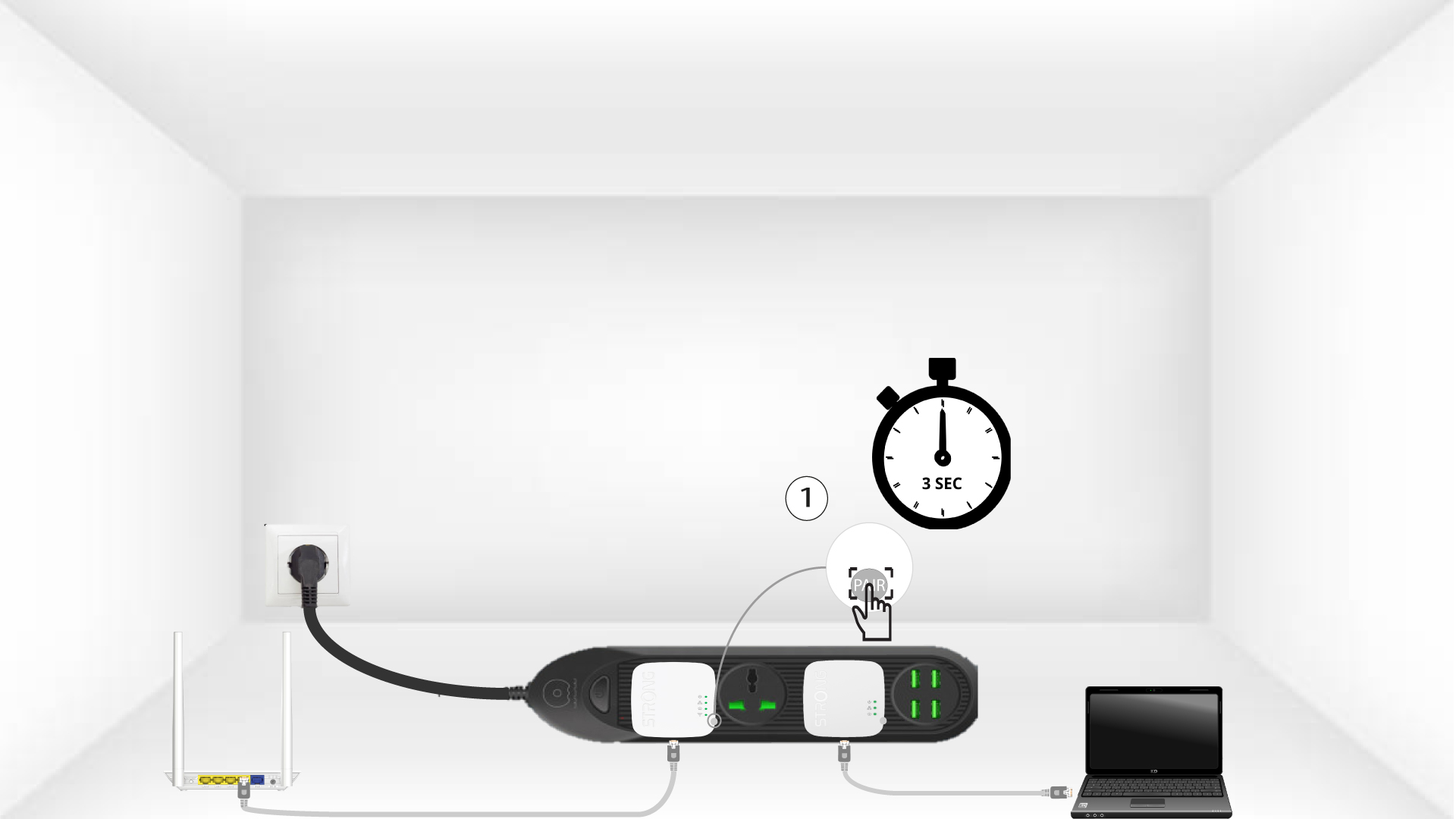
3 Drücken Siedie Taste „Connect & Secure“ (erster Adapter)
Drücken Sie anschließend auf dem ersten Gerät 3 Sekunden lang die Taste„CONNECT & SECURE“
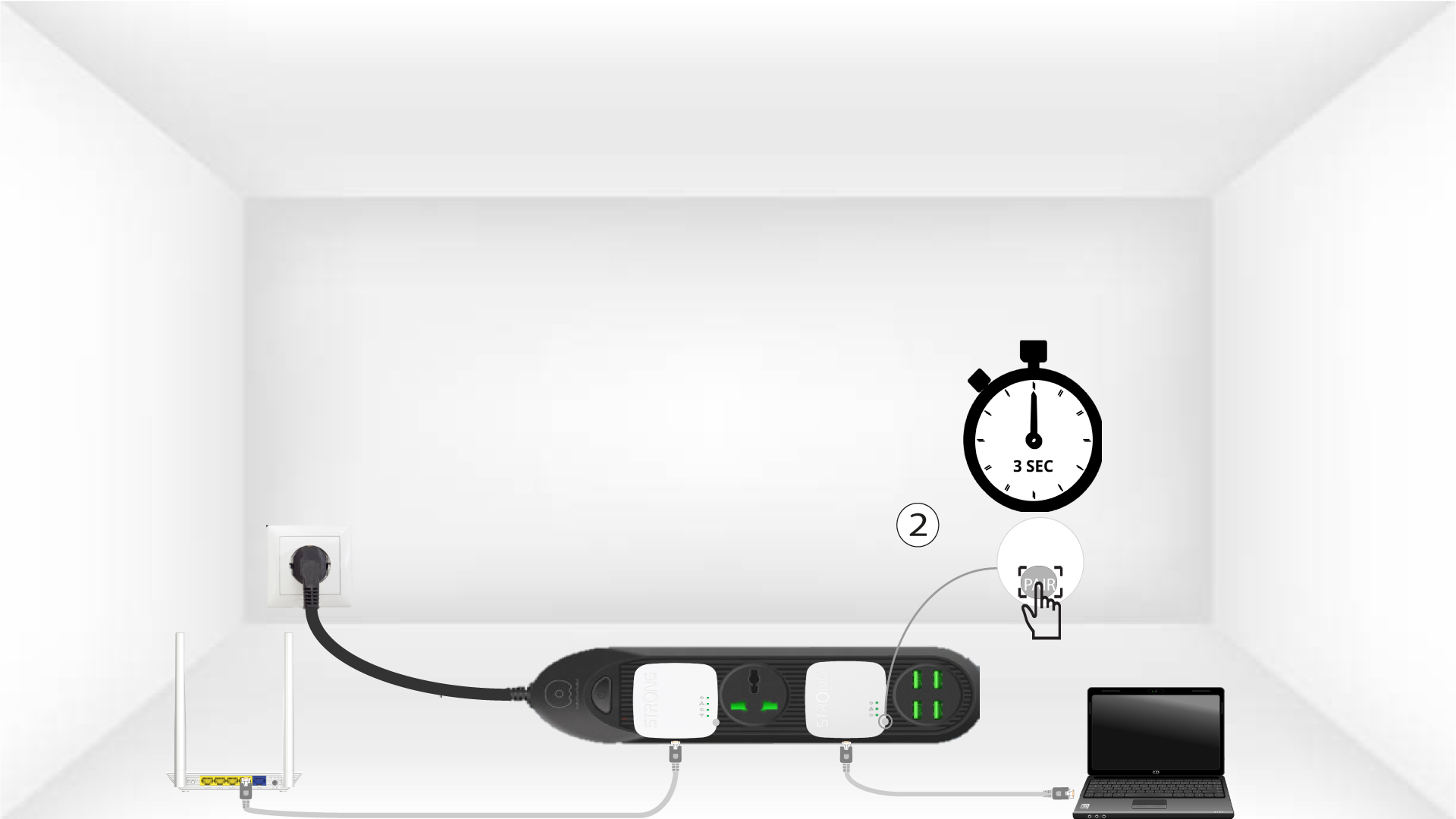
4. Drücken Siedie Taste „Connect & Secure“ (zweiter Adapter).
Halten Sie die Taste„CONNECT & SECURE“ am zweiten Gerät 3 Sekunden lang gedrückt. Sie haben dafür bis zu zwei Minuten Zeit.
5Die LED „Home“blinkt
Die „Home“-LED sollte an beiden Geräten blinken.
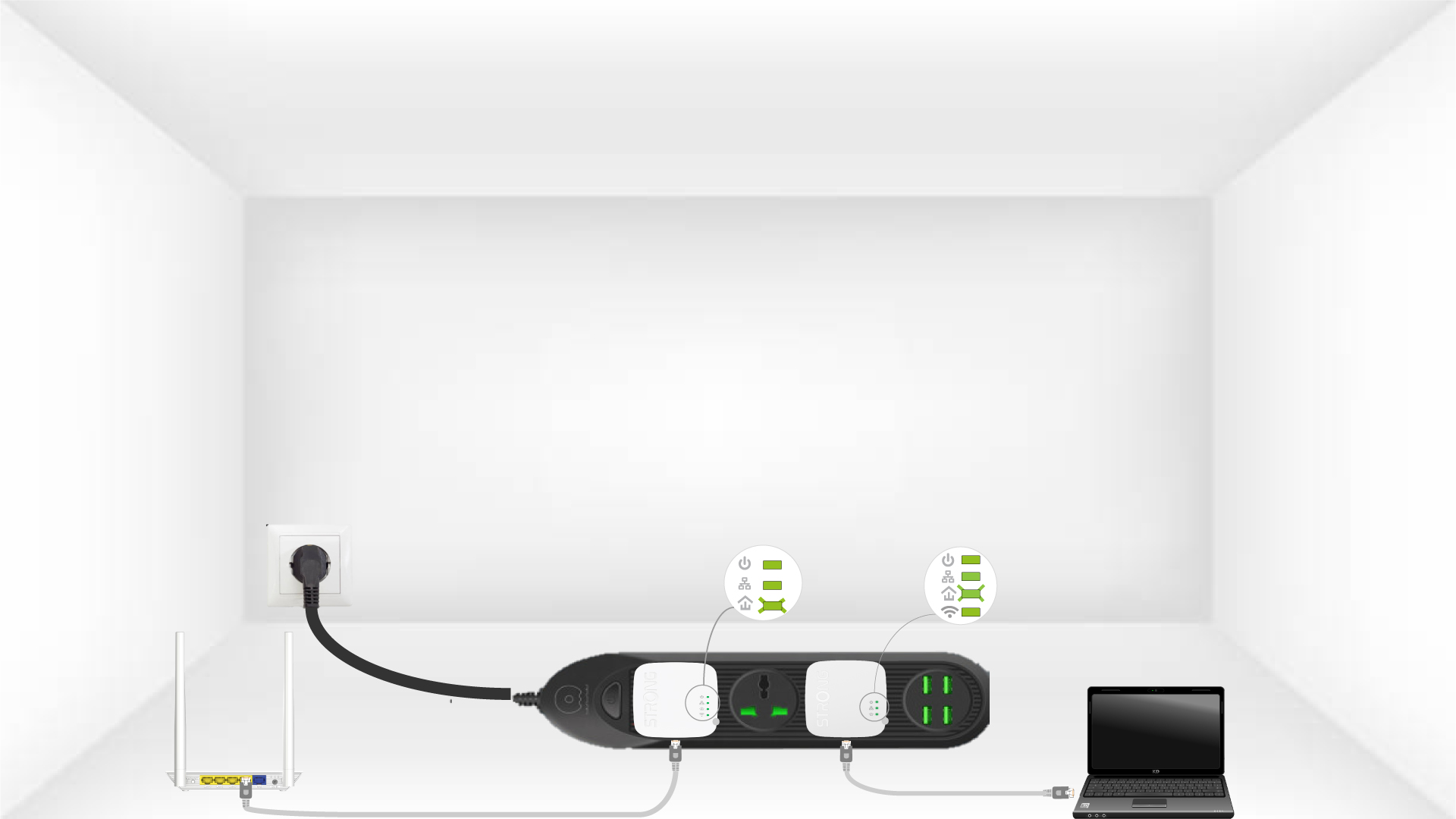
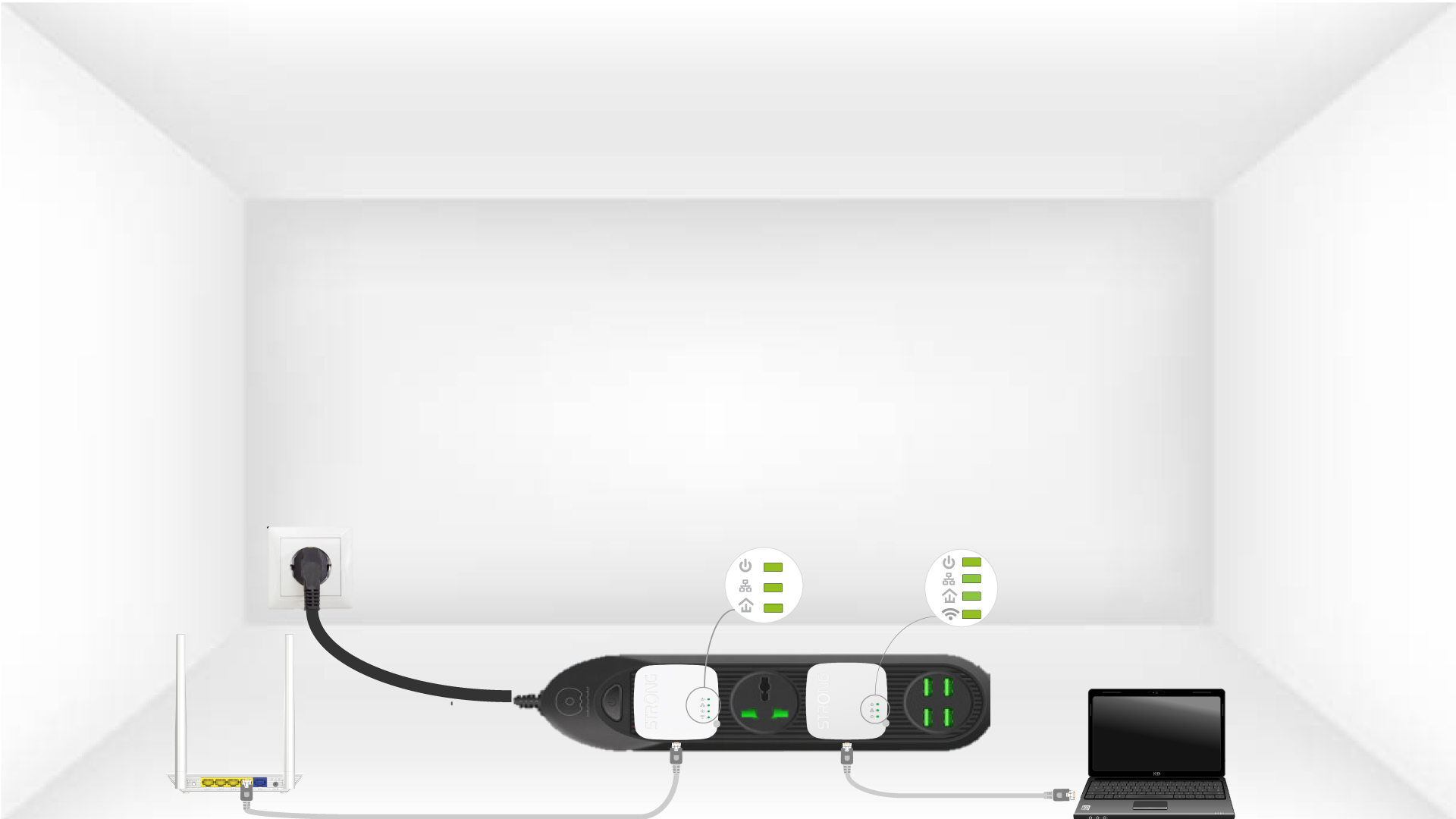
6DerVerschlüsselungsschlüssel ist festgelegt
Ihr individueller Verschlüsselungsschlüssel ist nun eingerichtet, und alle LEDs der Geräte sollten grün leuchten.
Nun müssen Sie die Adapter in den Räumen installieren, in denen Sie sie benötigen. Wir raten dringend davon ab, die Adapter an eine Steckdosenleiste anzuschließen.