
Mesh ATRIA Wi-Fi 5 Mesh 2100 (πακέτο 2 τεμαχίων)
Όλες οι ερωτήσεις
Mesh ATRIA Wi-Fi 5 Mesh 2100 (πακέτο 2 τεμαχίων)
Μπορώ να ρυθμίσω ένα δίκτυο επισκεπτών για το δίκτυό μου στο Mesh ;
Ναι, μπορείτε να ρυθμίσετε ένα δίκτυο επισκεπτών για το δίκτυό σας Mesh . Υπάρχουν 2 τρόποι για να το κάνετε αυτό:
1ΠΕΡΙΠΤΩΣΗ 1: Διαδικτυακό περιβάλλον χρήστη:
Για να συνδεθείτε στο περιβάλλον εργασίας χρήστη μέσω ιστού (Web UI), ανατρέξτε στην ακόλουθη διαδικασία: Πώς μπορώ να αποκτήσω πρόσβαση στο περιβάλλον εργασίας χρήστη μέσω ιστού;
2Δίκτυο επισκεπτών
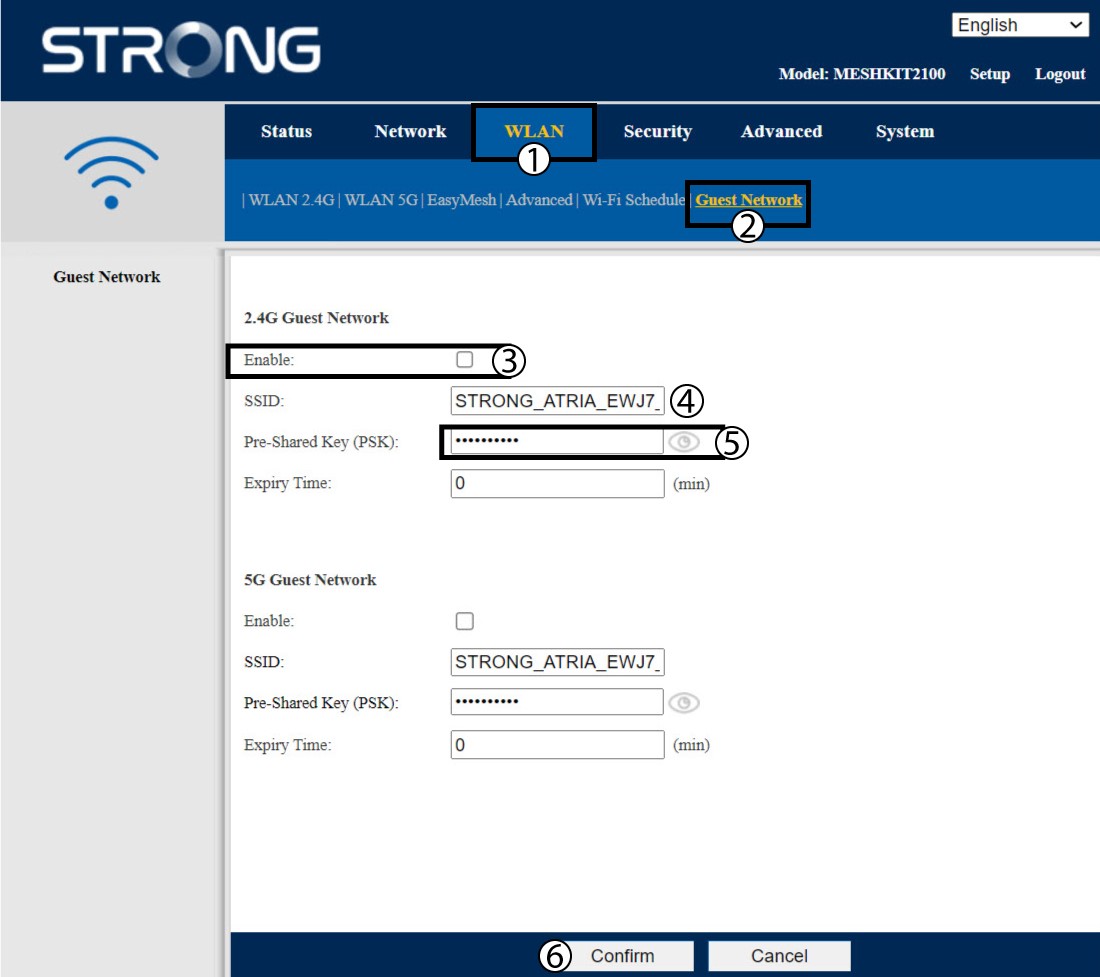
Κάντε κλικ στην επιλογή «WLAN» και «Δίκτυο επισκεπτών». Αν θέλετε να ενεργοποιήσετε τόσο το δίκτυο επισκεπτών στα 2,4 όσο και στα 5G, επιλέξτε τα αντίστοιχα πλαίσια ενεργοποίησης και κάντε κλικ στο κουμπί «Επιβεβαίωση».
3. Καταγράψτε τις νέες πληροφορίες
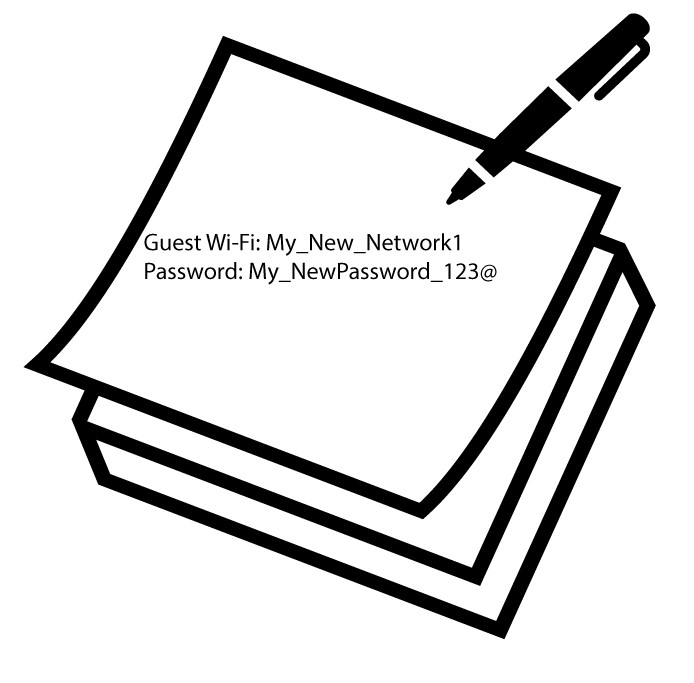
Σημειώστε το όνομα και τους κωδικούς πρόσβασης των δικτύων επισκεπτών σε ένα κομμάτι χαρτί.
1Περίπτωση 2: Εφαρμογή Atria « Mesh »
Για να συνδεθείτε στην εφαρμογή, ακολουθήστε την παρακάτω διαδικασία: Πώς χρησιμοποιώ την εφαρμογή Atria « Mesh »;
2. Wi-Fi για επισκέπτες
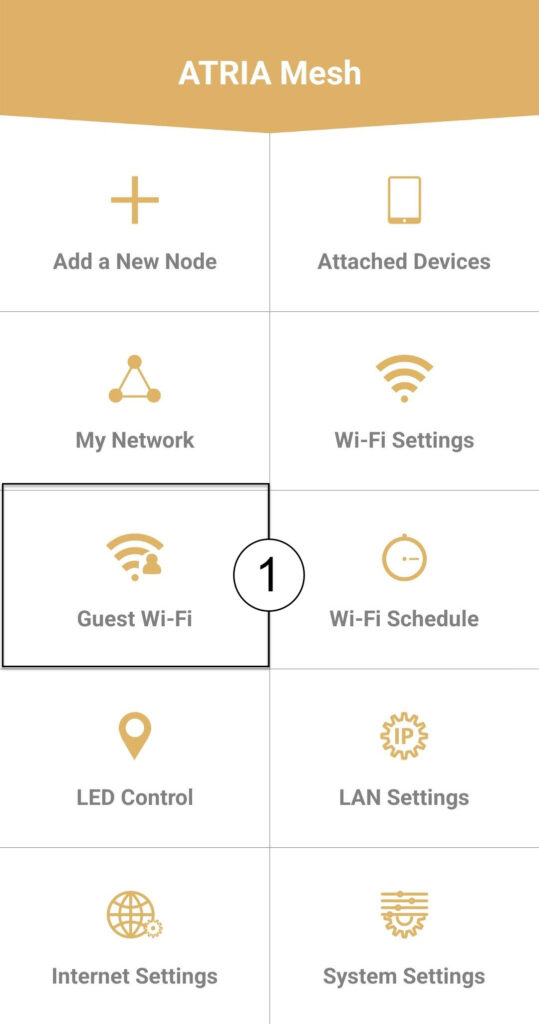
Κάντε κλικ στην επιλογή «Wi-Fi επισκεπτών».
3 ΝΕΟ ΒΗΜΑ
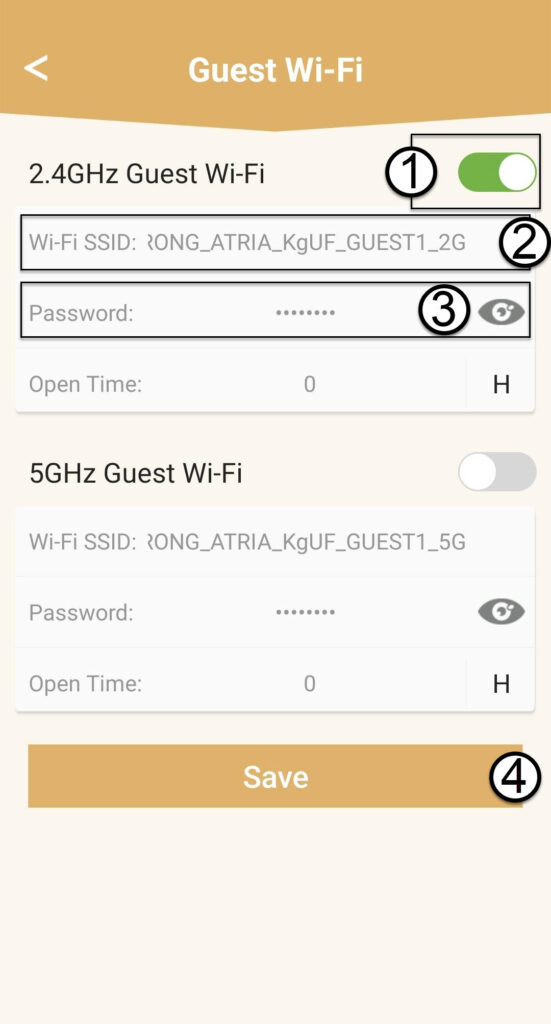
Πατήστε το κουμπί ενεργοποίησης/απενεργοποίησης του δικτύου Wi-Fi επισκεπτών για να το ενεργοποιήσετε. Στη συνέχεια, κάντε κλικ στο όνομα SSID του Wi-Fi για να το αλλάξετε και κάντε κλικ στο εικονίδιο με το μάτι για να εμφανιστεί ο κωδικός πρόσβασης και να τον επεξεργαστείτε, πριν κάνετε κλικ στο «Αποθήκευση».
4. Καταγράψτε τις νέες πληροφορίες
Σημειώστε το νέο SSID και τον κωδικό πρόσβασης του Wi-Fi σε ένα κομμάτι χαρτί.