Mesh ATRIA Wi-Fi 5 Mesh 2100 (πακέτο 2 τεμαχίων)
Όλες οι ερωτήσεις
Mesh ATRIA Wi-Fi 5 Mesh 2100 (πακέτο 2 τεμαχίων)
Πώς μπορώ να προσθέσω νέες μονάδες « Mesh » στο υπάρχον δίκτυο που μόλις διαμόρφωσα;
Είναι πολύ εύκολο να προσθέσετε νέες μονάδες mesh στο υπάρχον δίκτυό σας Mesh .
1Περίπτωση1: Κουμπί WPS
Για να το κάνετε αυτό, πατήστε το κουμπί WPS για 5 δευτερόλεπτα στη μονάδα « Mesh » που είναι συνδεδεμένη με το δρομολογητή/μόντεμ «
» μέσω RJ45.
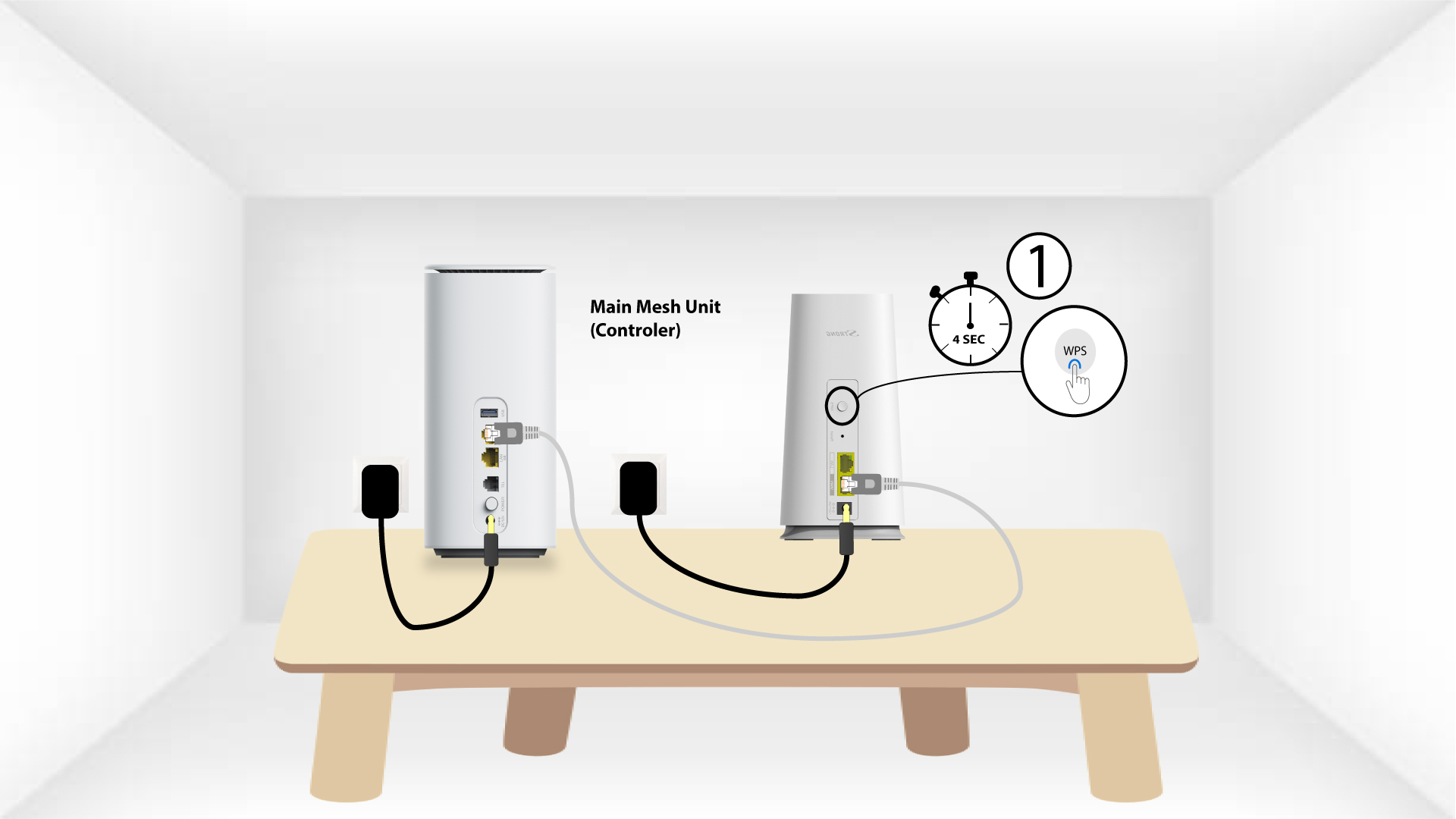
2WPSτης δεύτερης συσκευής
Στη συνέχεια, πατήστε το κουμπί WPS στη νέα συσκευή για 5 δευτερόλεπτα.
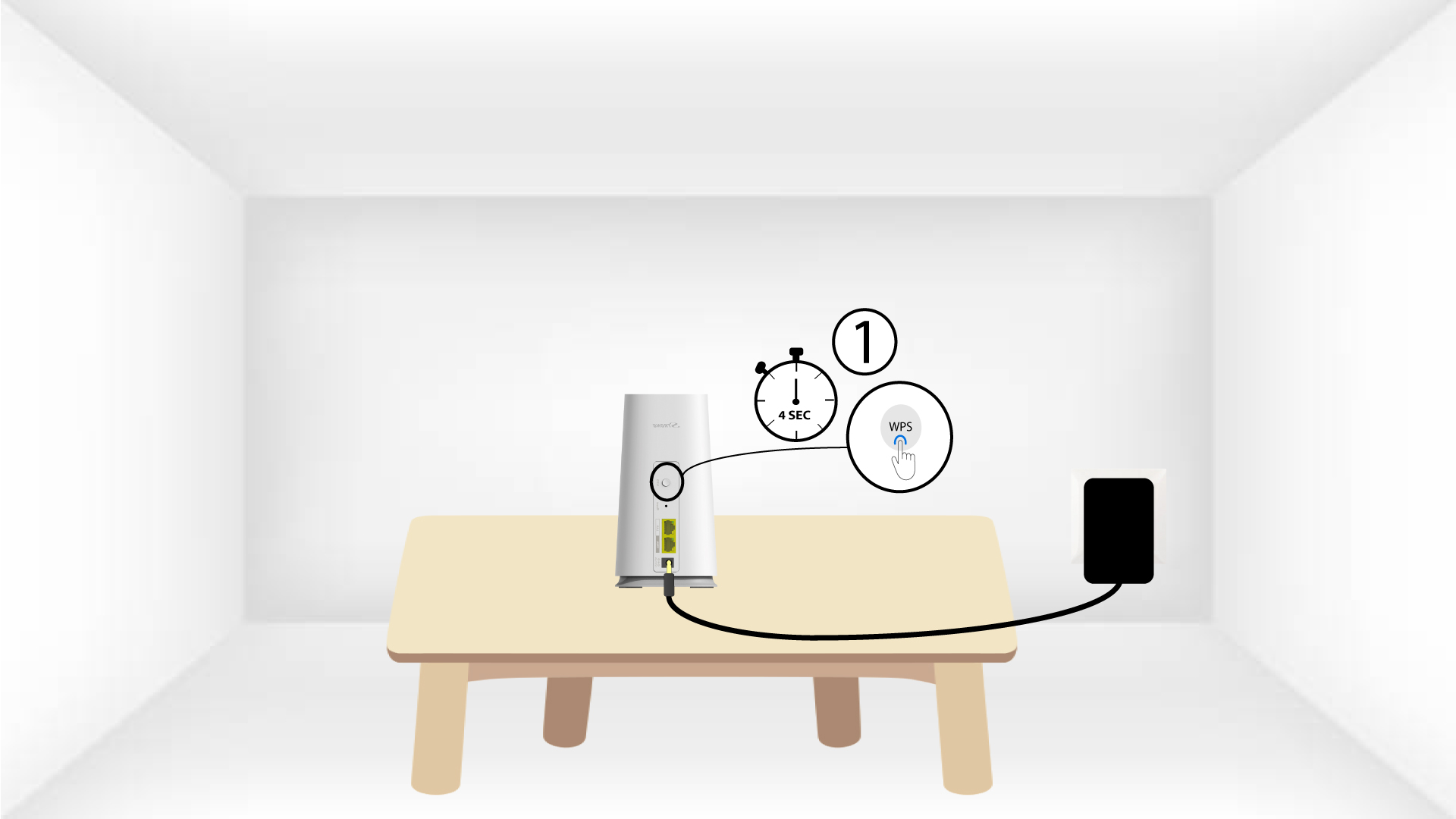
1Υπόθεση2: Εφαρμογή Atria « Mesh »
Μπορείτε επίσης να προσθέσετε έναν κόμβο « Mesh » μέσω της εφαρμογής Atria Mesh .
Για να το κάνετε αυτό, συνδεθείτε στο Wi-Fi της συσκευής Mesh που είναι συνδεδεμένη στο δρομολογητή/μόντεμ σας.

2AtriaΕφαρμογή « Mesh »
Στη συνέχεια, κατεβάστε την εφαρμογή Atria Mesh .

3Δικαιώματα πρόσβασης
Εισάγετε το όνομα χρήστη και τον κωδικό πρόσβασης (admin/admin) για να συνδεθείτε.

4Προσθήκηνέου Mesh
Κάντε κλικ στην επιλογή «Προσθήκη νέου κόμβου Mesh ».
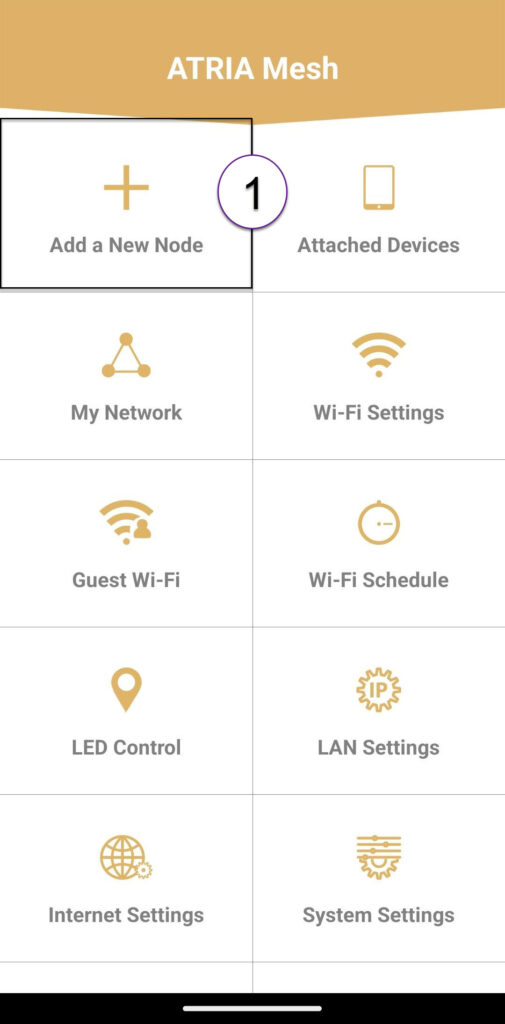
Κωδικός QR 5
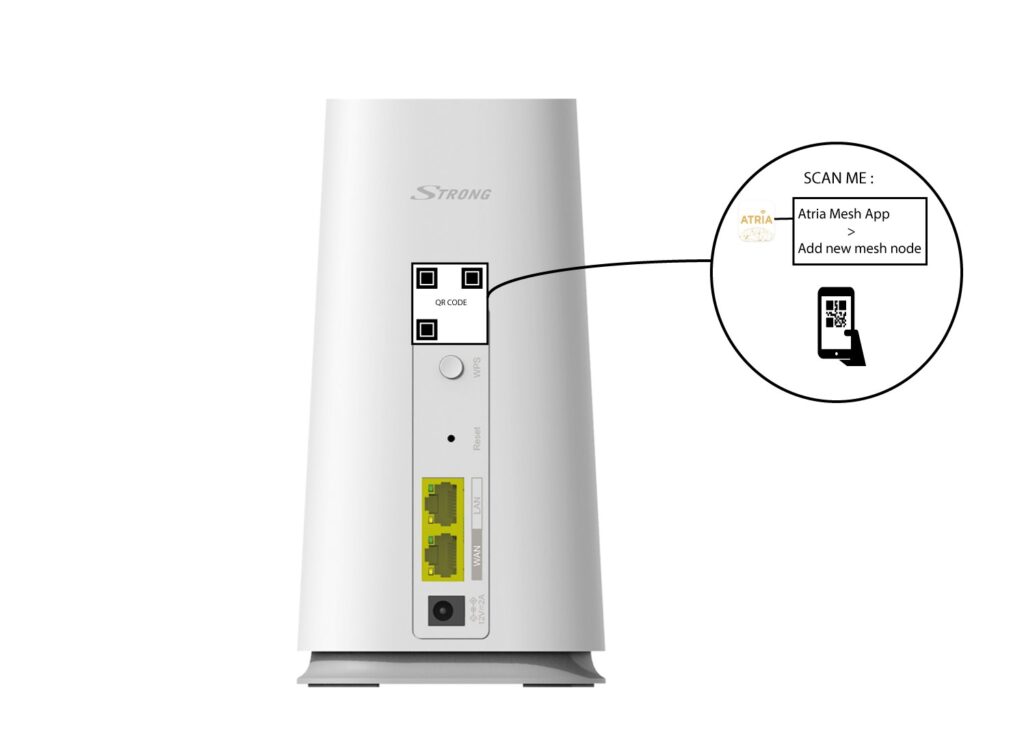
Σαρώστε τον κωδικό QR που βρίσκεται στο πίσω μέρος του « mesh » που θέλετε να προσθέσετε.