Δεν βρέθηκαν αντικείμενα.
4K GOOGLE TV BOX S3+ | DOLBY VISION ATMOS
Δεν βρέθηκαν αντικείμενα.
Όλες οι ερωτήσεις
Δεν βρέθηκαν αντικείμενα.
4K GOOGLE TV BOX S3+ | DOLBY VISION ATMOS
Δεν βρέθηκαν αντικείμενα.
Πώς μπορώ να προσθέσω ή να αλλάξω τη σειρά μιας εφαρμογής στην Αρχική οθόνη;
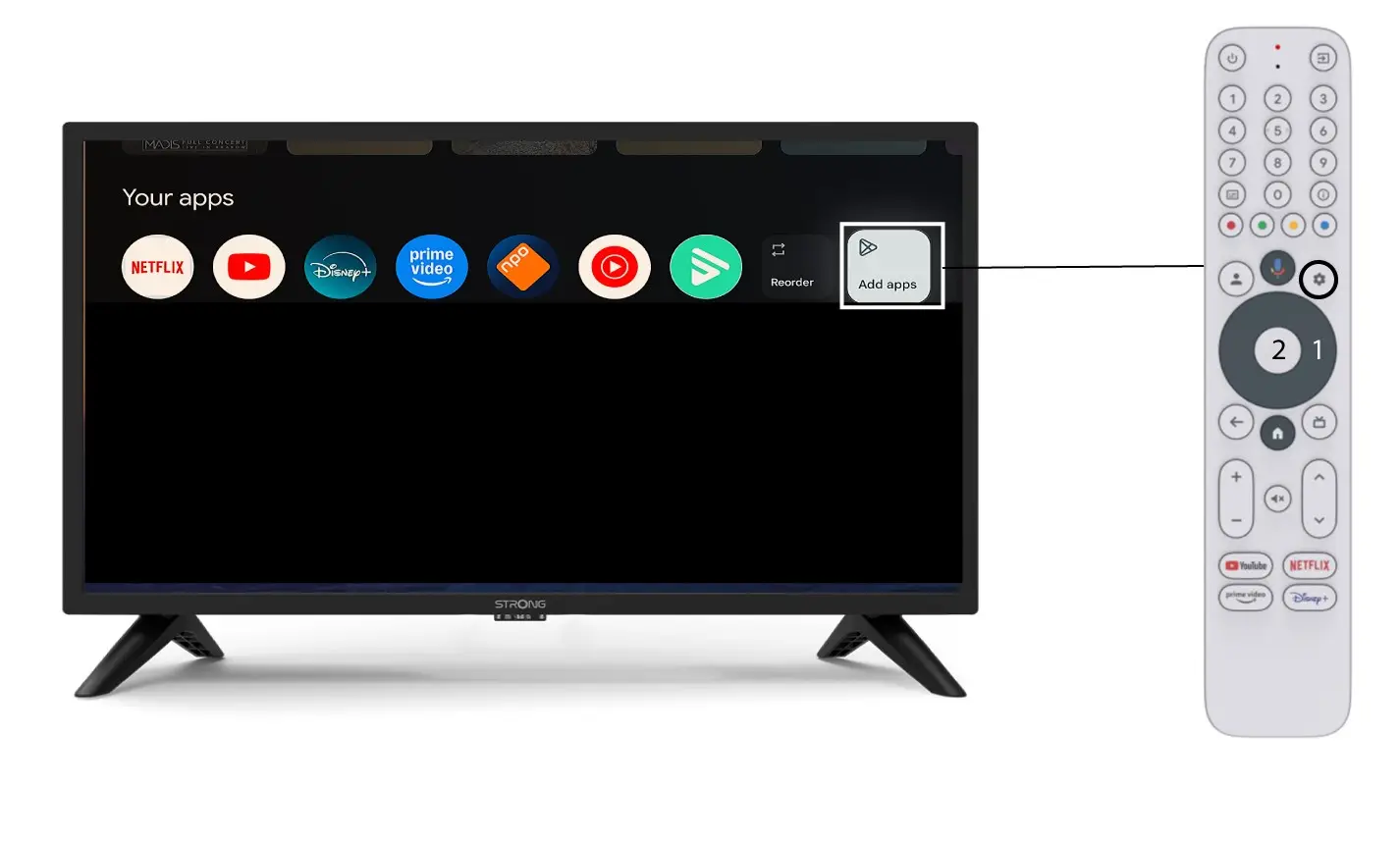
1Περίπτωση1: Προσθήκη μιας εφαρμογής
Για να προσθέσετε μια εφαρμογή στην αρχική οθόνη, μεταβείτε στο κουμπί «Προσθήκη εφαρμογών» που βρίσκεται στο τέλος της λίστας των εφαρμογών που υπάρχουν ήδη στην αρχική οθόνη και πατήστε «OK».
2. Λίστα εφαρμογών
Στη συνέχεια, θα εμφανιστεί η λίστα με τις εφαρμογές. Επιλέξτε την εφαρμογή που επιθυμείτε και πατήστε το κουμπί «OK» στο τηλεχειριστήριό σας.
Παρακαλώ λάβετε υπόψη ότι δεν είναι δυνατή η αφαίρεση εφαρμογών από τα αγαπημένα. Αν θέλετε να εξαφανιστεί μια εφαρμογή από αυτή τη σελίδα, πρέπει να την απεγκαταστήσετε.

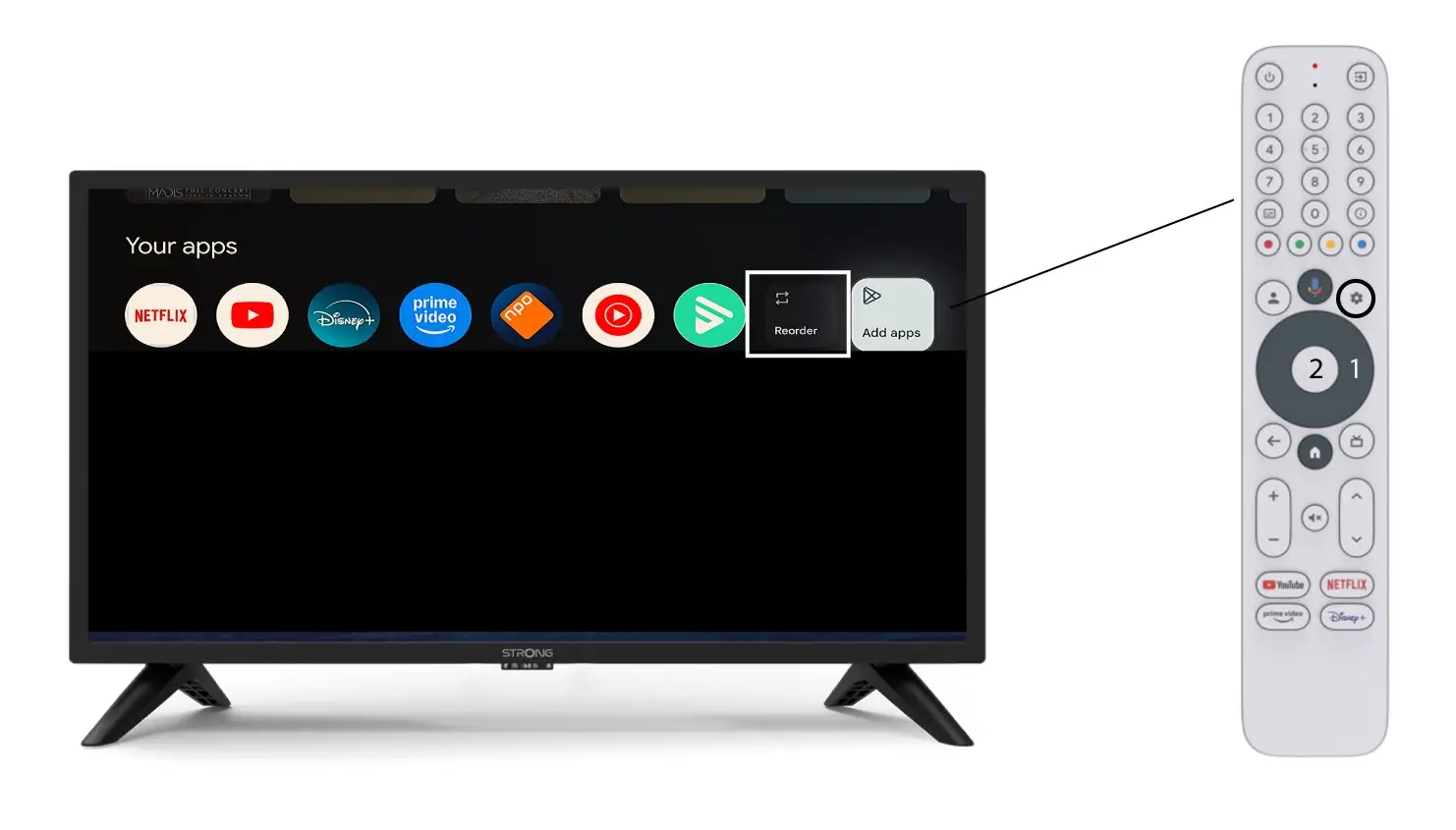
3Περίπτωση2: Αλλαγή σειράς εφαρμογών
Για να αλλάξετε τη σειρά εμφάνισης των εφαρμογών στην αρχική σελίδα, κάντε κλικ στην επιλογή «Αναδιάταξη».