4K GOOGLE TV BOX S3+ | DOLBY VISION ATMOS
Όλες οι ερωτήσεις
4K GOOGLE TV BOX S3+ | DOLBY VISION ATMOS
Γιατί εξακολουθεί να είναι αδύνατο να ρυθμιστεί η ένταση του ήχου μετά την απενεργοποίηση της επιλογής ελέγχου έντασης;
Εάν εξακολουθείτε να μην μπορείτε να ρυθμίσετε την ένταση του ήχου με το τηλεχειριστήριο του LEAP S3, ακολουθήστε τις παρακάτω οδηγίες για να «ξεχάσετε» την τηλεόραση από τις ρυθμίσεις του τηλεχειριστηρίου.
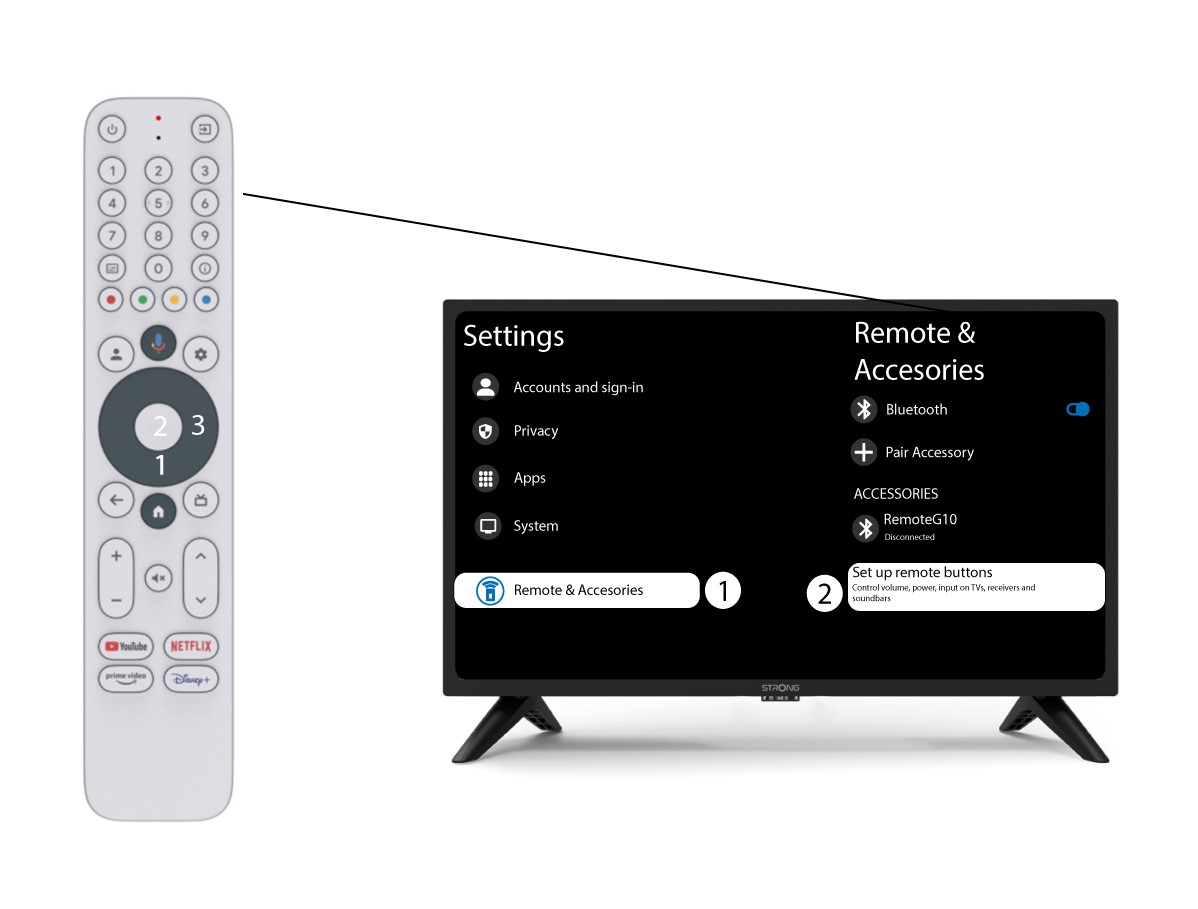
1 Ρυθμίσεις
Πατήστε το κουμπί «Ρυθμίσεις» και, στη συνέχεια, πατήστε το κουμπί «OK»

2 Ρυθμίσεις τηλεχειριστηρίουκαι αξεσουάρ
Πατήστε το κουμπί «κάτω» αρκετές φορές για να επιλέξετε «Τηλεχειριστήριο & Αξεσουάρ» και πατήστε το κουμπ ί «OK ». Στη συνέχεια, πατήστε το κουμπί «κάτω» αρκετές φορές για να επιλέξετε «Ρύθμιση κουμπιών τηλεχειριστηρίου»και πατήστε το κουμπί «OK ».
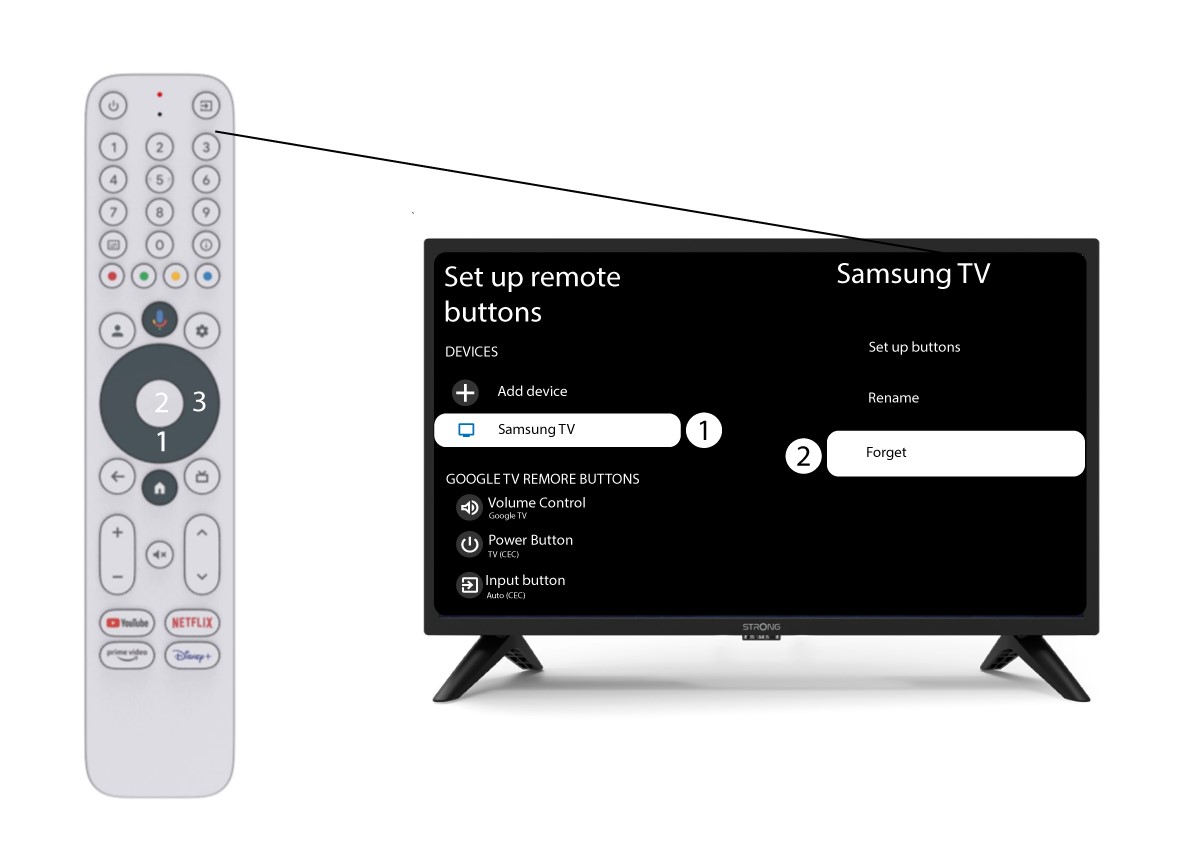
3Ξεχάστετην τηλεόραση που είναι συνδεδεμένη με το τηλεχειριστήριο
Εάν μια τηλεόραση έχει ήδη ρυθμιστεί και εμφανίζεται στη λίστα, πρέπει να τη διαγράψετε από τη λίστα για να την ρυθμίσετε εκ νέου.
Για να το κάνετε αυτό, επιλέξτε τη μάρκα της τηλεόρασης και πατήστε «Ξεχάστε» πριν πατήσετε το κουμπί OK για επιβεβαίωση.
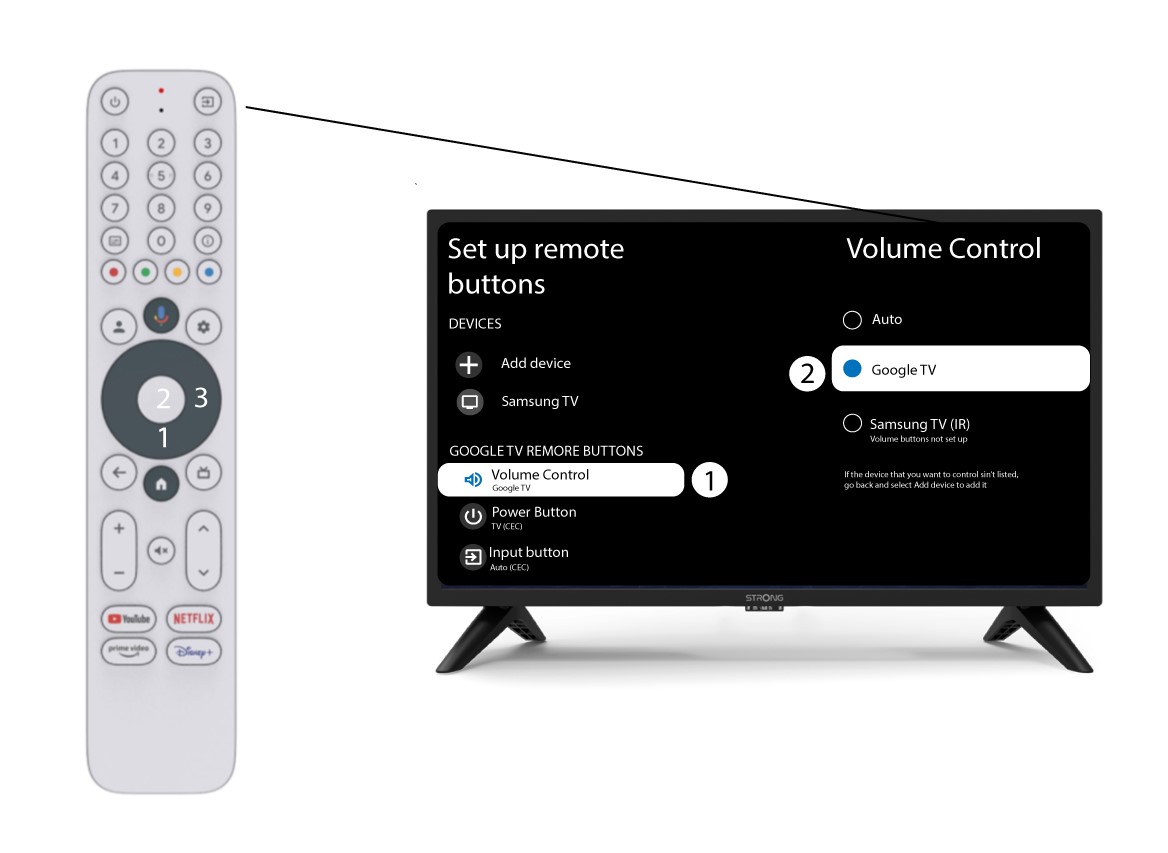
4. Ελέγξτετον ρυθμιστή έντασης
Τέλος, πρέπει να ελέγξετε αν ο ρυθμιστής έντασης είναι ρυθμισμένος στο Google TV. Αν δεν είναι, παρακαλώ επιλέξτε το και ο ρυθμιστής έντασης θα λειτουργεί κανονικά και στα δύο τηλεχειριστήρια.