4G+ AIRSPOT 520 Wi-Fi με οθόνη αφής
Δεν βρέθηκαν αντικείμενα.
Δεν βρέθηκαν αντικείμενα.
Όλες οι ερωτήσεις
4G+ AIRSPOT 520 Wi-Fi με οθόνη αφής
Δεν βρέθηκαν αντικείμενα.
Δεν βρέθηκαν αντικείμενα.
Πώς μπορώ να αλλάξω το SSID (όνομα δικτύου Wi-Fi) και τον κωδικό πρόσβασης Wi-Fi; (Οθόνη Mi-Fi)
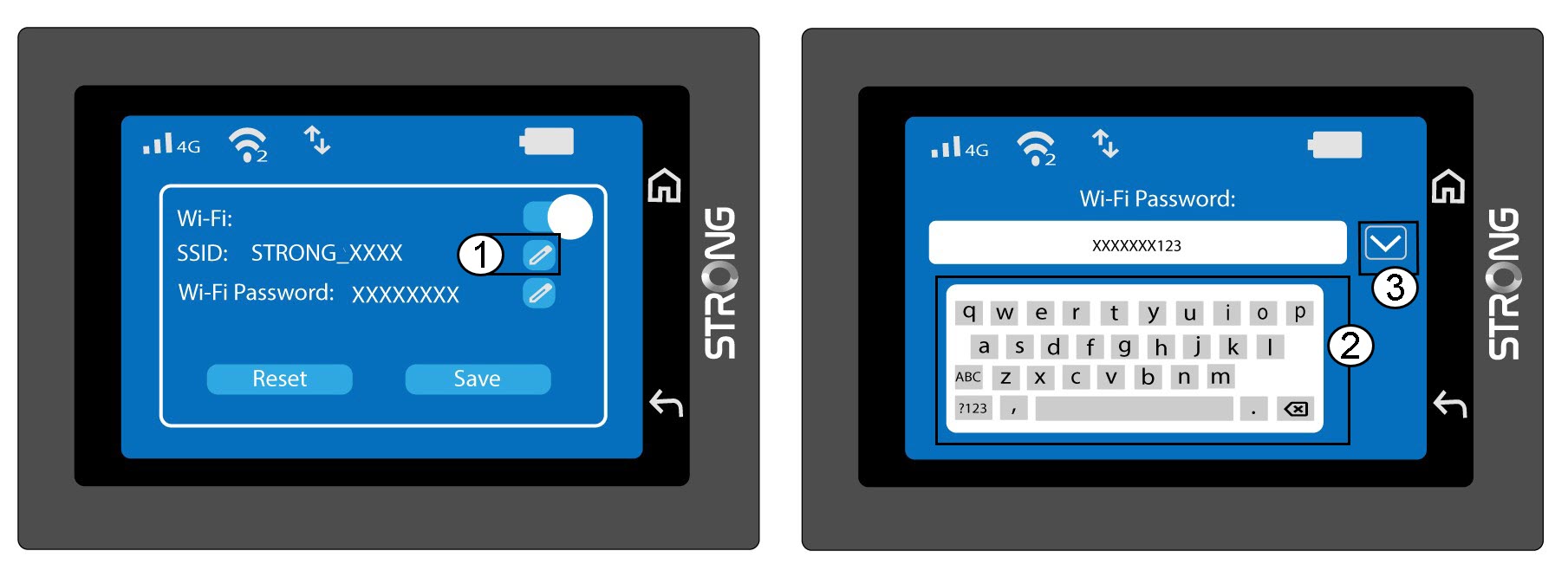
Μπορείτε να επεξεργαστείτε τις πληροφορίες του δικτύου Wi-Fi από την οθόνη του Mi-Fi σας.
1. Μεταβείτεστις ρυθμίσεις Wi-Fi
Ξεκλειδώστε την οθόνη και πατήστε το εικονίδιο Wi-Fi.
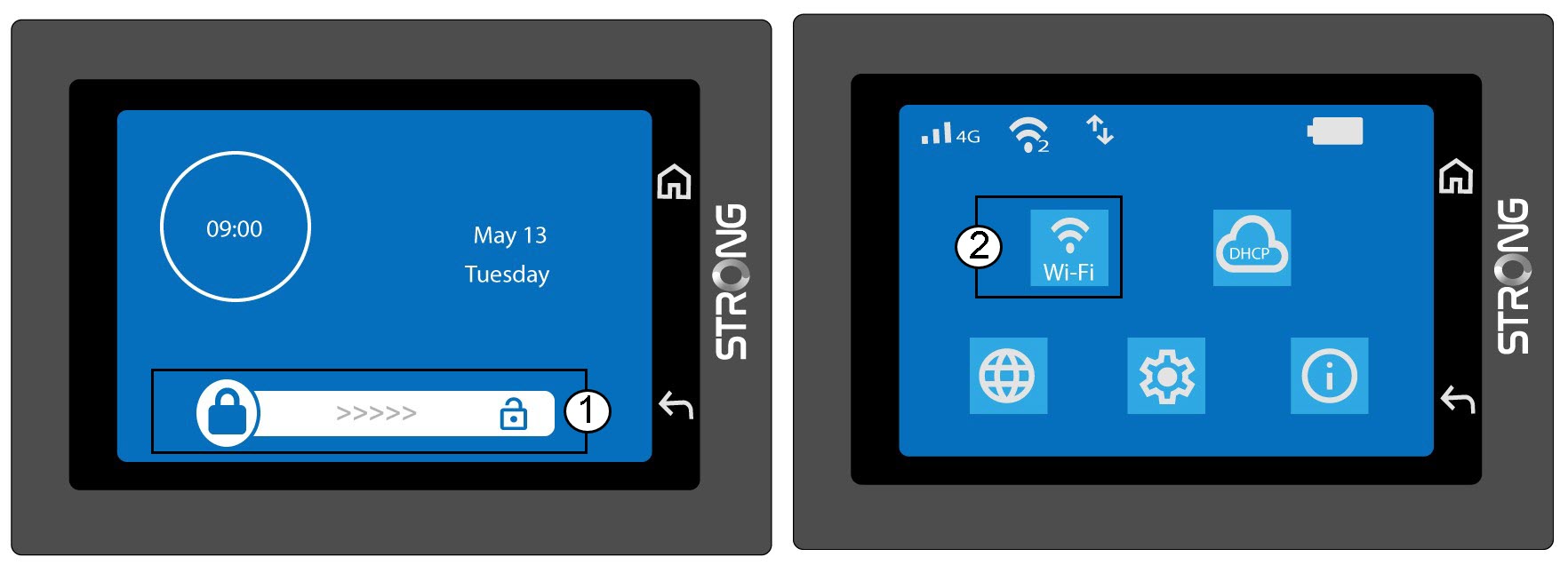
2.Ρυθμίσεις Wi-Fi «Open»
Κάντε κλικ στην επιλογή «Ρυθμίσεις Wi-Fi».
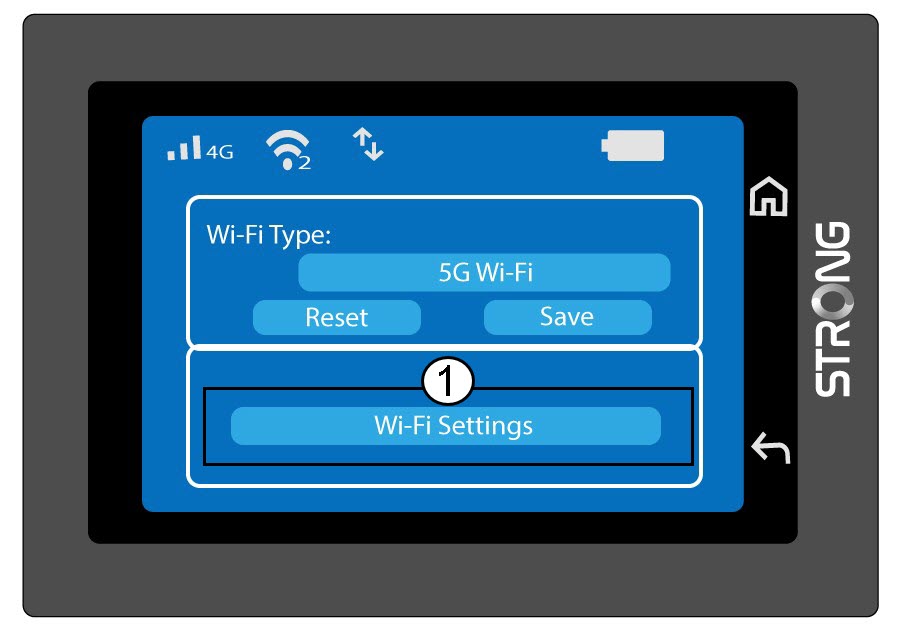
3. Αλλαγήτου ονόματος δικτύου (SSID)
Κάντε κλικ στο εικονίδιο με το στυλό δίπλα στο όνομα του δικτύου Wi-Fi, πληκτρολογήστε το νέο όνομα και πατήστε το πλήκτρο (V) για επιβεβαίωση.
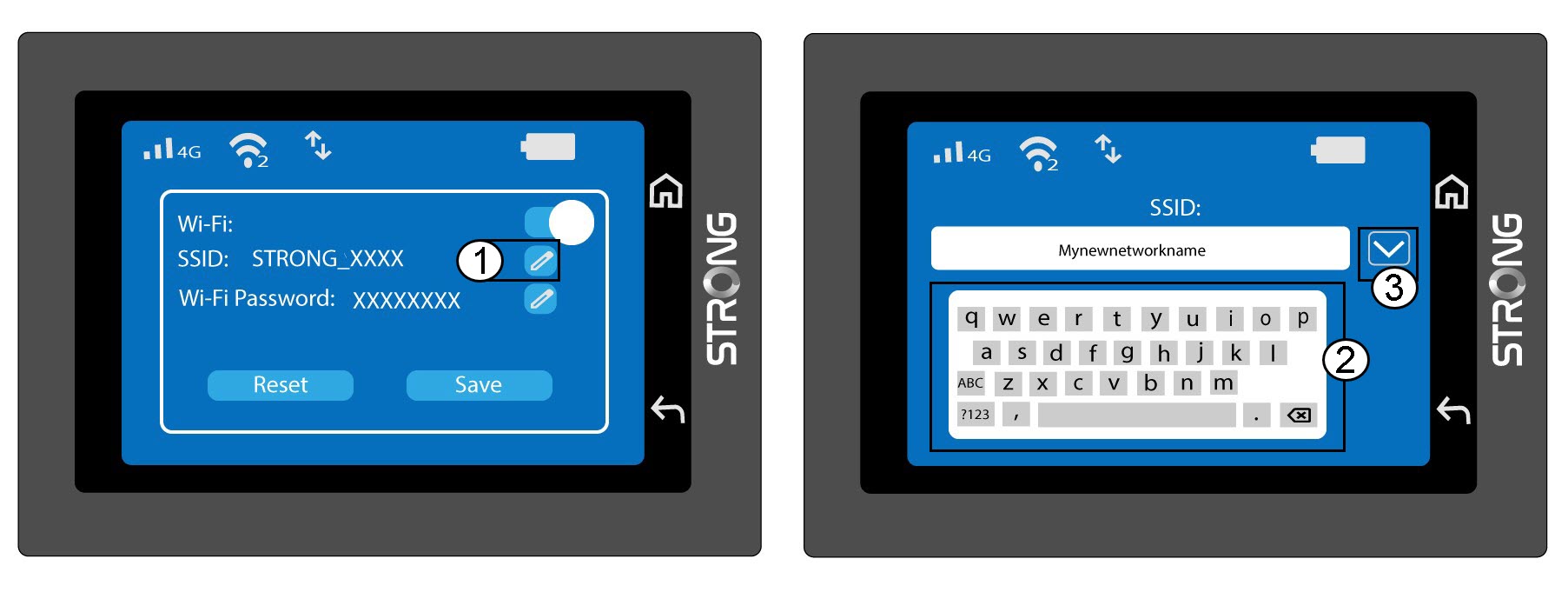
4. Αλλαγήτου κωδικού πρόσβασης Wi-Fi
Κάντε κλικ στο εικονίδιο με το στυλό δίπλα στον κωδικό πρόσβασης Wi-Fi, πληκτρολογήστε τον νέο κωδικό πρόσβασης και πατήστε το πλήκτρο (V) για επιβεβαίωση.
5. Αποθηκεύστετις αλλαγές σας
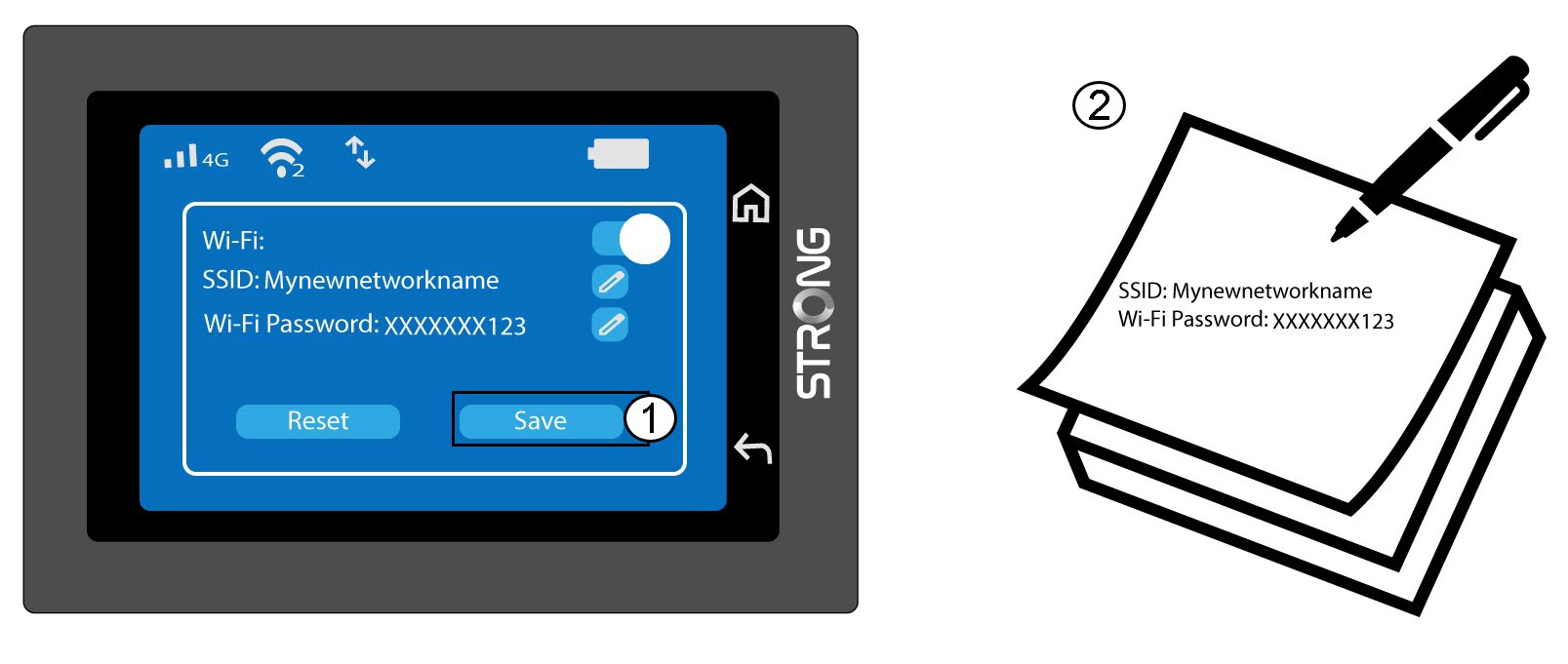
Κάντε κλικ στο κουμπί «Αποθήκευση» και σημειώστε το νέο όνομα δικτύου και τον κωδικό πρόσβασης για μελλοντική αναφορά.