LEAP S3 | 4K Google TV με Dolby Vision
Όλες οι ερωτήσεις
LEAP S3 | 4K Google TV με Dolby Vision
Πώς μπορώ να αλλάξω τις ρυθμίσεις έντασης του LEAP S3 μου, όταν η ένταση είναι πολύ χαμηλή;
Εάν η ένταση του LEAP S3 σας είναι πολύ χαμηλή, μπορείτε να ακολουθήσετε την παρακάτω διαδικασία για να επαναφέρετε τις ρυθμίσεις του LEAP S3 σας.
Κατά την εγκατάσταση του LEAP S3, μπορείτε να ρυθμίσετε τον έλεγχο της έντασης ώστε να γίνεται μέσω HDMI-CEC. Όταν αυτή η επιλογή είναι ενεργοποιημένη, μπορείτε να χρησιμοποιήσετε το τηλεχειριστήριο του LEAP S3 για να ρυθμίσετε την ένταση της τηλεόρασής σας.
Μπορείτε να ενεργοποιήσετε ή να απενεργοποιήσετε αυτή τη λειτουργία στις ρυθμίσεις οθόνης και ήχου της τηλεόρασής σας. Η προεπιλεγμένη ένταση ήχου του LEAP S3 έχει ρυθμιστεί σε ένα συγκεκριμένο επίπεδο και μπορεί να είναι πολύ χαμηλή. Εάν η ένταση ήχου είναι πολύ χαμηλή, συνιστάται να απενεργοποιήσετε αυτή την επιλογή.
Πώς μπορείτε να ενεργοποιήσετε ή να απενεργοποιήσετε αυτή τη λειτουργία;
1 Πατήστετο κουμπί «Ρυθμίσεις»
Σε αυτή την περίπτωση, πατήστε το κουμπί «Ρυθμίσεις» στο τηλεχειριστήριό σας της Google και, στη συνέχεια, πατήστε το κουμπί «OK»

2Ρυθμίσεις
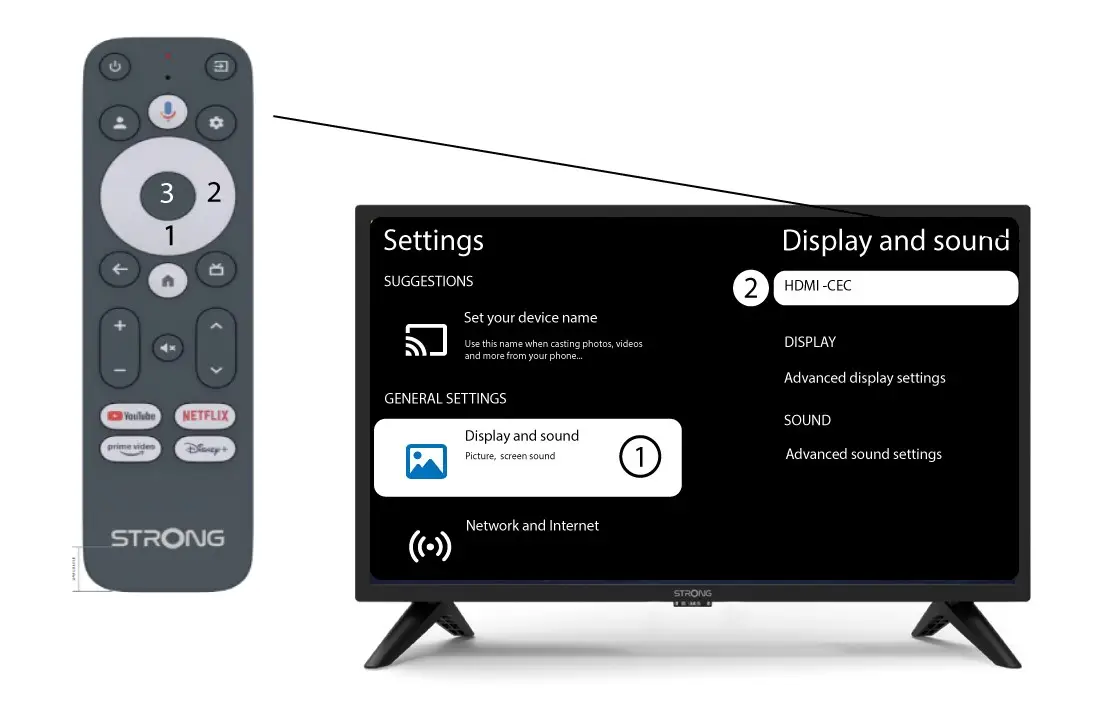
Στη σελίδα «Ρυθμίσεις» που εμφανίζεται στην οθόνη σας, επιλέξτε «Οθόνη και ήχος». Στη συνέχεια, πατήστε το δεξί κουμπί πλοήγησης και επιλέξτε«HDMI-CEC».
3Ρύθμιση έντασης
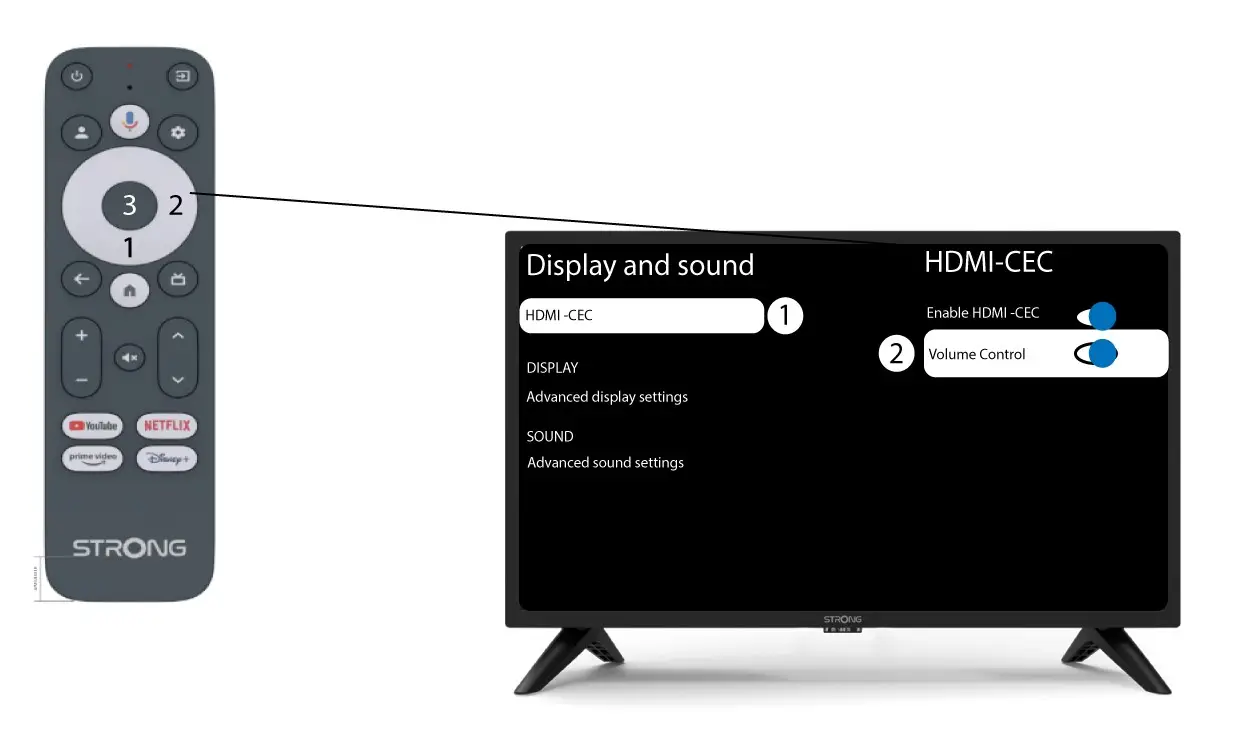
Επιλέξτε «Ρύθμιση έντασης» και πατήστε το κουμπί OK για να απενεργοποιήσετε τη λειτουργία « switch »
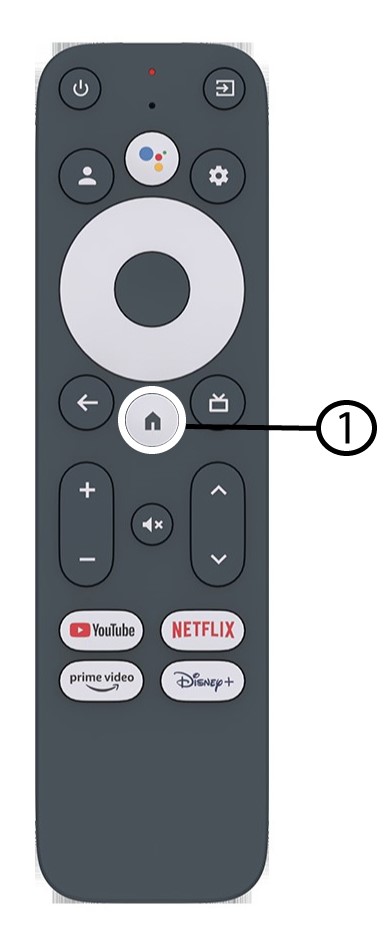
4Επιστροφήστην αρχική σελίδα
Πατήστε το κουμπί HOME για να επιστρέψετε στην αρχική οθόνη.
Η ρύθμιση της έντασης μπορεί πλέον να γίνει και πάλι με το τηλεχειριστήριο LEAP-S3 .