LEAP S3 | 4K Google TV με Dolby Vision
Όλες οι ερωτήσεις
LEAP S3 | 4K Google TV με Dolby Vision
Έχω συνδέσει ένα πληκτρολόγιο AZERTY μέσω USB, αλλά αναγνωρίζεται ως πληκτρολόγιο QWERTY. Γιατί;
Έχω συνδέσει ένα πληκτρολόγιο AZERTY μέσω USB, αλλά αναγνωρίζεται ως πληκτρολόγιο QWERTY. Γιατί;

Προειδοποίηση: Λάβετε υπόψη ότι οι υποστηριζόμενες διατάξεις πληκτρολογίου για εξωτερικά πληκτρολόγια καθορίζονται από την Google. Ως εκ τούτου, η διάταξη του πληκτρολογίου σας ενδέχεται να μην υποστηρίζεται. Σε αυτή την περίπτωση, σας συνιστούμε να επικοινωνήσετε με τον κατασκευαστή του πληκτρολογίου σας, για να διαπιστώσετε αν υπάρχει κάποια εφαρμογή που θα καθιστούσε το πληκτρολόγιό σας συμβατό.
1. Ενεργοποιήστετη συσκευή
Ενεργοποιήστε την τηλεόρασή σας και τη συσκευή LEAP S3.
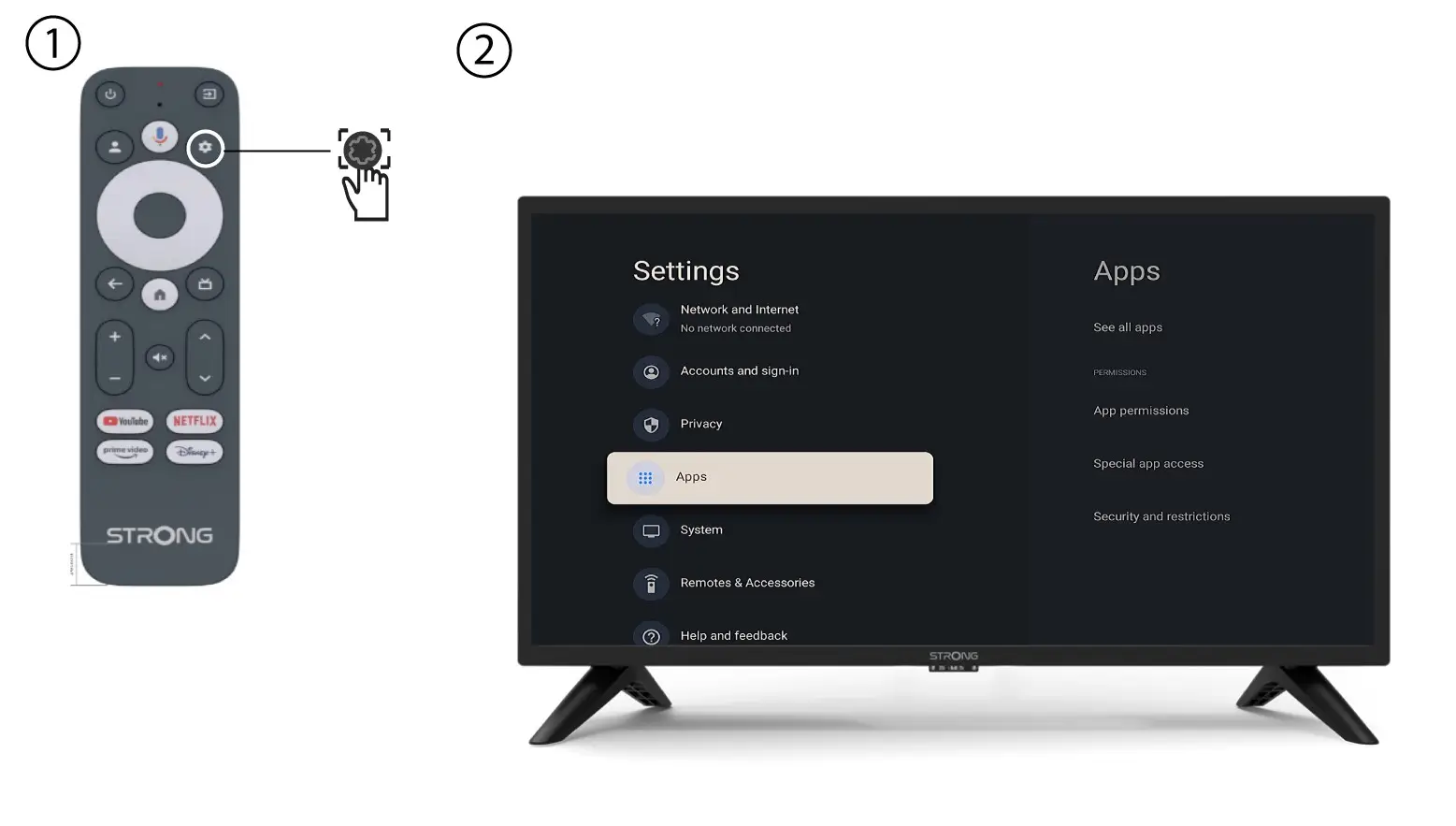
2. Μενού ρυθμίσεων
Πατήστε το κουμπί «Ρυθμίσεις» στο τηλεχειριστήριο (εικονίδιο με το γρανάζι). Το μενού «Ρυθμίσεις» θα εμφανιστεί στην οθόνη της τηλεόρασής σας.
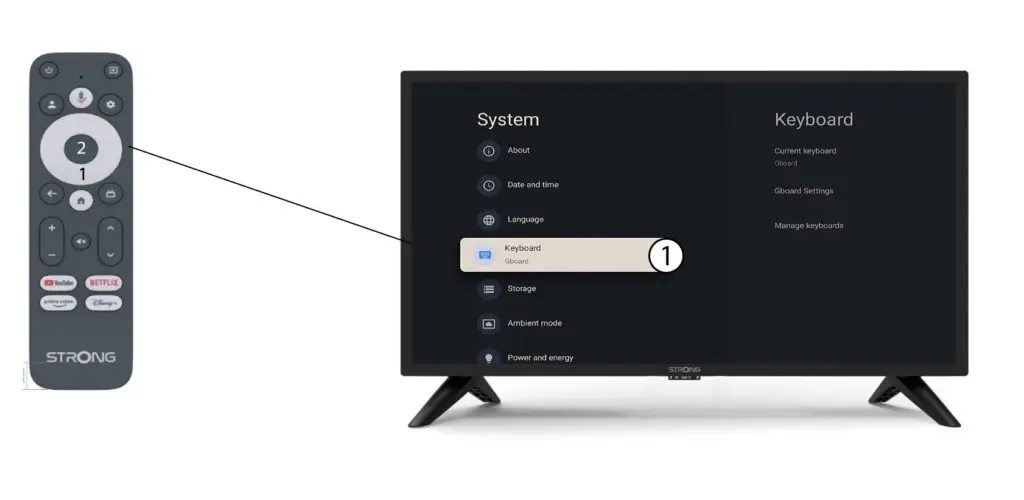
3 Ρυθμίσεις πληκτρολογίου
Επιλέξτε «Πληκτρολόγιο»από το μενού «Ρυθμίσεις» και πατήστε το κουμπί «OK» στο τηλεχειριστήριό σας.
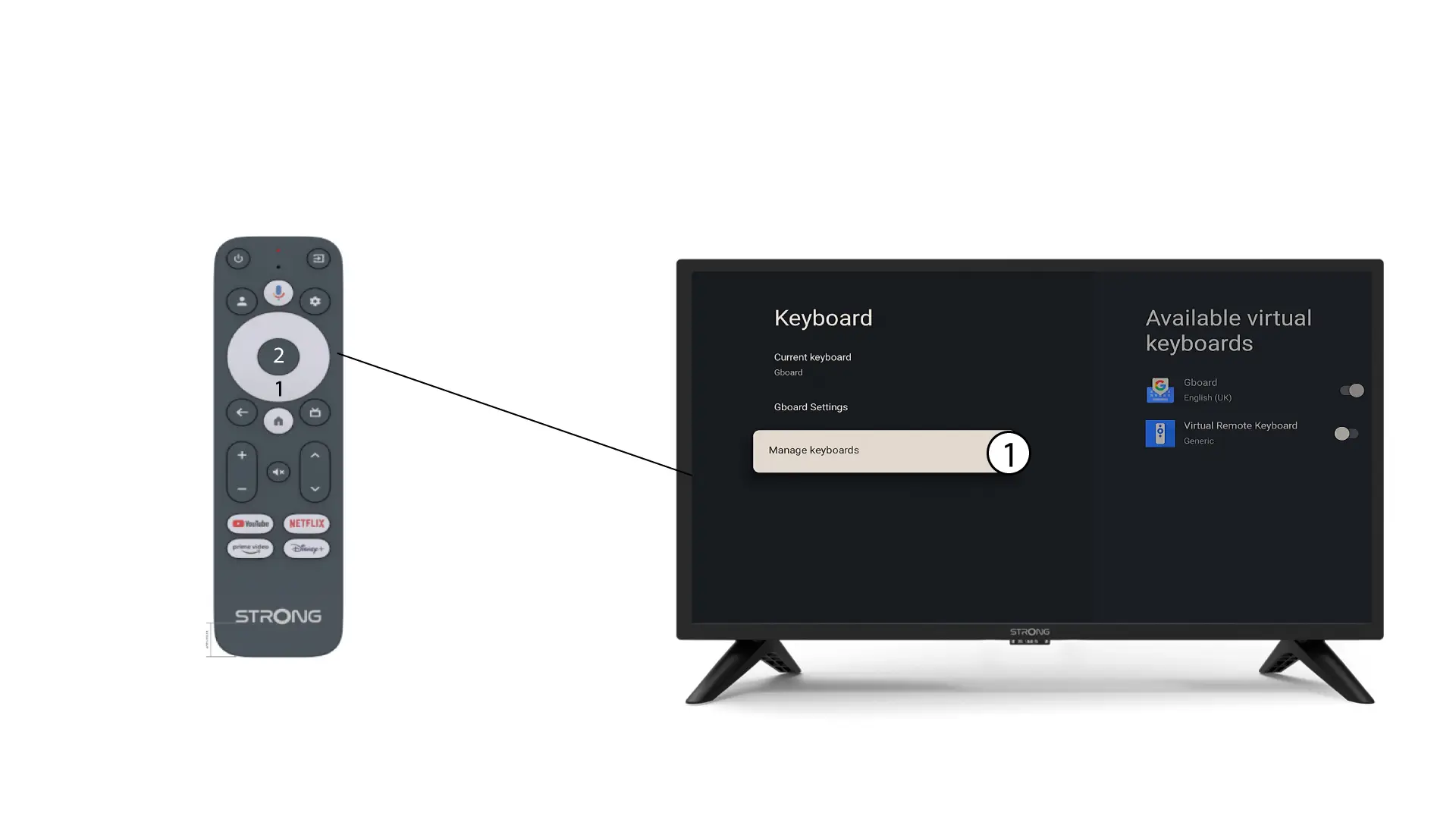
4ManageΠληκτρολόγιο
Κάντε κλικ στην επιλογή «Διαχείριση πληκτρολογίου». Στη συνέχεια, κάντε κλικ στο κουμπί εναλλαγής για να το απενεργοποιήσετε.
Ρυθμίσεις 5Gboard
Κάντε κλικ στις «Ρυθμίσεις Gboard » και πατήστε «OK».
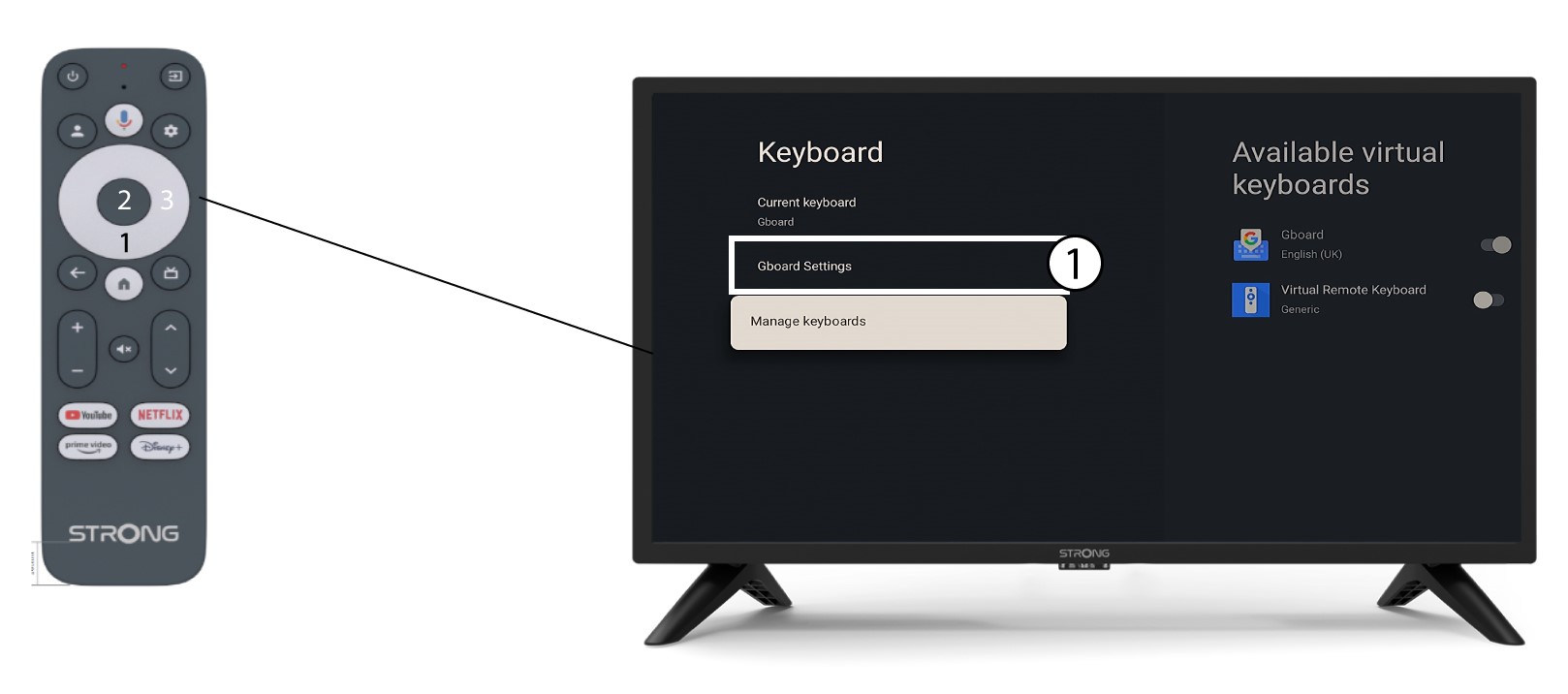
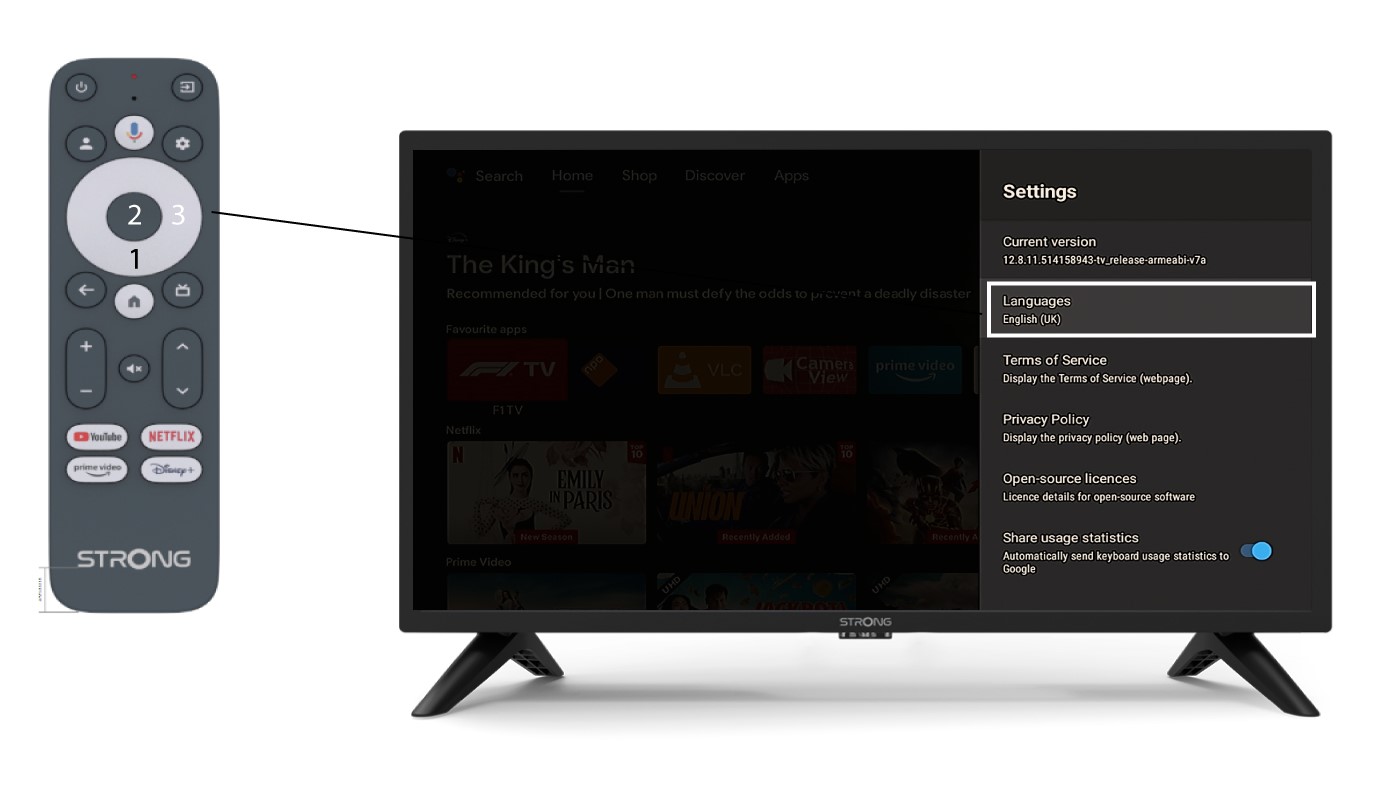
6 Ρυθμίσεις γλώσσας
Κάντε κλικ στην επιλογή «Γλώσσες» και πατήστε το κουμπί «OK» στο τηλεχειριστήριο. Στη συνέχεια, επιλέξτε τη γλώσσα.