
Επαναλήπτης διπλής ζώνης 1200
Όλες οι ερωτήσεις
Επαναλήπτης διπλής ζώνης 1200
Πώς μπορώ να ενημερώσω το firmware του επαναλήπτη μου;
1. Ελέγξτεαν υπάρχει ενημέρωση υλικολογισμικού
Πριν από την ενημέρωση, πρέπει να μεταβείτε στην ενότητα «Λήψεις» του ιστότοπού μας για να δείτε αν υπάρχει διαθέσιμη νέα έκδοση λογισμικού.
2Μεταβείτεστη σελίδα «Λήψεις»
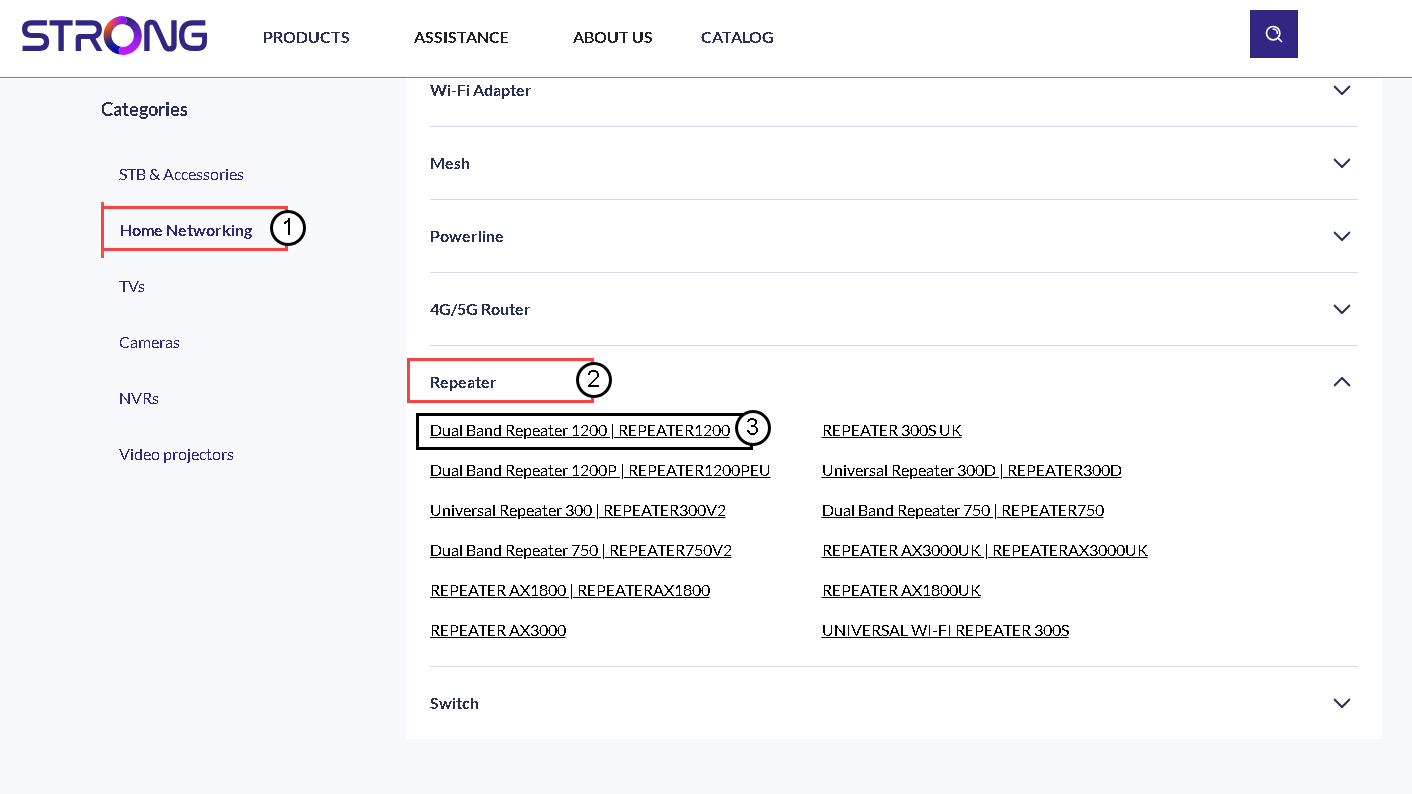
Κάντε κλικ στην επιλογή «ΥΠΟΣΤΗΡΙΞΗ» > «Λήψεις».

3Επιλέξτετο προϊόν σας
Μόλις μεταβείτε στη σελίδα «Λήψεις», κάντε κλικ στην επιλογή «Οικιακά δίκτυα και επαναλήπτες» και, στη συνέχεια, κάντε κλικ στον κωδικό προϊόντος.
4. Κατεβάστετο firmware
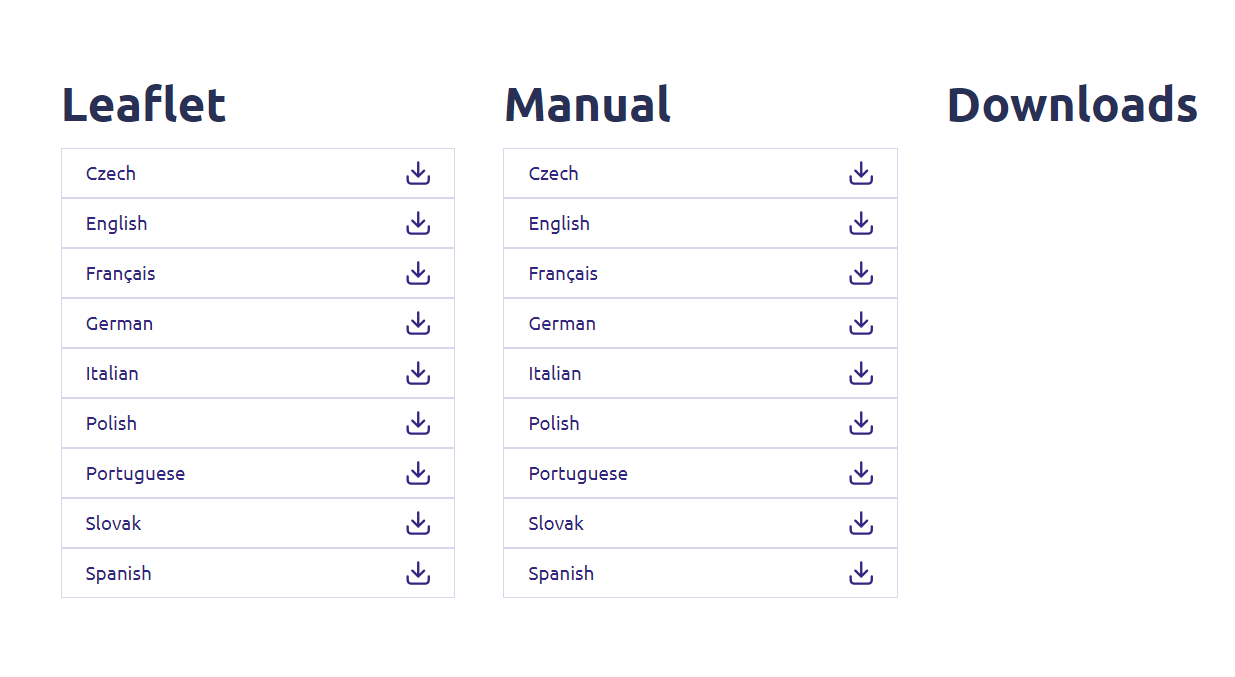
Στη σελίδα που ακολουθεί, θα βρείτε τη νέα έκδοση του λογισμικού στην ενότητα «firmware». Εάν υπάρχει διαθέσιμο αρχείο, παρακαλούμε να το κατεβάσετε.
5. Σύνδεσημε τον επαναλήπτη
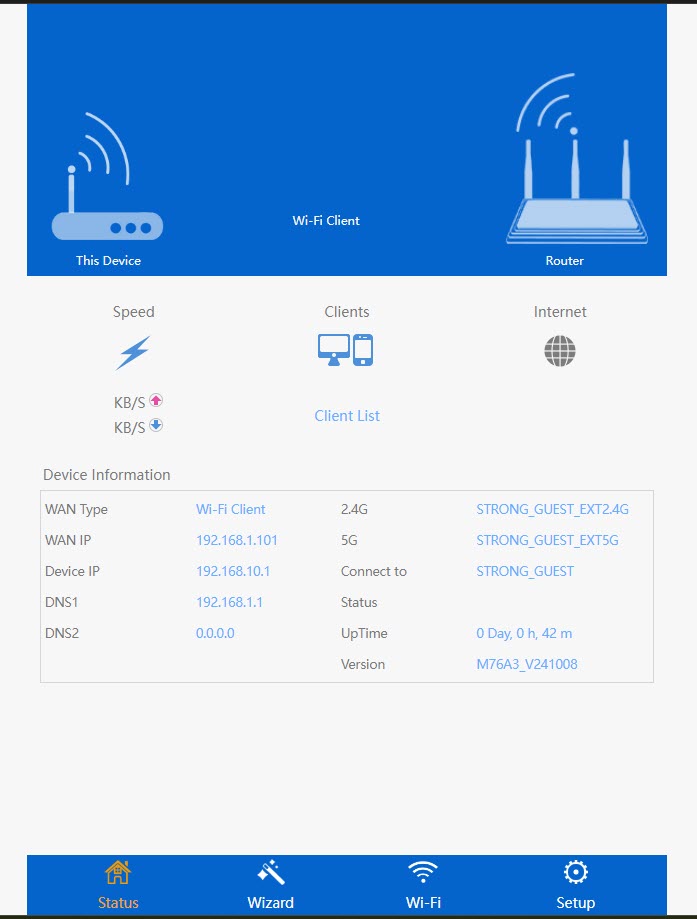
Μόλις ολοκληρωθεί αυτή η διαδικασία, συνδεθείτε στο Wi-Fi του επαναλήπτη.

6. Πρόσβασηστο περιβάλλον χρήστη του ιστού
Μεταβείτε στη διεύθυνση URL της διεπαφής χρήστη ιστού.

7. Ανοίξτετο μενού ρυθμίσεων
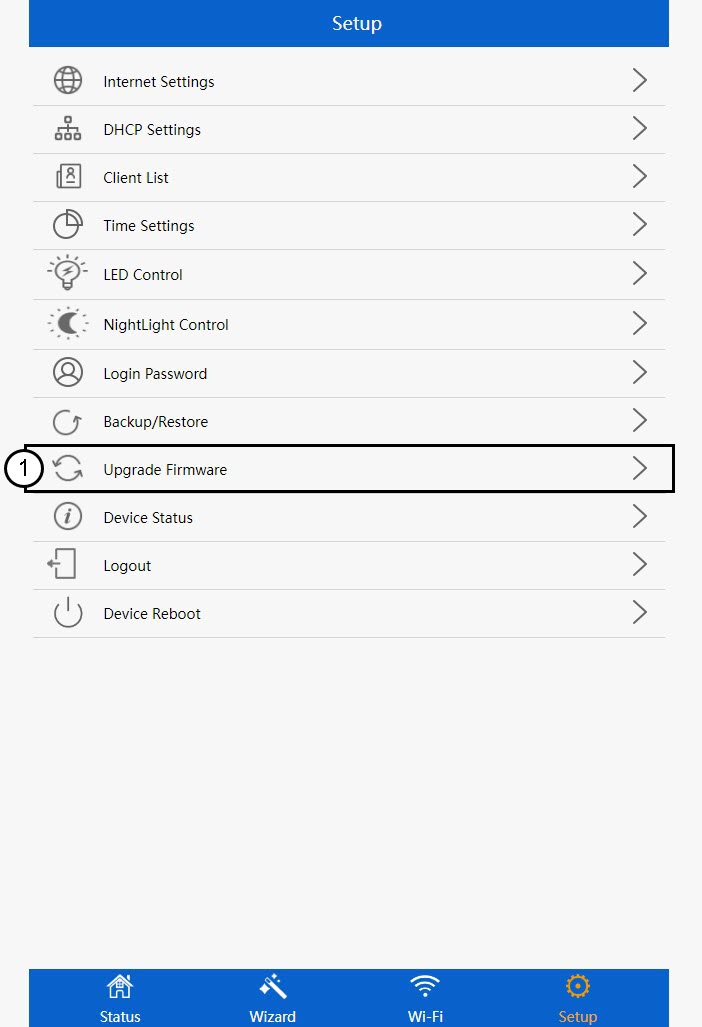
Κάντε κλικ στο «Ρυθμίσεις».
8. Ξεκινήστετην αναβάθμιση του υλικολογισμικού
Κάντε κλικ στην επιλογή «Αναβάθμιση υλικολογισμικού».
9Εφαρμόστετην ενημέρωση
Επιλέξτε το αρχείο σας και κάντε κλικ στο κουμπί «Εφαρμογή». Στη συνέχεια, η ενημέρωση θα ξεκινήσει αυτόματα.
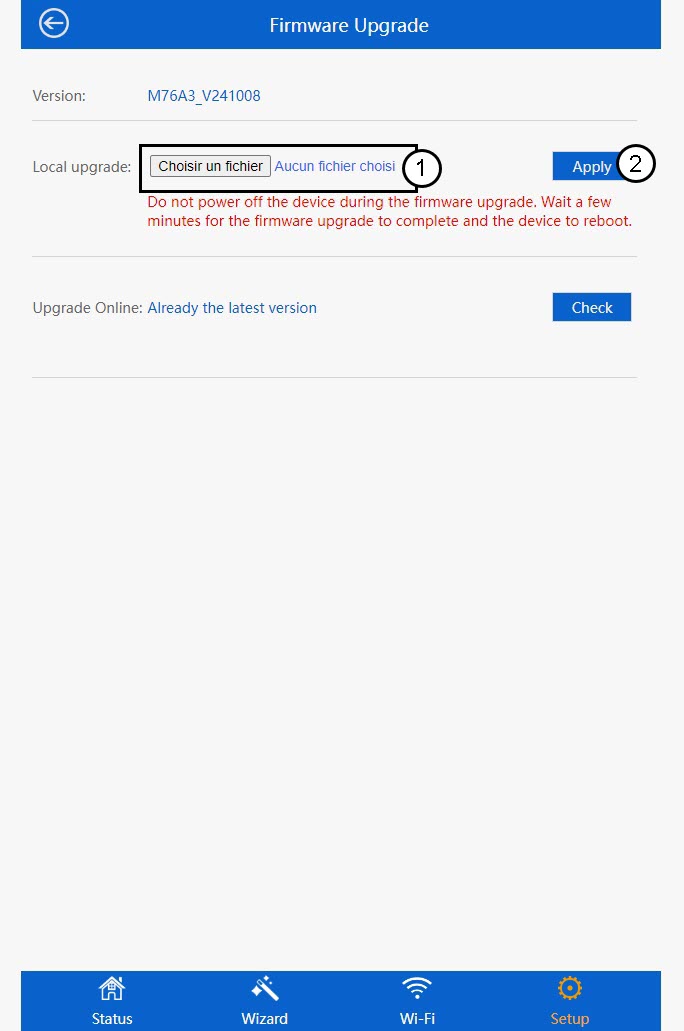
 Προειδοποίηση: Παρακαλώ περιμένετε μέχρι να ολοκληρωθεί η ενημέρωση και να επανεκκινηθεί η συσκευή. Μετά την ενημέρωση, θα πρέπει να συνδεθείτε ξανά στο Wi-Fi.