
ATRIA kit Mesh kit | MESHKIT1200
Όλες οι ερωτήσεις
ATRIA kit Mesh kit | MESHKIT1200
Ξέχασα τον κωδικό πρόσβασης Wi-Fi του δικτύου μου « Mesh ». Πώς μπορώ να τον βρω;
Ο προεπιλεγμένος κωδικός πρόσβασης Wi-Fi βρίσκεται στο κάτω μέρος της συσκευής σας· ωστόσο, αν τον έχετε ήδη αλλάξει, ίσως χρειαστεί να επαναφέρετε το Mesh 1200 στις εργοστασιακές του ρυθμίσεις.

1ΠΕΡΙΠΤΩΣΗ1: Πληροφορίες δικτύου στο περιβάλλον χρήστη του ιστού
Για να συνδεθείτε στο περιβάλλον εργασίας χρήστη μέσω διαδικτύου (Web UI), ανατρέξτε στην παρακάτω διαδικασία: Πώς μπορώ να αποκτήσω πρόσβαση στο περιβάλλον εργασίας χρήστη μέσω διαδικτύου (Web UI);
2. Ρυθμίσεις Wi-Fi
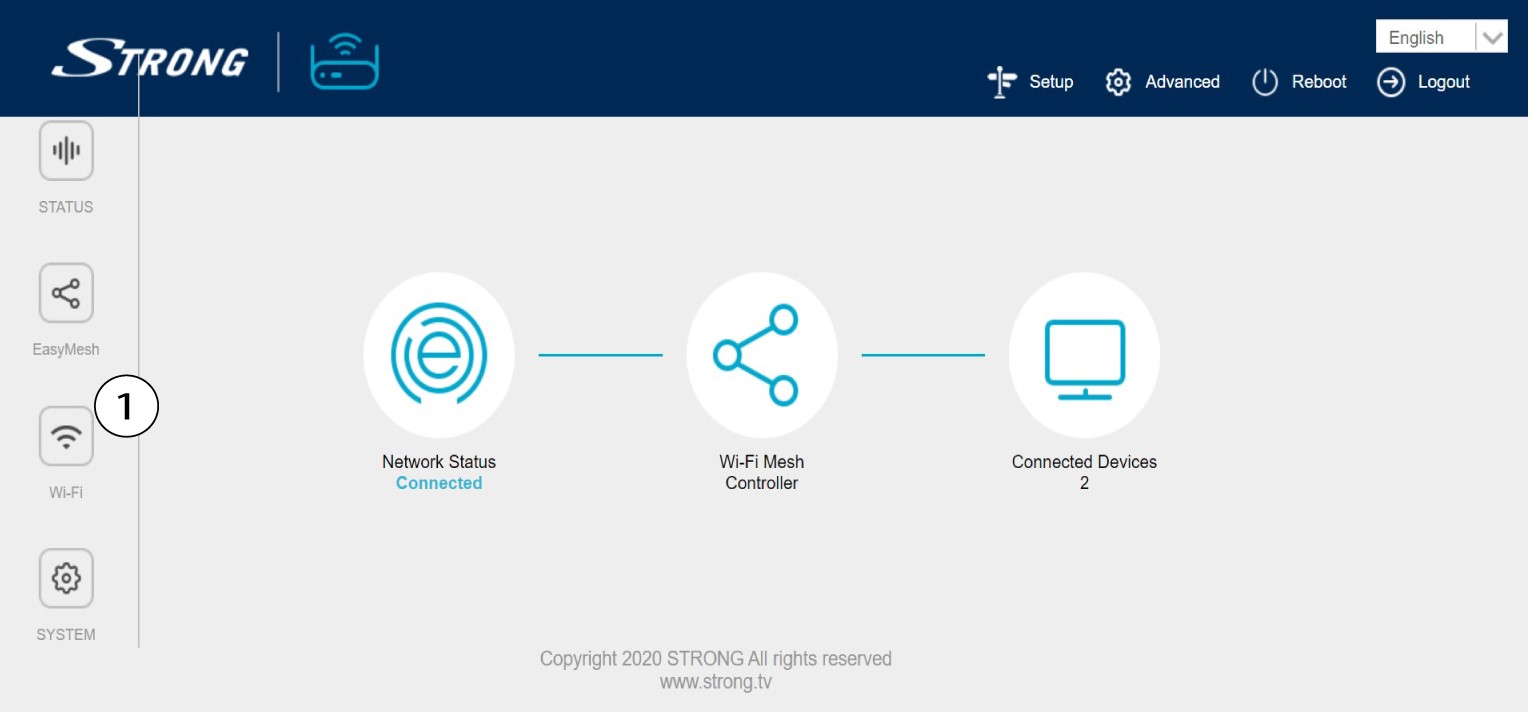
Κάντε κλικ στην επιλογή «Wi-Fi» στην αριστερή γραμμή.
WLAN 32,4G
Στη συνέχεια, στο 5G WLAN ή στο 2,4G WLAN, το όνομα του Wi-Fi σας εμφανίζεται στο πεδίο SSID και μπορείτε να δείτε τον κωδικό πρόσβασης αυτού του Wi-Fi στη διεύθυνση
, επιλέγοντας το πλαίσιο «Εμφάνιση» στη δεξιά πλευρά του πεδίου «Κλειδί Wi-Fi».

4. Καταγράψτετις πληροφορίες
Γράψτε τον κωδικό πρόσβασης σε ένα κομμάτι χαρτί.

1ΠΕΡΙΠΤΩΣΗ2: Πληροφορίες δικτύου στην εφαρμογή
Για να συνδεθείτε στο περιβάλλον χρήστη του διαδικτύου, παρακαλούμε ανατρέξτε στην παρακάτω διαδικασία: Πώς μπορώ να χρησιμοποιήσω την εφαρμογή Atria Mesh ;
2. Ρυθμίσεις Wi-Fi
Κάντε κλικ στην επιλογή «Wi-Fi» στην αριστερή γραμμή.

3Εμφάνισητου κωδικού πρόσβασης
Κάντε κλικ στο εικονίδιο με το μάτι για να εμφανιστεί ο κωδικός πρόσβασης.

4. Καταγράψτετις πληροφορίες
Γράψτε τον κωδικό πρόσβασης σε ένα κομμάτι χαρτί.