
Mesh Wi-Fi 5 Mesh ATRIA 2100 (add-on)
Todas las preguntas
Mesh Wi-Fi 5 Mesh ATRIA 2100 (add-on)
¿Puedo configurar una red para invitados en mi red « Mesh »?
Sí, puedes configurar una red para invitados en tu red Mesh . Hay dos formas de hacerlo:
1CASO1: Interfaz de usuario web:
Para conectarte a la interfaz de usuario web, consulta el siguiente procedimiento: ¿Cómo puedo acceder a la interfaz de usuario web?
2. Red para invitados
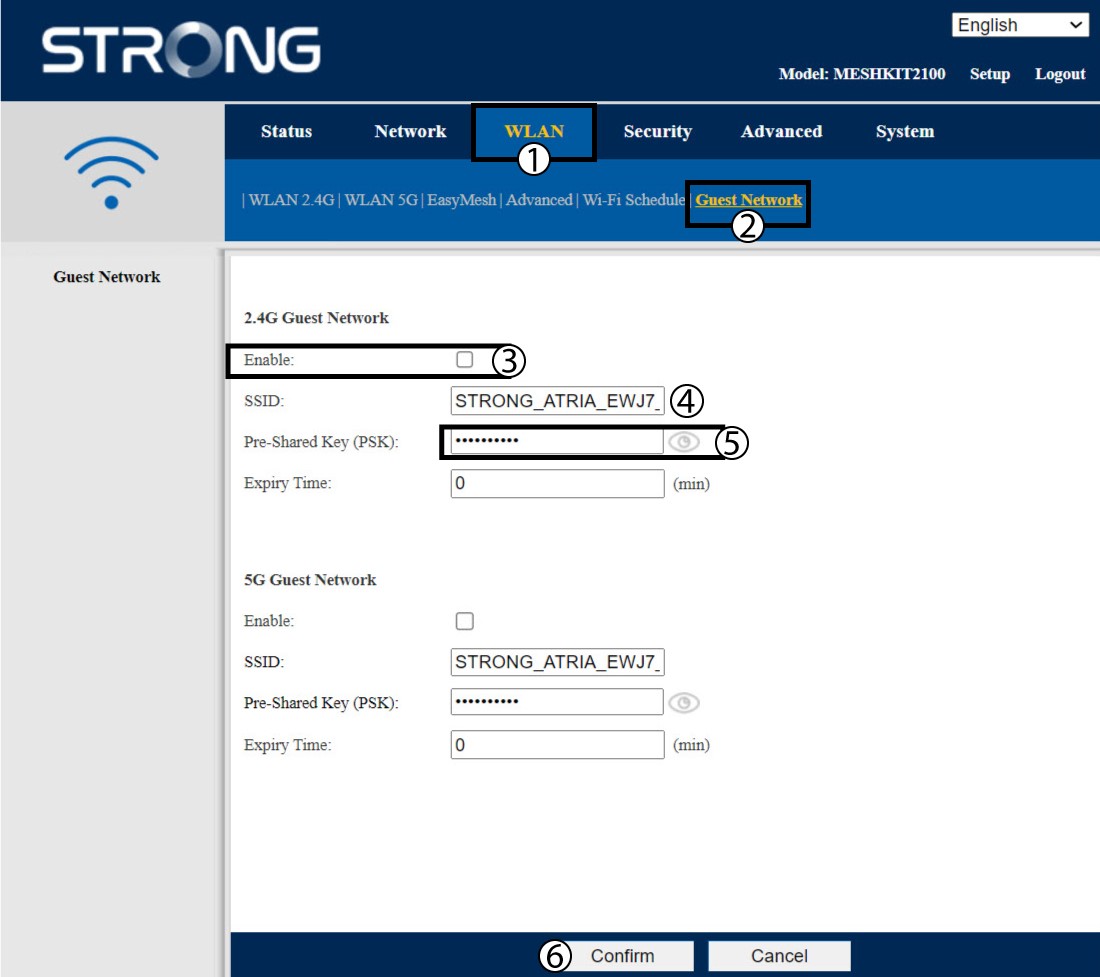
Haz clic en «WLAN» y «Red de invitados». Si quieres activar las redes de invitados tanto en la banda de 2,4 como en la de 5 GHz, marca las casillas correspondientes y haz clic en «Confirmar».
3. Anotala nueva información
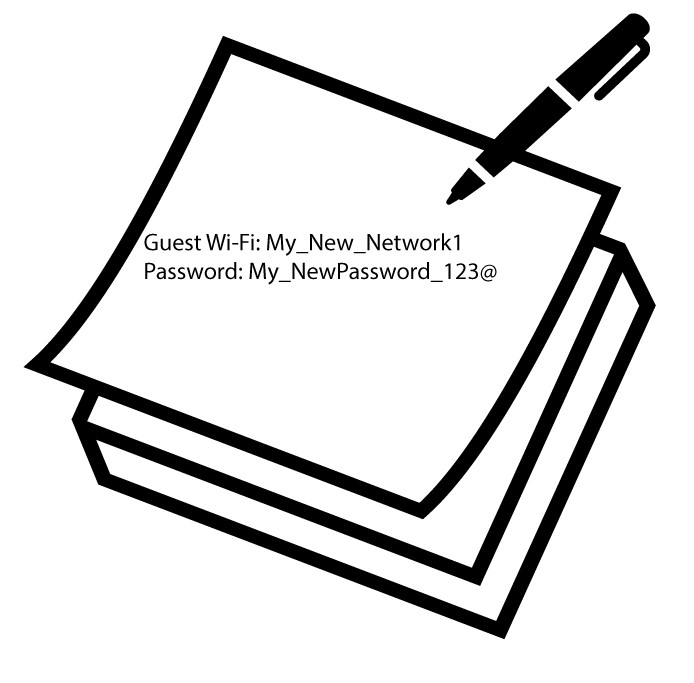
Anota en un papel el nombre y las contraseñas de las redes para invitados.
1. Caso2: Atria Mesh App
Para conectarte a la aplicación, sigue estos pasos: ¿Cómo se utiliza la aplicación Atria « Mesh »?
2. Wi-Fi para invitados
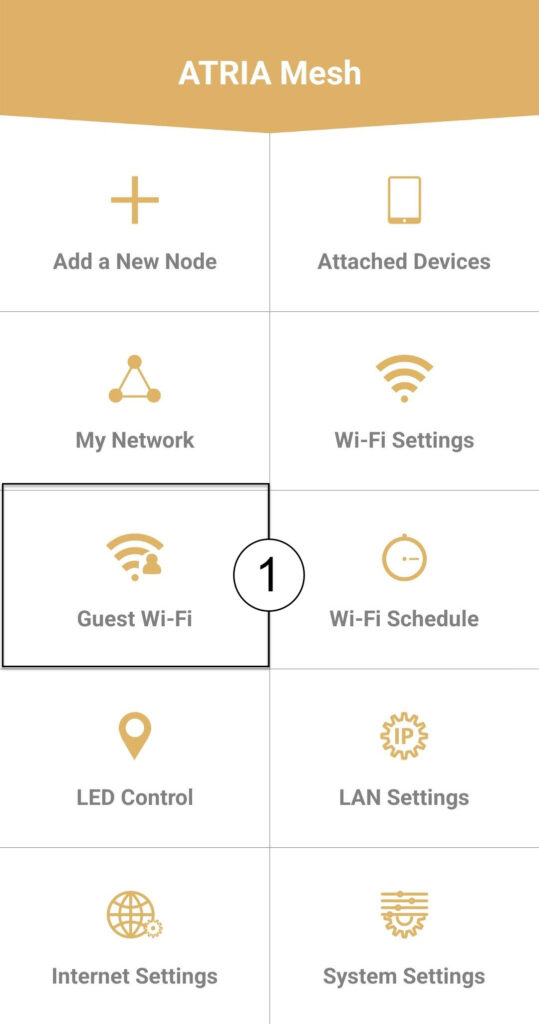
Haz clic en «Wi-Fi para invitados».
3 NUEVOPASO
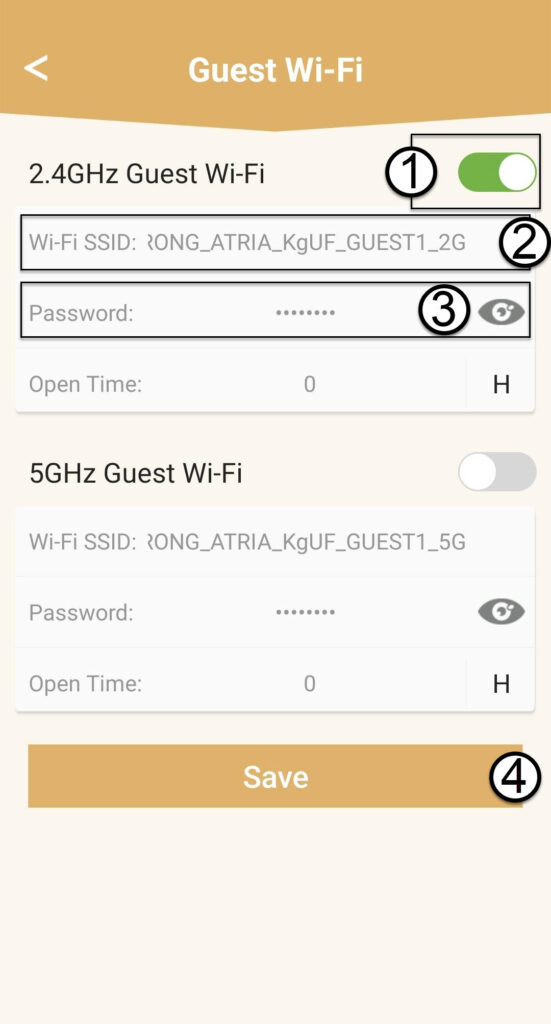
Pulsa el botón de activación/desactivación de la red Wi-Fi para invitados para activarla. A continuación, haz clic en el nombre del SSID de la red Wi-Fi para cambiarlo y haz clic en el icono del ojo para mostrar la contraseña y editarla antes de hacer clic en «Guardar».
4. Anota la nueva información
Anota el nuevo SSID y la contraseña de la red Wi-Fi en un papel.