
Powerline 1000 Duo Wi-Fi FR V2
Todas las preguntas
Powerline 1000 Duo Wi-Fi FR V2
¿Puedo desactivar la función Wi-Fi del módulo Wi-Fi para que funcione como un simple « Powerline »?
Sí, es posible desactivar el Wi-Fi. Para ello, sigue los pasos que se indican a continuación.
1. Conéctatea la red Wi-Fi « powerline ».
Conéctate a la red Wi-Fi de Powerline.
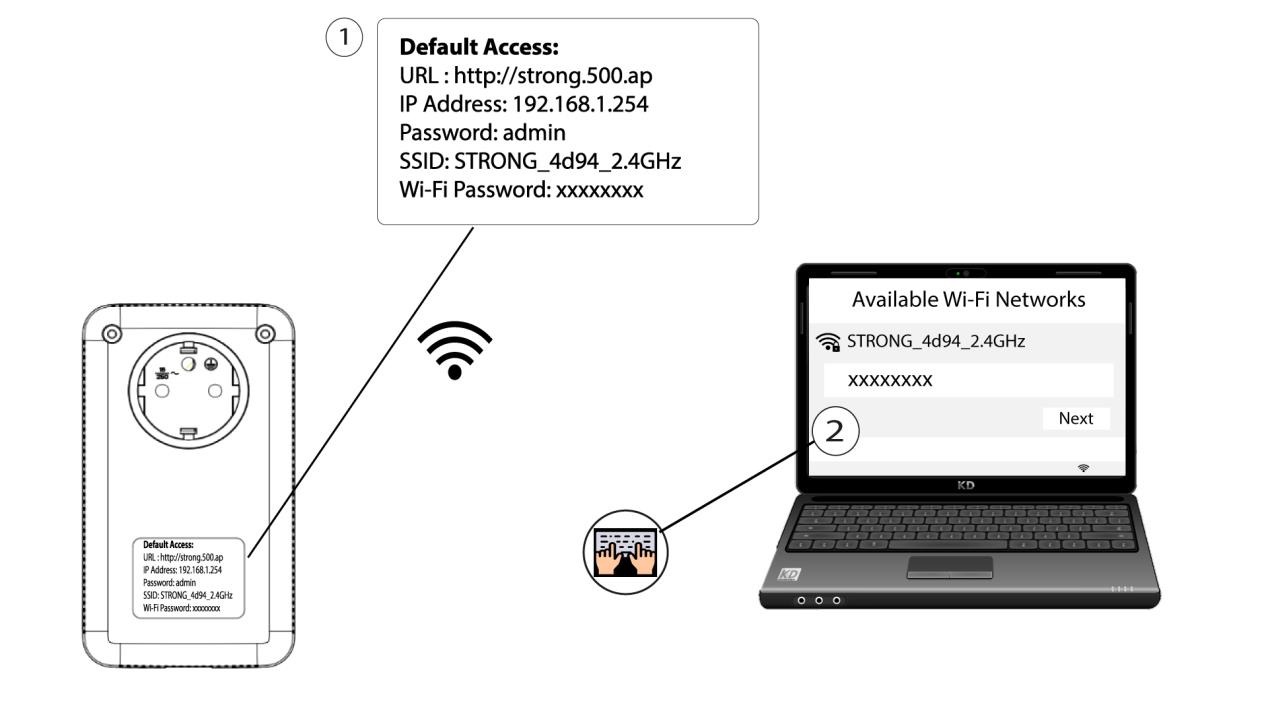
2. Accedea la dirección IP de la interfaz de usuario web
Conéctate a la interfaz de usuario del módulo Wi-Fi « Powerline » a través de Wi-Fi o escribiendo http://strong.500.ap en la barra de direcciones de tu navegador de Internet; debería aparecer la interfaz.

3. Introducelas credenciales
Una vez en la página de inicio, introduce la contraseña: admin

4. Configuración de la red inalámbrica
Haz clic en «Configuración de WLAN » y, a continuación, selecciona «Configuración básica».

5. Desactivael Wi-Fi
Desmarca la casilla «Habilitar» en la línea «Inalámbrico», según tus necesidades, y haz clic en «Guardar».


Ten en cuenta que, para reactivar la conexión Wi-Fi a través de la interfaz de usuario del módulo, tendrás que conectarte mediante un cable RJ45. La otra solución para reactivar la conexión Wi-Fi es reiniciar la red « Powerline » utilizando un clip hasta que los LED parpadeen. Todos los dispositivos que estuvieran conectados a la red Wi-Fi « powerline » se desconectarán automáticamente.