No se han encontrado artículos.
LEAP S3 | 4K Google TV Dolby Vision
No se han encontrado artículos.
Todas las preguntas
No se han encontrado artículos.
LEAP S3 | 4K Google TV Dolby Vision
No se han encontrado artículos.
¿Cómo puedo añadir o cambiar el orden de una aplicación en la pantalla de inicio?
1. Caso1: Añadir una aplicación
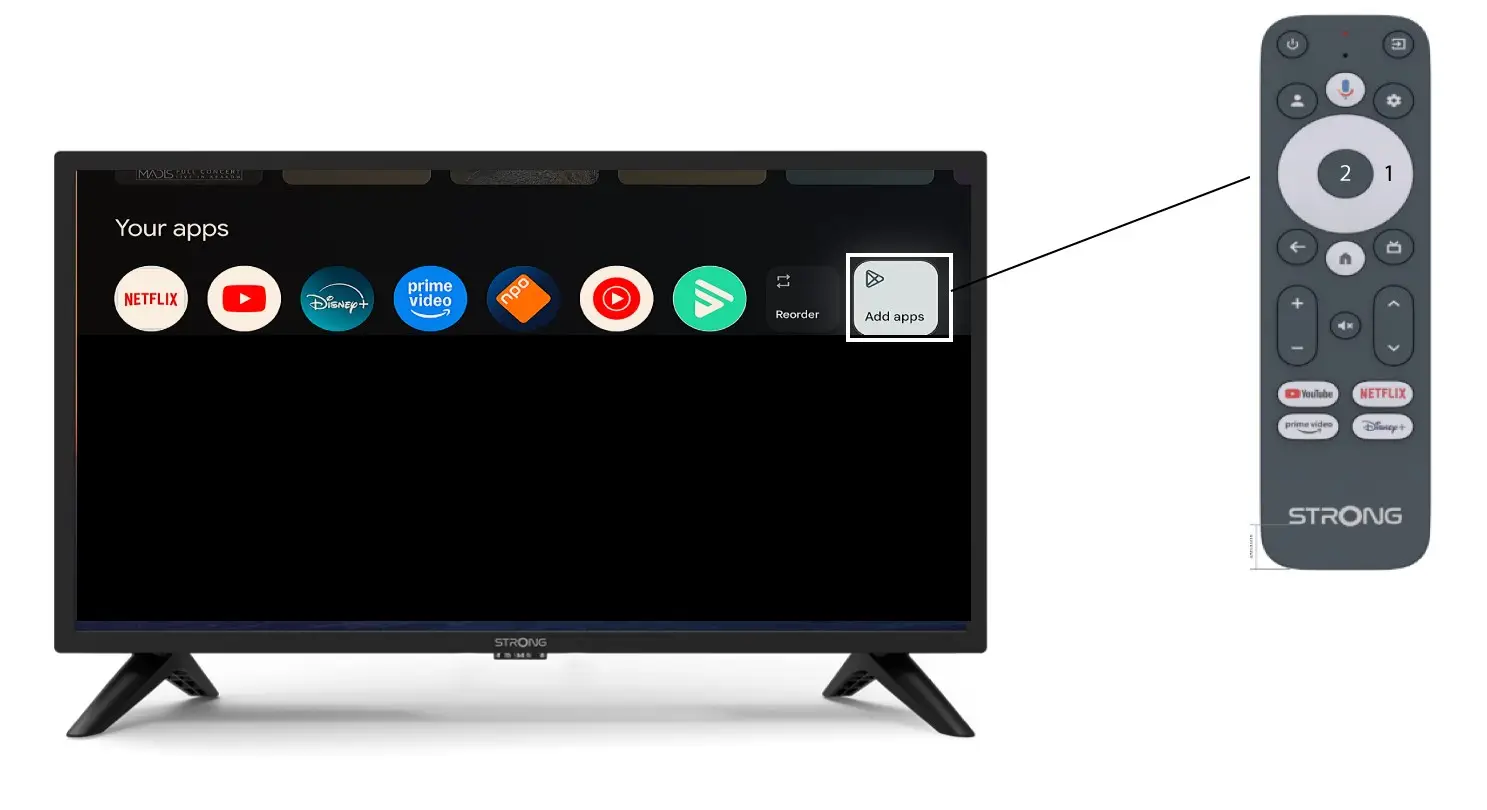
Para añadir una aplicación a la pantalla de inicio, ve al botón «Añadir aplicaciones», situado al final de la lista de aplicaciones que ya aparecen en la pantalla de inicio, y pulsa «Aceptar».
2. Lista de aplicaciones
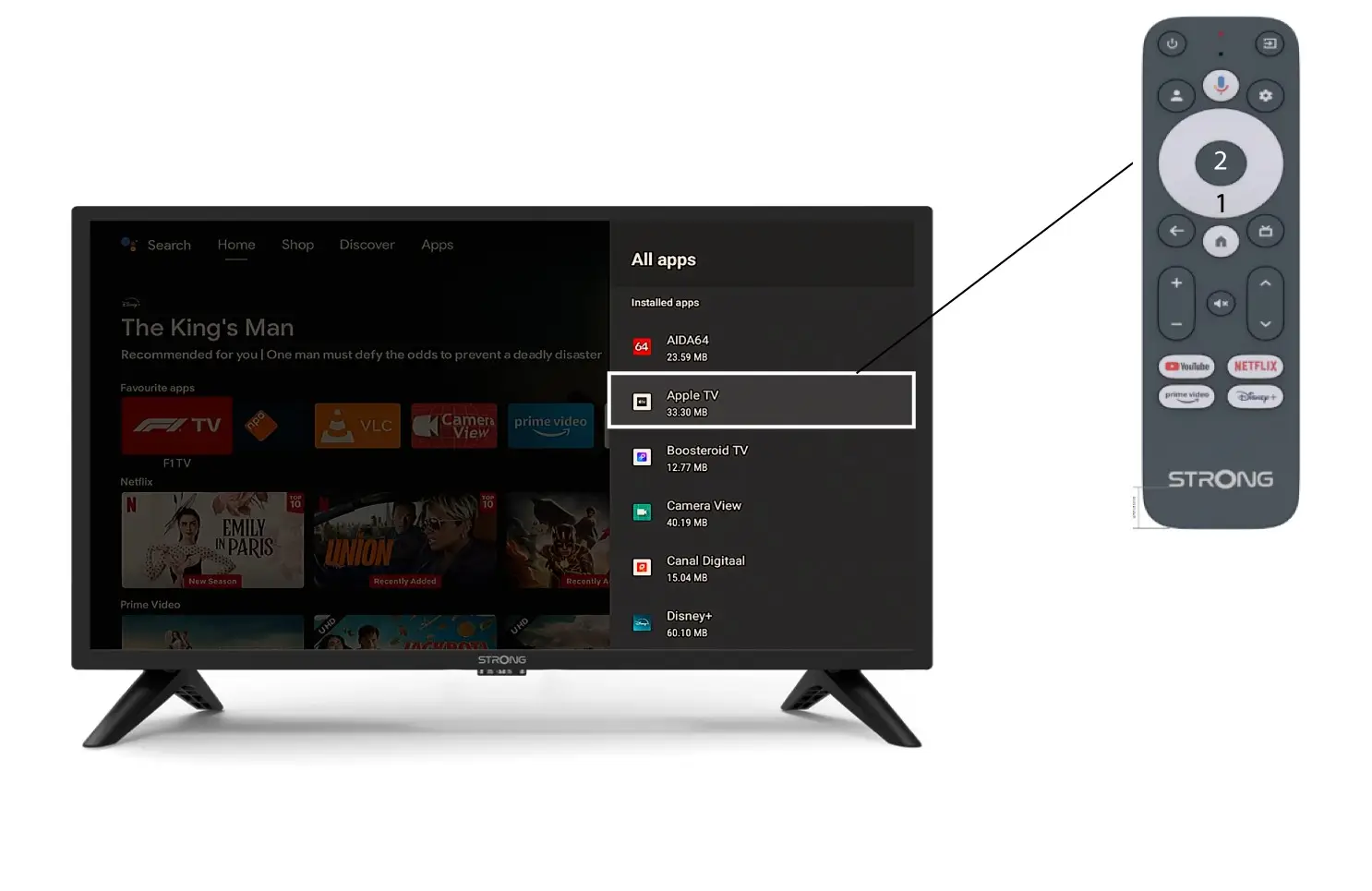
A continuación, se abrirá la lista de aplicaciones; selecciona la aplicación que desees y pulsa el botón «OK» del mando a distancia.
Ten en cuenta que no es posible eliminar aplicaciones de los favoritos. Si quieres que una aplicación desaparezca de esta página, tendrás que desinstalarla.
3. Caso2: Reordenar aplicaciones
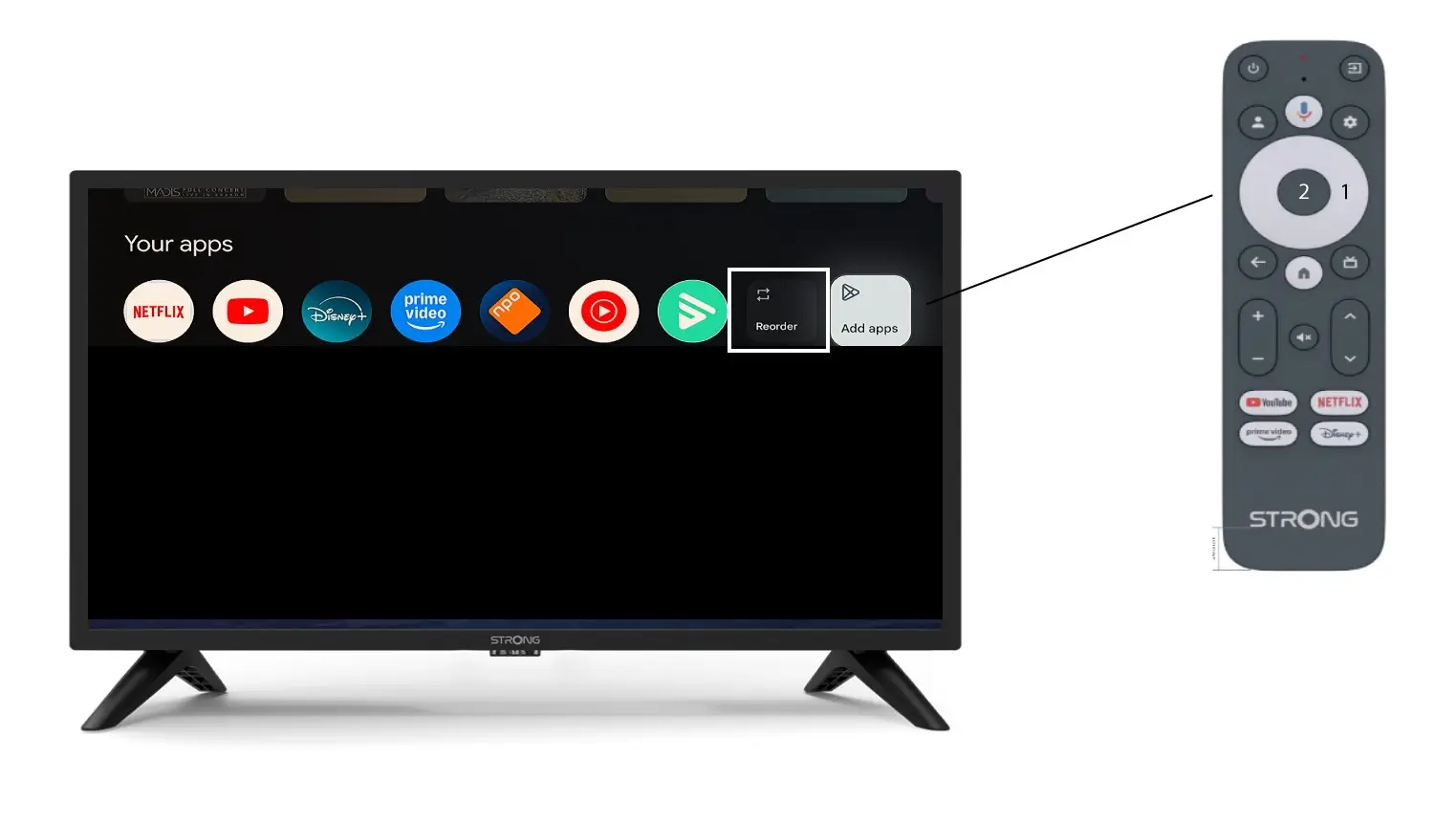
Para cambiar el orden de las aplicaciones que aparecen en la página de inicio, haz clic en «Reordenar».