
Router 4G LTE 300 Mini UK
Todas las preguntas
Router 4G LTE 300 Mini UK
¿Cómo puedo cambiar el SSID y la contraseña? (Configuración rápida)
¿Cómo puedo cambiar el SSID y la contraseña?
En la interfaz de usuario web, tienes dos formas de cambiar el SSID y la contraseña de tu router:
• A través de la opción «Configuración rápida»
• O mediante la opción «Configuración de Wi-Fi».
1. Ajustes rápidos
En la interfaz de usuario web, la opción «Configuración rápida» te permite modificar la información de tu red: su nombre y contraseña.
Para ello, haz clic en «Ajustes rápidos » en la barra superior.
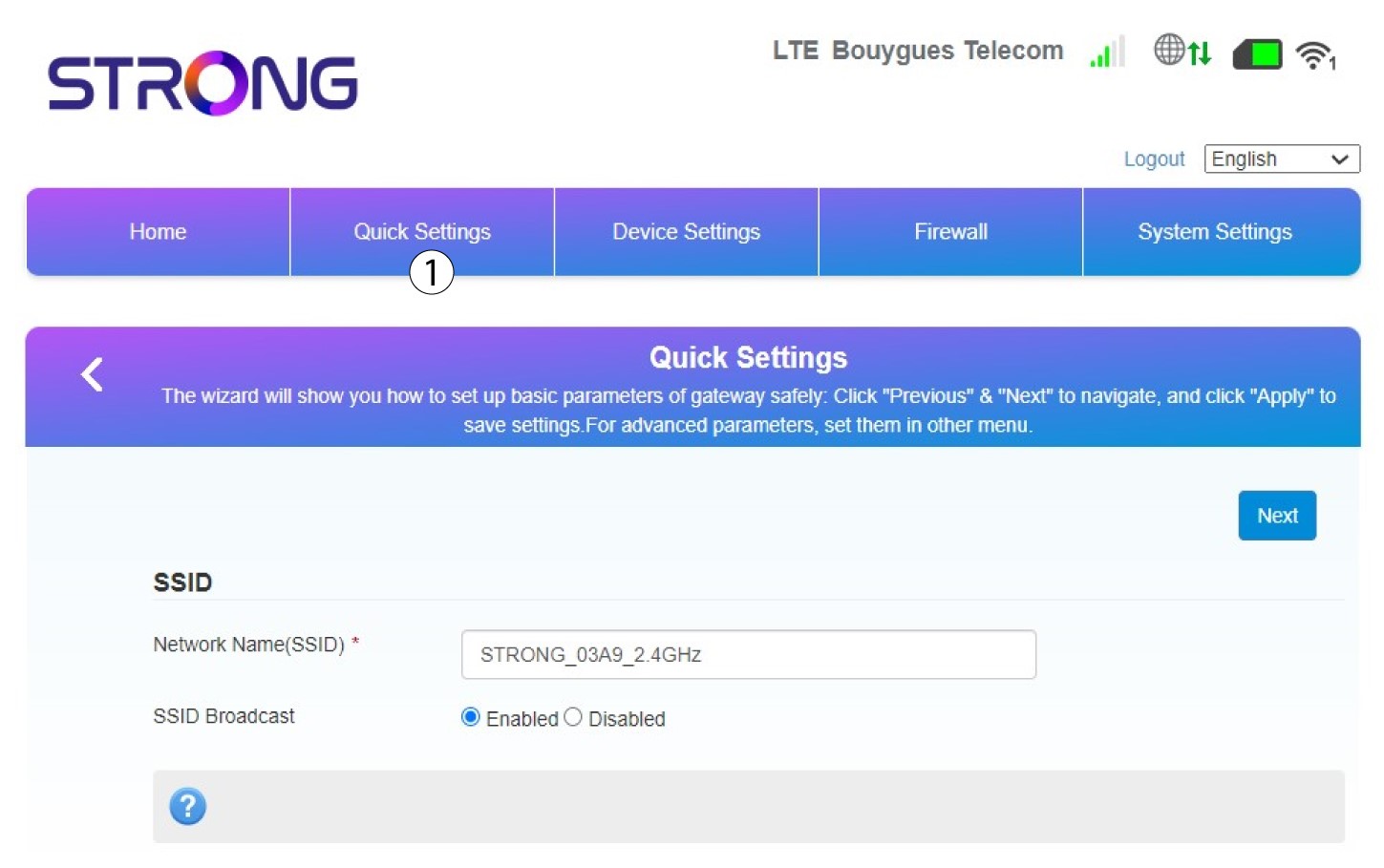
2. Introduceel nuevo nombre de la red
A continuación, introduce el nuevo nombre de la red y haz clic en «Siguiente».
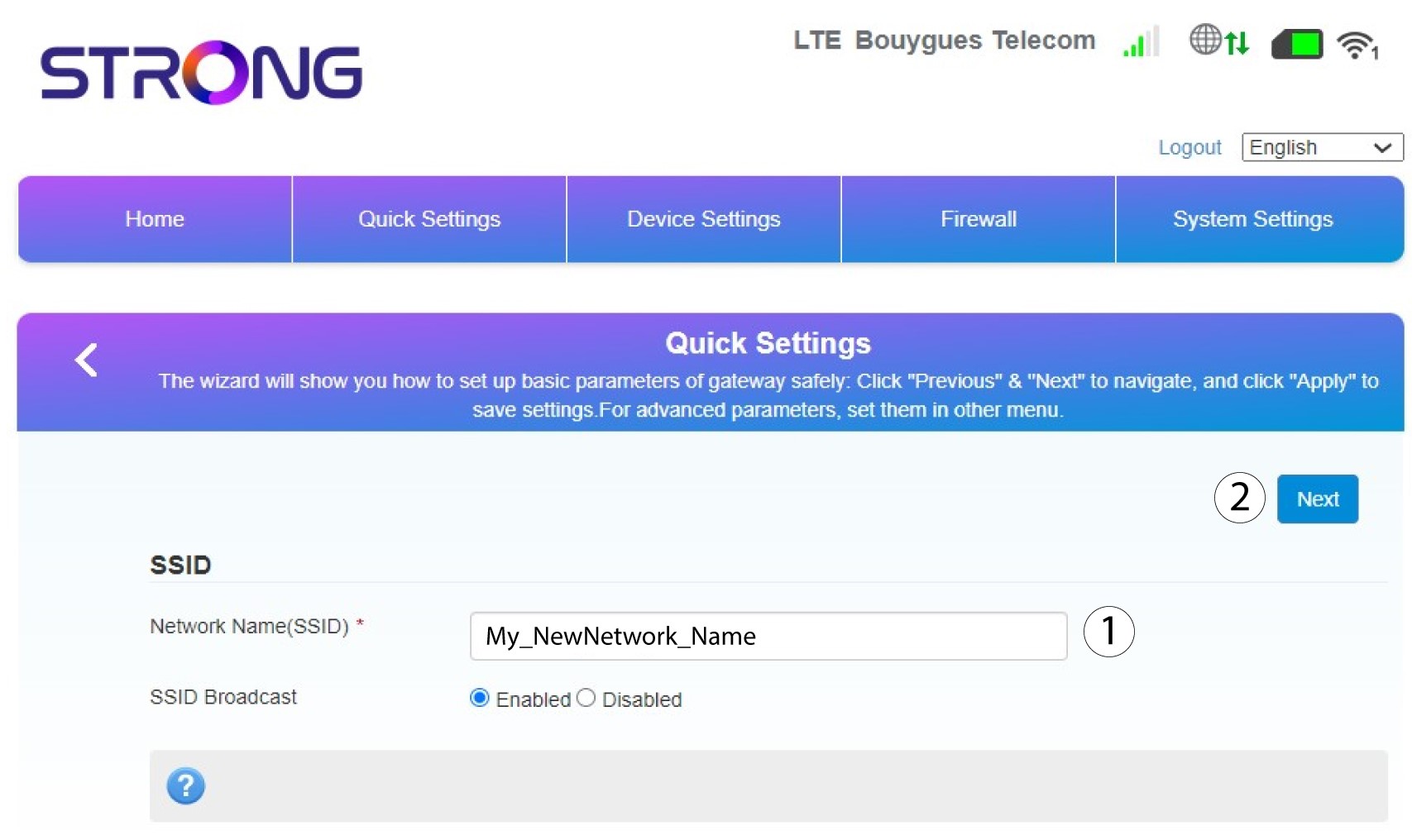
3. Mostrartu contraseña
Haz clic en «Mostrar contraseña».
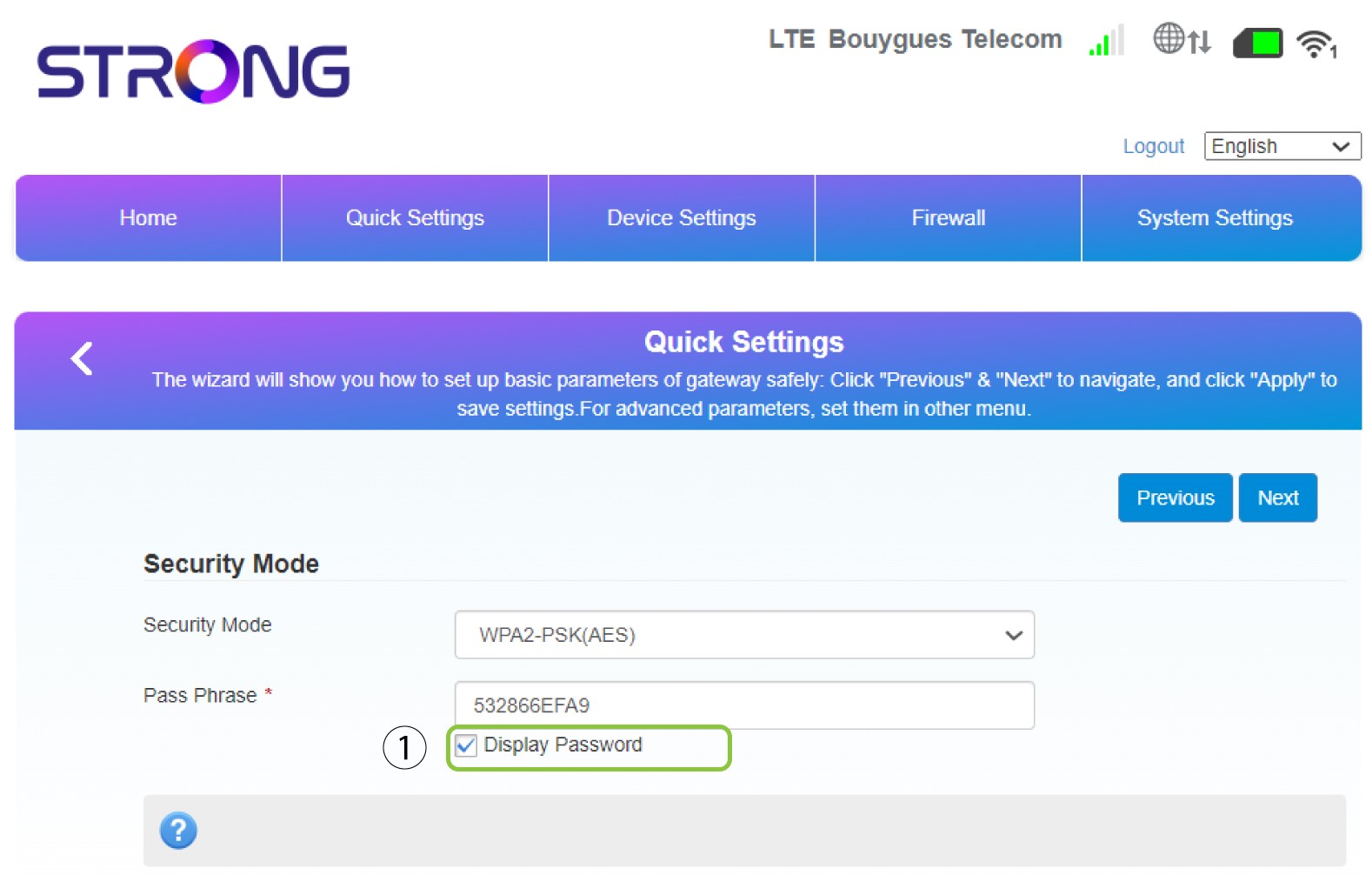
4. Introduceuna nueva contraseña
Cambia tu contraseña. A continuación, haz clic en «Siguiente».
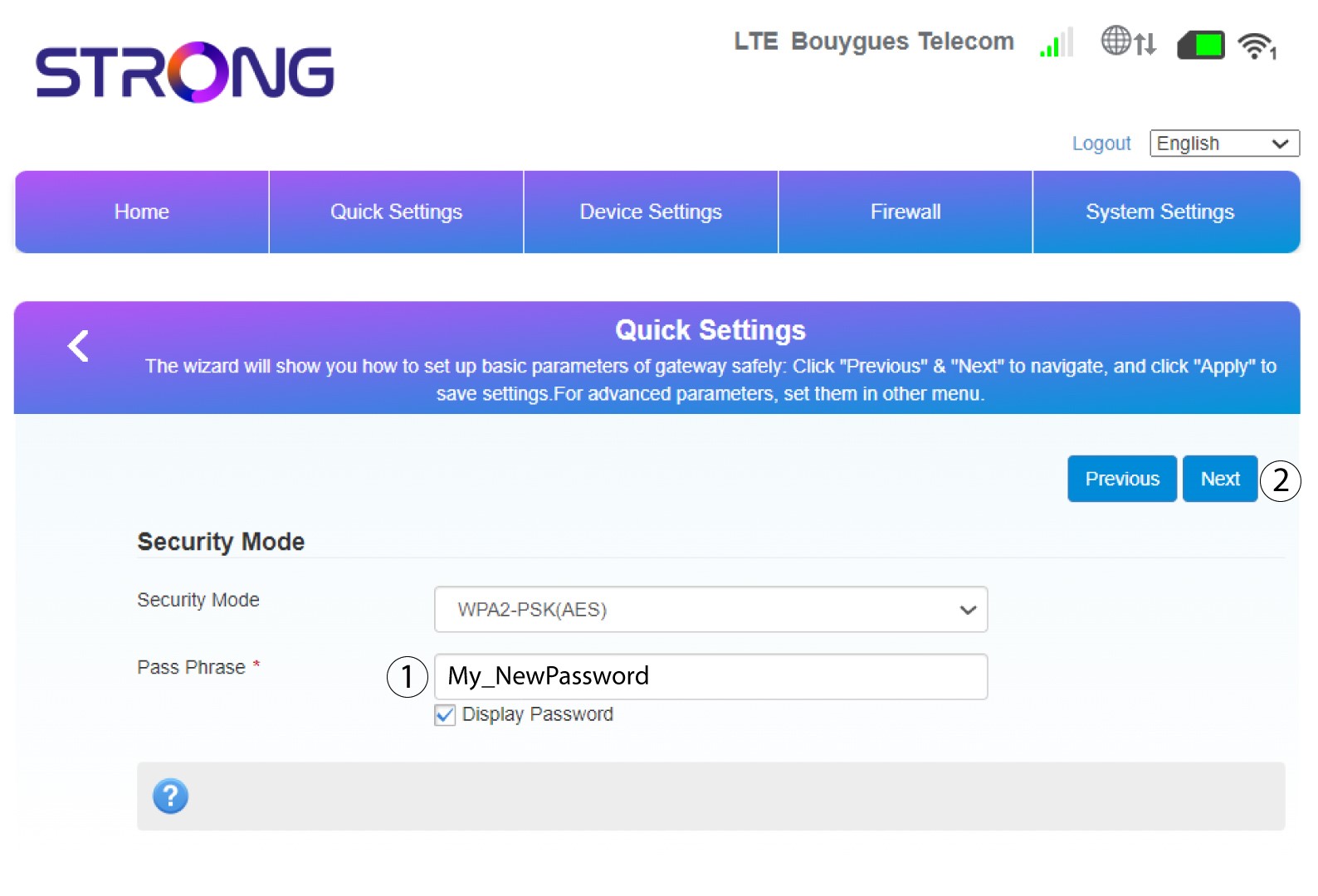
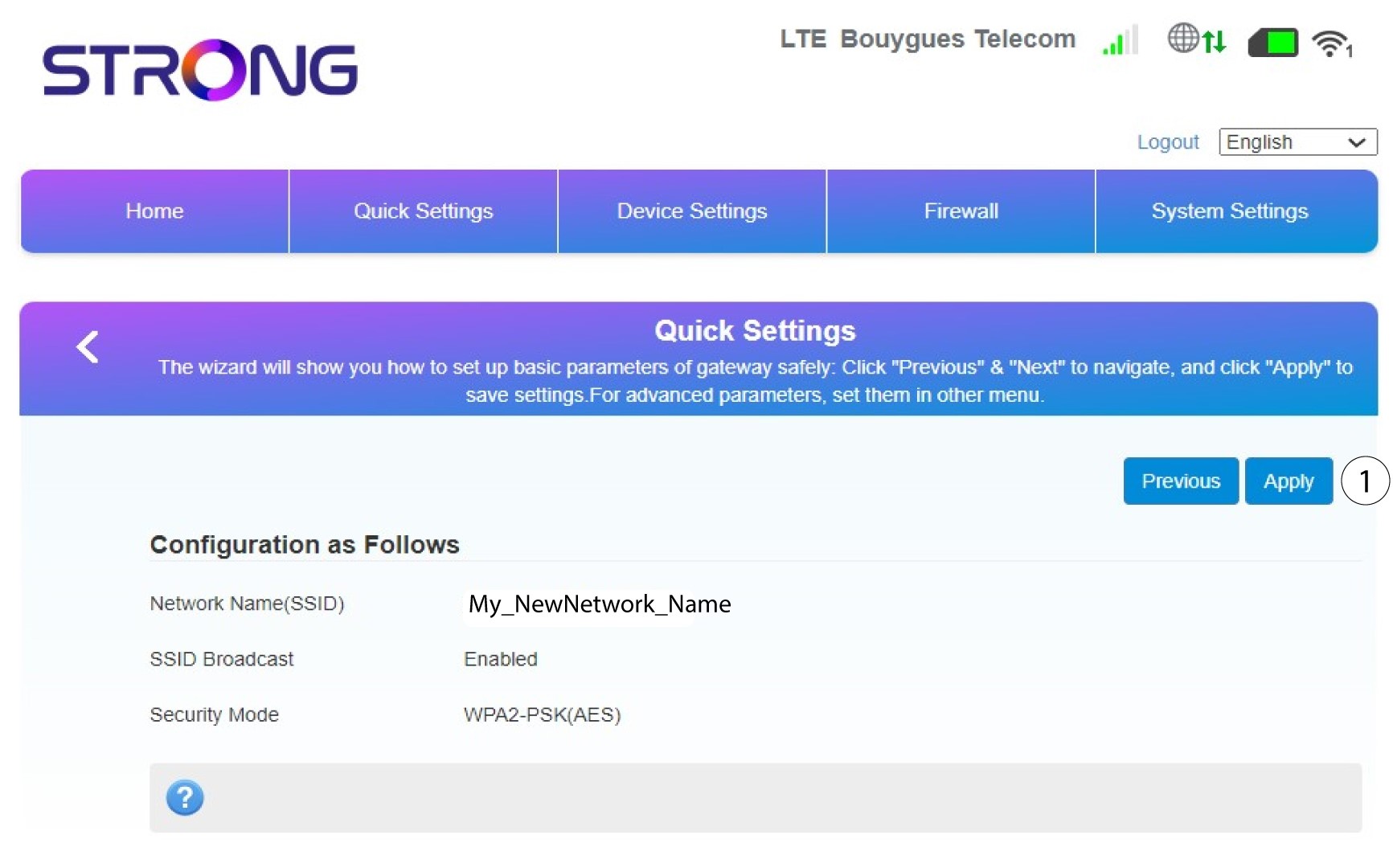
5. Revisalos cambios que has realizado
Para guardar los cambios, haz clic en «Aplicar».
6. Anotael nuevo nombre de red y la contraseña
Por favor, anota en un papel el nuevo SSID y la contraseña que has creado.


Una vez que hayas cambiado el nombre de red y la contraseña de tu router, el código QR dejará de funcionar, ya que los datos de conexión de tu router serán diferentes.