
Powerline 1000 Duo Wi-Fi Mini
Todas las preguntas
Powerline 1000 Duo Wi-Fi Mini
¿Cómo puedo cambiar el nombre del SSID y la contraseña de la red Wi-Fi del Powerline 1000 Mini?
1. Conéctatea la red Wi-Fi
Conéctate a la red Wi-Fi del « Powerline 1000 Wi-Fi Mini».
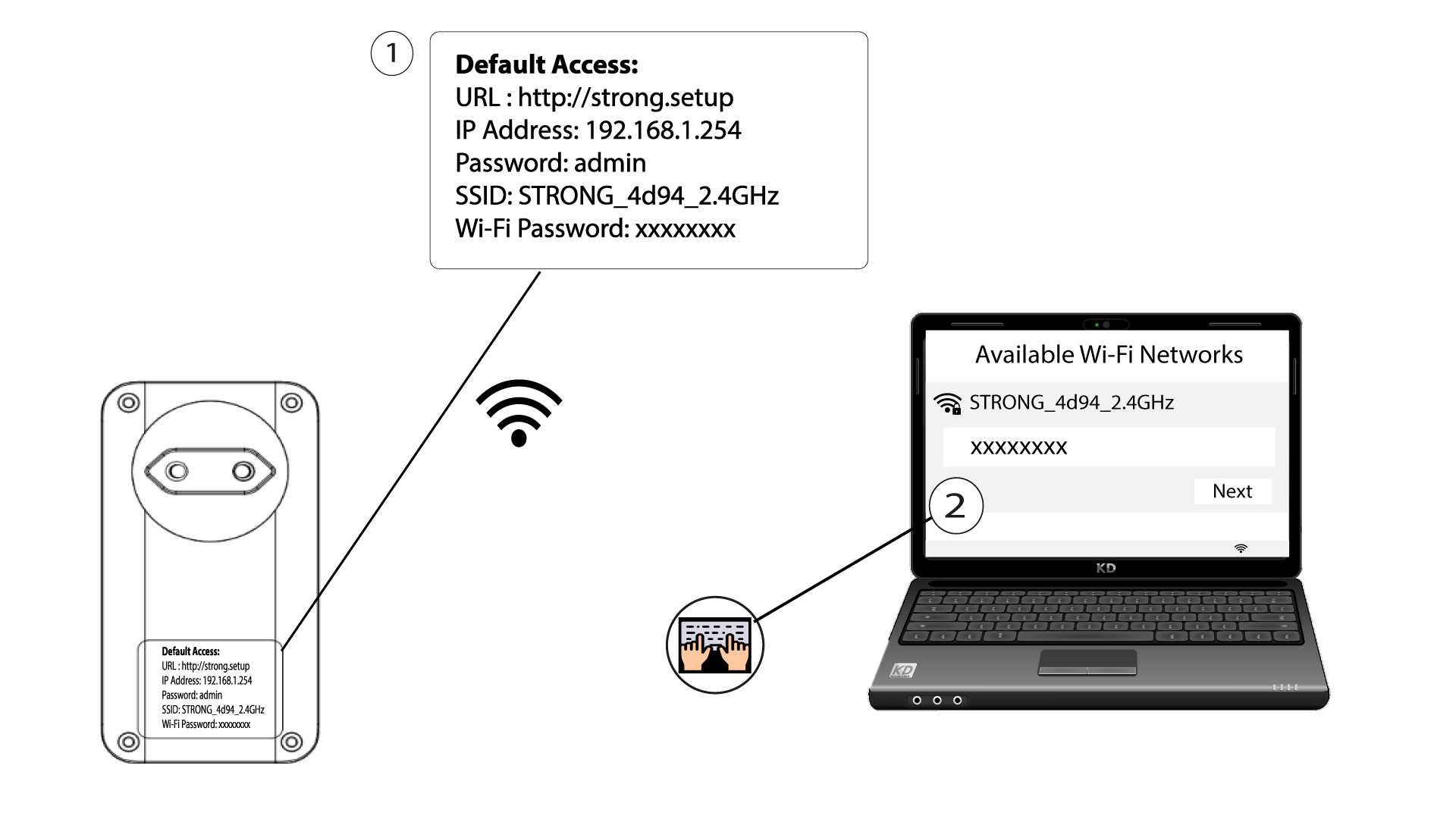
2. Accedea la dirección IP de la interfaz de usuario web
Accede a la interfaz de usuario introduciendo la URL: http://strong.setup en la barra de direcciones de tu navegador de Internet.

3. Introducetus datos de acceso
A continuación, escribe la contraseña: admin

4. Configuración rápida
Ve al menú, selecciona «Configuración rápida», haz clic en «Punto de acceso (AP)» y , a continuación, haz clic en «SIGUIENTE».

5. Introduceel nuevo nombre de red y la contraseña
Edita el SSID y la frase de contraseña. Al definir la nueva frase de contraseña, evita utilizar la «I» mayúscula y la «l» minúscula, ya que se pueden confundir fácilmente. También te recomendamos que crees una frase de contraseña que combine mayúsculas, minúsculas y números. Cuando hayas terminado de editar, haz clic en «SIGUIENTE» para guardar los cambios.

6. Anotalos nuevos datos de la red
Anota el nuevo SSID y la nueva frase de contraseña en un papel y, a continuación, vuelve a conectar todos tus dispositivos al « Powerline 1000 Wi-Fi Mini» utilizando los nuevos ajustes.
