Punto de acceso Wi-Fi 4G+ AIRSPOT 520 con pantalla táctil
No se han encontrado artículos.
No se han encontrado artículos.
Todas las preguntas
Punto de acceso Wi-Fi 4G+ AIRSPOT 520 con pantalla táctil
No se han encontrado artículos.
No se han encontrado artículos.
¿Cómo puedo cambiar el SSID (nombre de la red Wi-Fi) y la contraseña de Wi-Fi? (Pantalla de Mi-Fi)
Puedes modificar la información de la red Wi-Fi desde la pantalla de tu Mi-Fi.
1. Accedea los ajustes de Wi-Fi
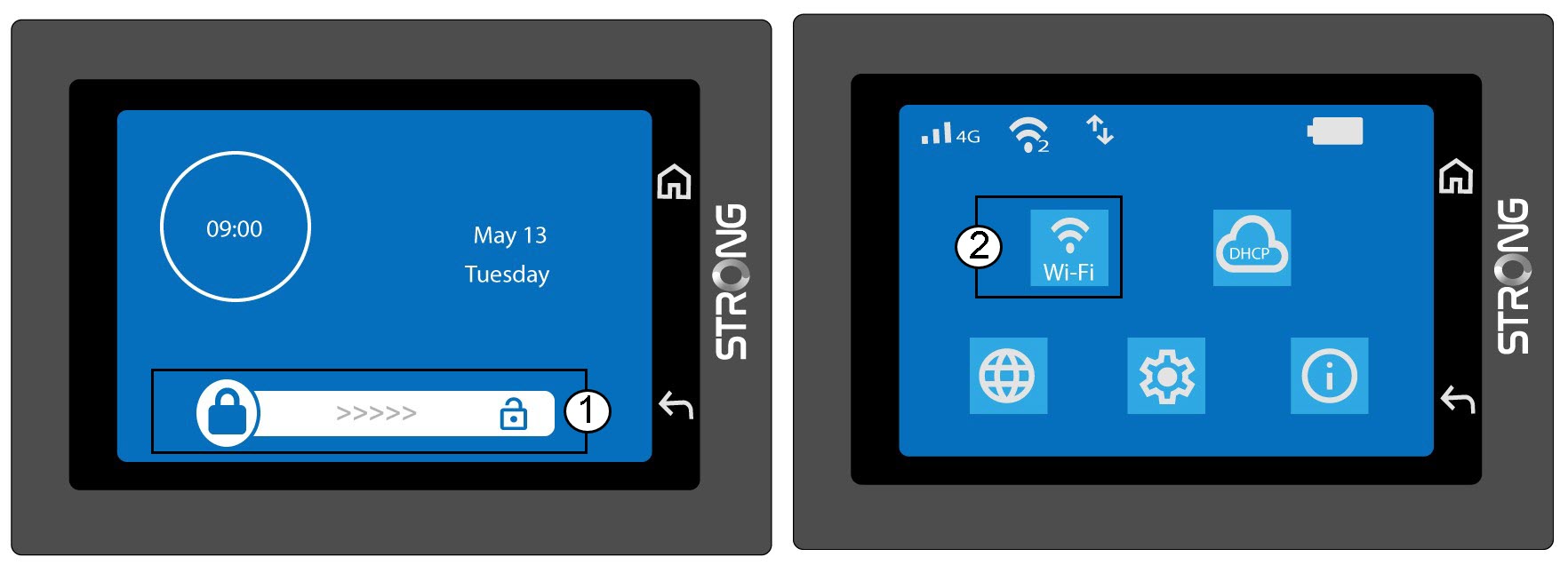
Desbloquea la pantalla y haz clic en el icono de Wi-Fi.
2. Configuración de la red Wi-Fi abierta
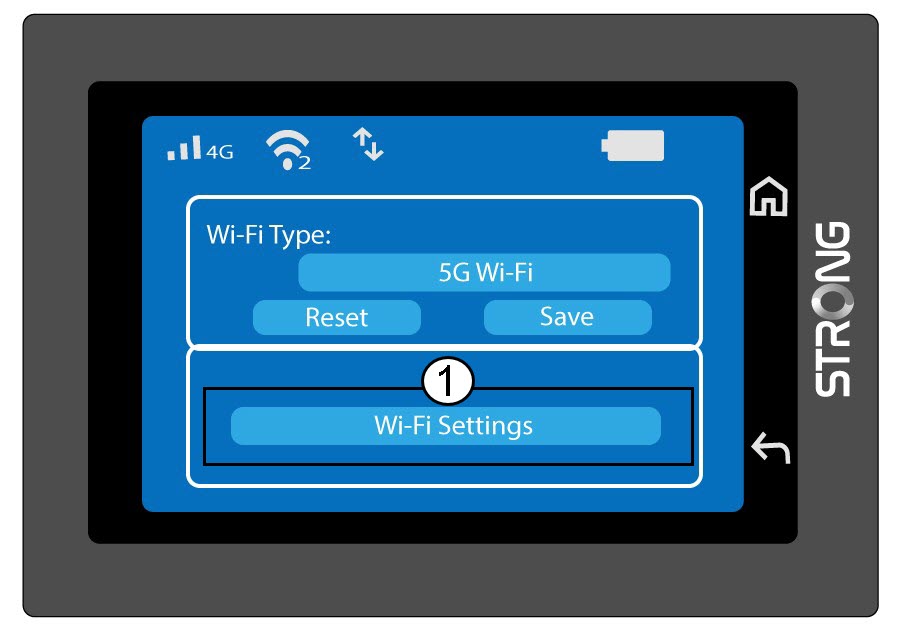
Haz clic en «Configuración de Wi-Fi».
3. Cambiarel nombre de la red (SSID)
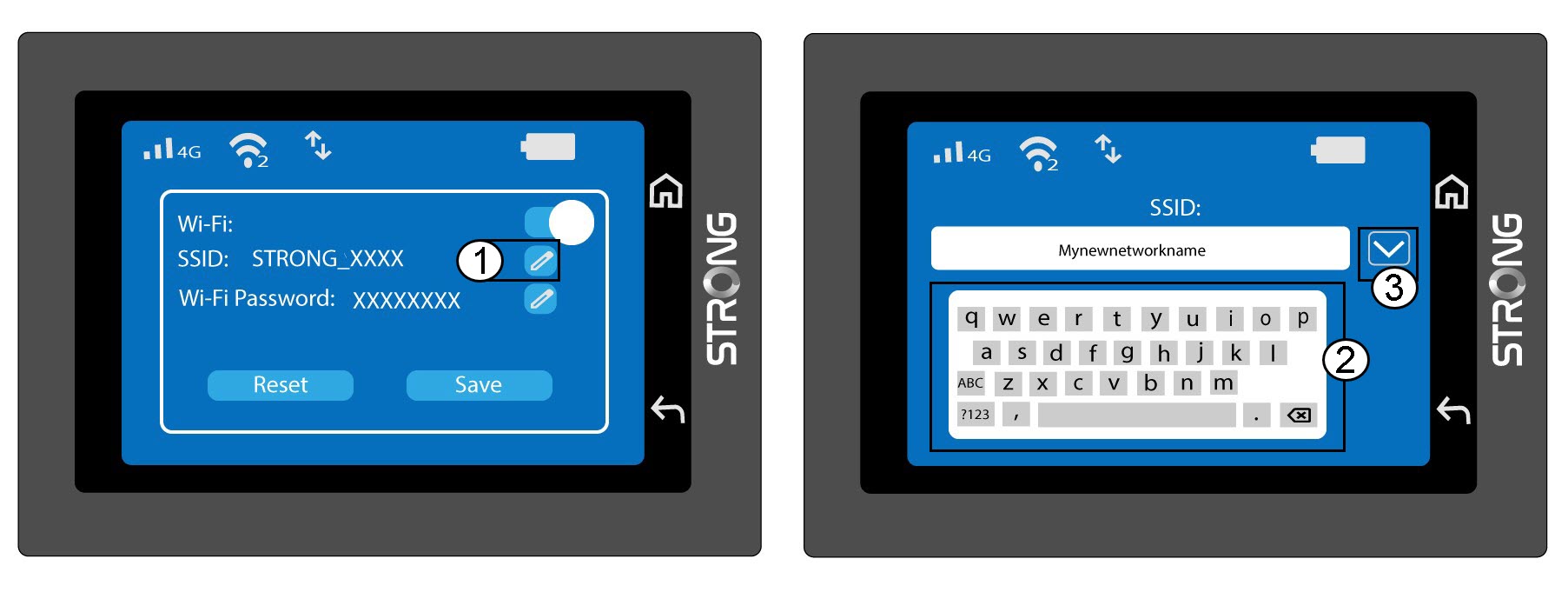
Haz clic en el icono del lápiz situado junto al nombre de la red Wi-Fi, introduce el nuevo nombre y pulsa (V) para confirmar.
4. Cambiarla contraseña de la red Wi-Fi
Haz clic en el icono del lápiz situado junto a la contraseña de Wi-Fi, introduce la nueva contraseña y pulsa (V) para confirmar.
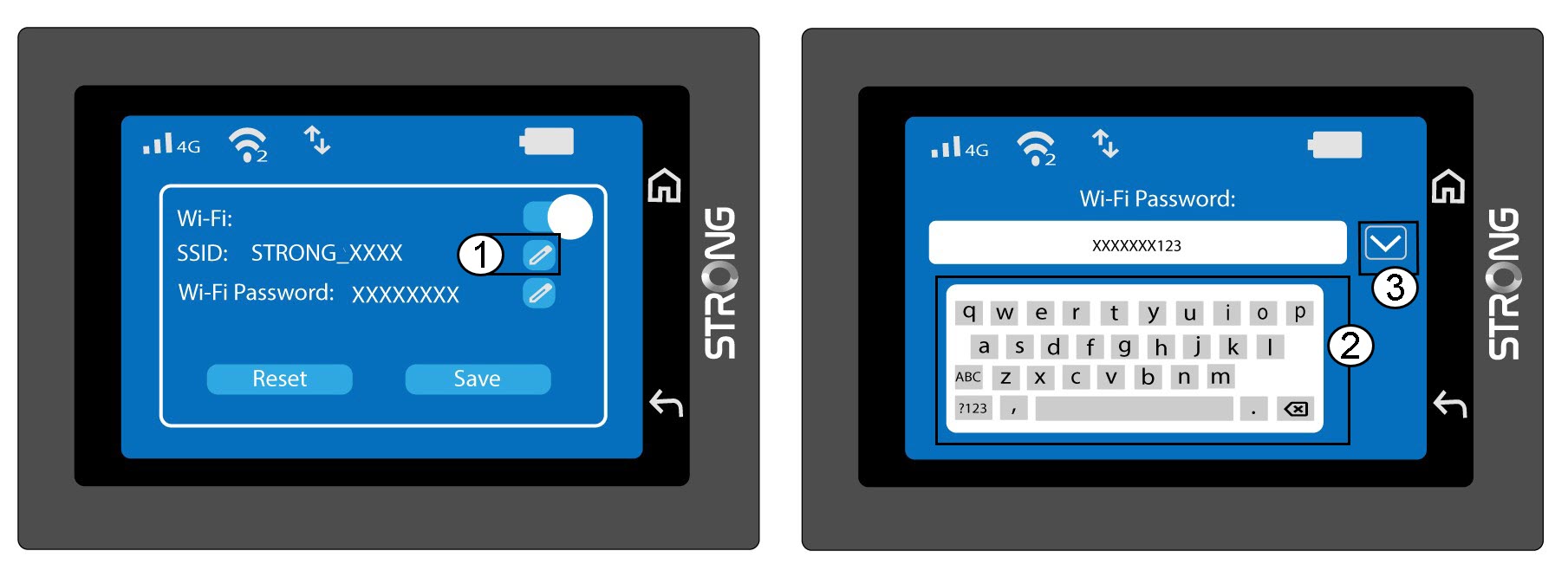
5. Guardalos cambios
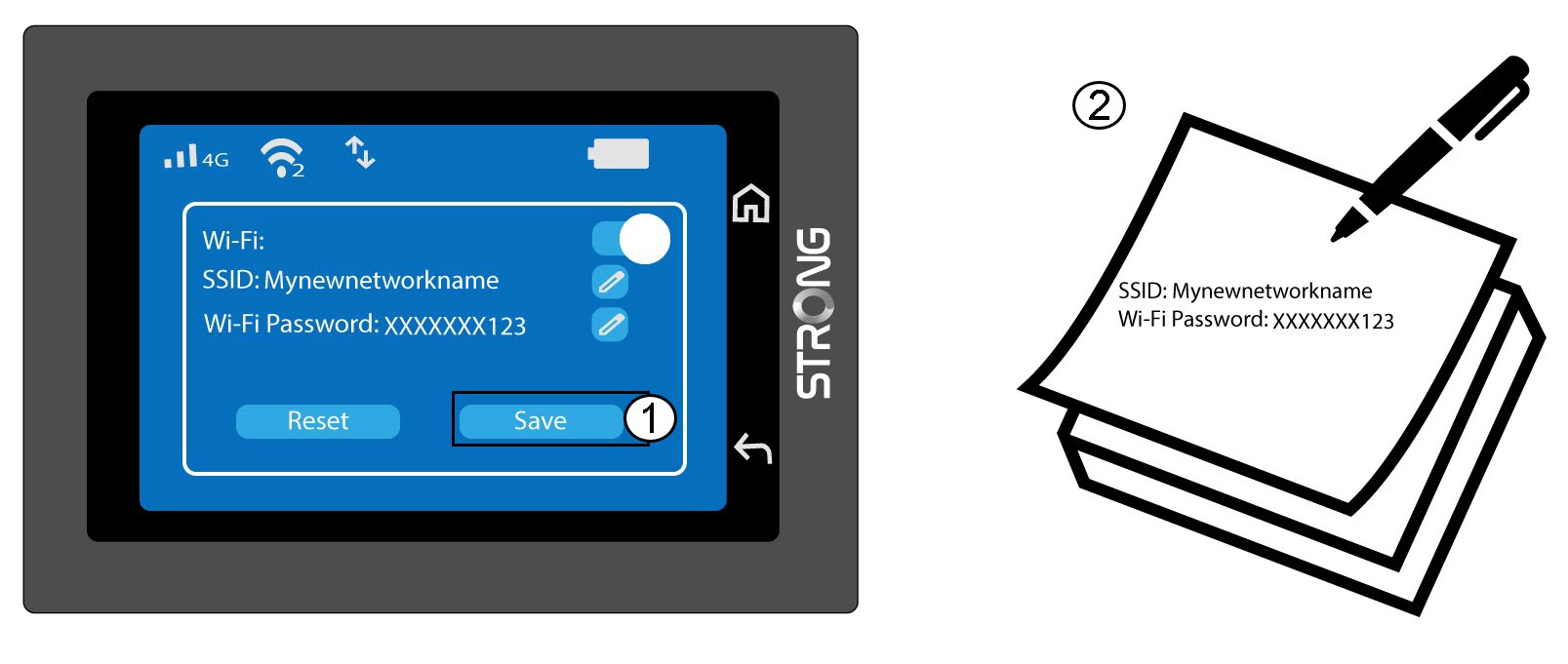
Haz clic en «Guardar» y anota el nuevo nombre de la red y la contraseña para consultarlos más adelante.