
4G AIRHOME 210 UK antenas 4G fijas
Todas las preguntas
4G AIRHOME 210 UK antenas 4G fijas
¿Cómo puedo restablecer la configuración de fábrica de mi router?
En ocasiones, puede ocurrir que tu dispositivo no funcione correctamente y que no tengas acceso a Internet. En ese caso, te recomendamos que restablezcas la configuración de fábrica del dispositivo y que, a continuación, actualices de nuevo el firmware si es necesario.
Tienes dos formas de hacerlo: puedes reiniciar el dispositivo pulsando el botón de reinicio o haciéndolo a través de la interfaz de usuario web.
CASO 1: Botón de reinicio
Para ello, pulsa el botón «Reset» situado en el lado derecho del router durante dos segundos.

1CASO2: Restablecimiento en la interfaz de usuario web
Para conectarte a la interfaz de usuario web, sigue las instrucciones que se indican en: «¿Cómo puedo acceder a la interfaz de usuario web?».
2. Actualización del firmware
A continuación, haz clic en «Actualización de firmware».

3. Restablecerla configuración de fábrica
Haz clic en «Otros». En la sección «Reiniciar y restablecer », haz clic en «Restablecer la configuración de fábrica».
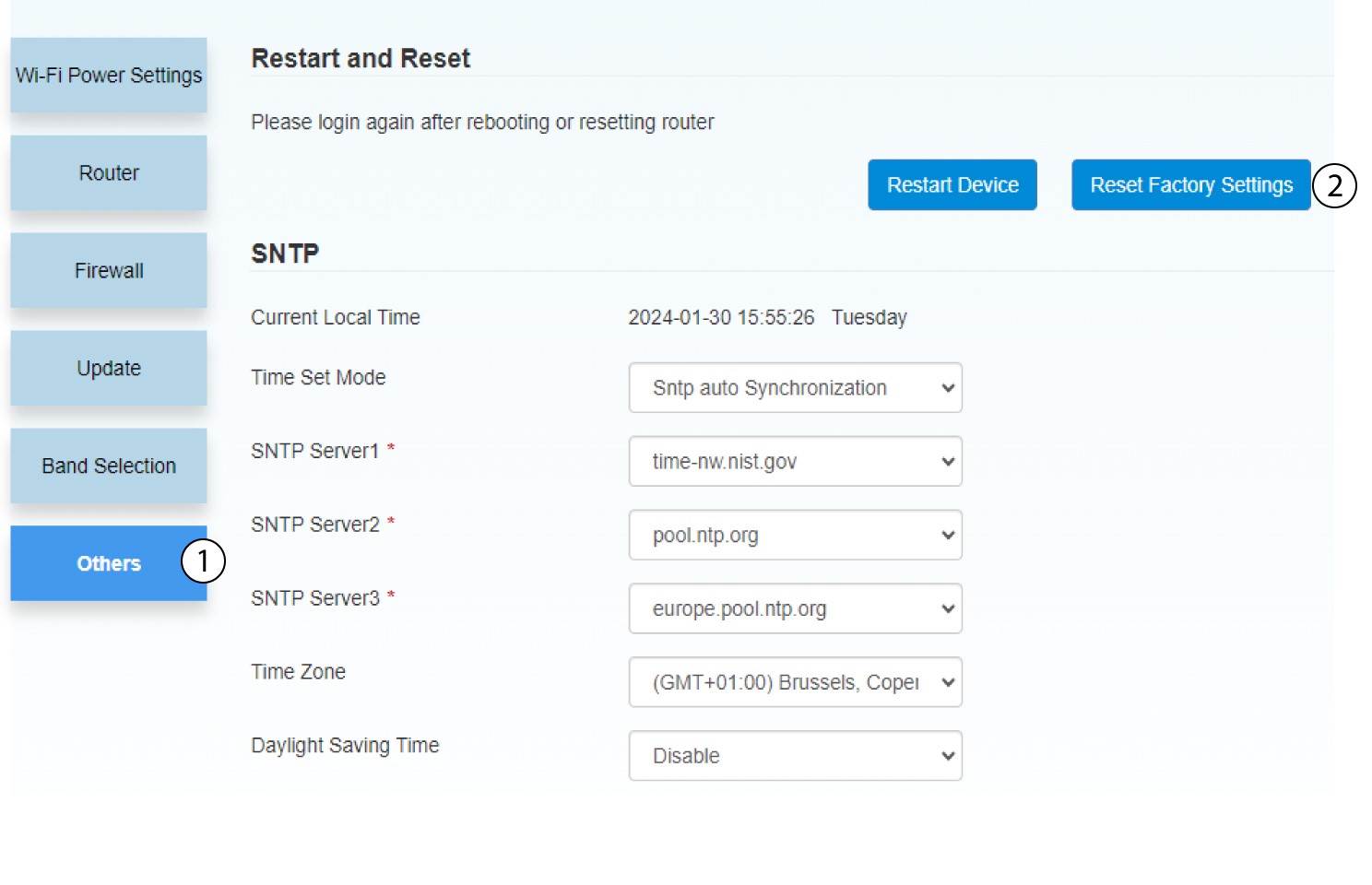
4. Notificación emergente
Haz clic en «SÍ» en el mensaje emergente.
