Powerline 500 Duo | POWERL500DUO
Todas las preguntas
Powerline 500 Duo | POWERL500DUO
¿Cómo añadir un nuevo producto « powerline » a tu red « powerline » actual con el nivel de seguridad 1?
Dado que tu red actual se ha configurado con el Nivel de seguridad alto 1, añadir un producto es tan sencillo como «Plug & Play». No es necesario realizar ninguna acción en el producto. Solo tienes que conectar el nuevo producto « powerline » y se añadirá automáticamente a la red.
Normalmente, los adaptadores « powerline » se emparejan en grupos de dos o tres, por lo que, si necesitas añadir más productos « powerline » a tu red, que está configurada con el nivel de seguridad alto 1, debes seguir los pasos que se indican a continuación.
Ver más preguntas frecuentes1. Conectael dispositivo adicional
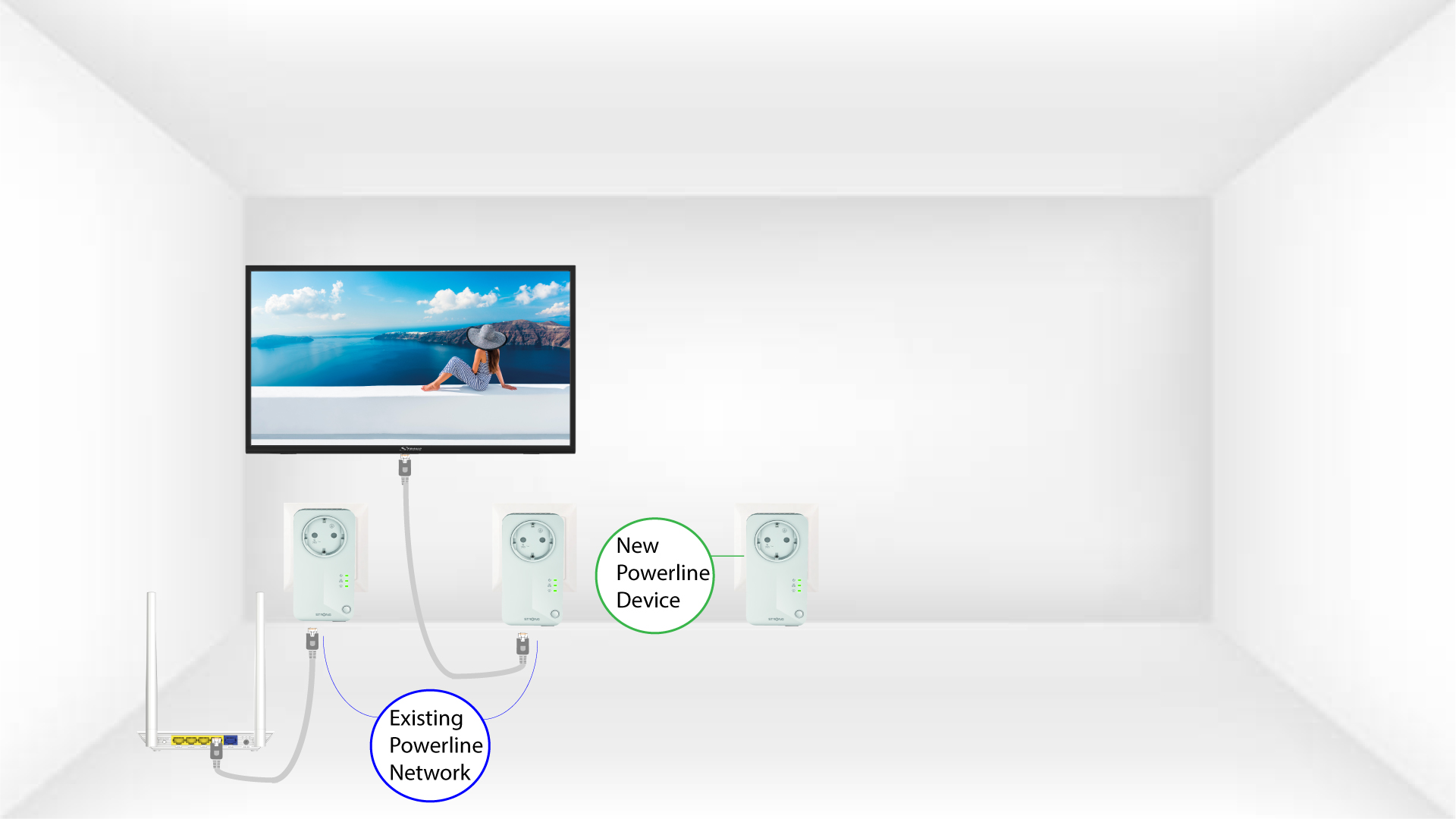
Enchufa el dispositivo o dispositivos adicionales a una toma de corriente.
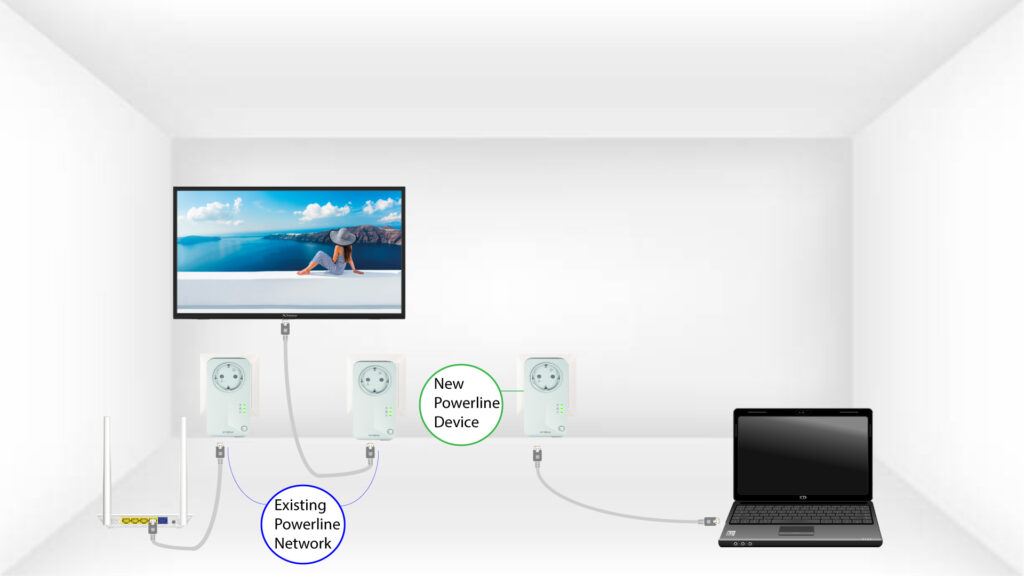
2. Conectael powerline a un dispositivo mediante un conector RJ45
Conecta el dispositivo a un router o puerta de enlace de Internet mediante un conector RJ45.
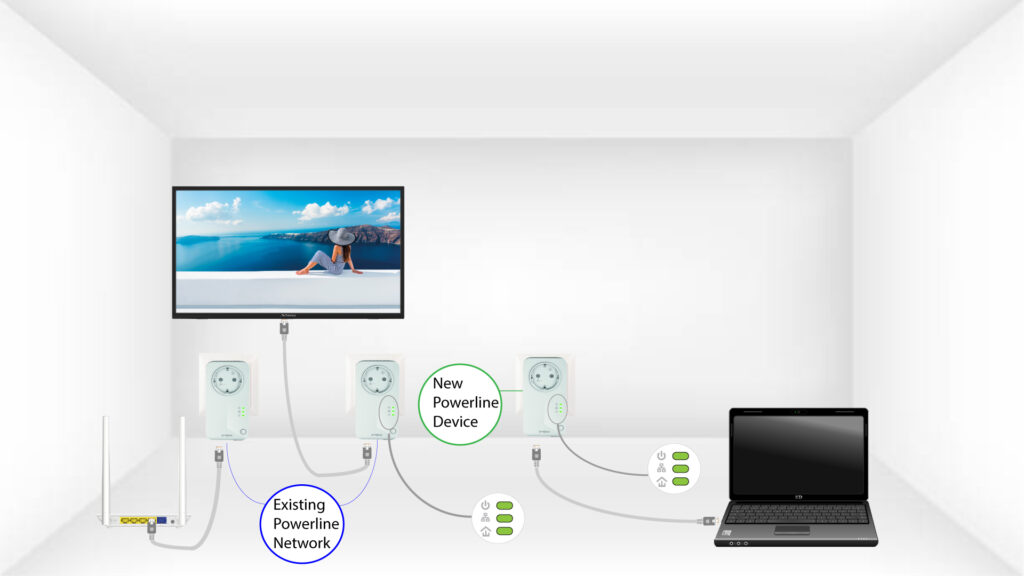
3. Todoslos LED están en verde
Tras conectar el nuevo dispositivo, todos los LED de todos los dispositivos se iluminan en verde.