
Mesh Wi-Fi 5 Mesh ATRIA 1200 (add-on)
Todas las preguntas
Mesh Wi-Fi 5 Mesh ATRIA 1200 (add-on)
Cómo cambiar la contraseña de administrador (interfaz web)
1. Conéctatea la red Wi-Fi de tu mesh
Para ello, introduce el SSID (nombre de la red Wi-Fi) y la contraseña Wi-Fi del router en tu dispositivo:

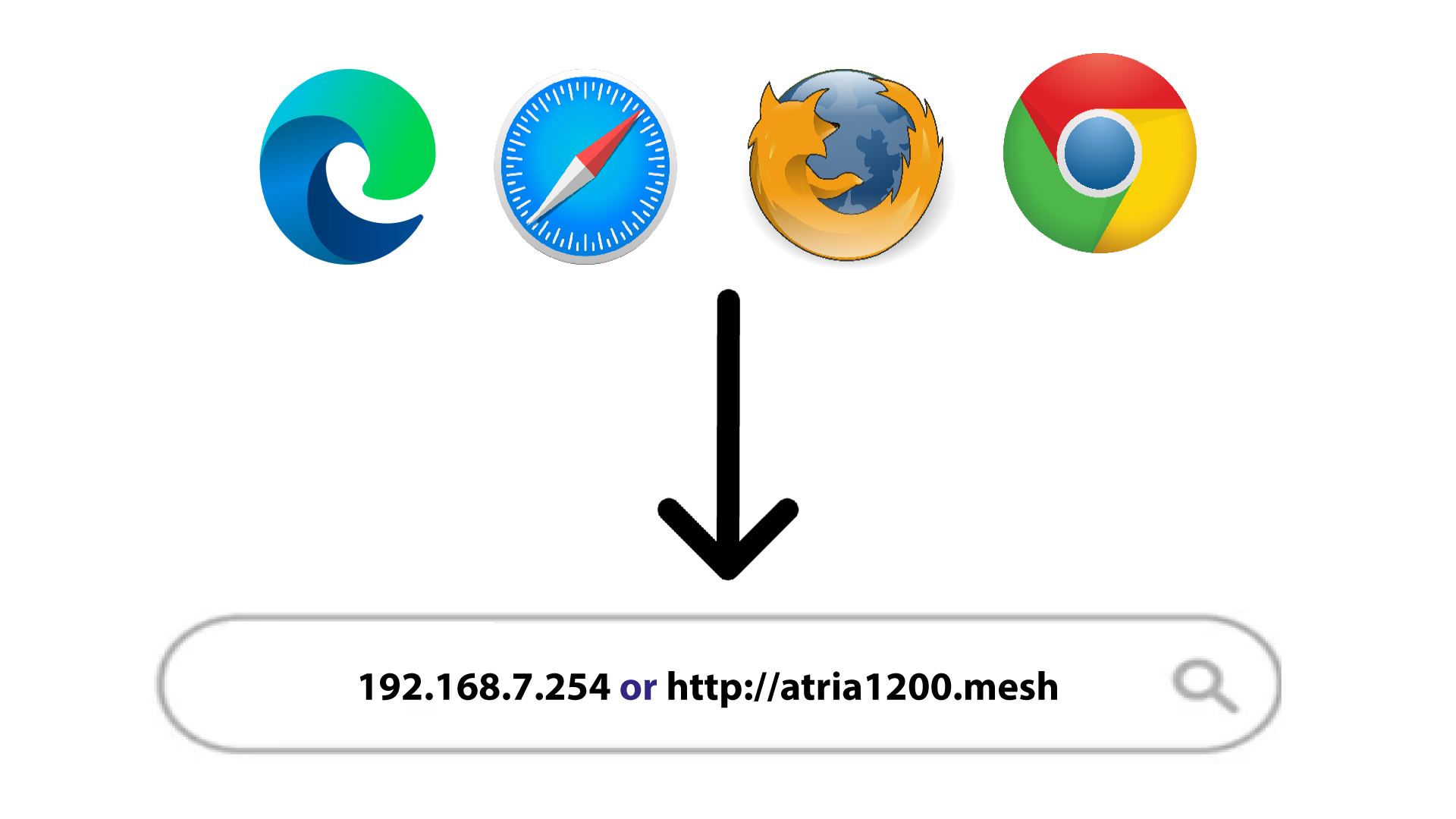
2. Accedea la dirección IP
A continuación, introduce la siguiente dirección IP en tu navegador: 192.168.7.254 o escribe la siguiente dirección: http://atria1200.mesh
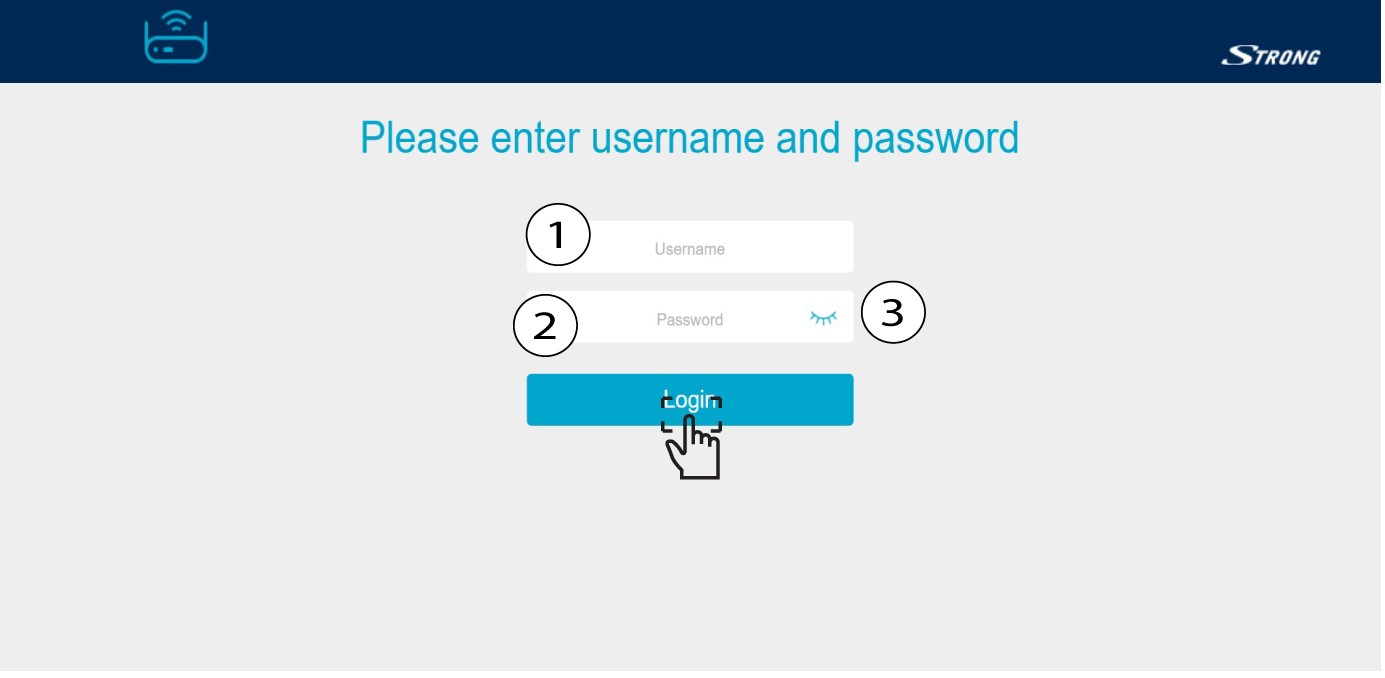
3. Introducetus datos de acceso
Debes introducir el nombre de usuario (admin) y la contraseña (admin). A continuación, haz clic en «Iniciar sesión».
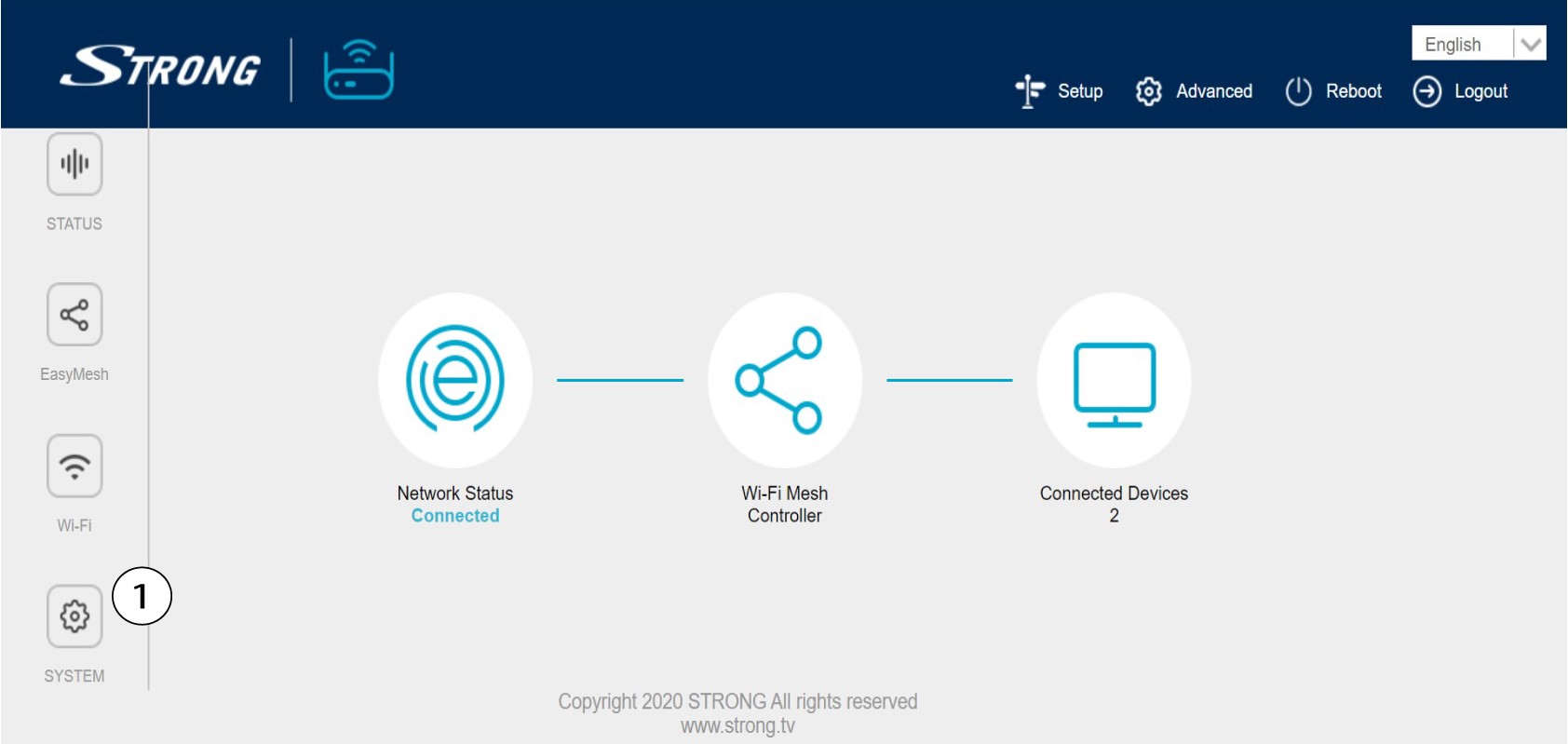
4. Configuración del sistema
Ahora te encuentras en la página principal de la interfaz de usuario web. Es posible que tengas que cambiar la contraseña de administración de la interfaz de usuario web tras tu primera conexión; para ello, sigue las siguientes instrucciones. Para ello, haz clic en «Sistema» en la barra de la izquierda.
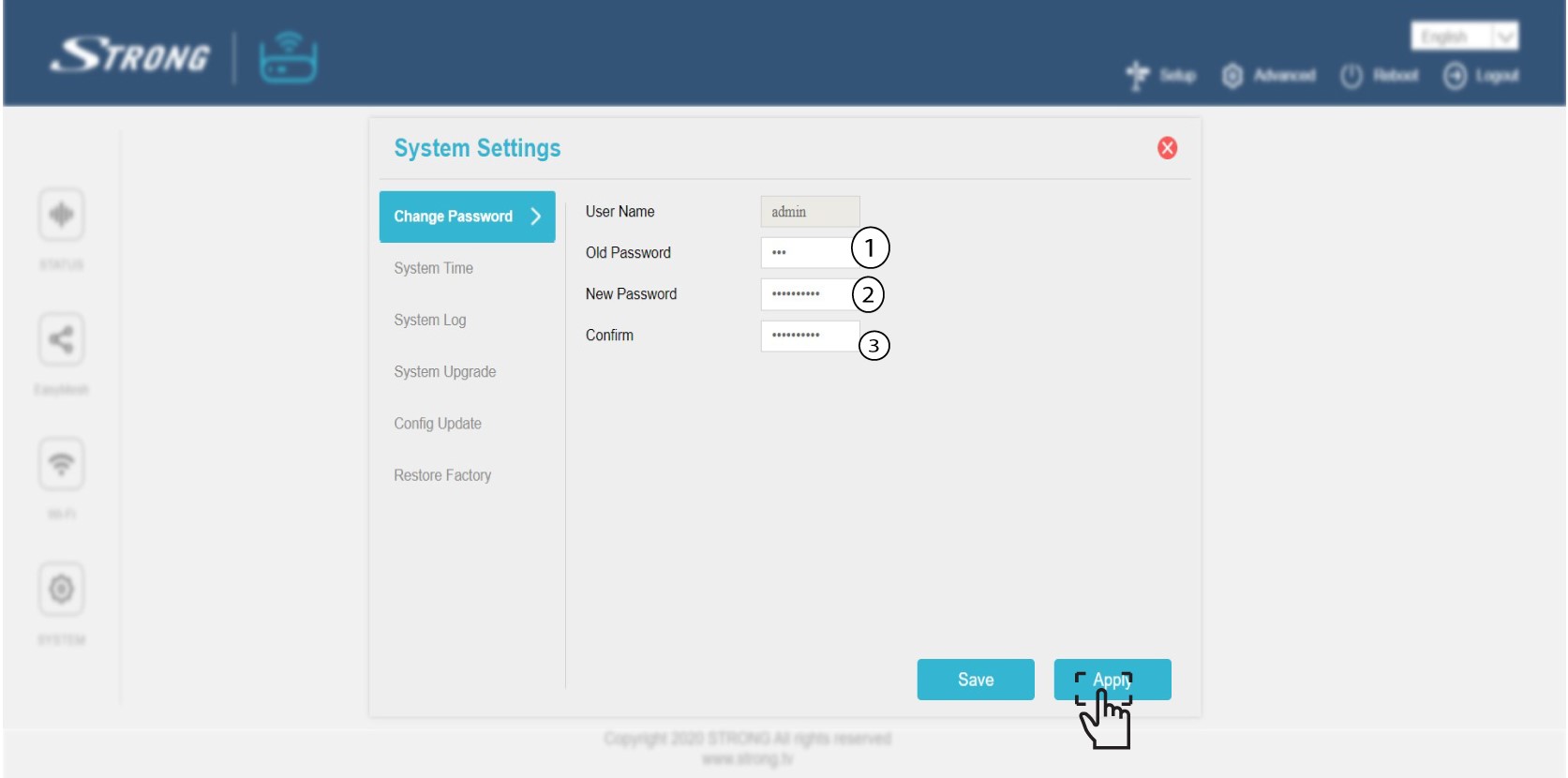
5. Editarla contraseña de administrador
Introduce la siguiente información antes de hacer clic en «Confirmar»:
o Contraseña anterior: Introduce la contraseña de administración anterior
o Nueva contraseña: Introduce una nueva contraseña.
o Confirmar contraseña: Introduce la misma contraseña que en el paso anterior.
Advertencia: Ten en cuenta que debes introducir una contraseña de entre 8 y 32 caracteres que contenga mayúsculas, minúsculas, números y al menos un carácter especial (@, $, !, %, *, ?, &)
6. Anotala nueva contraseña
Anota la nueva contraseña en un trozo de papel y pégalo debajo de tu mesh.
