
PL600SDUOEU
Todas las preguntas
PL600SDUOEU
No tengo acceso a Internet y/o el LED del icono «Inicio» no se enciende.
Debes restablecer los adaptadores a su configuración de fábrica. Para restablecer los adaptadores, sigue los pasos que se indican a continuación:
1. Conectalos adaptadores a una regleta.
Conecta los adaptadores uno tras otro a una regleta.
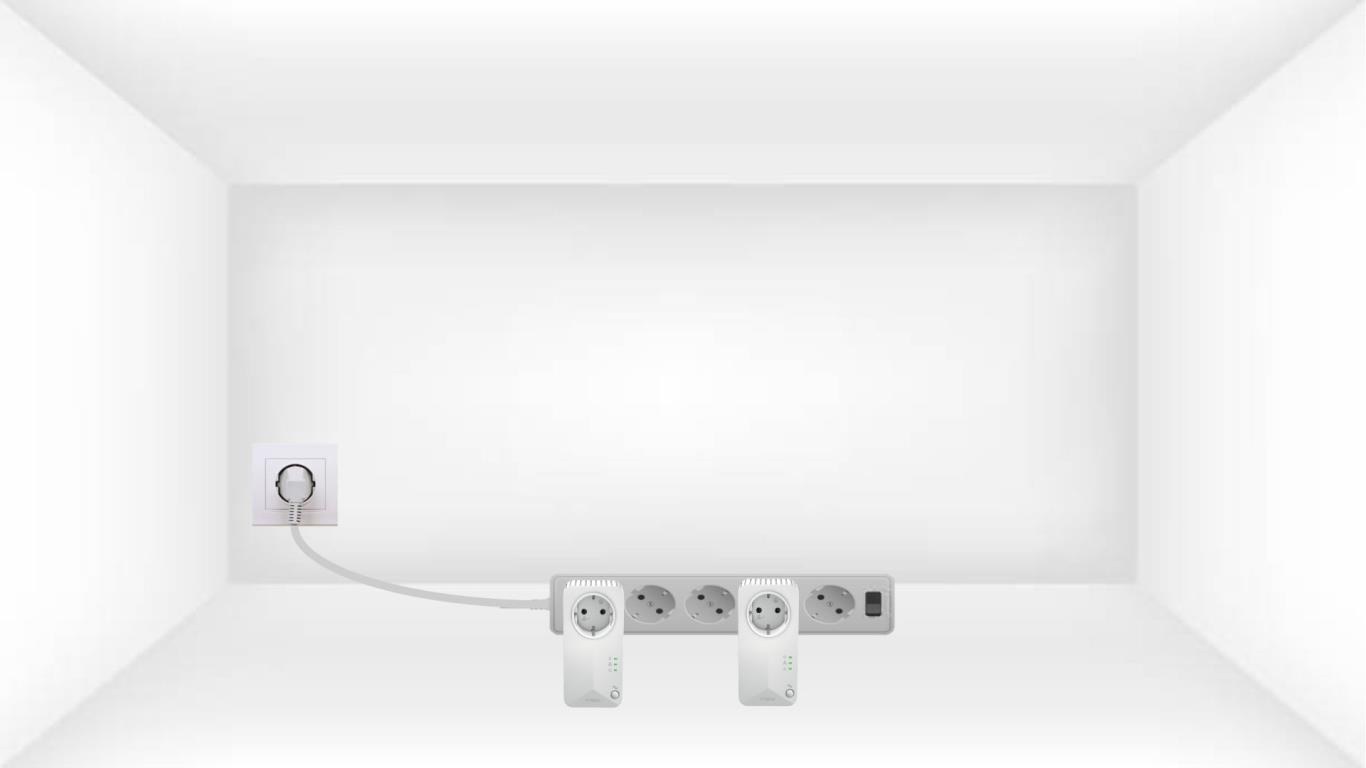
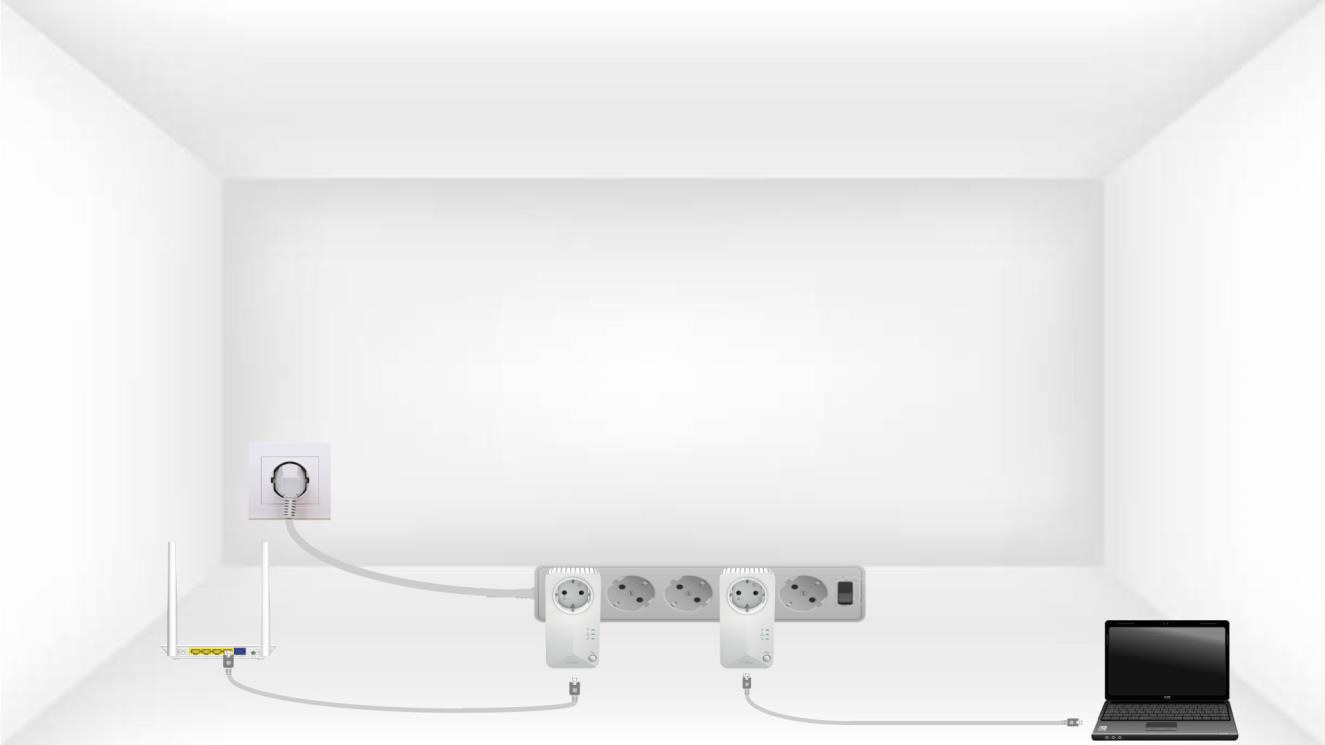
2. Conectalos adaptadores a Internet
Conecta cada adaptador a un dispositivo que funcione (router o puerta de enlace de Internet, Android box, Smart TV, ordenador, etc.) mediante un cable Ethernet. Debe haber comunicación entre los dispositivos; de lo contrario, el adaptador pasará automáticamente al modo de espera.
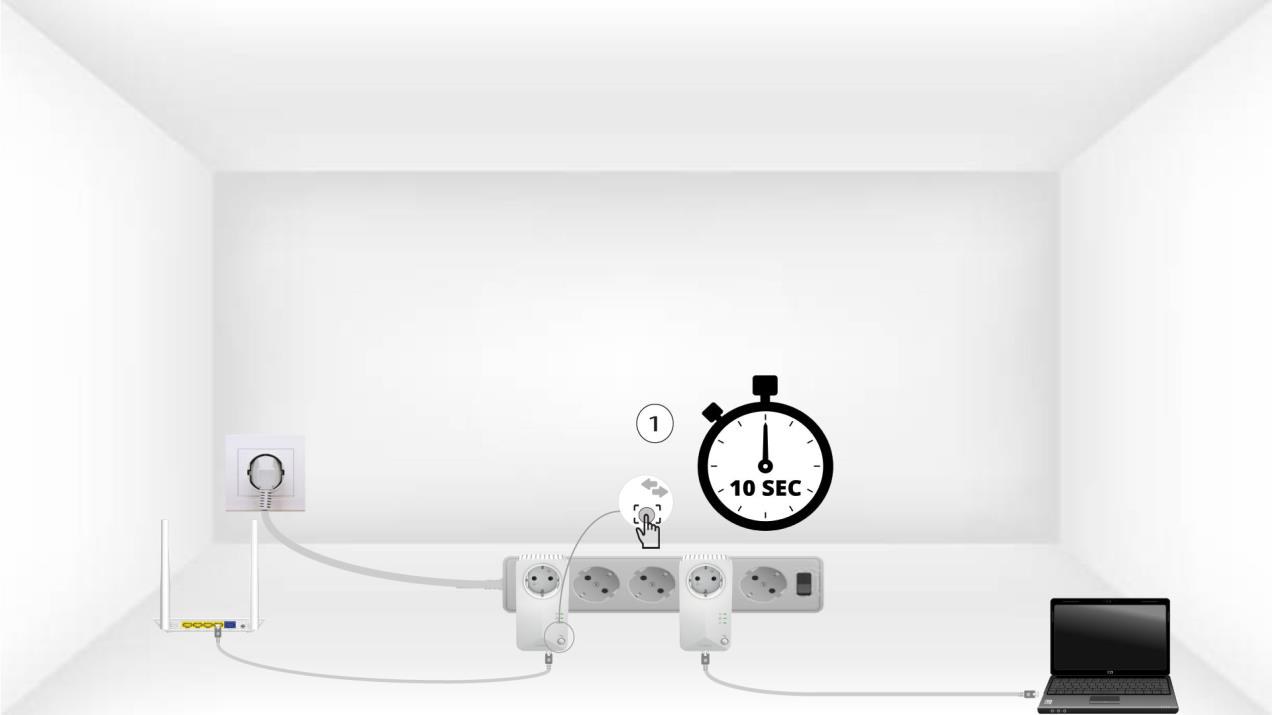
3. Pulsael botón «Conectar y proteger» (primer dispositivo)
Una vez que el adaptador esté enchufado y conectado a la red Ethernet, solo tienes que pulsar el botón «Connect & Secure» del panel frontal durante 10 segundos.
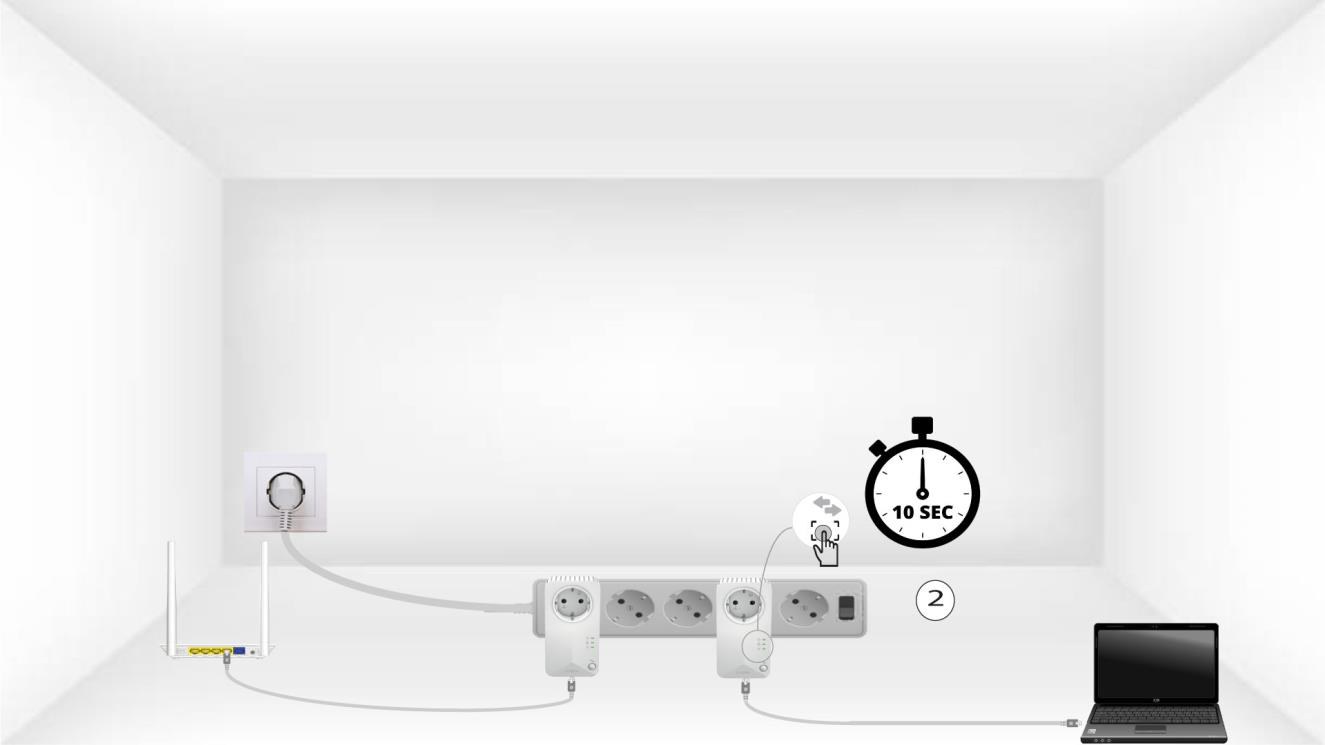
4. Pulsael botón «Conectar y proteger» (segundo dispositivo)
Pulsa el botón «Connect & Secure» del panel frontal del segundo dispositivo durante 10 segundos. Tienes hasta dos minutos para hacerlo.
5. El LED de «Inicio» parpadea
El LED del icono de inicio debería empezar a parpadear.
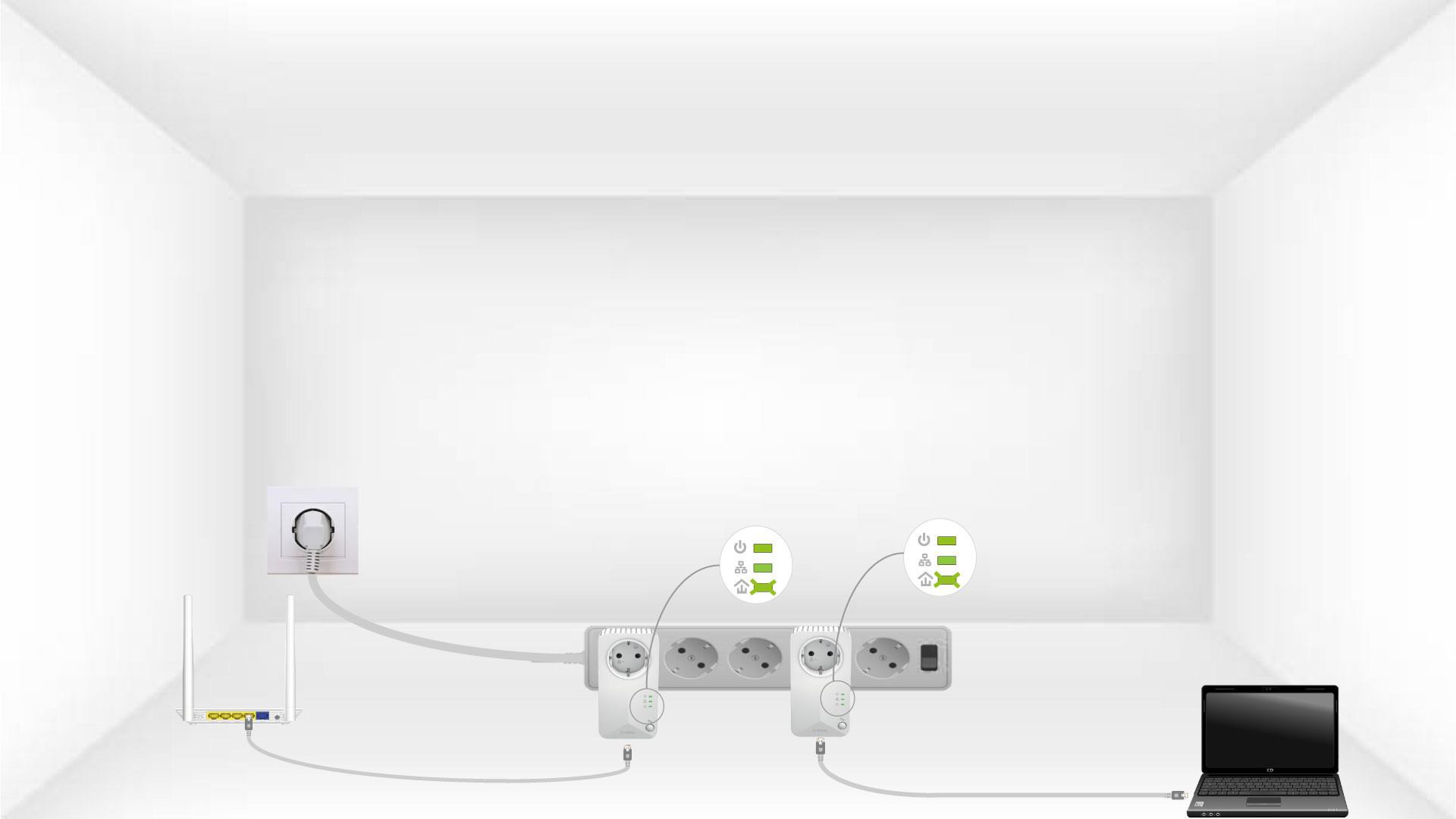
6. Los adaptadores se reinician
Al finalizar las operaciones, todos los LED deben estar en verde.
Repetir
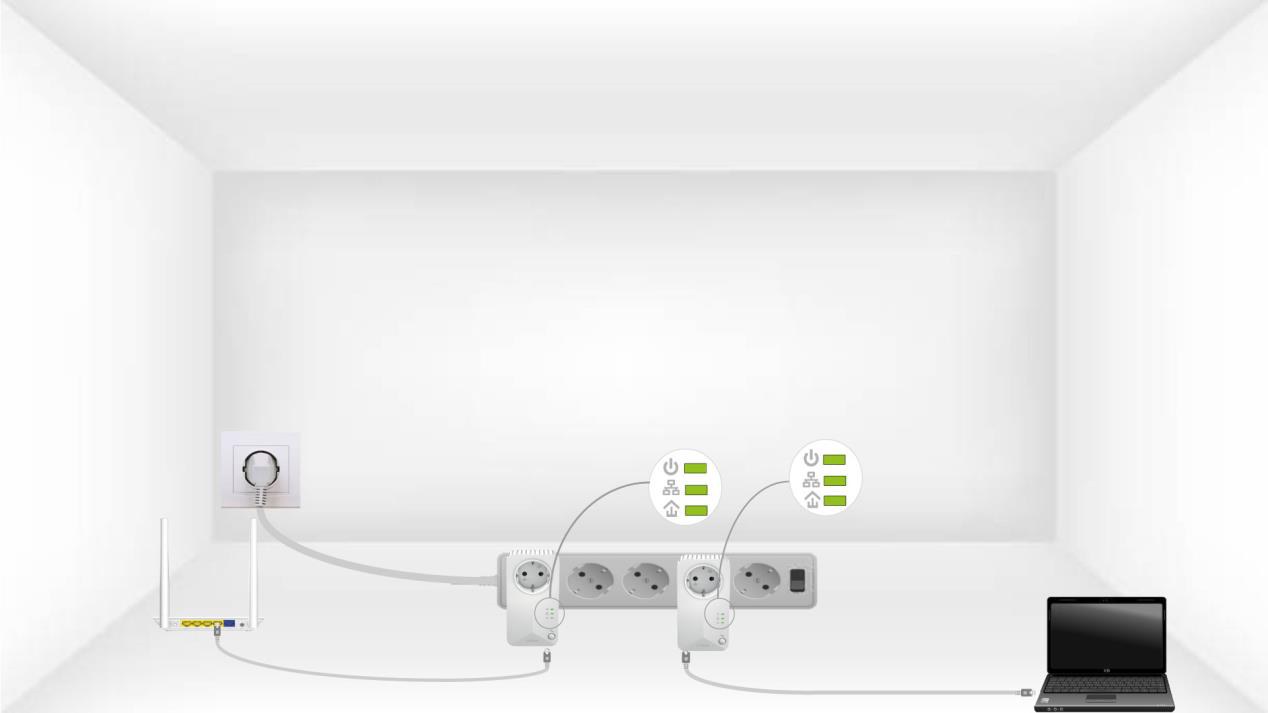
Repite la misma operación con un tercer powerline. Puedes tener hasta 8 Powerline 600 en la misma instalación eléctrica.
Una vez emparejados todos los dispositivos, puedes colocarlos en la habitación donde los necesites.