CPL 600 Duo Wi-Fi FR V2
Todas las preguntas
CPL 600 Duo Wi-Fi FR V2
¿Por qué se producen interrupciones en mi conexión Wi-Fi de 2,4 GHz y en qué medida puede ayudar cambiar el canal al 1, al 6 o al 11?
¿Por qué se producen interrupciones en mi conexión Wi-Fi de 2,4 GHz y en qué medida puede ayudar cambiar el canal al 1, al 6 o al 11?
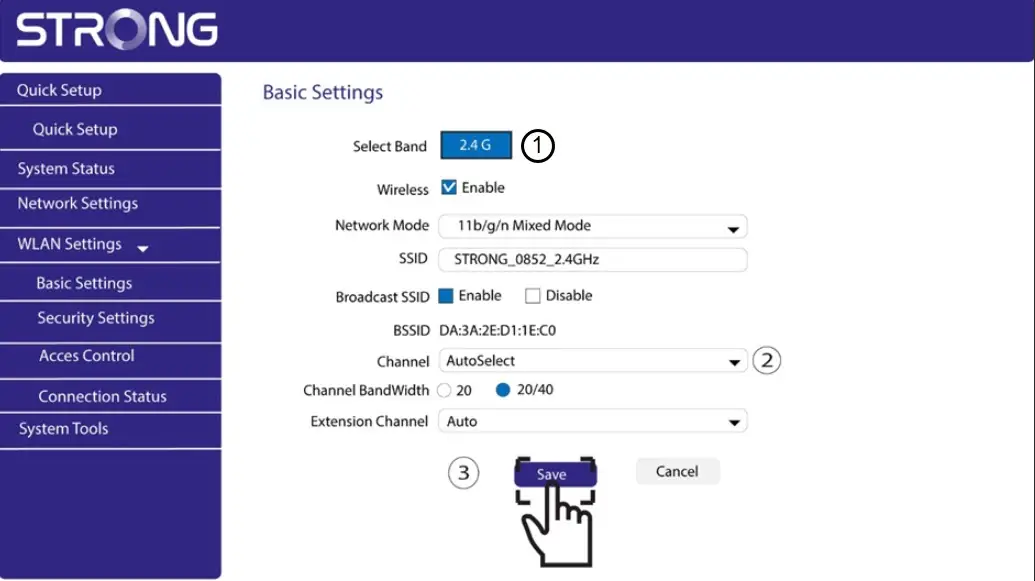
Para minimizar las interferencias, te recomendamos que cambies el canal de tu red WiFi al 1, al 6 o al 11. Estos canales están lo suficientemente separados entre sí como para evitar que se solapen, lo que reduce la probabilidad de que se produzcan interferencias procedentes de otras redes y dispositivos que operen en las proximidades. Al seleccionar uno de estos canales, podrás mejorar la estabilidad y el rendimiento de tu conexión WiFi.
Para cambiar el canal, accede a la configuración de tu dispositivo Wi-Fi « Powerline » a través de su interfaz web. Busca la sección «Configuración de WLAN > Configuración básica» y selecciona el canal 1, 6 u 11.
1. Conéctatea la red Wi-Fi
Para ello, introduce el SSID y la contraseña del router en tu dispositivo.

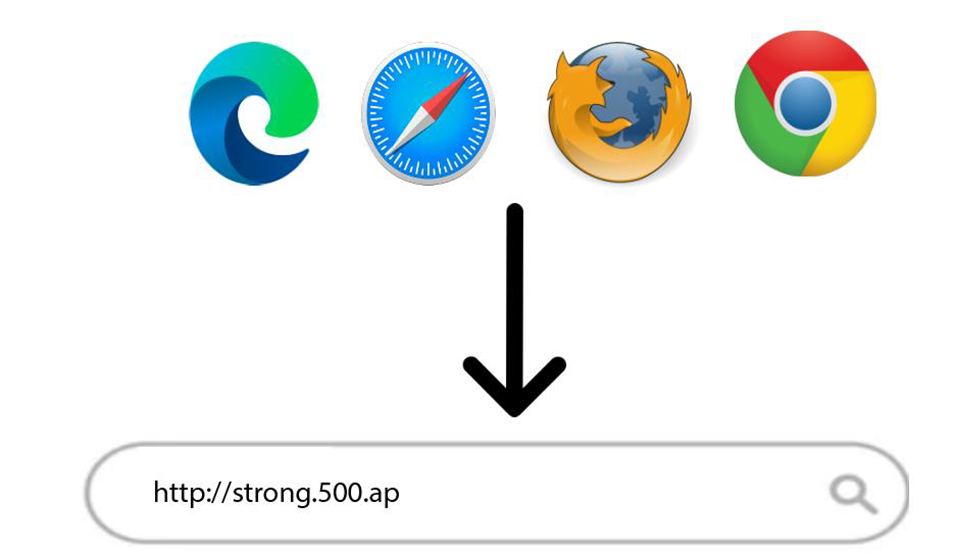
2. Introducela dirección IP de la interfaz de usuario web
A continuación, introduce la siguiente dirección IP en tu navegador: http://strong.500.ap
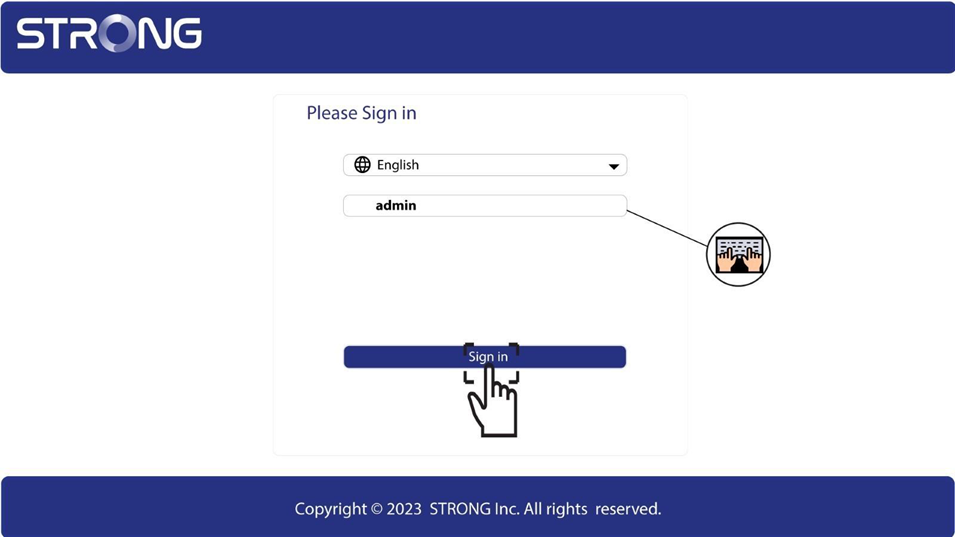
3. Página de inicio de sesión
Una vez que hayas accedido a la dirección IP, haz clic y introduce el nombre de usuario (admin). A continuación, haz clic en «Iniciar sesión».
4. Configuración de la red inalámbrica
Haz clic en «Configuración de WLAN» y «Configuración básica».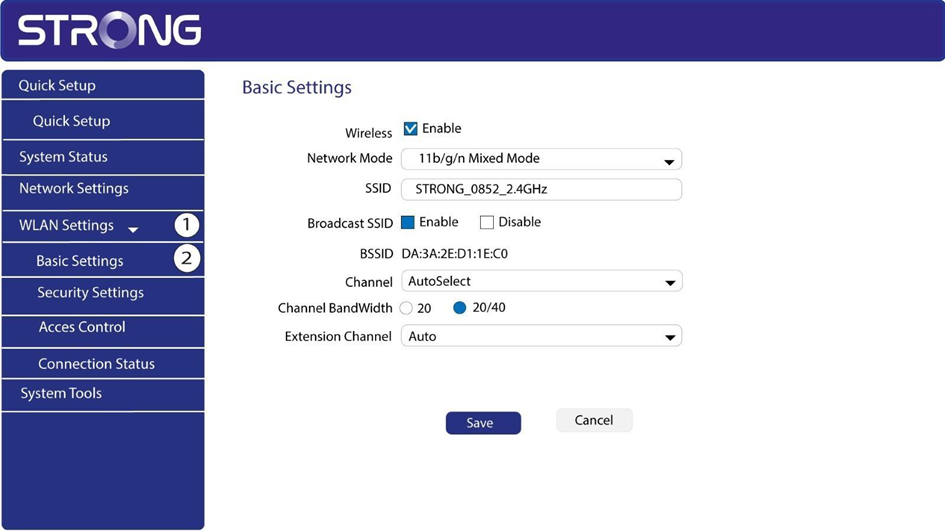
5. Seleccionala banda de red
Selecciona la banda de red 2,4 G. A continuación, selecciona el canal en la lista desplegable (1, 6 u 11) y haz clic en «Guardar».