ATRIA Wi-Fi 5 Mesh System 1200 (3-pack)
No items found.
No items found.
All questions
ATRIA Wi-Fi 5 Mesh System 1200 (3-pack)
No items found.
No items found.
Can I configure a Guest Network for my Mesh network? (Case 2: App)
Yes, you can configure a Guest Network for your Mesh network.
1Access the App
To connect to the App, please refer to the following procedure: How do I use the Atria Mesh App?
2Guest Wi-Fi
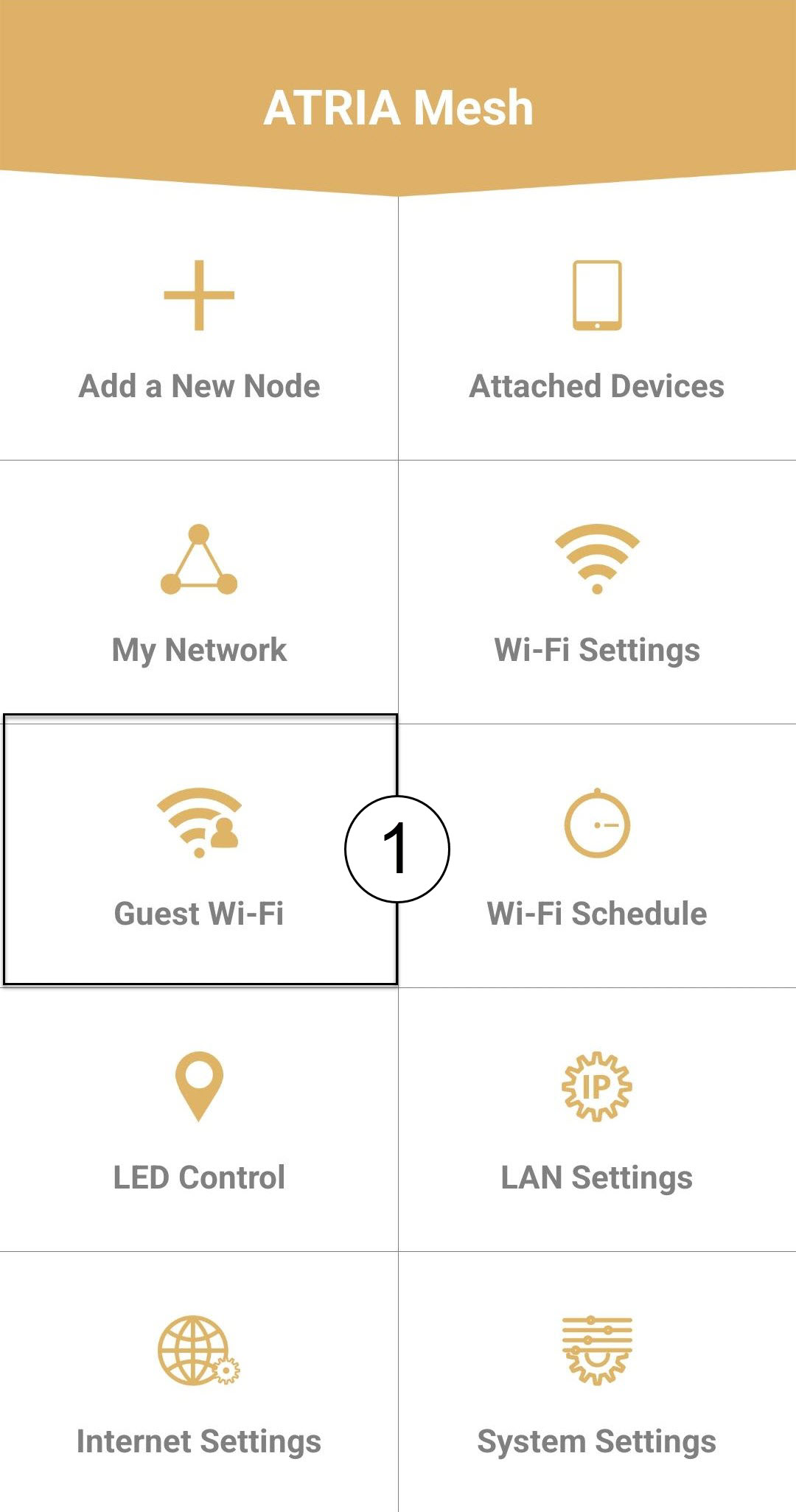
Click Guest Wi-Fi.
3Activate the Guest Wi-Fi
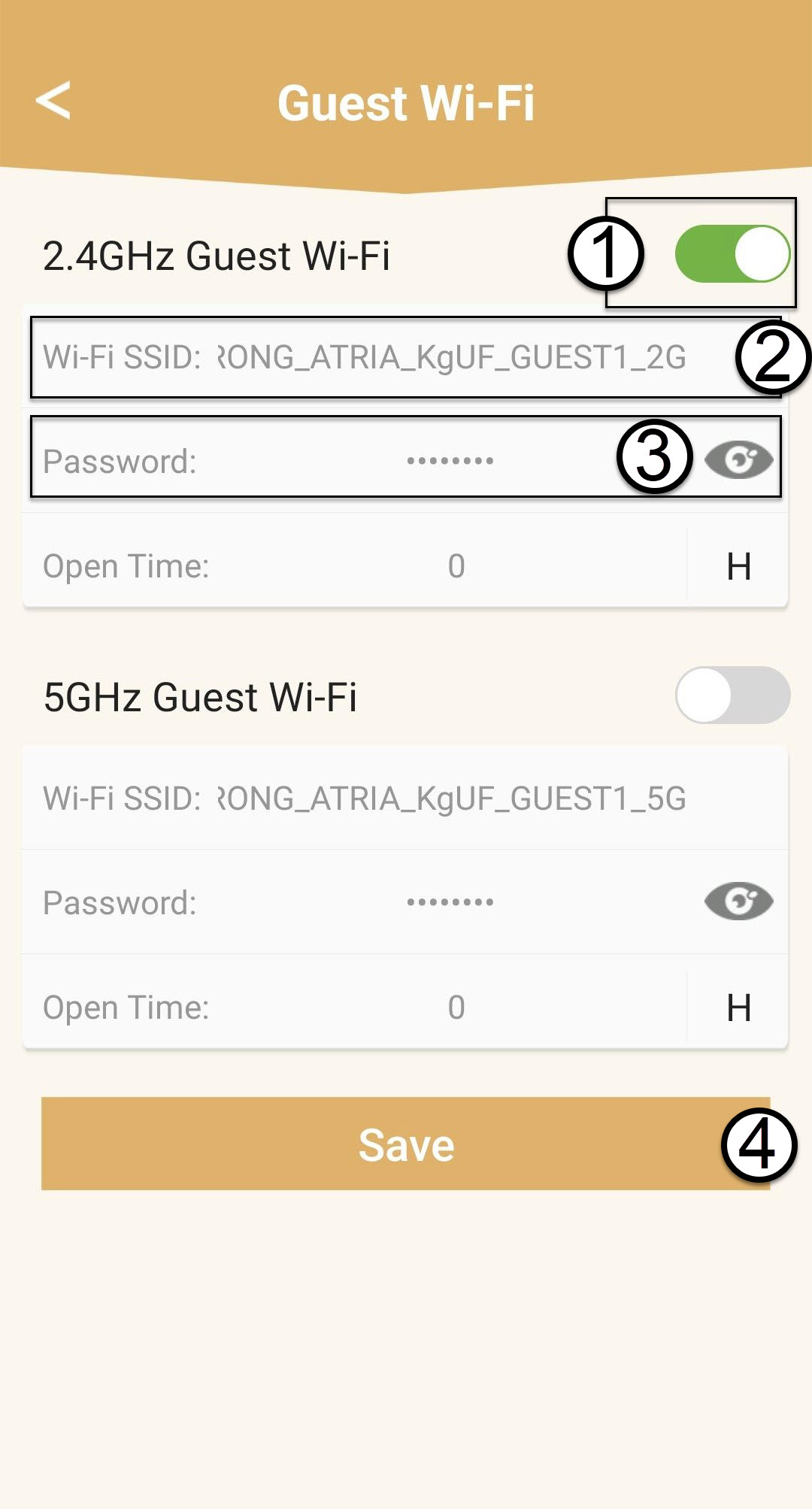
Press the toggle button of the Guest Wi-Fi Network to activate it. Then, click the SSID Wi-Fi name to change it and click the eye icon to display the password and edit it before clicking Save.
4Write down the Guest Network information
Write down the guest networks name and passwords on a piece of paper.