
Powerline 1000 Duo Wi-Fi FR V2
All questions
Powerline 1000 Duo Wi-Fi FR V2
Settings and features
Can I disable the Wi-Fi function of the Wi-Fi module so that it works as a simple Powerline?
Yes, it is possible to disable the Wi-Fi. To do so, please follow the steps bellow.
1Connect to the powerline Wi-Fi Network
Connect to the Wi-Fi of the Powerline.
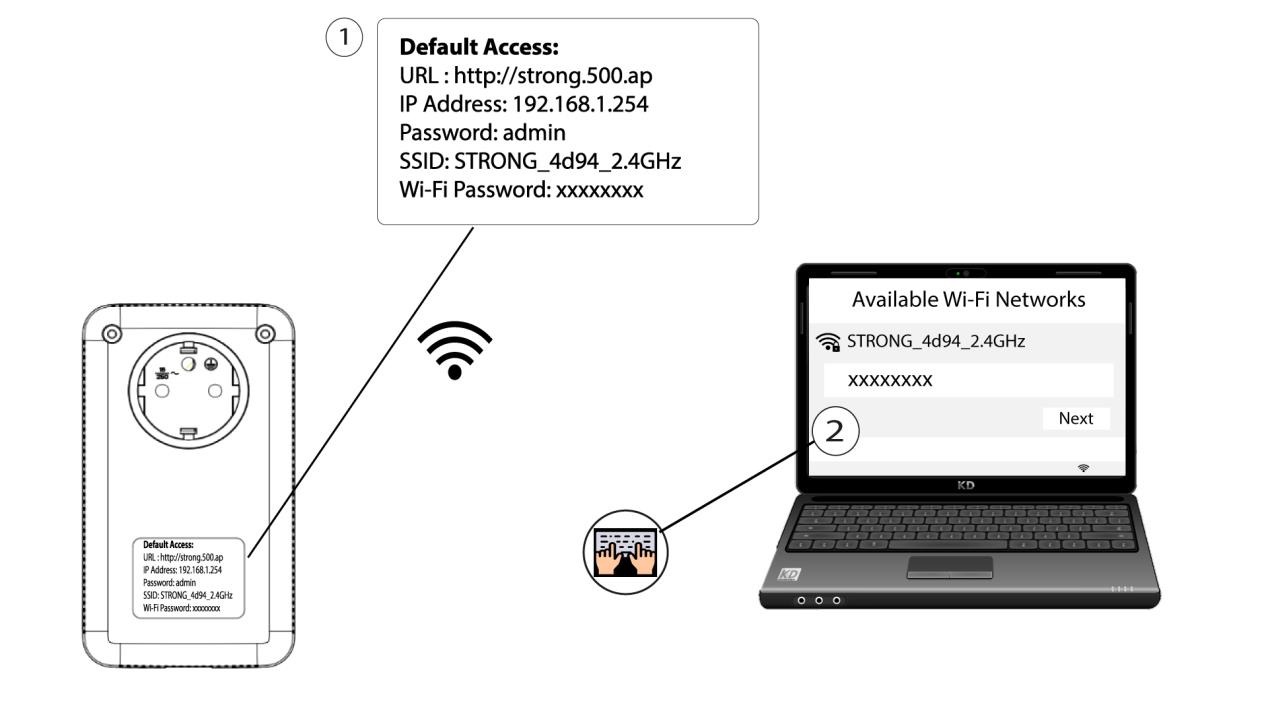
2Browse to the Web UI IP address
Connect to the user interface of the Powerline Wi-Fi module via Wi-Fi or by typing http://strong.500.ap in the address bar of your Internet browser, the interface should appear.

3Enter the credentials
Once on the home page, enter the password: admin

4WLAN Settings
Click WLAN settings and then select Basic settings.

5Deactivate the Wi-Fi
Unselect the Enable checkbox on the Wireless line, according to your needs, and click Save.


Please note that to reactivate Wi-Fi via the module’s user interface, you will have to connect via an RJ45 cable. The other solution for reactivating Wi-Fi is to reset the Powerline Wi-Fi using a paper clip until the LEDs flash. All the devices that were connected to the powerline Wi-Fi network will be automatically disconnected.
The easiest solution for your IPTV connection!
Connect your modem to your IPTV decoder with high video quality without running cables! Your modem and your IPTV decoder are not in the same room? It is not an issue. No need to run cables! The Powerline 1000 Duo Wi-Fi is the perfect solution. Connect a Powerline 1000 adapter to your modem via an Ethernet cable. Then, put your IPTV decoder and your TV in the room of your choice. You only need to connect the second Powerline 1000 adapter to your IPTV decoder to enjoy your live TV.