
Powerline 500 Triple Pack | PL500TRI
All questions
Powerline 500 Triple Pack | PL500TRI
LEDs, buttons and ports
Do not waste your power outlets! Use the extra noise filtered power socket!
Each Powerline 500 adapter is equipped with an extra noise filtered power socket. Do not waste any power outlet. Plug the Powerline 500 adapter directly into the wall socket and use the extra noise filtered power socket to power your appliances or to plug in a power strip. The integrated noise filter reduces electrical interference and improves the performance of the powerline communications.
I do not have access to the Internet and/or the LED of the "home" icon does not light up.
You must reset the adapters to their factory settings. To reset the adapters please follow the steps below:
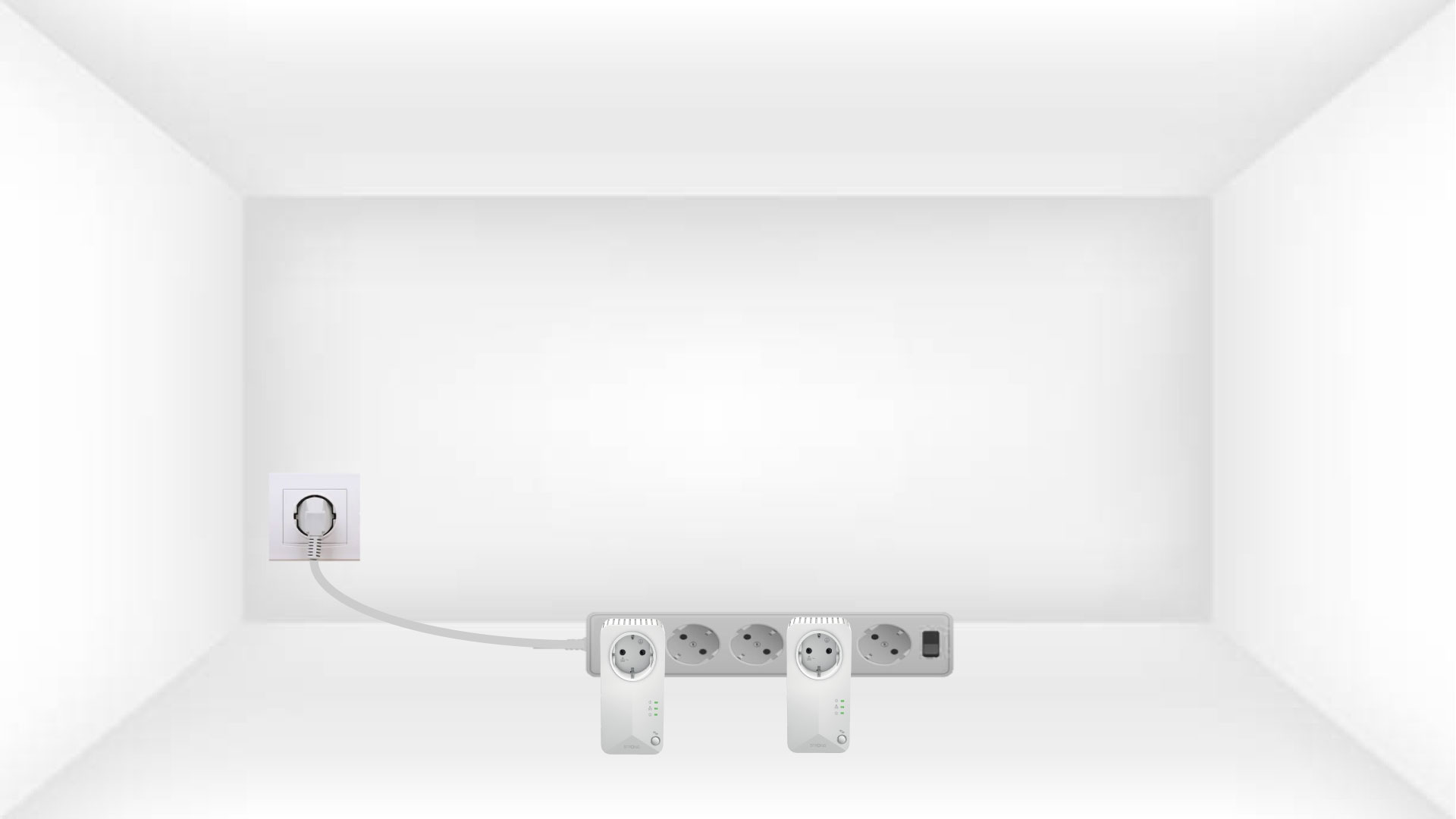
1Connect the adapters to a powerstrip
Connect the adapters one after the other to a power strip.
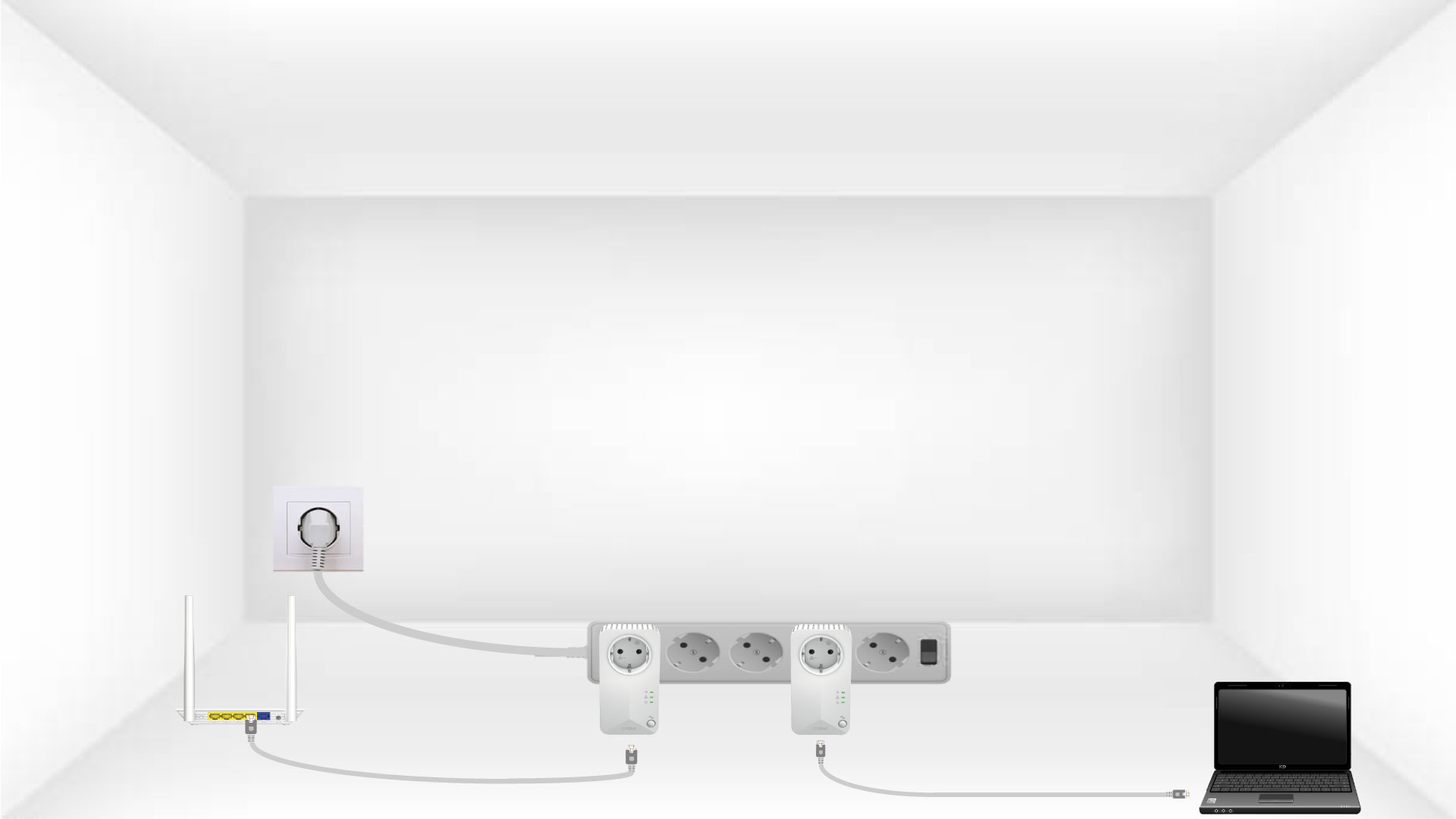
2Connect the adapters to Internet
Connect each adapter to a working device (internet router/gateway, Android box, Smart TV, computer, etc.) with an Ethernet cable. There must be a communication between the devices otherwise the adapter will automatically go into standby mode.
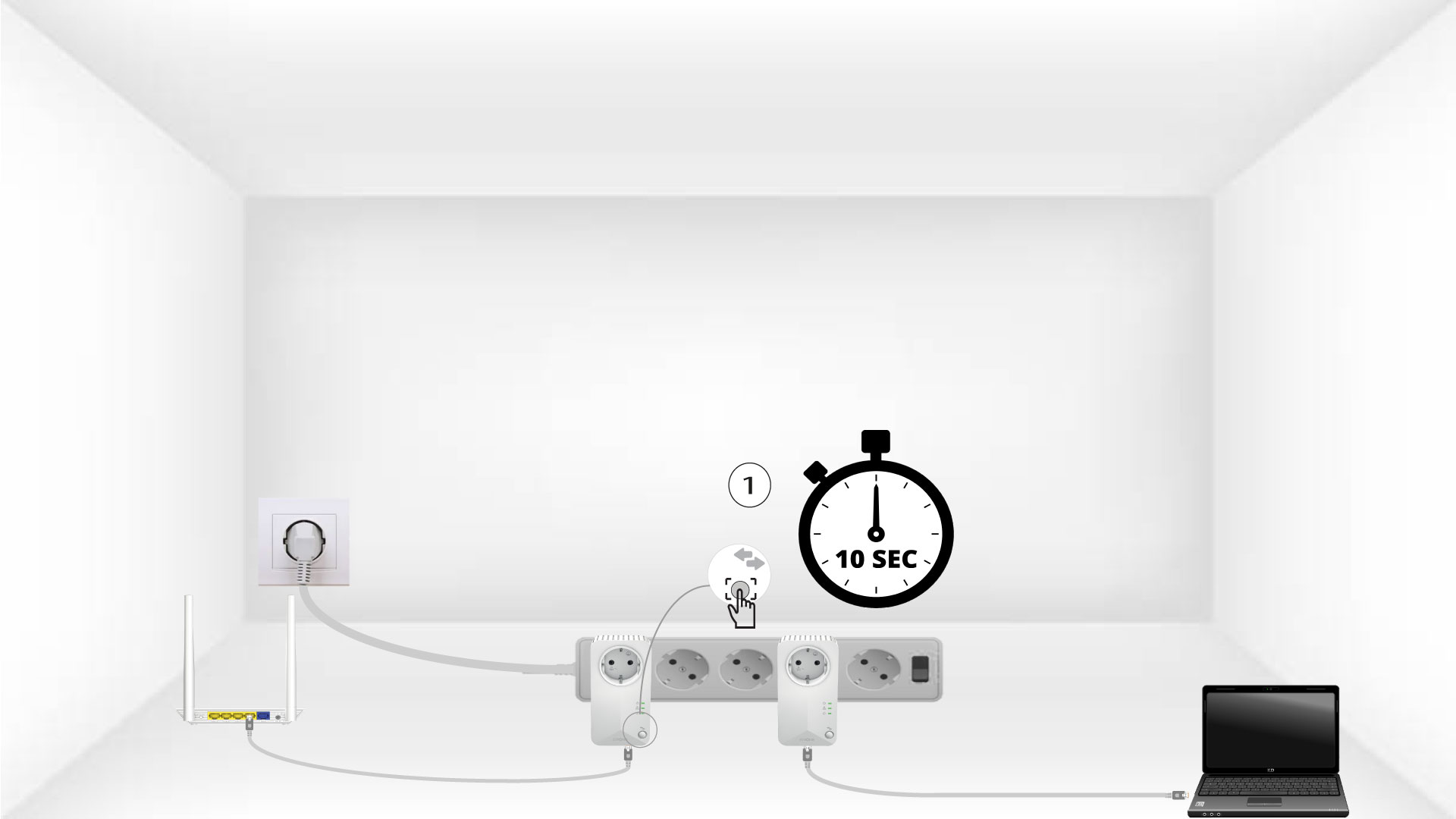
3Press the "Connect & Secure" button (first device)
Once the adapter is plugged in and connected to the Ethernet, simply press the “Connect & Secure” button on the front panel for 10 seconds.
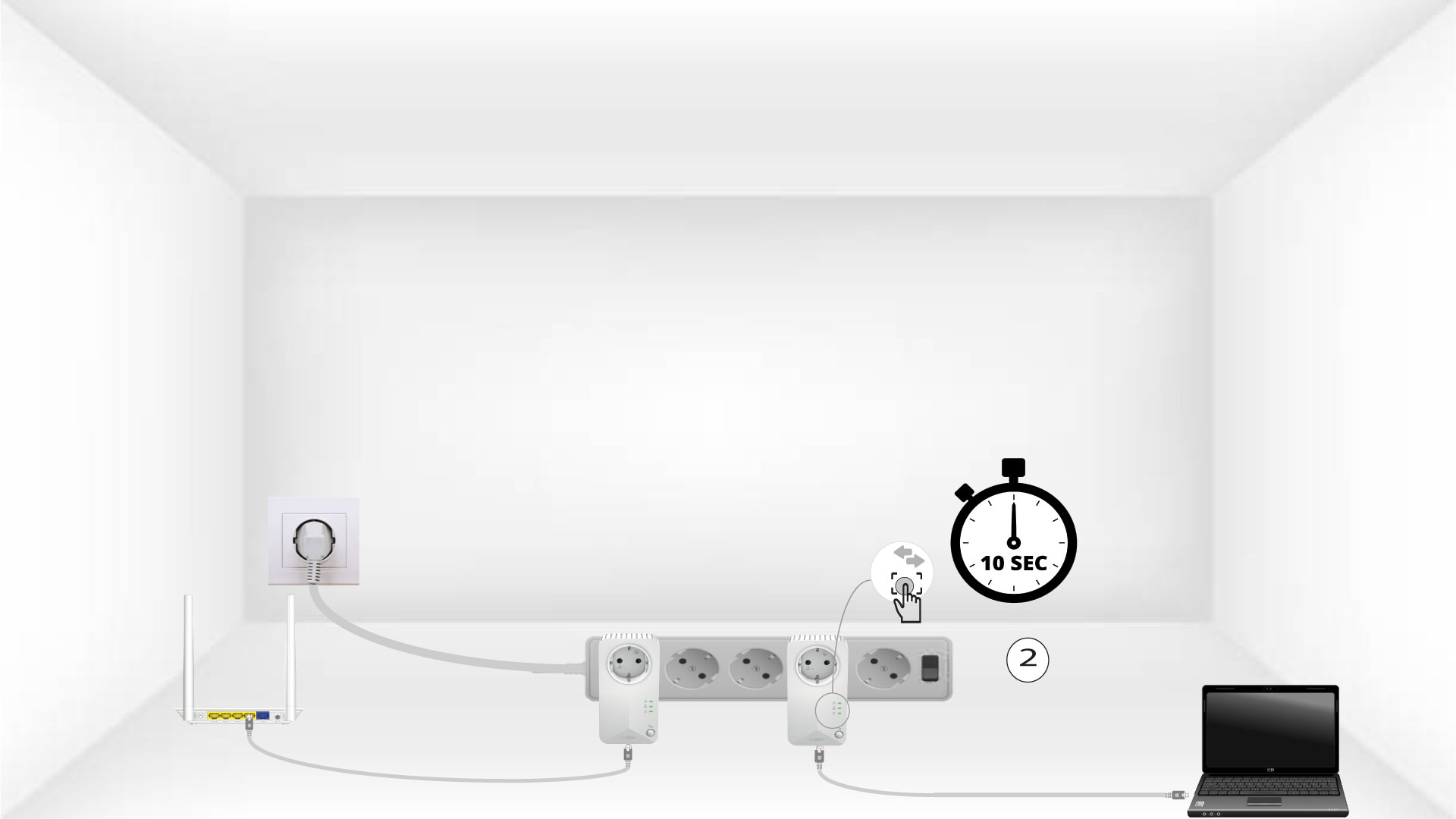
4Press the Connect & Secure button (second device)
Press the “Connect & Secure” button on the front panel of the second device for 10 seconds. You have up to two minutes to do it.
5Home icon blinks on the devices
The home icon LED should start blinking.

6Devices are reset
All the LEDs must be green at the end of the operations.
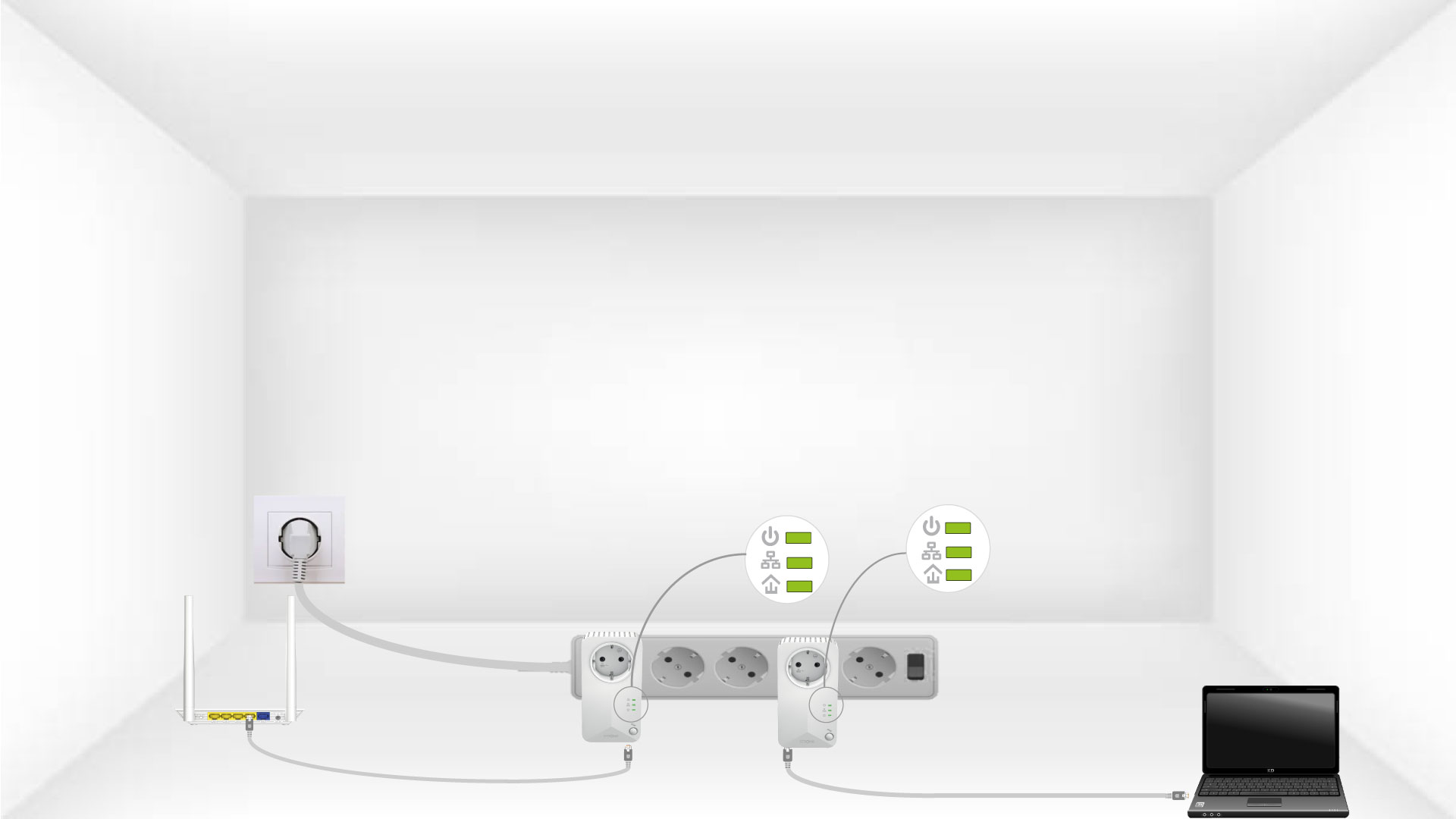
Repeat the same operation for a third powerline. You can have up to eight powerline 500 on the same electrical installation.
After pairing all the devices, you can put them in the room where you need them.
Internet everywhere from any power socket!
The Powerline 500 Kit which includes two powerline 500 adapters, creates a high-speed home network effortlessly by using your home’s existing electrical wiring at speeds up to 500 Mbps. No new wire is required! Connect computers, consumer electronics and network compatible devices to the Internet in any room and any floor of your home by simply using a power outlet.
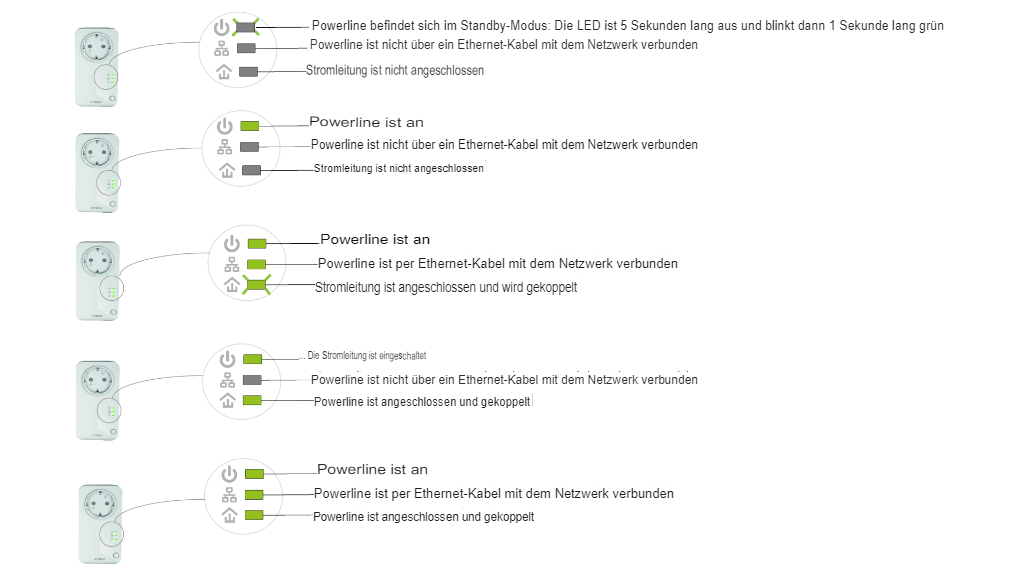
What do the icons and LEDs on the Powerline mean?
This image shows the different statuses of the powerline adapter LEDs.
Why do the Powerlines switch off on their own?
This is normal, Powerline 500 automatically switch to sleep mode if no activity is detected. When a signal is detected on the Ethernet port, the Powerline 500 will turn back on. It may take a few seconds for a Powerline 500 in standby mode to detect a new activity and turn back on.
The automatic power saving mode reduces your consumption by up to 85%.