5-Port Gigabit Metal Desktop Switch
All questions
5-Port Gigabit Metal Desktop Switch
Setup and installation
How should I install my desktop switch?
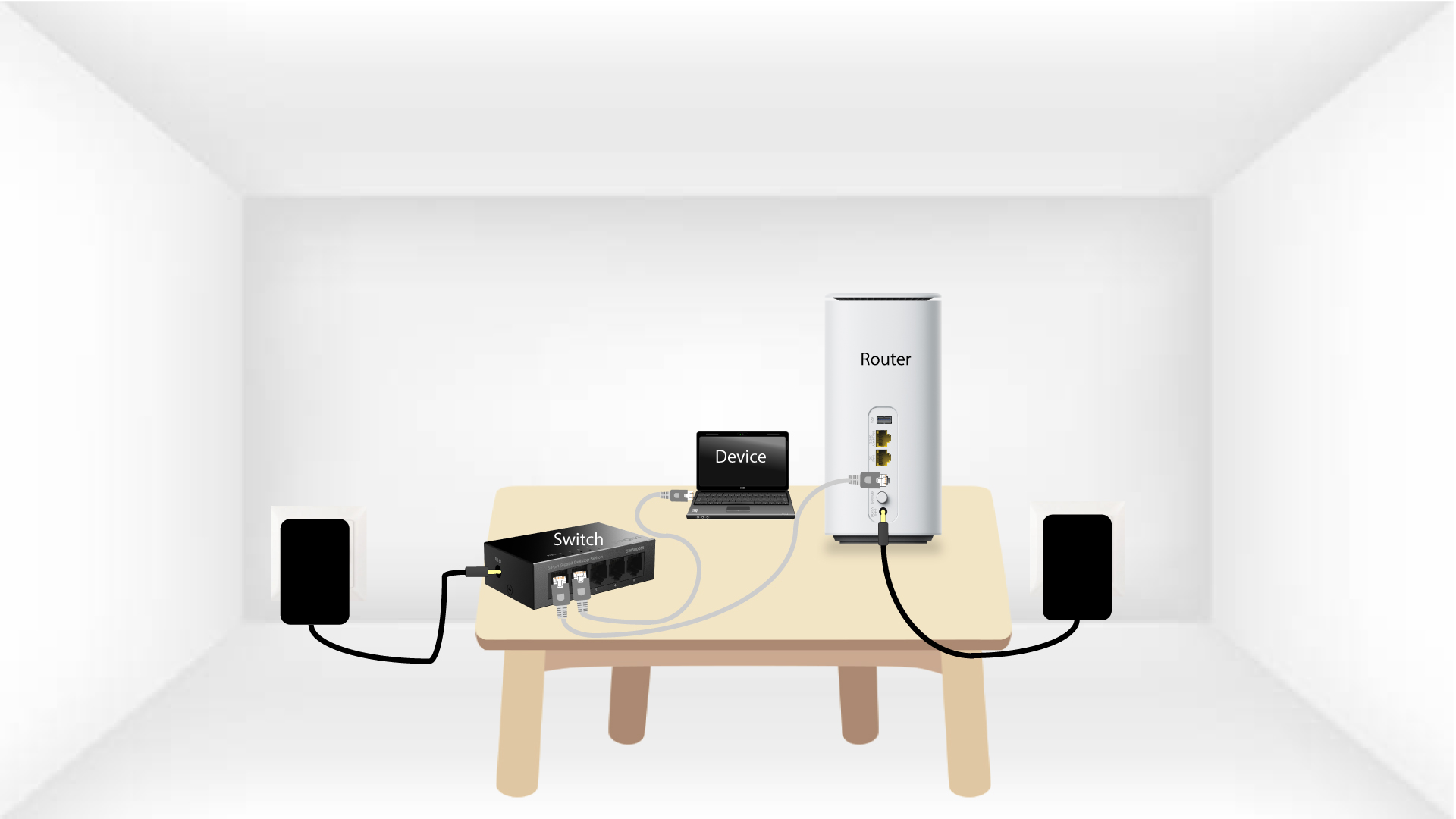
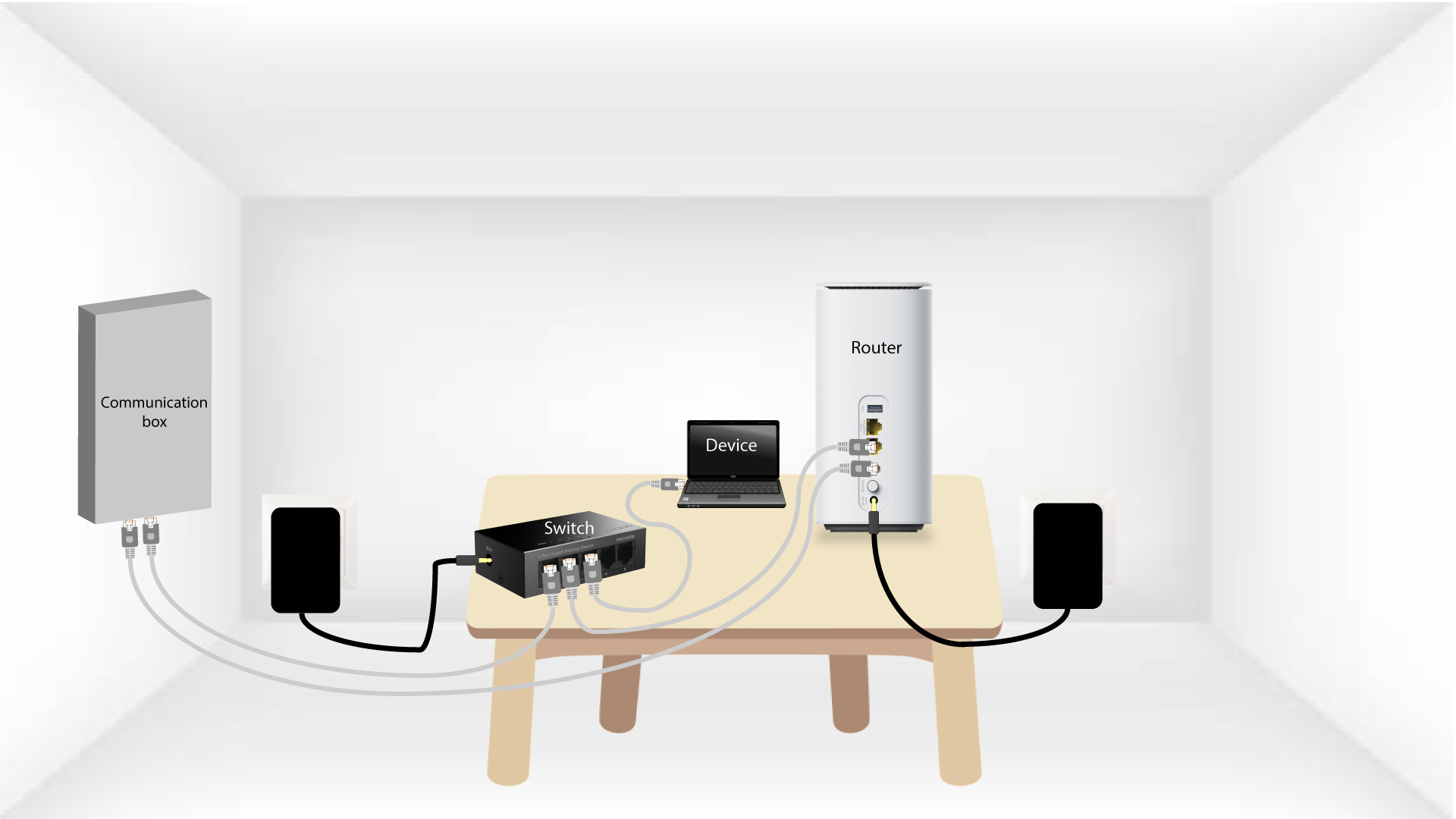
If you want to optimize your network and connect your devices directly with a RJ45 cable to have a better bandwidth, you can plug your switch to your router and devices. It can also be interesting to use a switch to connect all your devices to Internet if your house is equipped with a communication box and RJ45 sockets.
TIPS: You can install your switch on a wall thanks to the wall mount holes located under your device.
Case 1: Connecting your desktop switch to your router and devices.
Case 2: Connecting your desktop switch to your communication box
How can I mount my device on a wall?
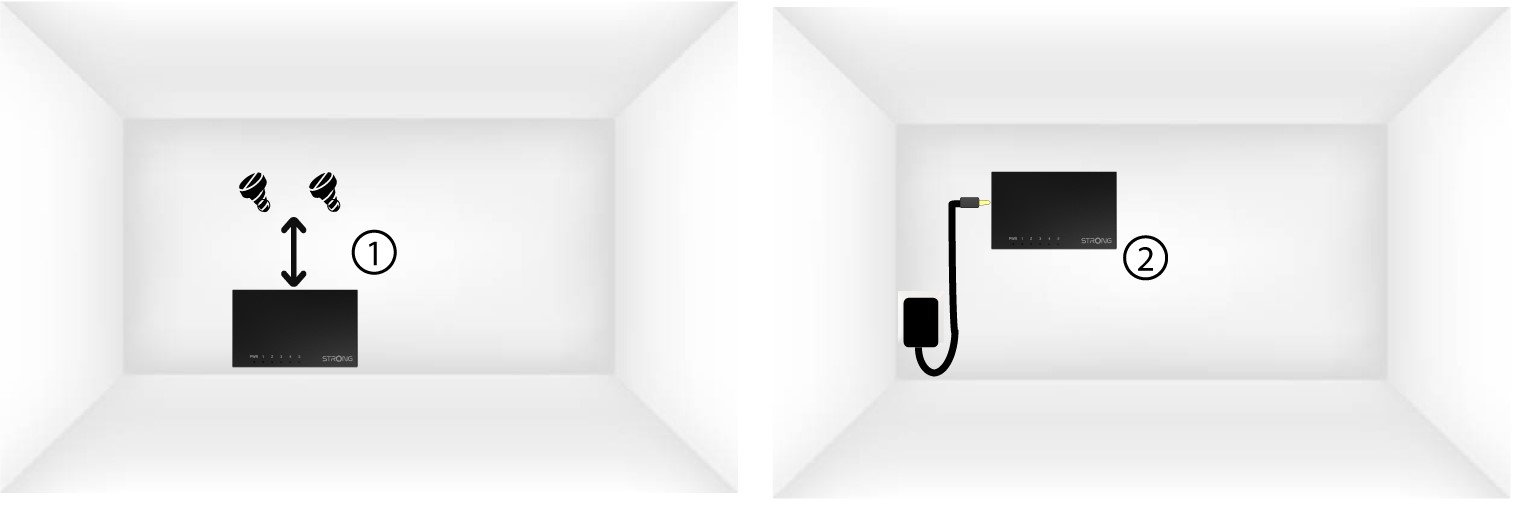
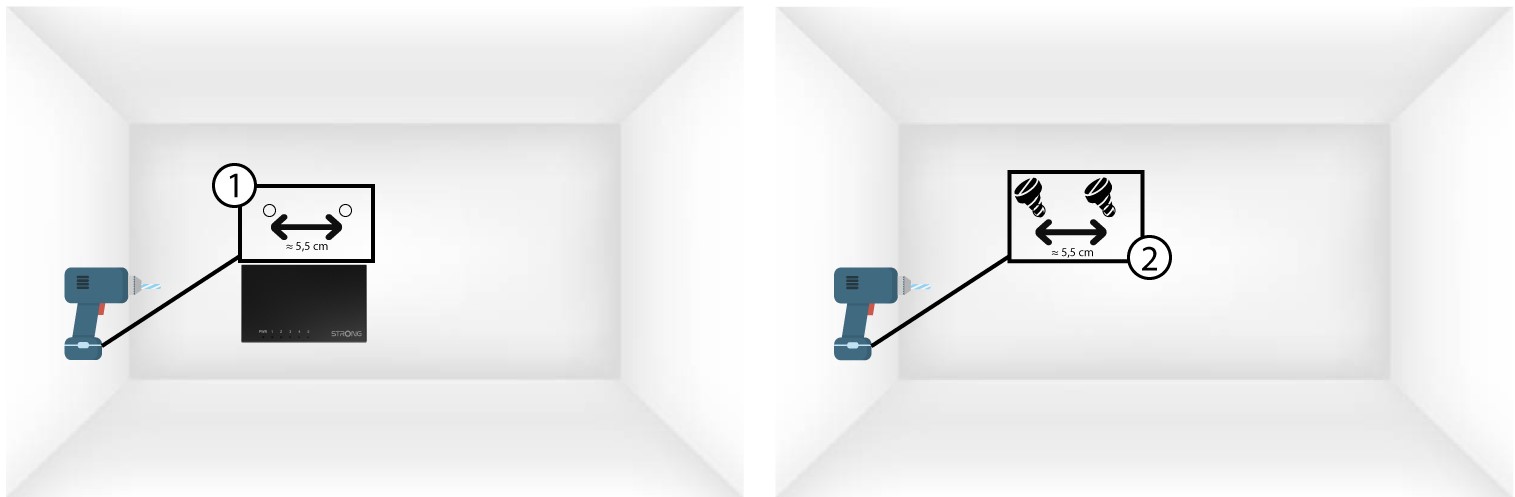
Thanks to the two wall mounting holes integrated on the bottom casing of your product, you can mount it to a wall.
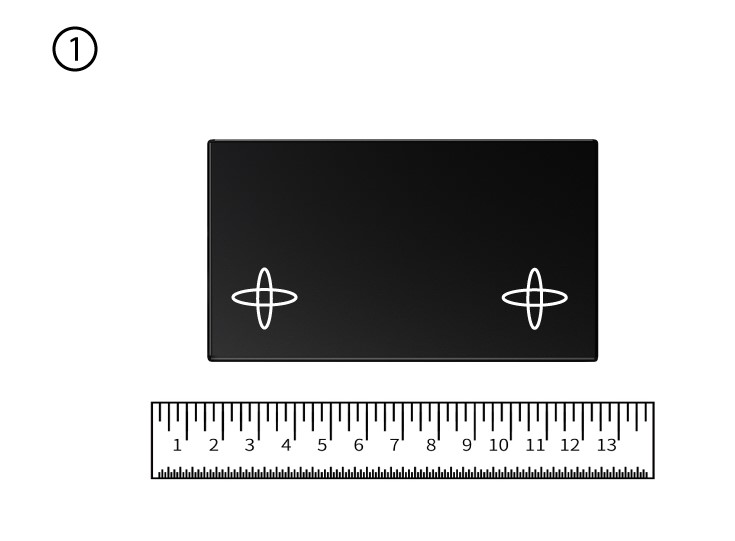
1Measure the distance between the two screws
To do so, measure the space between the holes located under the product and mark your wall.
2Drilling holes and placing the screws
Drill two holes and insert screws in them.
3Place your device on the screws
Place the device on the two screws (M4).