
4G AIRHOME 210 with Fixed 4G antennas
No items found.
No items found.
All questions
4G AIRHOME 210 with Fixed 4G antennas
No items found.
No items found.
How do I change the SSID (Wi-Fi Network Name) and Wi-Fi password? (Wi-Fi Settings)
In the Web UI, you have two ways to change the SSID (Wi-Fi Network Name) and Wi-Fi password of your router:
- By using the Quick Settings
- Or by using Wi-Fi Settings.
1Accessing the Web UI
To access the Web UI, please refer to the Web UI connexion procedure below:
2Wi-Fi Settings
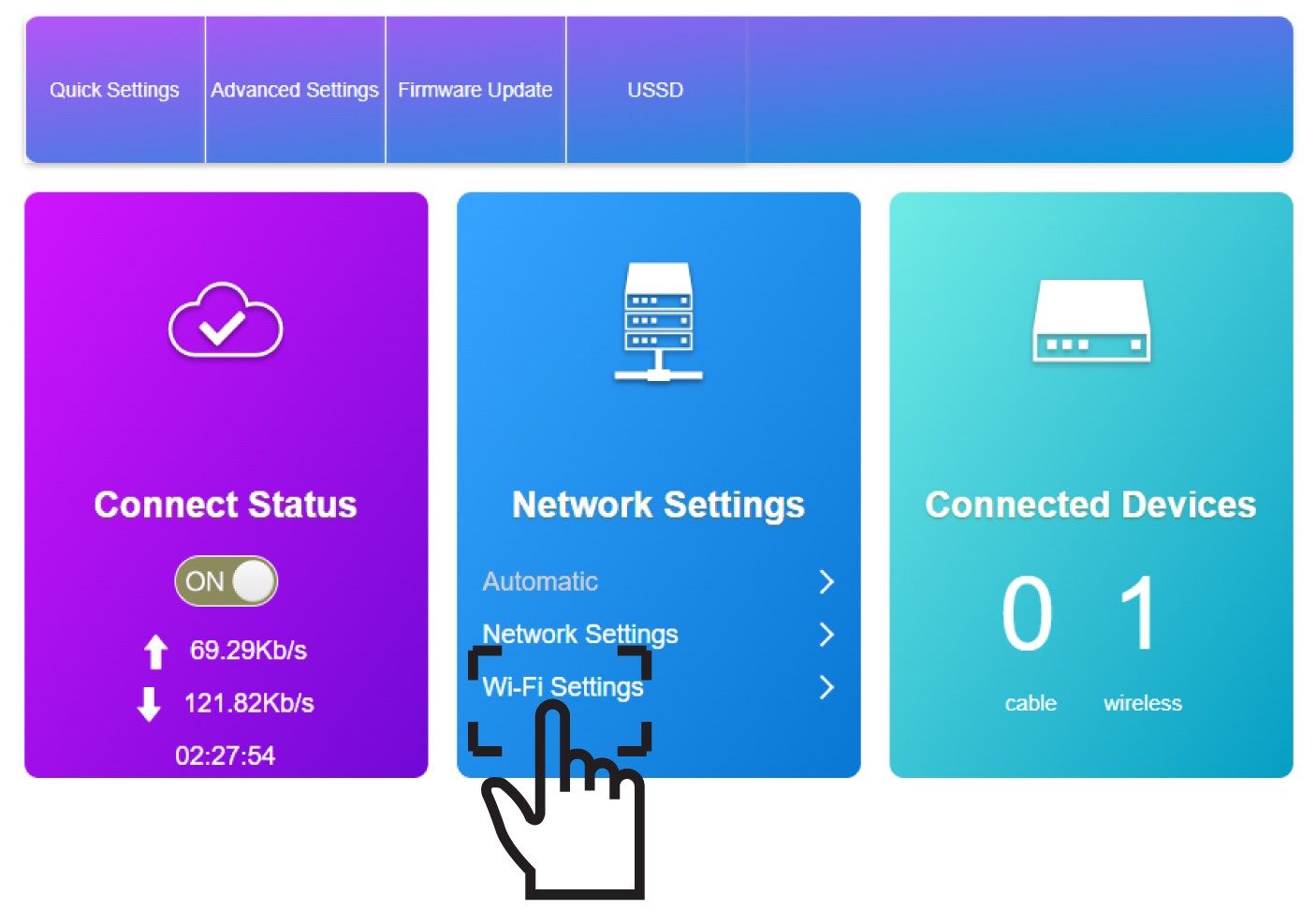
Click Wi-Fi Settings in the Network Settings Section.
3Save the new network information
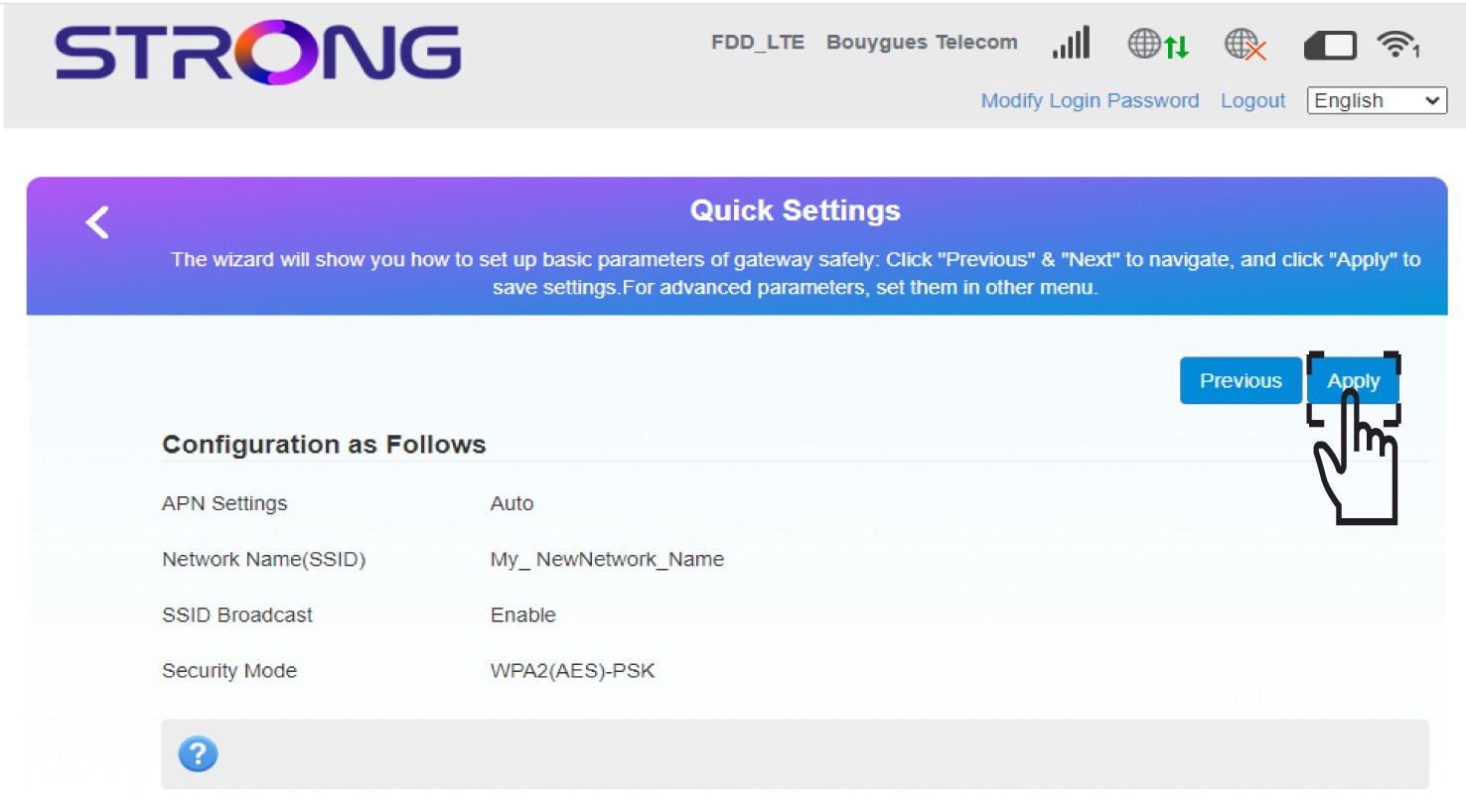
Click Apply to save the changes.
4Pop up message
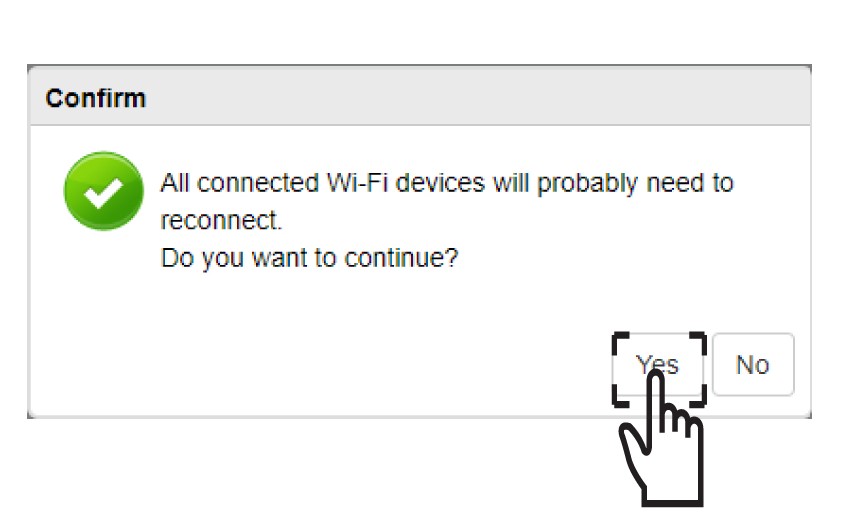
In the pop-up message, click Yes to apply your changes.
5Write down the new network information
Write down the new network information on a piece of paper.
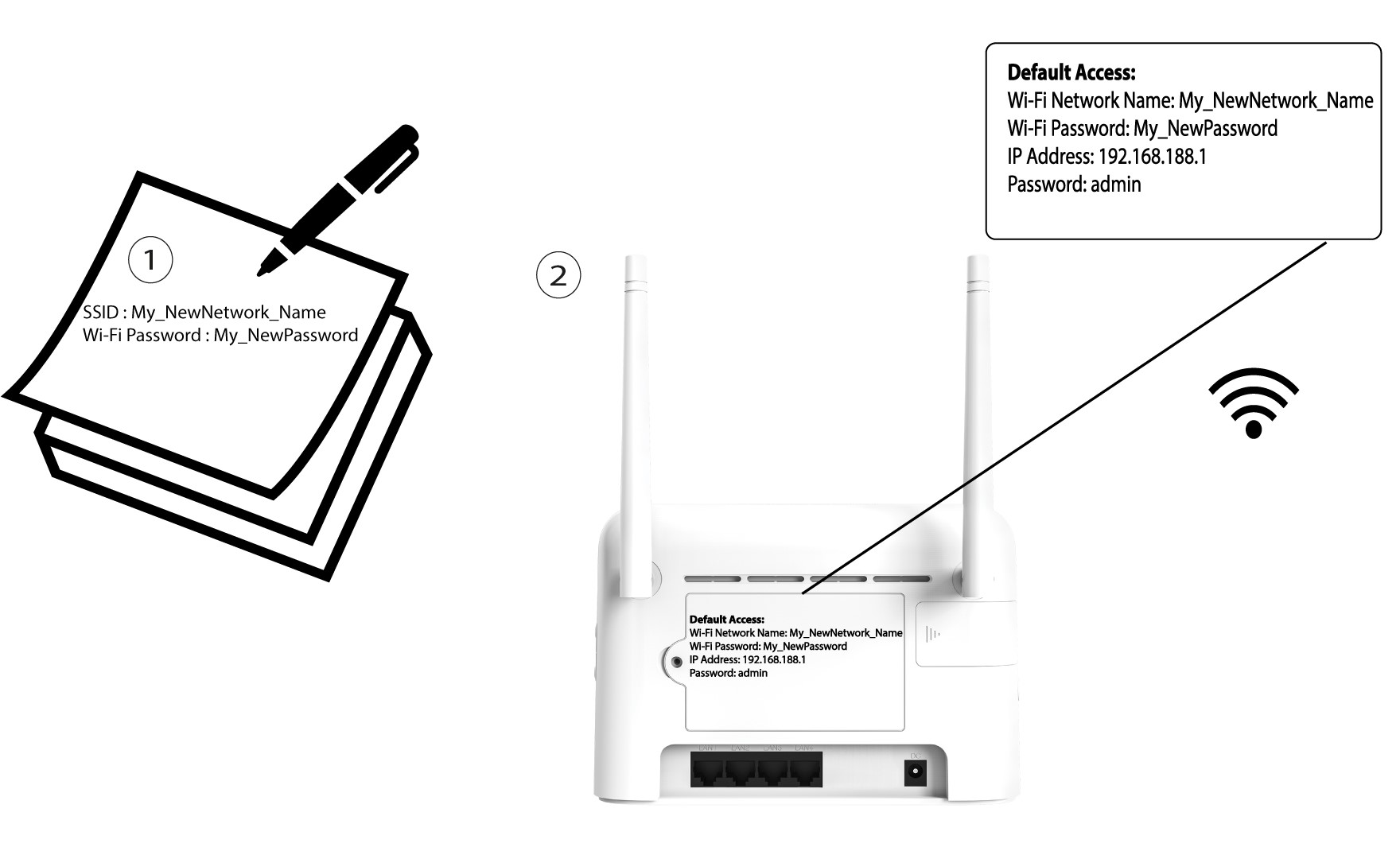

After changing the Wi-Fi network information all the devices that were connected to the network will be automatically disconnected.