
ATRIA Mesh extender kit 1200 | MESHKIT1200
No items found.
No items found.
All questions
ATRIA Mesh extender kit 1200 | MESHKIT1200
No items found.
No items found.
How do I configure my Wi-Fi mesh network (Case 2 : Ethernet Cable)
1Plugin the main mesh
You must plug in the mesh unit to turn it on (there is no power button on the device) and connect it to your modem by using a RJ45 cable.

2Plugin the second mesh
You must plug in the second mesh unit too turn it on and then connect it to the main mesh unit (LAN port) by using a RJ45 cable.

3Wait a few minutes during the configuration
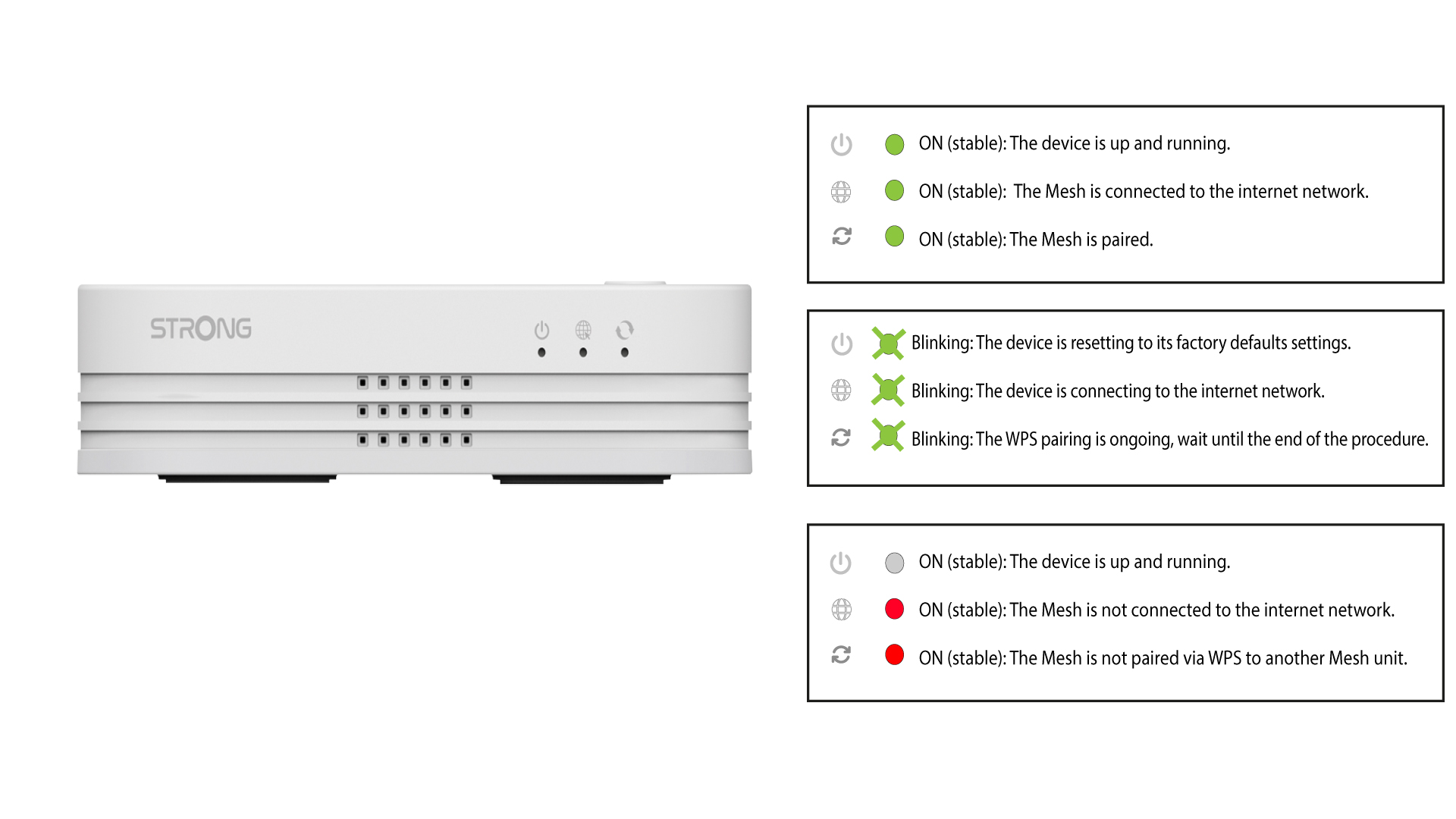
Wait a few minutes for both mesh units to detect the Internet configuration. Once the LEDs are green on both devices, they are configured.
4Remove the RJ45 on the second mesh
You must remove the RJ45 cable from the seconds mesh unit and unplug it to install it in the room where you want to use it.