LEAP S3 | 4K Google TV Dolby Vision
All questions
Remote control and accessories
The remote control does not work after checking the batteries, why?
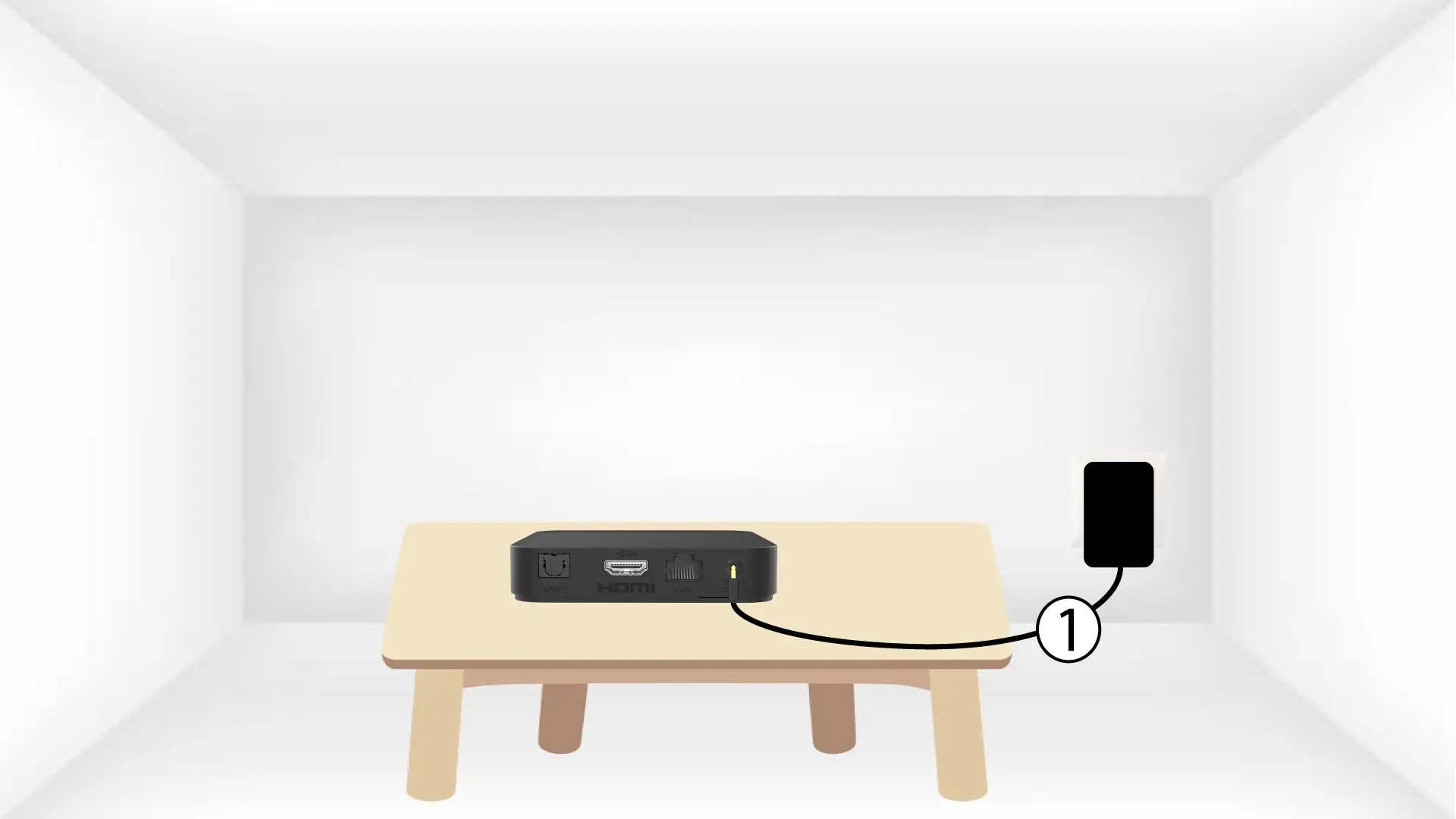
1Reboot the LEAP S3
Reboot the LEAP S3 by unplugging the power cable located on the rear side of the device. Then, plug in the cable and turn on the device.
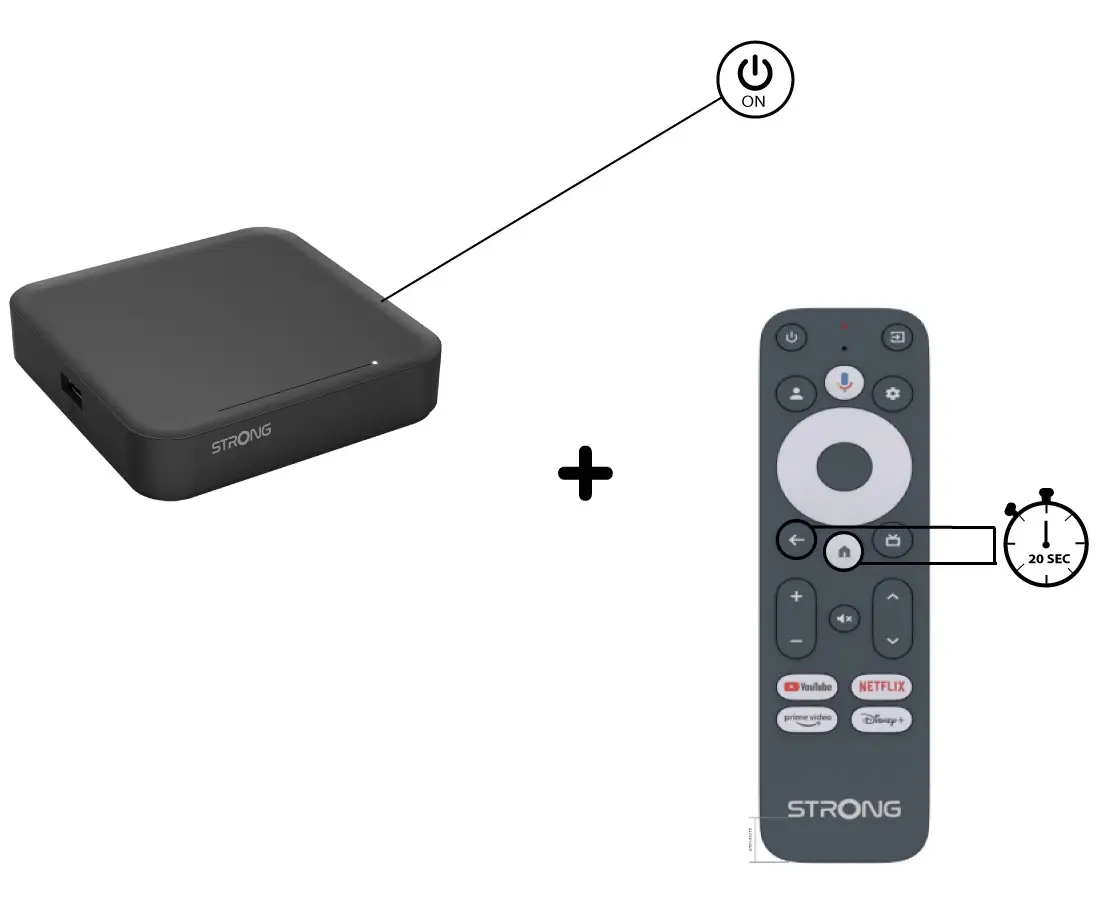
2Pairing the Remote control with the device
You must pair the remote control with the device again after the reboot. To do so, press the Return and Home buttons at the same time for 20 seconds.
I have connected an AZERTY keyboard via USB but it is recognized as a QWERTY keyboard, why?

Warning: Please note that supported keyboard layouts for external keyboards are defined by Google. Therefore, your keyboard layout may not be supported. In this case, we encourage you to contact your keyboard manufacturer to see if there is an app that would make your keyboard compatible.
1Turn on the device
Turn on your TV and your LEAP S3.
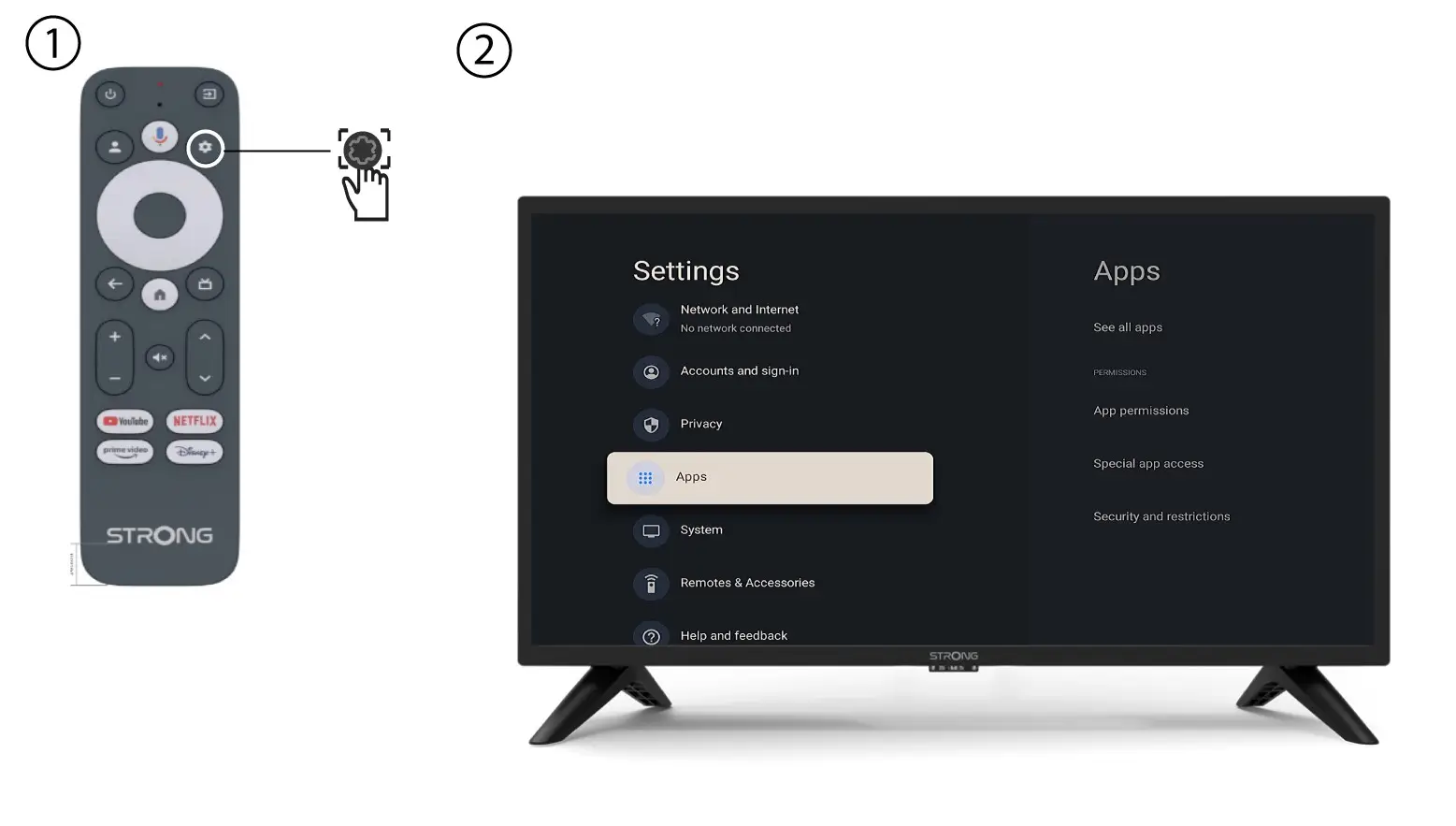
2Settings Menu
Press the Settings button on the remote control (Cogwheel icon). The Settings menu will be displayed on your TV screen.
3Keyboard Settings
Select Keyboard in the Settings Menu and press the OK button on your remote control.
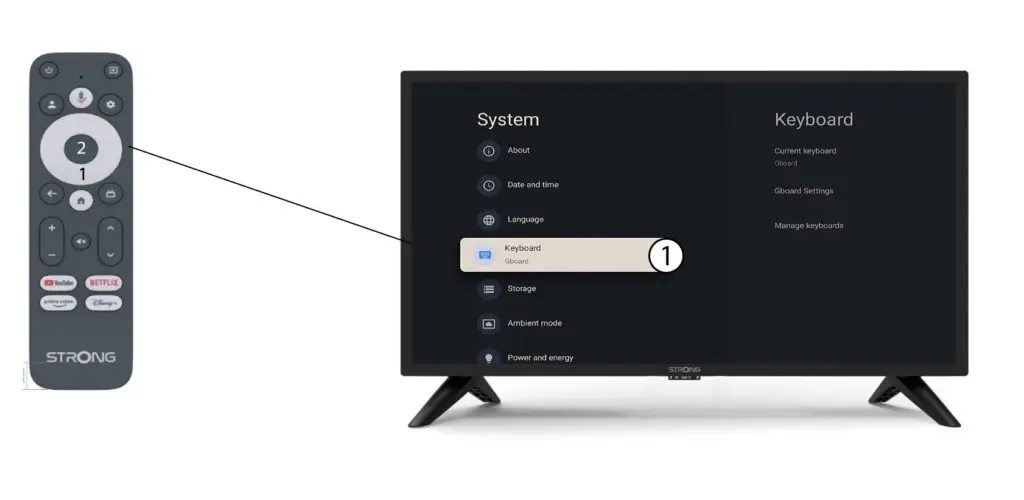
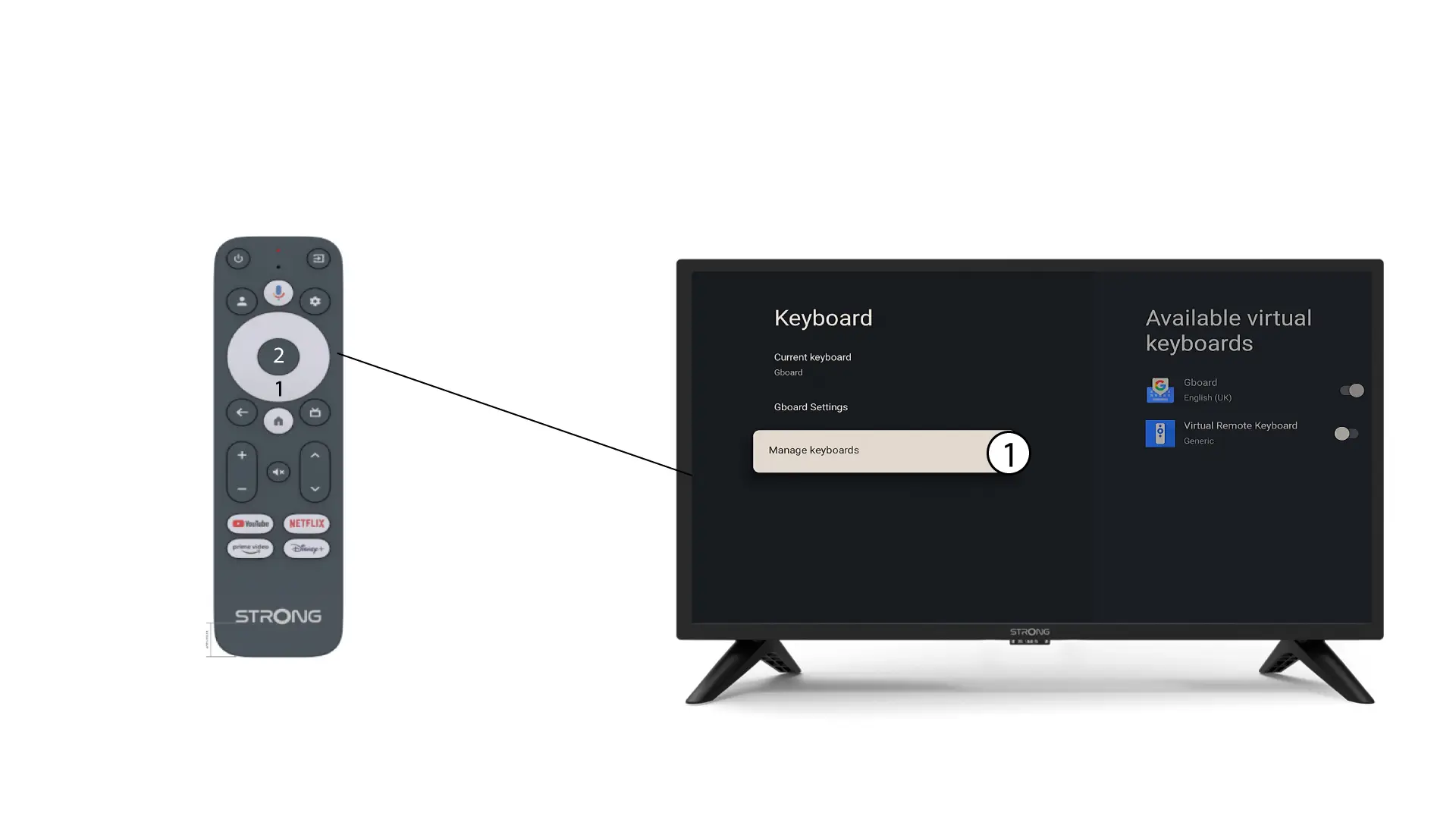
4Manage Keyboard
Click Manage Keyboard. Then, click the toggle button to deactivate it.
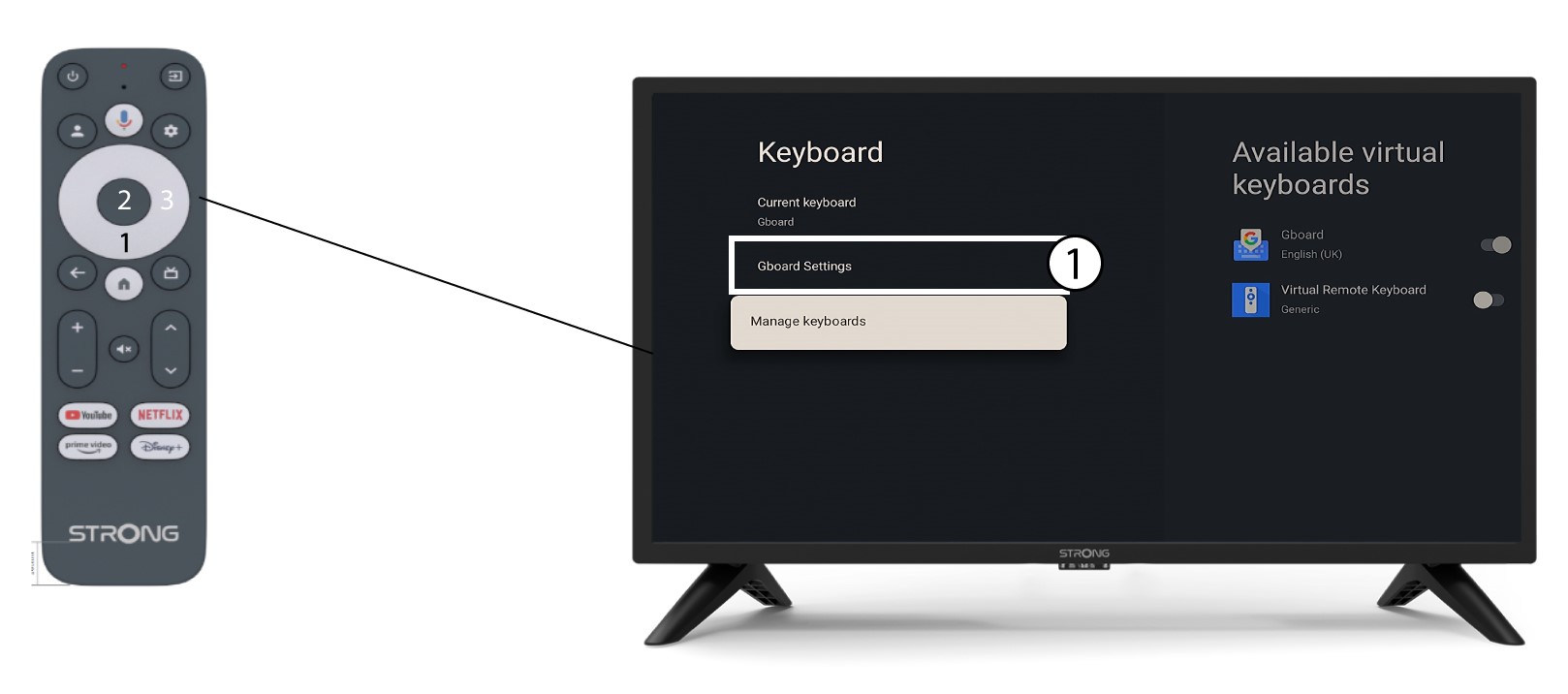
5Gboard Settings
Click Gboard Settings and press OK.
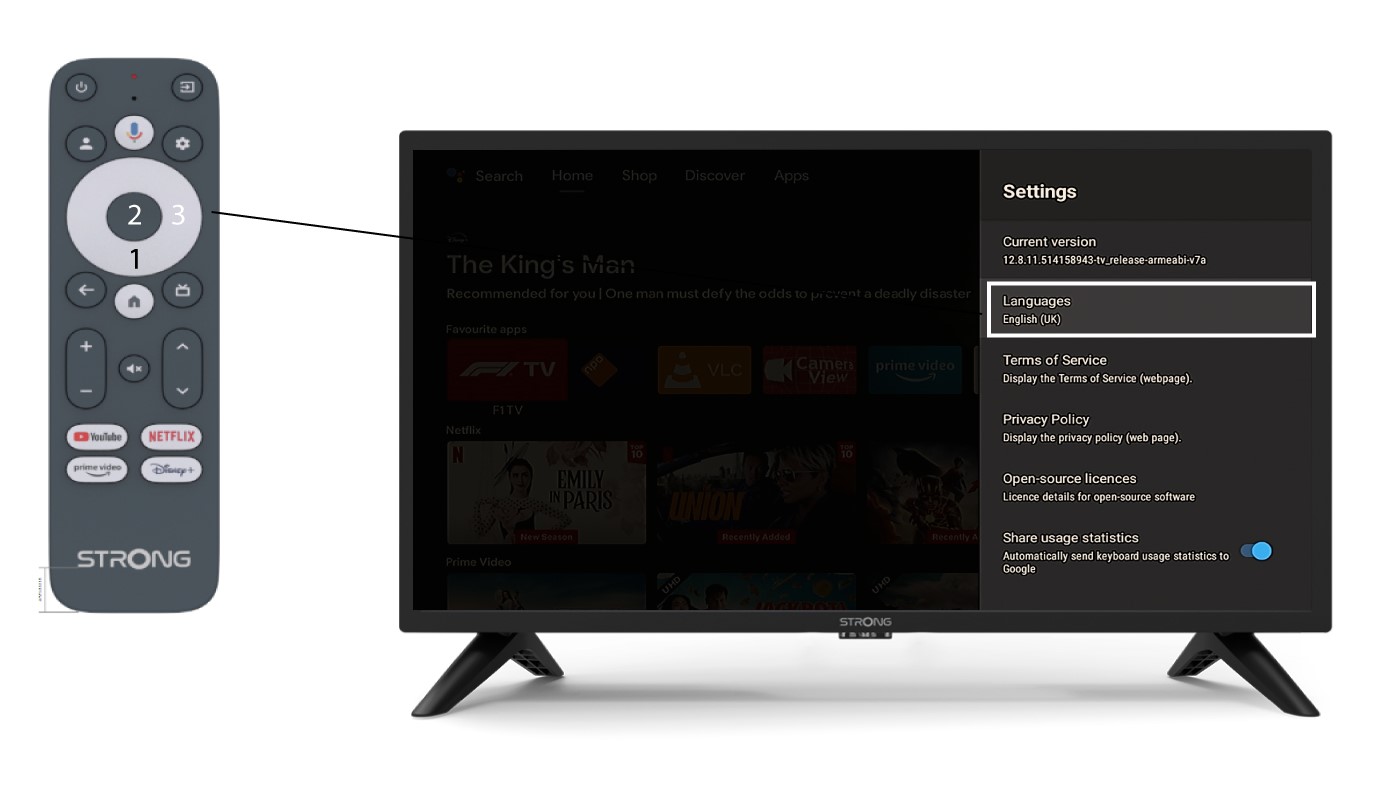
6Language Settings
Click Languages and press OK on the remote control. Then, select the language.