4G+ AIRSPOT 520 mobiili Wi-Fi kosketusnäytöllä
Ei löytynyt kohteita.
Ei löytynyt kohteita.
Kaikki kysymykset
4G+ AIRSPOT 520 mobiili Wi-Fi kosketusnäytöllä
Ei löytynyt kohteita.
Ei löytynyt kohteita.
Miten voin muuttaa SSID:n (Wi-Fi-verkon nimen) ja Wi-Fi-salasanan? (Mi-Fi-näyttö)
Voit muokata Wi-Fi-verkon tietoja Mi-Fi-laitteen näytöltä.
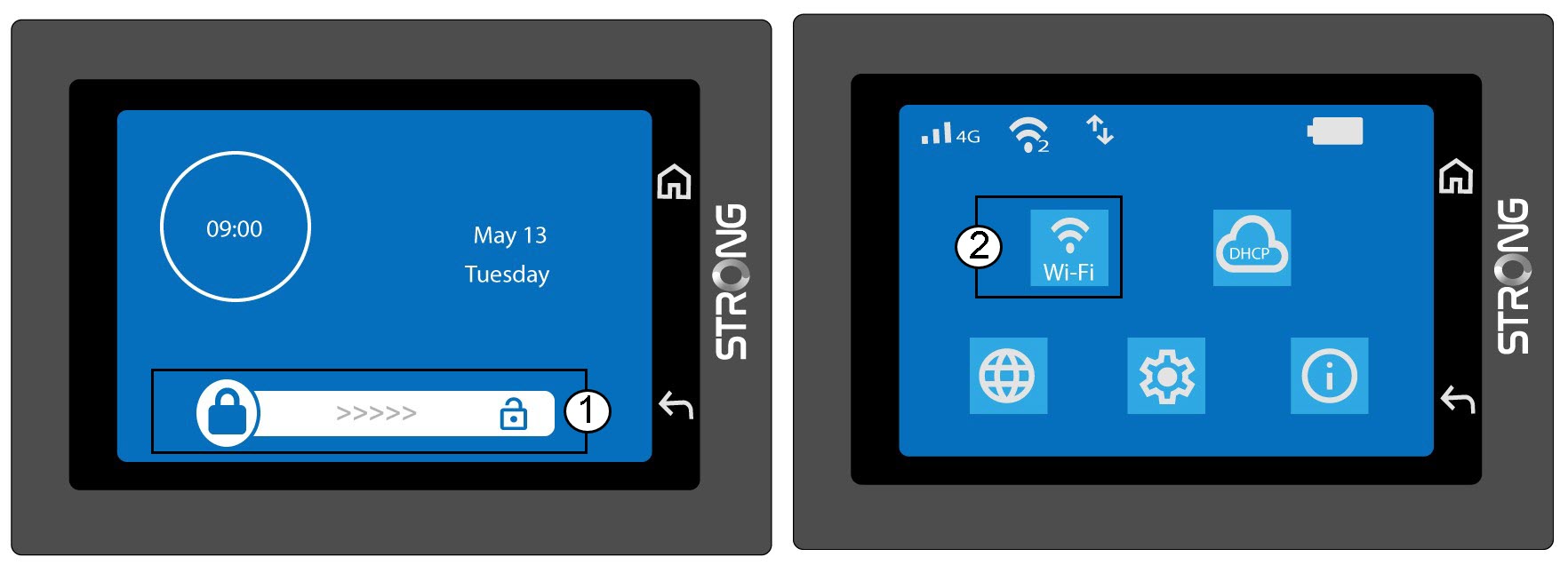
1. SiirryWi-Fi-asetuksiin
Avaa näytön lukitus ja napsauta Wi-Fi-kuvaketta.
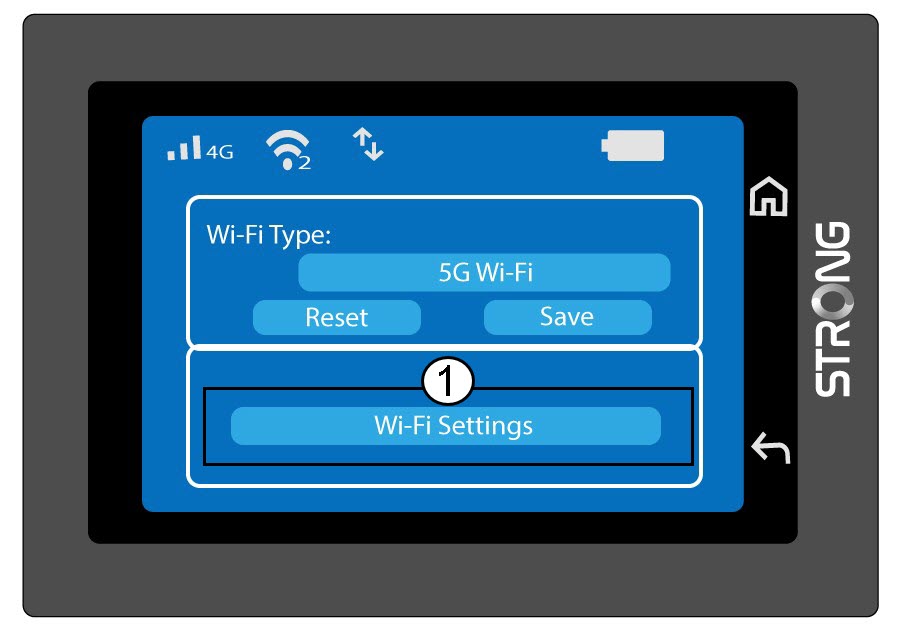
2. AvoimenWi-Fi-verkon asetukset
Napsauta Wi-Fi-asetuksia.
3Vaihdaverkon nimi (SSID)
Napsauta Wi-Fi-verkon nimen vieressä olevaa kynäkuvaketta, kirjoita uusi nimi ja vahvista painamalla (V).
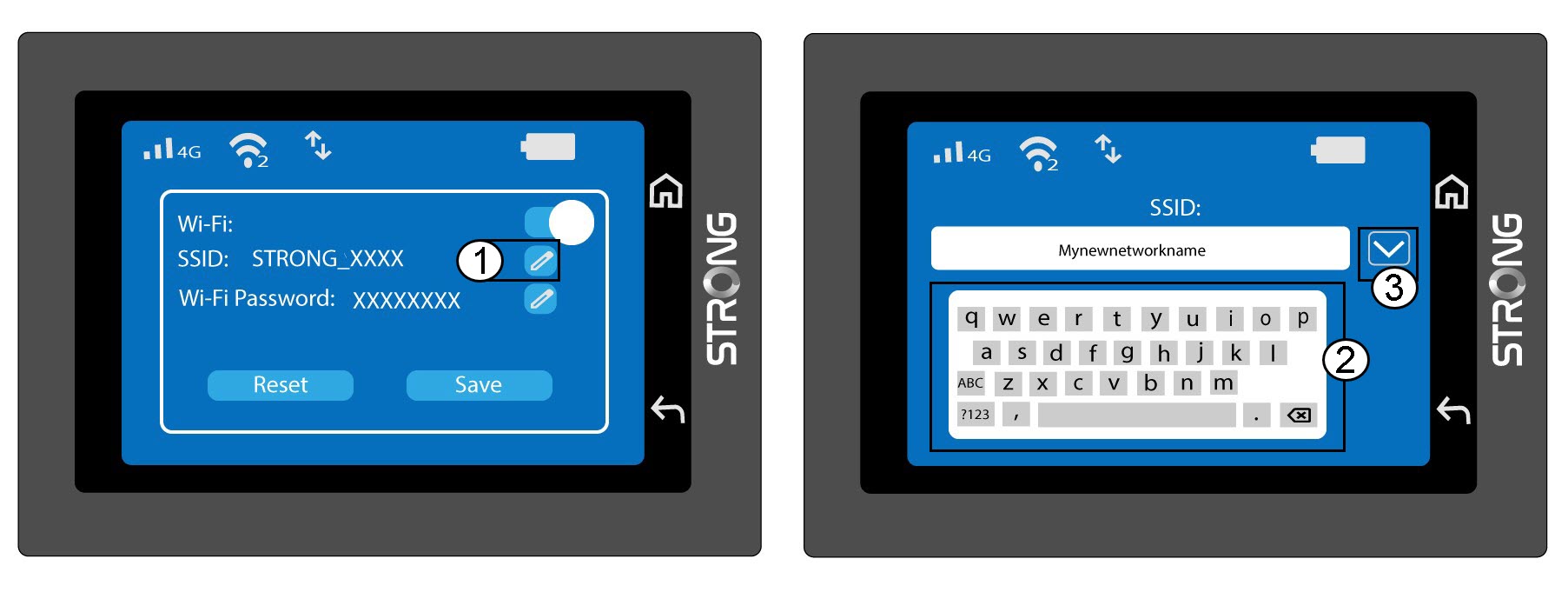
4. VaihdaWi-Fi-salasana
Napsauta Wi-Fi-salasanan vieressä olevaa kynäkuvaketta, kirjoita uusi salasana ja paina (V) vahvistaaksesi.
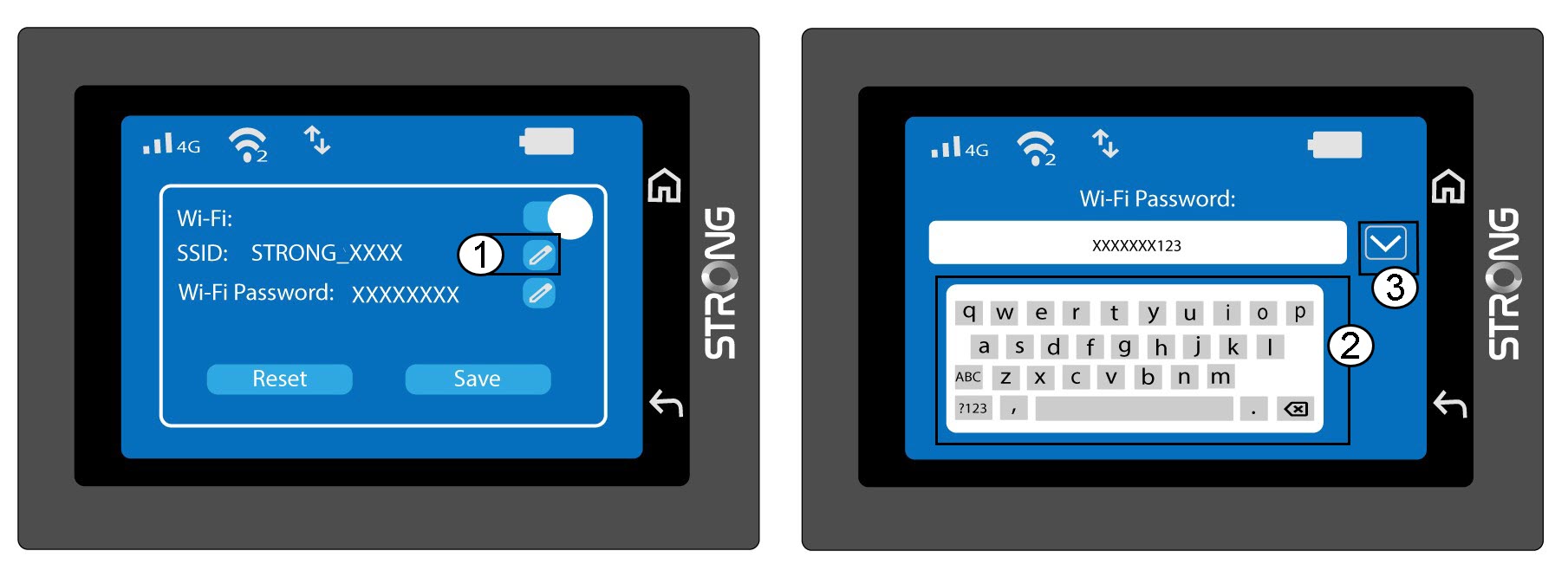
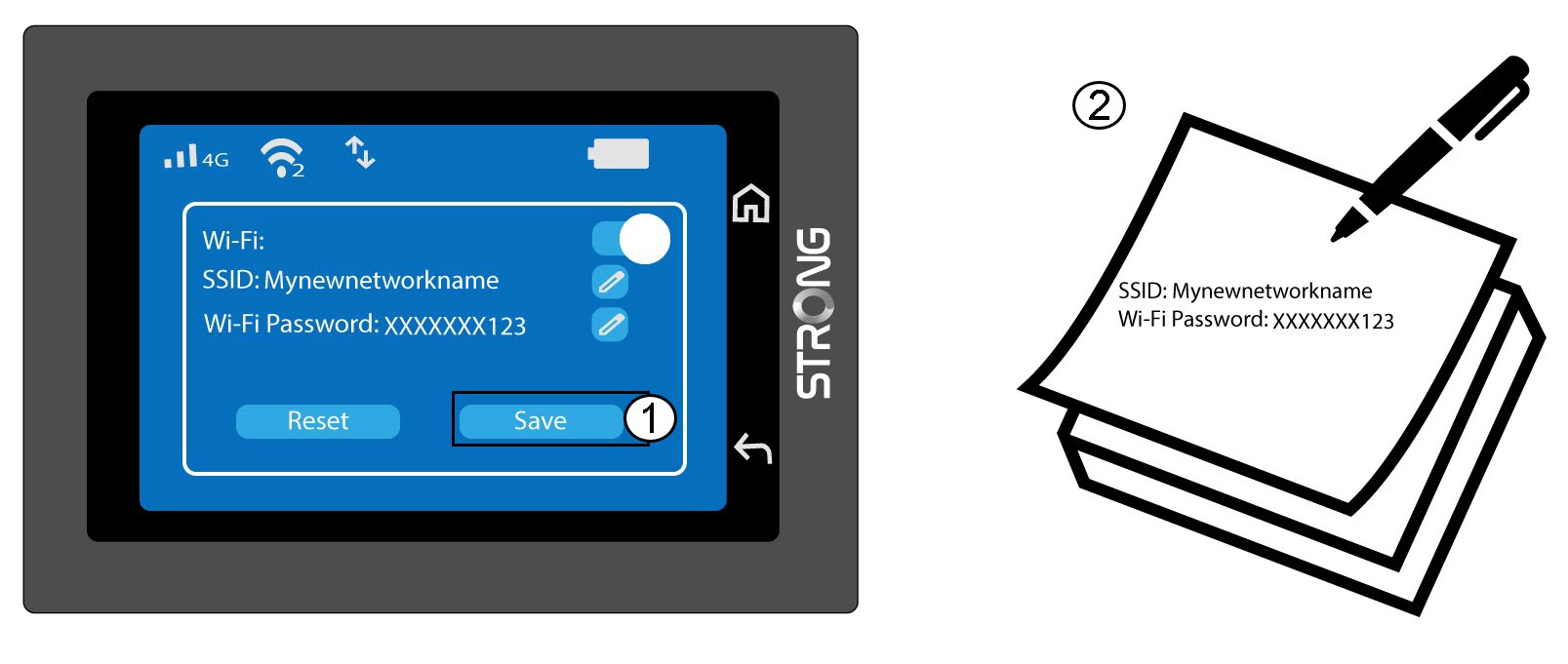
5. Tallennamuutokset
Napsauta Tallenna ja kirjoita muistiin uuden verkon nimi ja salasana myöhempää tarvetta varten.