4G AIRHOME 210 UK kiinteillä 4G-antenne UK
Ei löytynyt kohteita.
Ei löytynyt kohteita.
Kaikki kysymykset
4G AIRHOME 210 UK kiinteillä 4G-antenne UK
Ei löytynyt kohteita.
Ei löytynyt kohteita.
Miten voin muuttaa SSID:n (Wi-Fi-verkon nimen) ja Wi-Fi-salasanan? (Pikasetukset)
Verkkokäyttöliittymässä on kaksi tapaa muuttaa reitittimen SSID-tunnusta (Wi-Fi-verkon nimeä) ja Wi-Fi-salasanaa:
- Käyttämällä pikasetuksia
- Tai Wi-Fi-asetusten kautta.
1Verkkokäyttöliittymän avaaminen
Voit käyttää verkkokäyttöliittymää noudattamalla alla olevia ohjeita verkkokäyttöliittymään kirjautumiseksi:
2Pikasetukset
Verkkokäyttöliittymän Pikakäyttöasetusten avulla voit muuttaa verkon tietoja: sen SSID:tä (Wi-Fi-verkon nimeä) ja Wi-Fi-salasanaa.
Voit tehdä tämän napsauttamalla yläpalkissa olevaa Pikasetukset-painiketta.

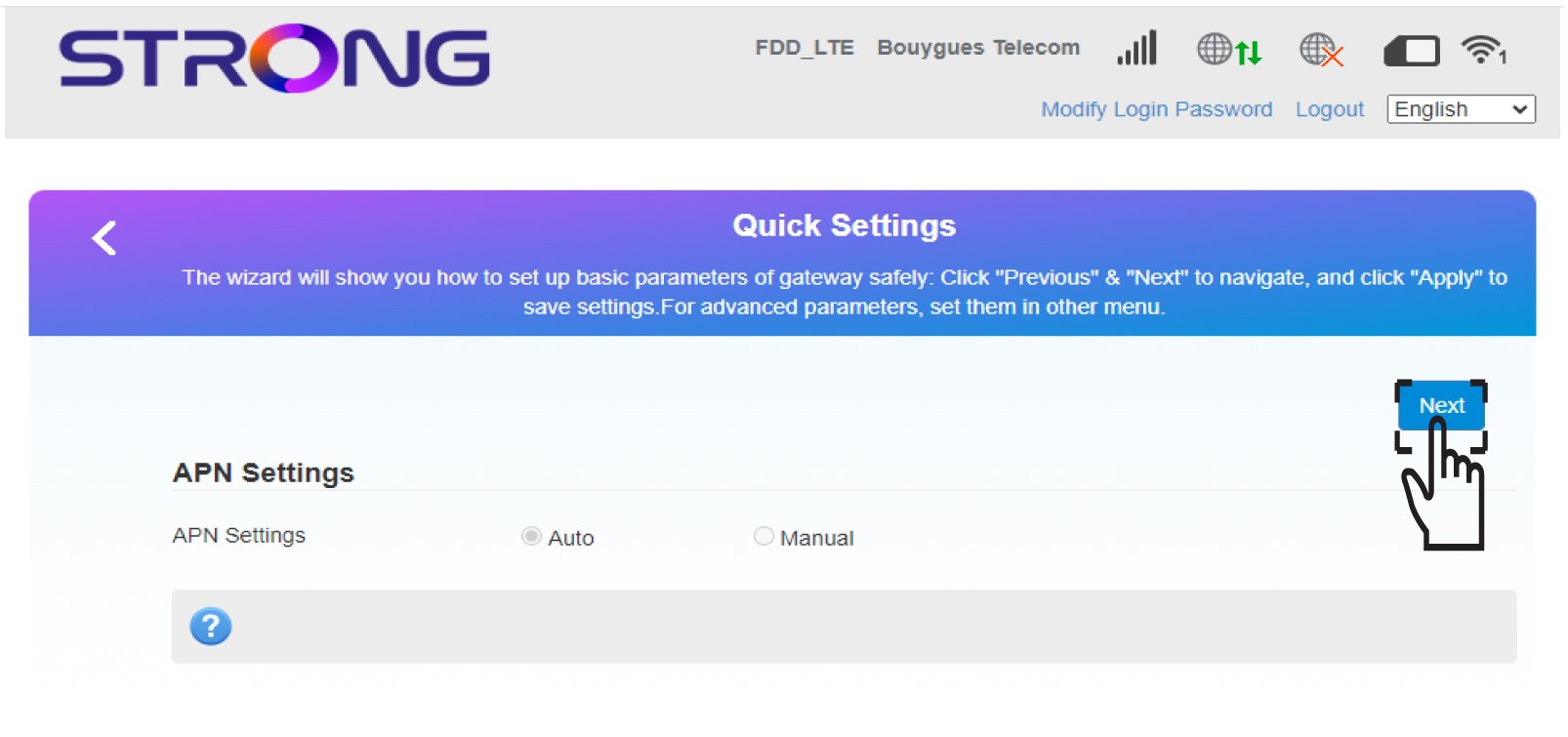
3APN-asetukset
Napsauta Seuraava.
4Kirjoitauusi verkon nimi
Kirjoita uuden verkon nimi ja napsauta Seuraava.

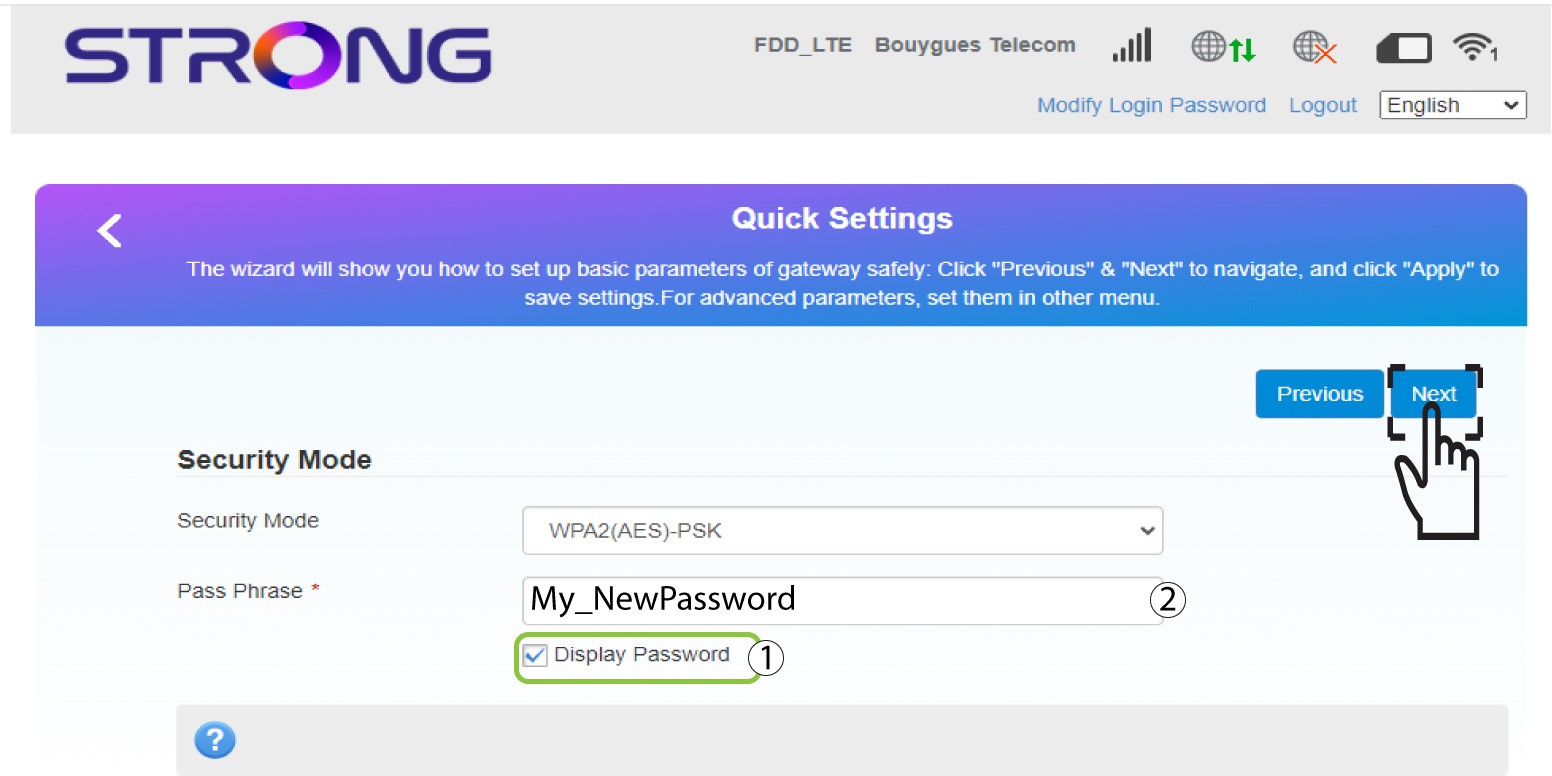
5Syötäuusi Wi-Fi-salasana
Napsauta ”Näytä salasana ” ja kirjoita Wi-Fi-verkon uusi salasana, ja napsauta sitten ”Seuraava”.
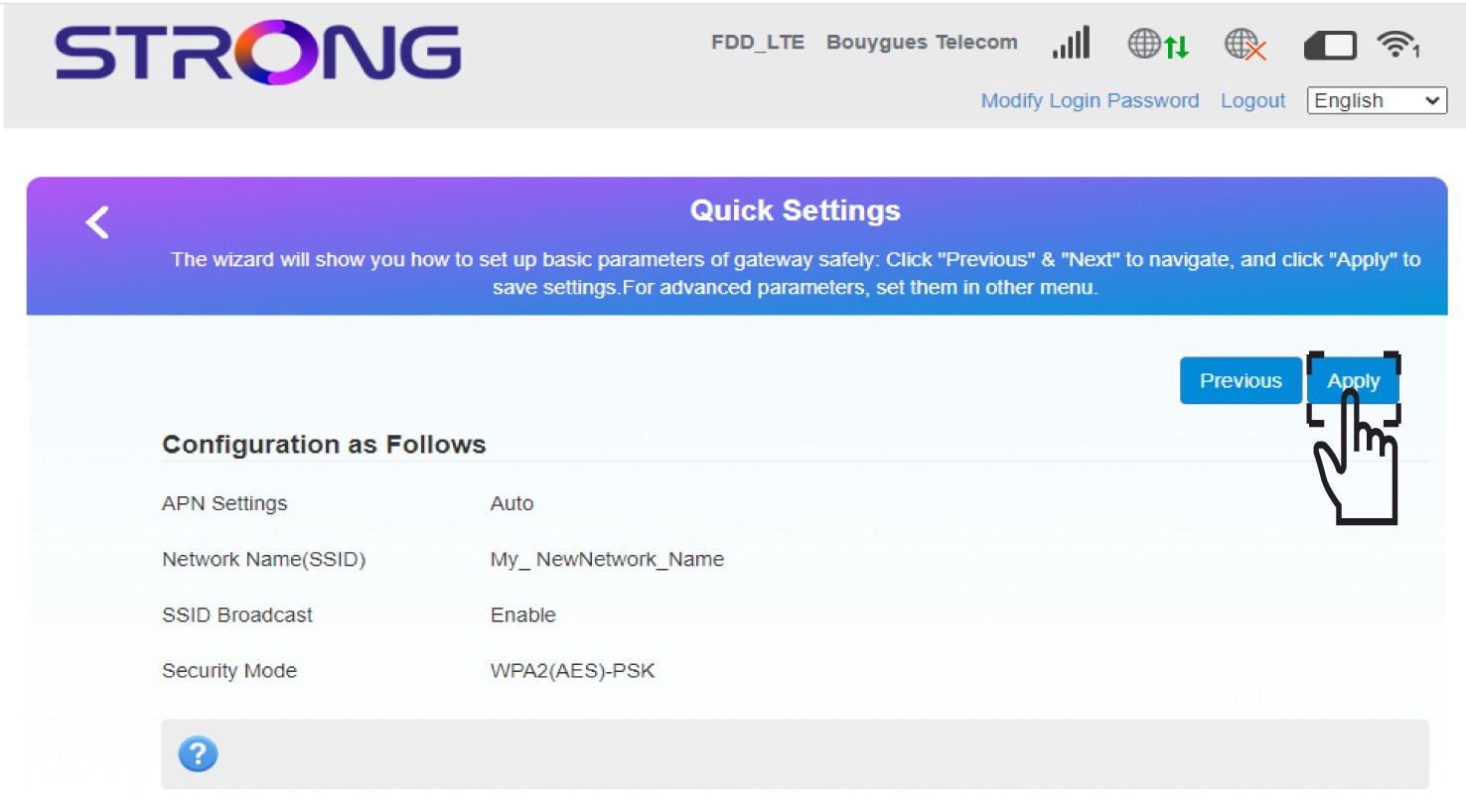
6Tallennauudet verkkoasetukset
Tallenna muutokset napsauttamalla Käytä.
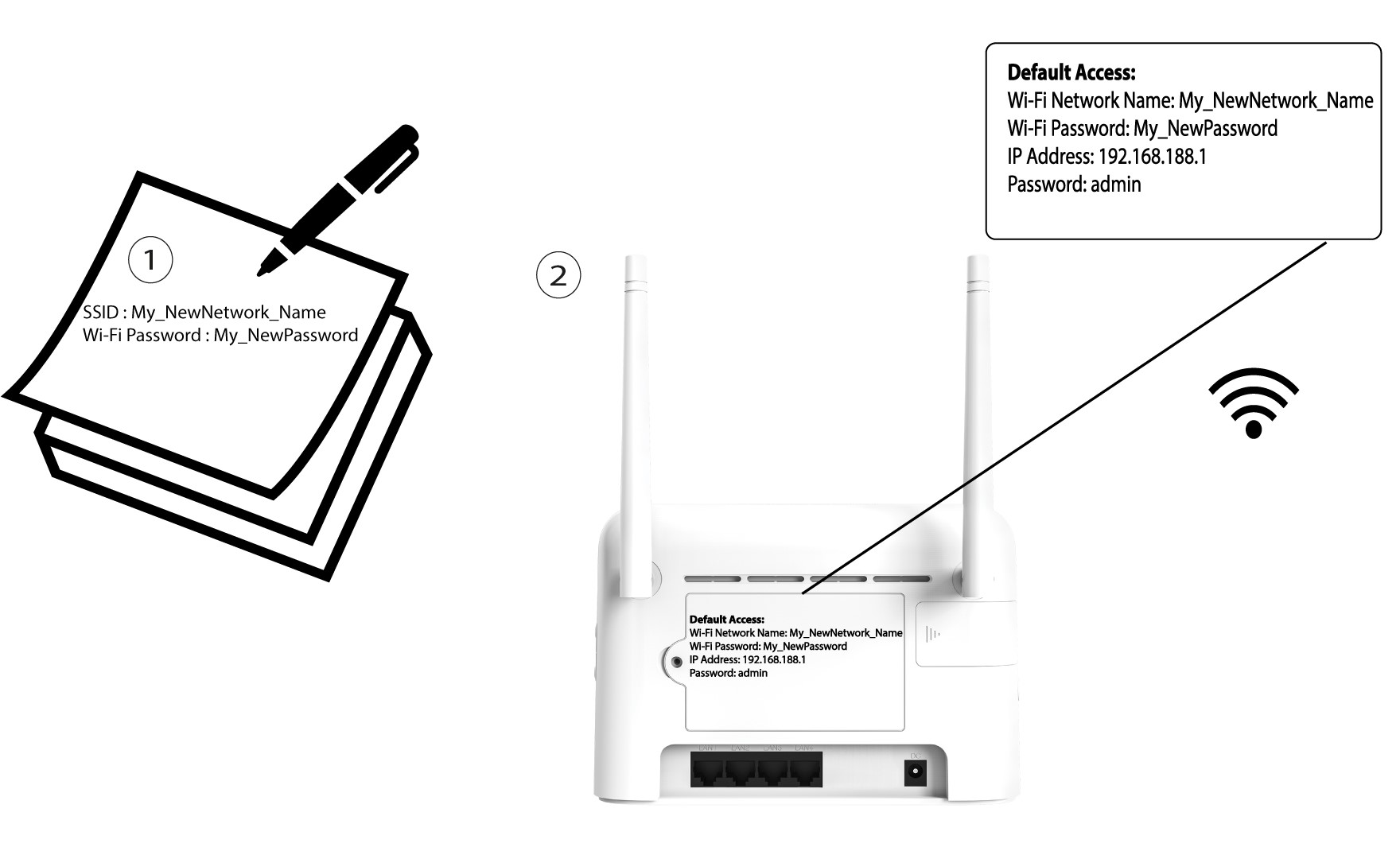
7Kirjoitauudet verkkotiedot muistiin
Kirjoita uudet verkkotiedot paperilapulle.