
Kaksikaistainen toistin 750 V2
Kaikki kysymykset
Kaksikaistainen toistin 750 V2
Miten määritän toistimen reitittimeksi?
VINKKEJÄ: Ennen toistimen määrittämistä tutustu seuraavaan ohjeeseen toistimen sijoituspaikan määrittämiseksi: Mikä on paras sijoituspaikka toistimelleni?
1. Yhdistäverkkokäyttöliittymään
Yhdistä Web-käyttöliittymään noudattamalla jotakin seuraavista ohjeista:
- Miten muodostan yhteyden toistimen verkkokäyttöliittymään? (RJ45-kaapeli)
- Miten muodostan yhteyden toistimen verkkokäyttöliittymään? (Wi-Fi)
2Valitsereititintila
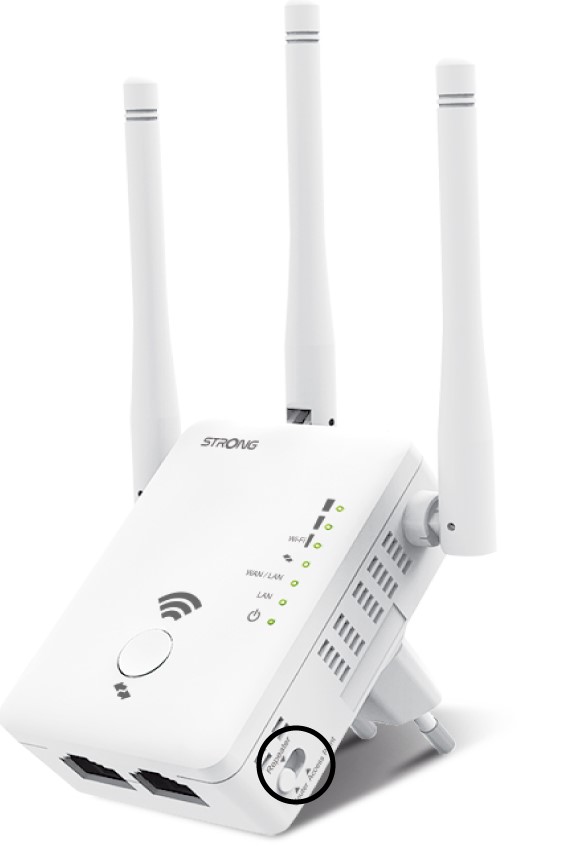
Valitse toistimen oikealla puolella sijaitsevasta tilanvalitsimesta ( switch ) vaihtoehto ”Router position”.
3Reitittimenasennusohje
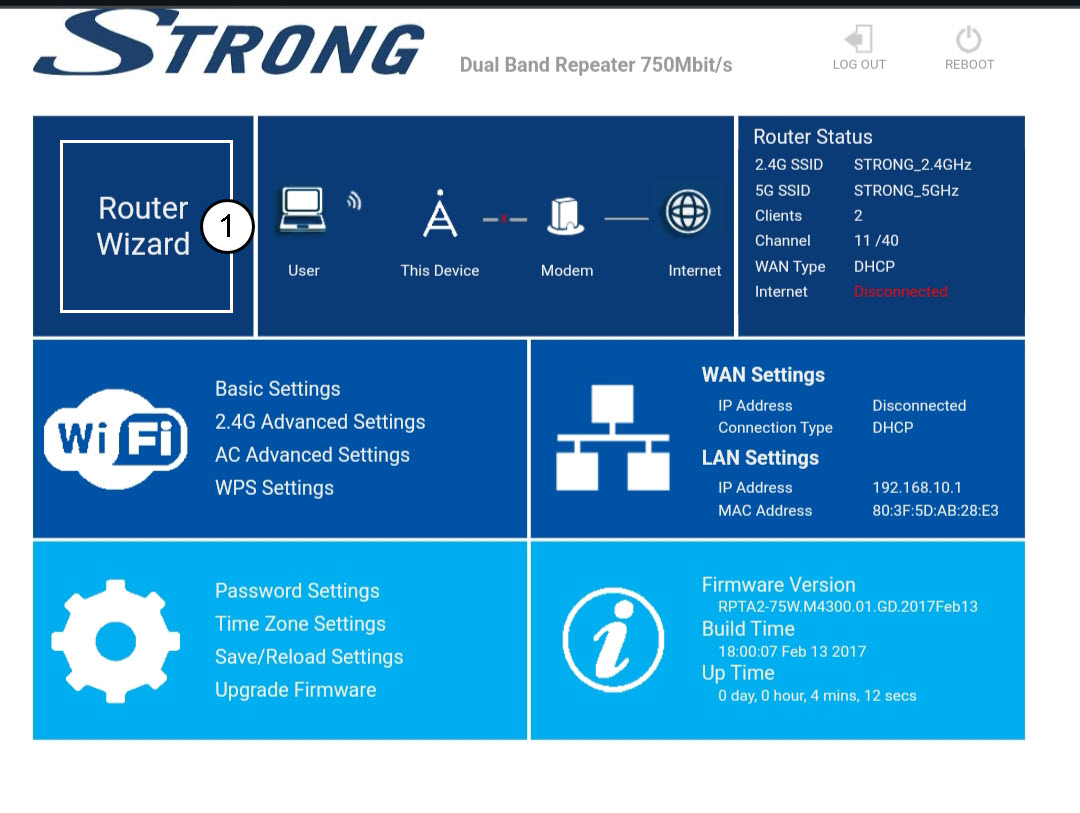
Napsauta ”Router Wizard” -painiketta.
4Reitittimenasennus
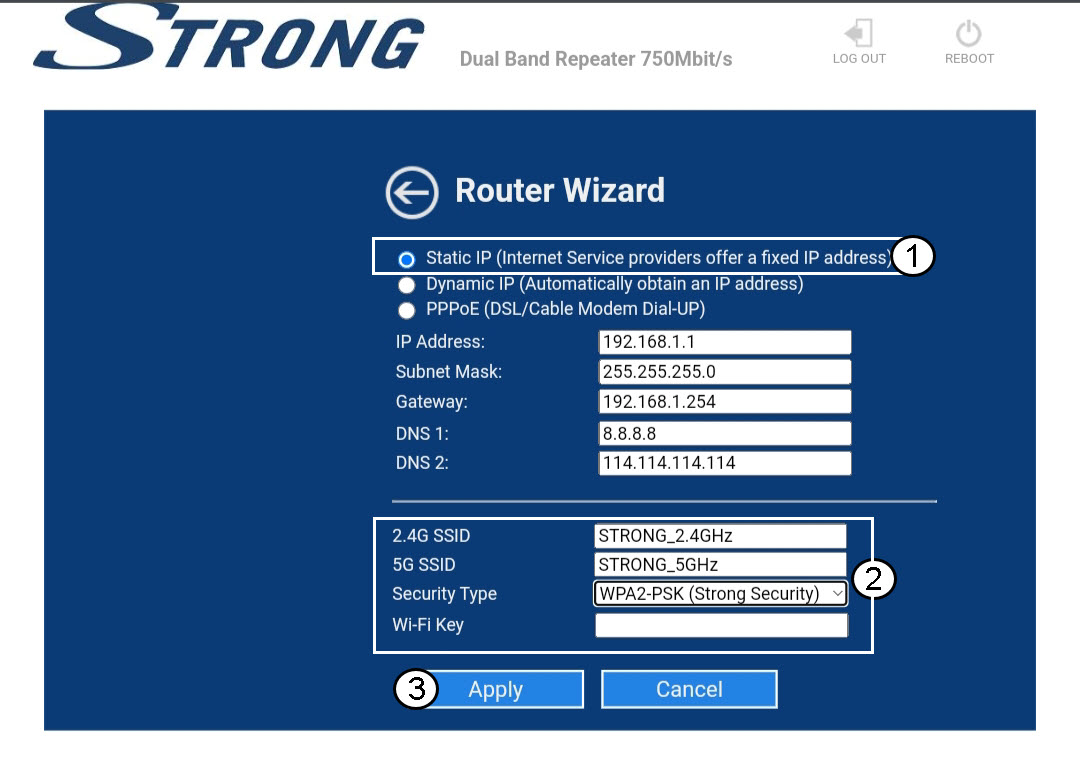
Valitse ”Staattinen IP”-vaihtoehto verkon määrittämiseksi . Anna nimi jokaiselle SSID:lle ja valitse verkon suojausmuoto; suosittelemme WPA2-PSK-vaihtoehtoa. Vahvista valinta napsauttamalla ”Käytä”.
VINKKI: Voit muodostaa yhteyden verkkokäyttöliittymään toistimen IP-osoitteen avulla..
5Odotaasennuksen aikana
Odota, kun toistinta määritetään.
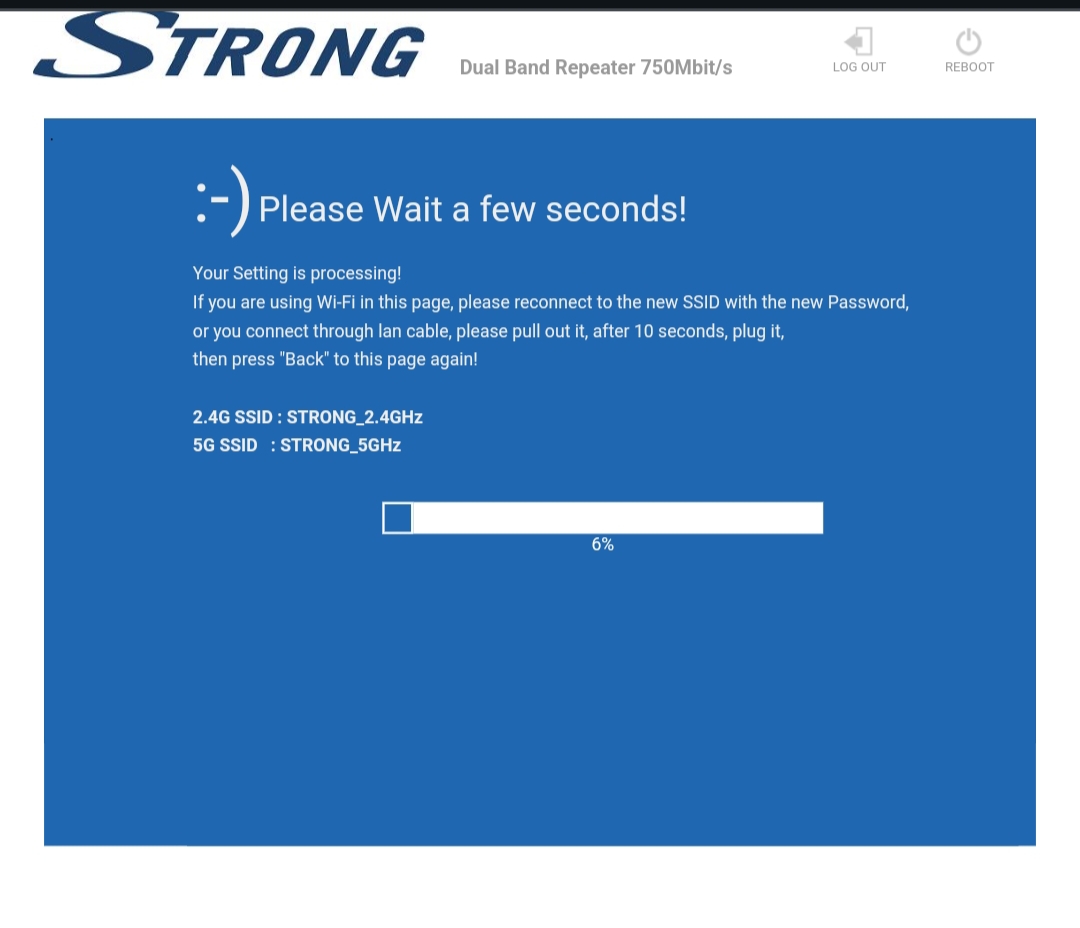

Varoitus: Kirjoita salasanat ja Wi-Fi-verkkojen nimet muistiin.