
4G+ AIRSPOT 510 mobiili Wi-Fi
Ei löytynyt kohteita.
Ei löytynyt kohteita.
Kaikki kysymykset
4G+ AIRSPOT 510 mobiili Wi-Fi
Ei löytynyt kohteita.
Ei löytynyt kohteita.
Miten hallitsen laitteeni APN-asetuksia?
Joskus mobiiliverkossa voi ilmetä ongelmia laitteen asetusten määrittämisen ja PIN-koodin syöttämisen jälkeen. Tällöin tarkista APN-tiedot seuraavien ohjeiden mukaisesti.
1Siirryverkkokäyttöliittymään
Voit muodostaa yhteyden verkkokäyttöliittymään noudattamalla seuraavia ohjeita: Miten pääsen verkkokäyttöliittymään?
2. AvaaAPN-asetukset
Napsauta Internet-asetukset ja APN-määritykset. Napsauta sitten Lisää APN.
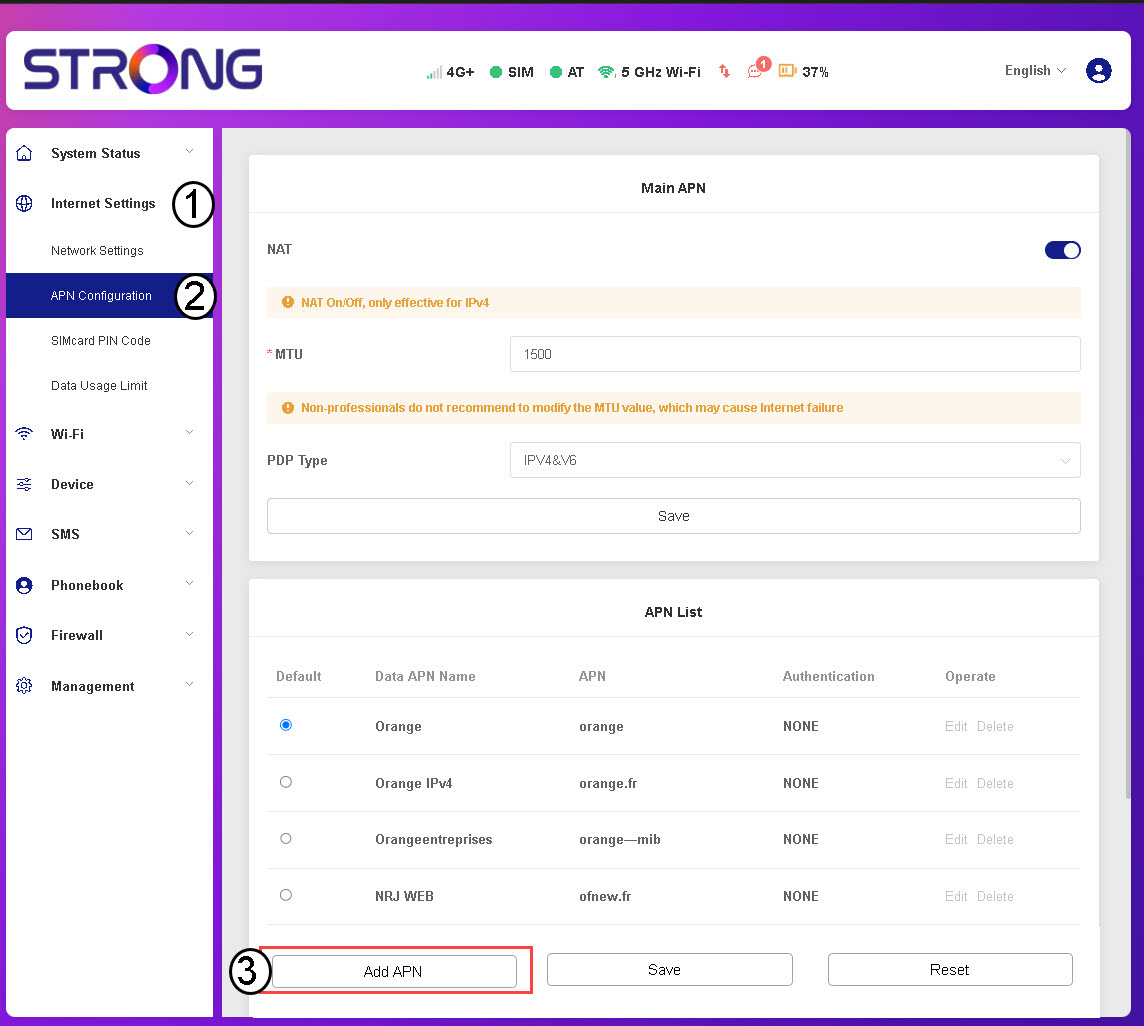
3Syötäja tallenna APN-tiedot
Syötä seuraavat tiedot ennen kuin napsautat Tallenna-painiketta:
- Tietojen APN-nimi: Kirjoita palveluntarjoajasi antama APN-nimi.
- APN: Syötä palveluntarjoajasi antama APN-tunnus.
- Todennus: Valitse todennustyyppi luettelosta palveluntarjoajan antamien tietojen perusteella.