LEAP S3 | 4K Google TV Dolby Vision
Kaikki kysymykset
LEAP S3 | 4K Google TV Dolby Vision
Miten voin säätää LEAP S3:n äänenvoimakkuusasetuksia, kun äänenvoimakkuus on liian alhainen?
Jos LEAP S3:n äänenvoimakkuus on liian alhainen, voit nollata laitteen asetukset seuraavien ohjeiden mukaisesti.
LEAP S3:n asennuksen yhteydessä voit määrittää, että äänenvoimakkuuden säätö tapahtuu HDMI-CEC-toiminnon avulla. Kun tämä vaihtoehto on käytössä, LEAP S3:n kaukosäädintä voidaan käyttää television äänenvoimakkuuden säätämiseen.
Voit ottaa tämän toiminnon käyttöön tai poistaa sen käytöstä television näyttö- ja ääniasetuksissa. LEAP S3:n äänenvoimakkuuden oletusasetus on tietty taso, ja se voi olla liian alhainen. Jos äänenvoimakkuus on liian alhainen, on parempi poistaa tämä toiminto käytöstä.
Miten tämän toiminnon voi ottaa käyttöön tai poistaa käytöstä?
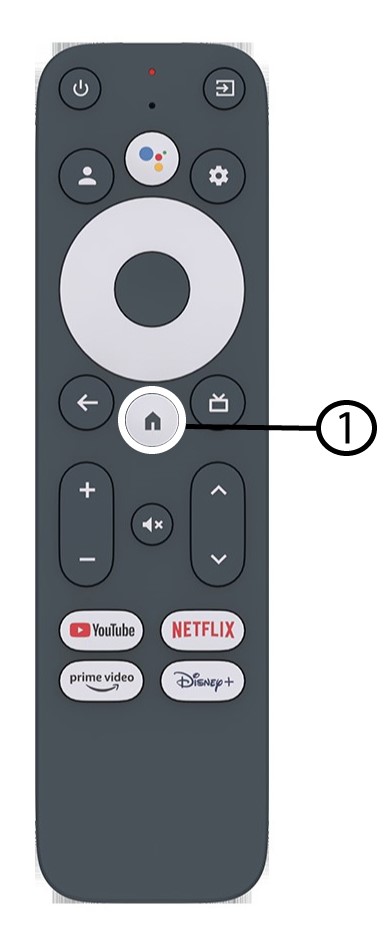
1. PainaAsetukset-painiketta
Tässä tapauksessa paina Google-kaukosäätimen Asetukset -painiketta ja sitten OK -painiketta

2Asetukset
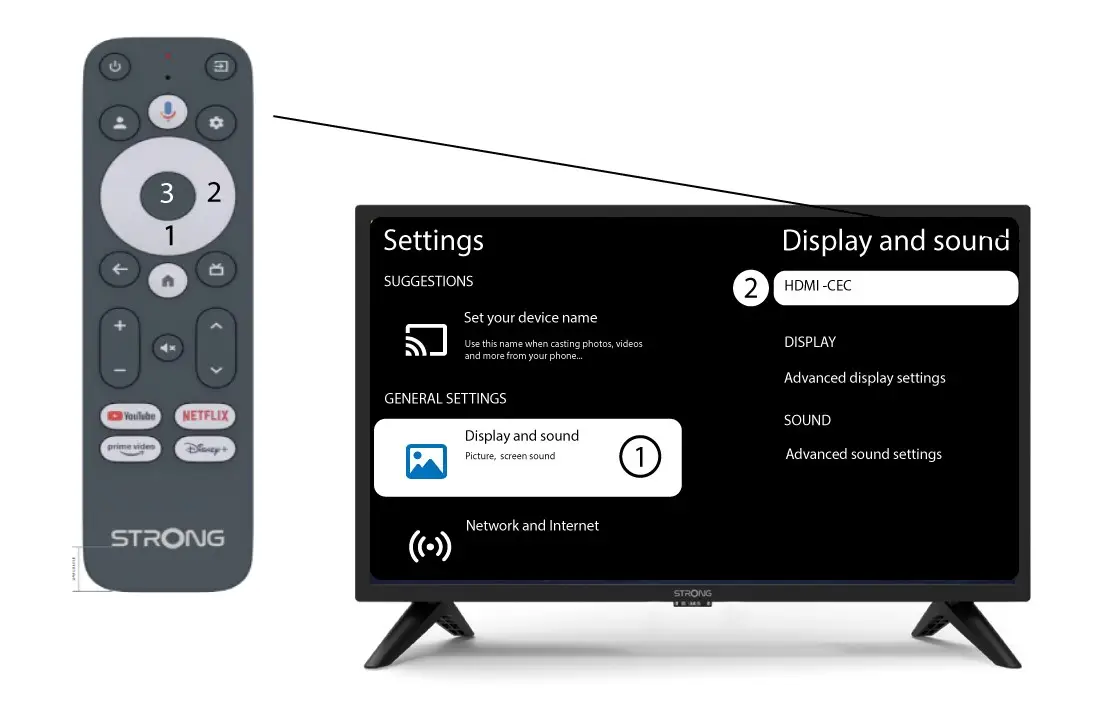
Valitse näytöllä näkyvältä Asetukset-sivulta ”Näyttö ja ääni”. Paina sitten oikeaa navigointipainiketta ja valitse”HDMI-CEC”.
3 Äänenvoimakkuudensäätö
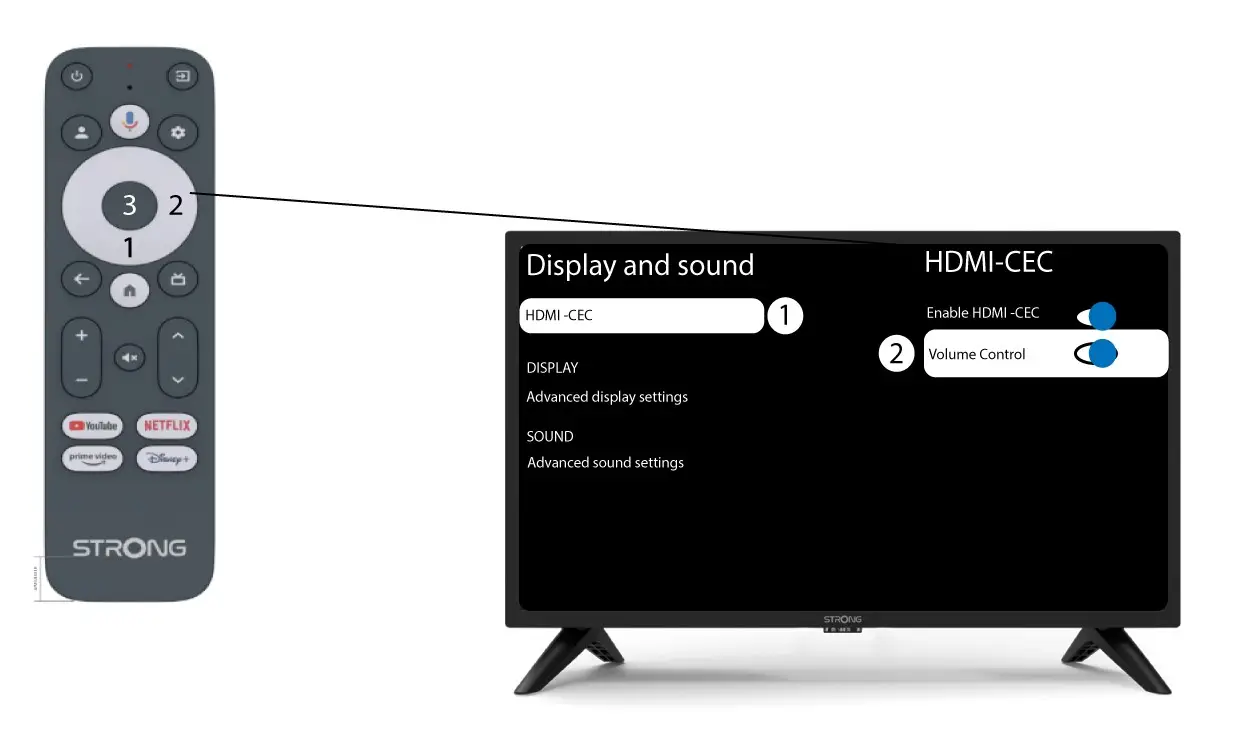
Valitse ”Äänenvoimakkuuden säätö” ja paina OK -painiketta, jotta tämä toiminto kytkey switch -tilassa pois päältä
4Palaaetusivulle
Paina HOME-painiketta palataksesi aloitusnäyttöön.
Äänenvoimakkuuden säätö voidaan nyt jälleen suoritta LEAP-S3 -kaukosäätimellä.