4G AIRSPOT 220 mobiili Wi-Fi näytöllä
Ei löytynyt kohteita.
Ei löytynyt kohteita.
Kaikki kysymykset
4G AIRSPOT 220 mobiili Wi-Fi näytöllä
Ei löytynyt kohteita.
Ei löytynyt kohteita.
Miten palautan reitittimen tehdasasetuksiin?
Joskus voi olla, että laitteesi ei toimi oikein tai että sinulla ei ole internetyhteyttä. Tällöin suosittelemme, että palautat laitteen tehdasasetuksiin ja päivität sen laiteohjelmiston tarvittaessa uudelleen.
Voit tehdä sen kahdella tavalla: voit nollata laitteen painamalla nollauspainiketta tai tekemällä sen verkkokäyttöliittymän kautta.
TAPAUS 1: Nollauspainike.
Tätä varten irrota reitittimen takakansi ja paina RESET-painiketta paperiliittimellä 2 sekunnin ajan.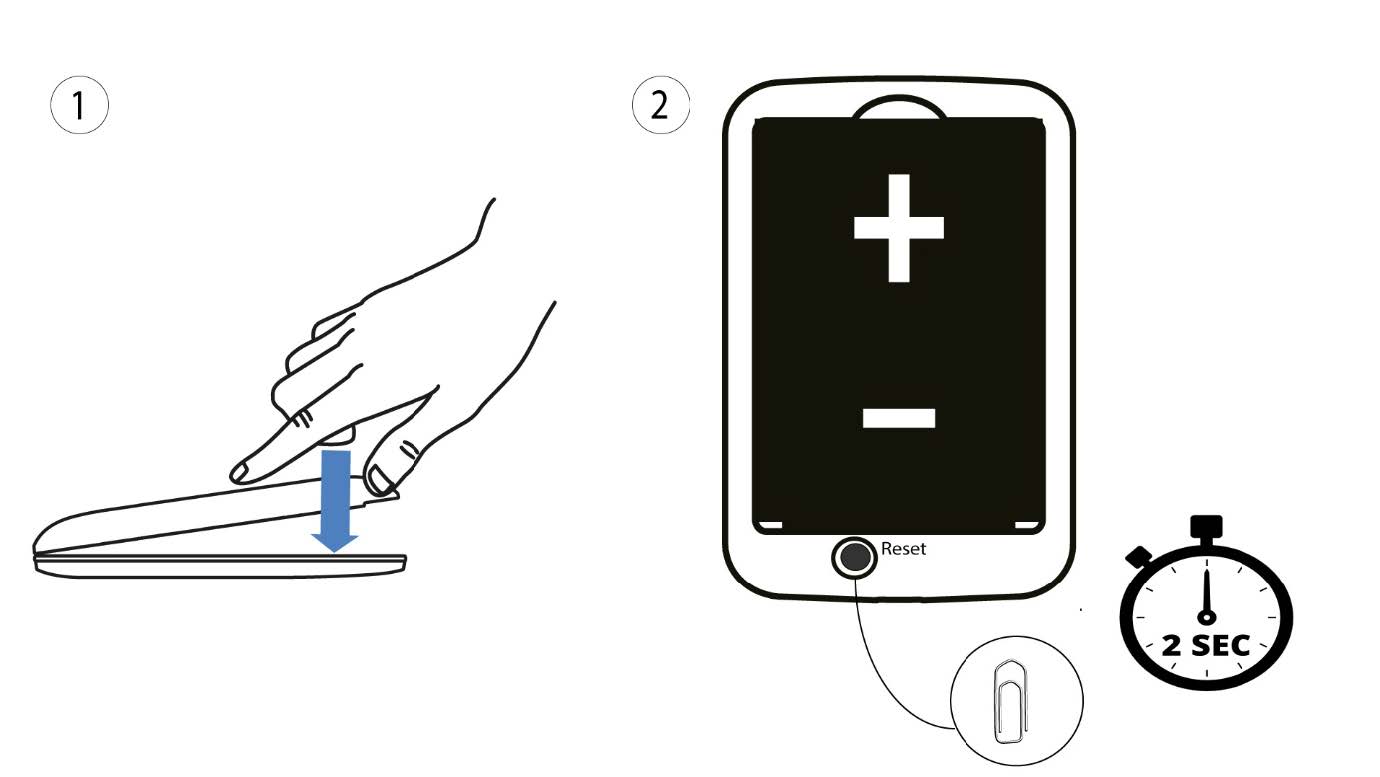
1Tapaus2: nollaus verkkokäyttöliittymässä
1. Sinun on muodostettava yhteys laitteesi Wi-Fi-verkkoon.

2Siirryverkkokäyttöliittymän IP-osoitteeseen
Syötä sitten selaimeesi seuraava IP-osoite: 192.168.188.1.

3Kirjaudu sisään
Sinun on syötettävä salasana.

4Asetukset
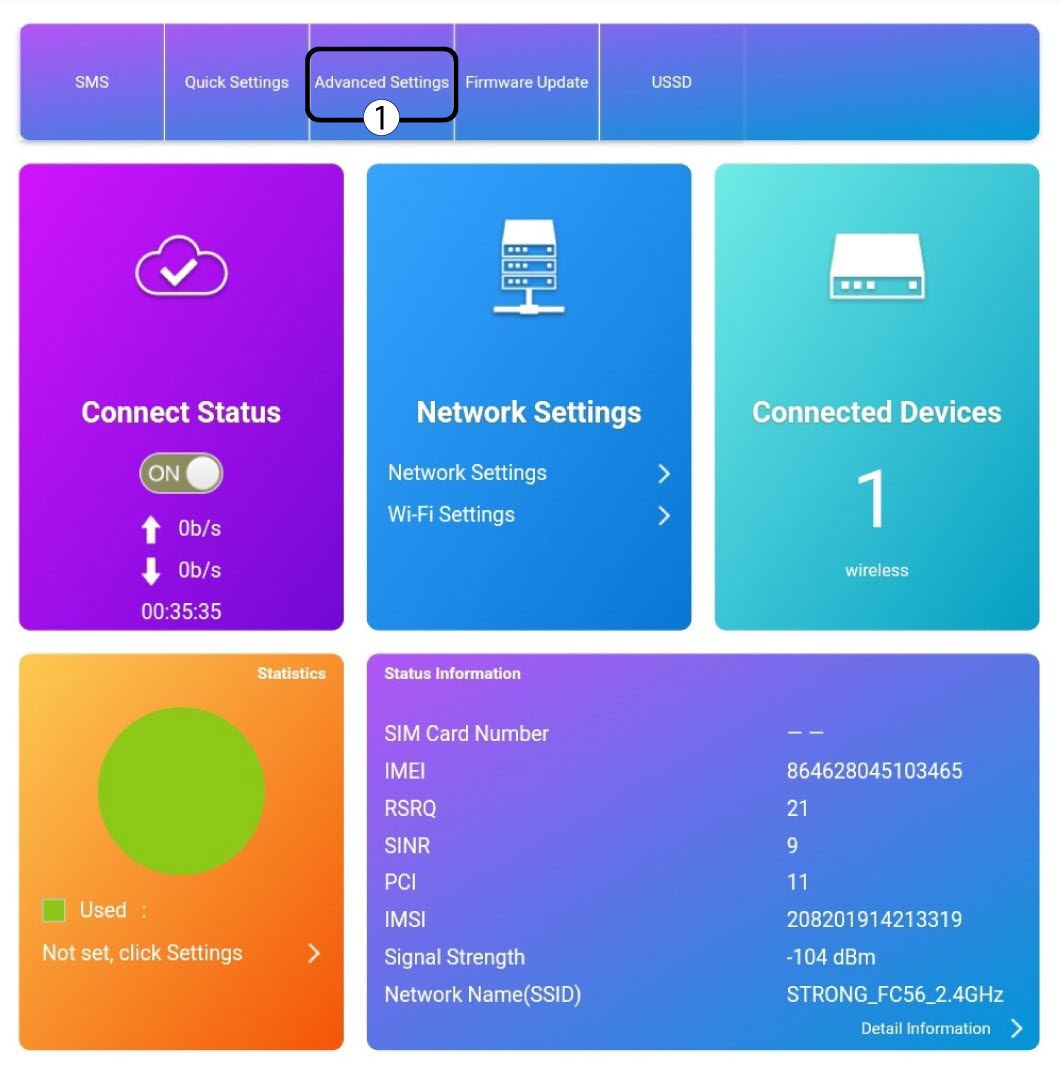
Napsauta sitten ”Lisäasetukset”.
5Palautatehdasasetukset
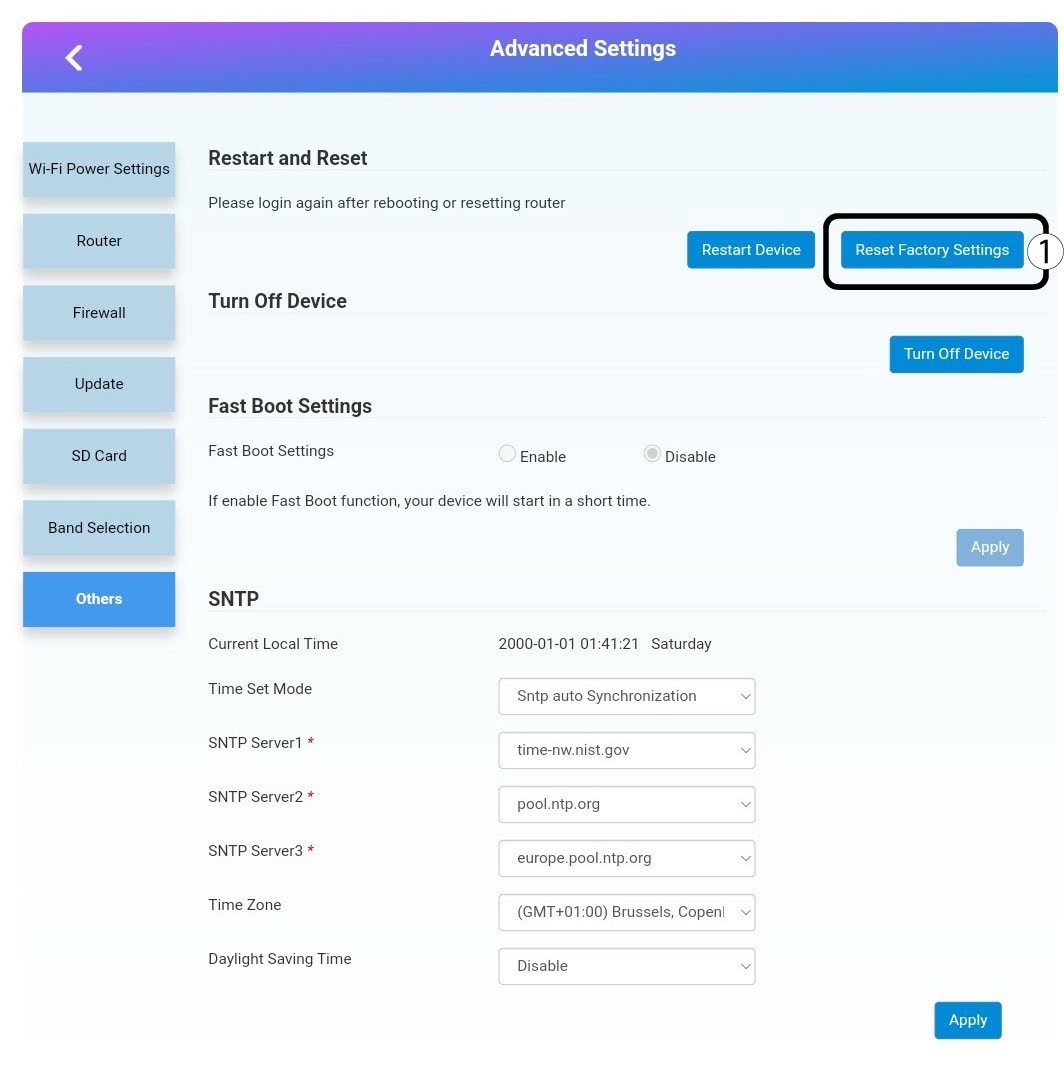
Napsauta ”Muut”. Napsauta ”Käynnistä uudelleen ja nollaa” -osiossa ”Palauta tehdasasetukset”.
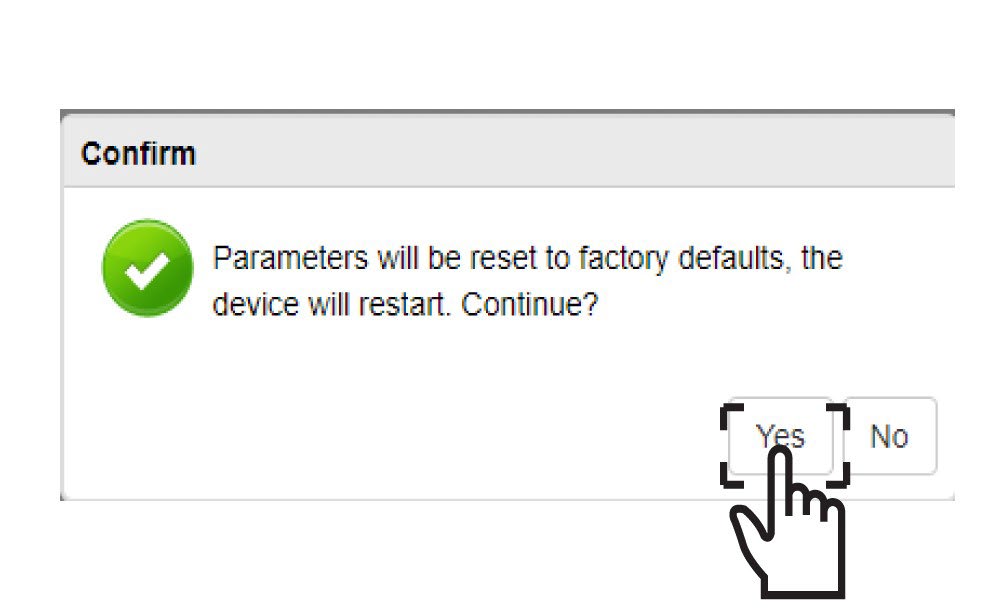
6. Vahvistus
Napsautaponnahdusviestissä KYLLÄ .