
ATRIA Wi-Fi 5 Mesh 2100 (add-on)
Kaikki kysymykset
ATRIA Wi-Fi 5 Mesh 2100 (add-on)
Miten päivitän Mesh -laitteen laiteohjelmiston?
mesh -laitteen ohjelmiston päivittämiseksi sinun on oltava yhteydessä verkkokäyttöliittymään.

Varoitus: Sinun on päivitettävä ensin mesh -agentit (laitteet, jotka eivät ole yhteydessä internet-reitittimeen) ja vasta sen jälkeen mesh -ohjain (mesh -laite, joka on kytketty internet-reitittimeen RJ45-kaapelilla).
Sinun on kirjoitettava muistiin kaikkien mesh -laitteiden IP-osoitteet, jotta voit muodostaa yhteyden kunkin laitteen verkkokäyttöliittymään
erikseen.
Tuotteidemme uudet ohjelmistoversiot ovat saatavilla täältä (lataukset -> ohjelmistot):
https://eu.strong-eu.com/downloads/product-downloads/atria-wi-fi-mesh-home-kit-2100/. Jos
-osio on tyhjä, se tarkoittaa, että tuotteelle ei ole saatavilla päivitystä.
mesh -laitteen ohjelmiston päivittämiseksi sinun on oltava yhteydessä verkkokäyttöliittymään.
1Lataussivu
Siirry seuraavalle sivulle: https://eu.strong-eu.com/downloads/product-downloads/atria-wi-fi-meshhome-kit-2100/ ja lataa tiedosto.
2Atria Mesh -sovellus
Lataa älypuhelinsovellus”ATRIA MESH ” App Storesta tai Google Play -kaupasta.

3. Todistukset
Sitten sinun on muodostettava yhteys älypuhelimellasi Mesh -sivuston Wi-Fi-verkkoon ja kirjauduttava sovellukseen käyttäjätunnuksillasi, joiden pitäisi olla ”admin” ja”admin”, ellet ole muuttanut niitä.

4Omaverkosto
Napsauta ”Oma verkko”.

5Mesh -agentti
Napsauta ” mesh ” -asiakaspalvelijan nimeä.
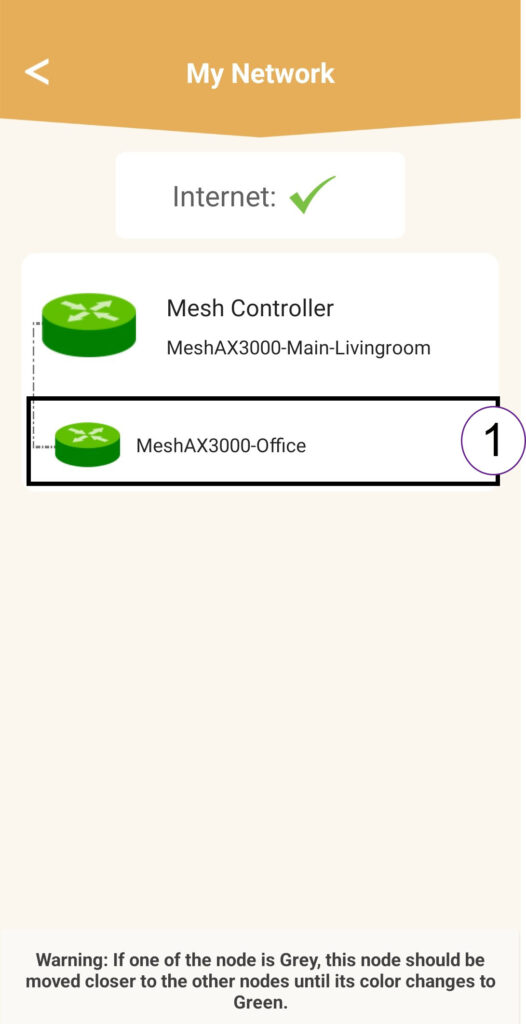
6IP-osoite
Selvitä agentin IP-osoite:
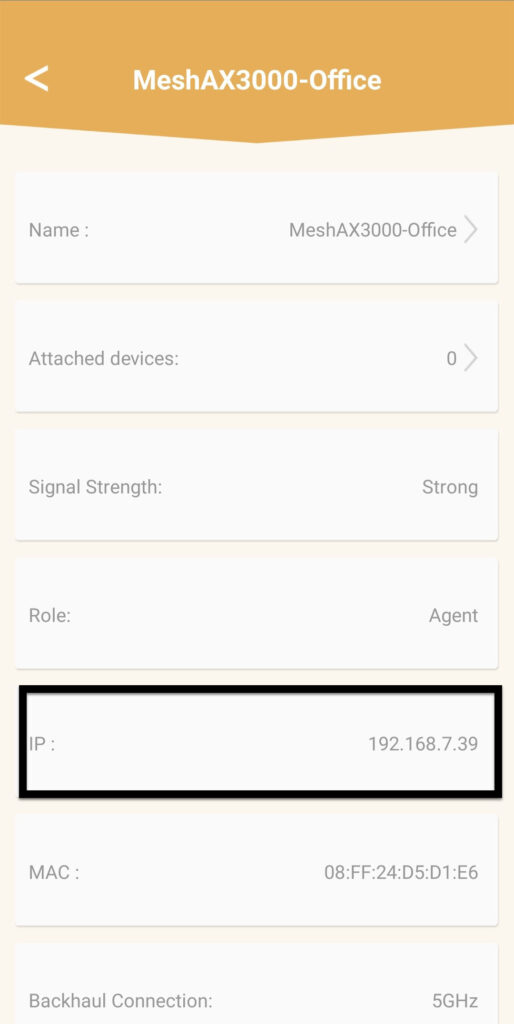
7Agentin verkkokäyttöliittymän IP-osoite selaimessa
Siirry agentin IP-osoitteeseen.
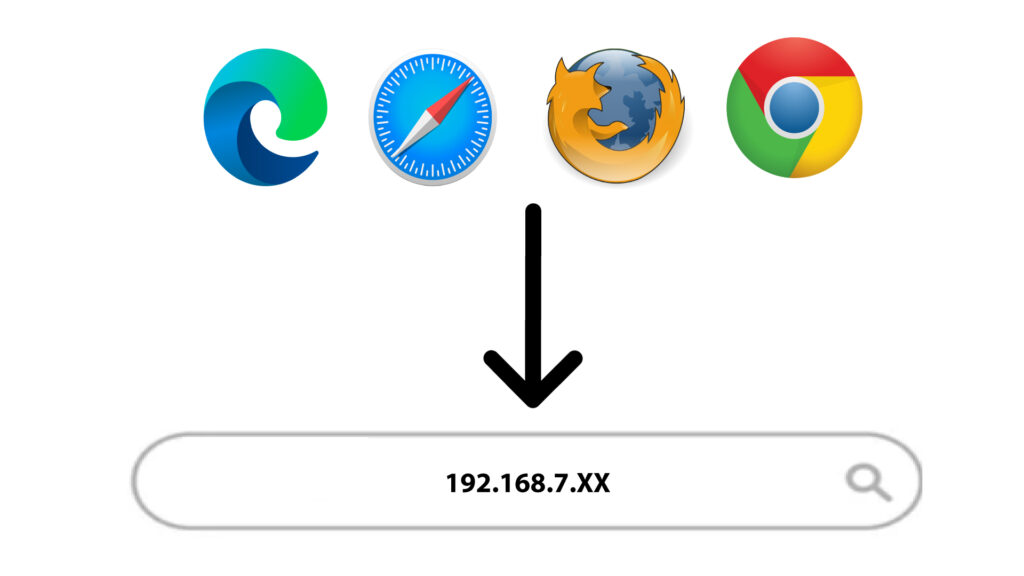
8Pätevyydet
Syötä käyttäjätunnus ja salasana ennen kuin napsautat ”Kirjaudu sisään”.
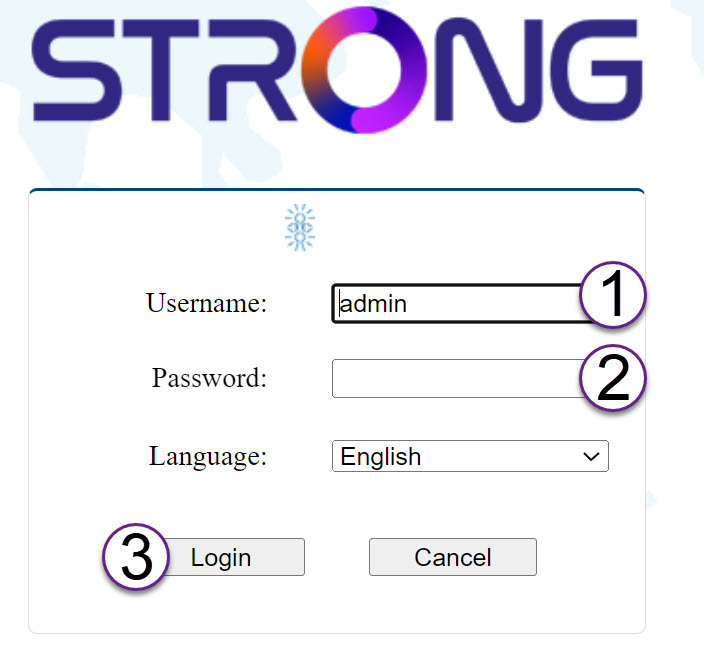
9Päivitä
Napsauta ”Järjestelmä ” ja ”Päivitä”. Napsauta sitten ”Valitse tiedosto ”, jotta voit ladata verkkosivustoltamme aiemmin lataamasi tiedoston, ennen kuin napsautat ”Vahvista”.
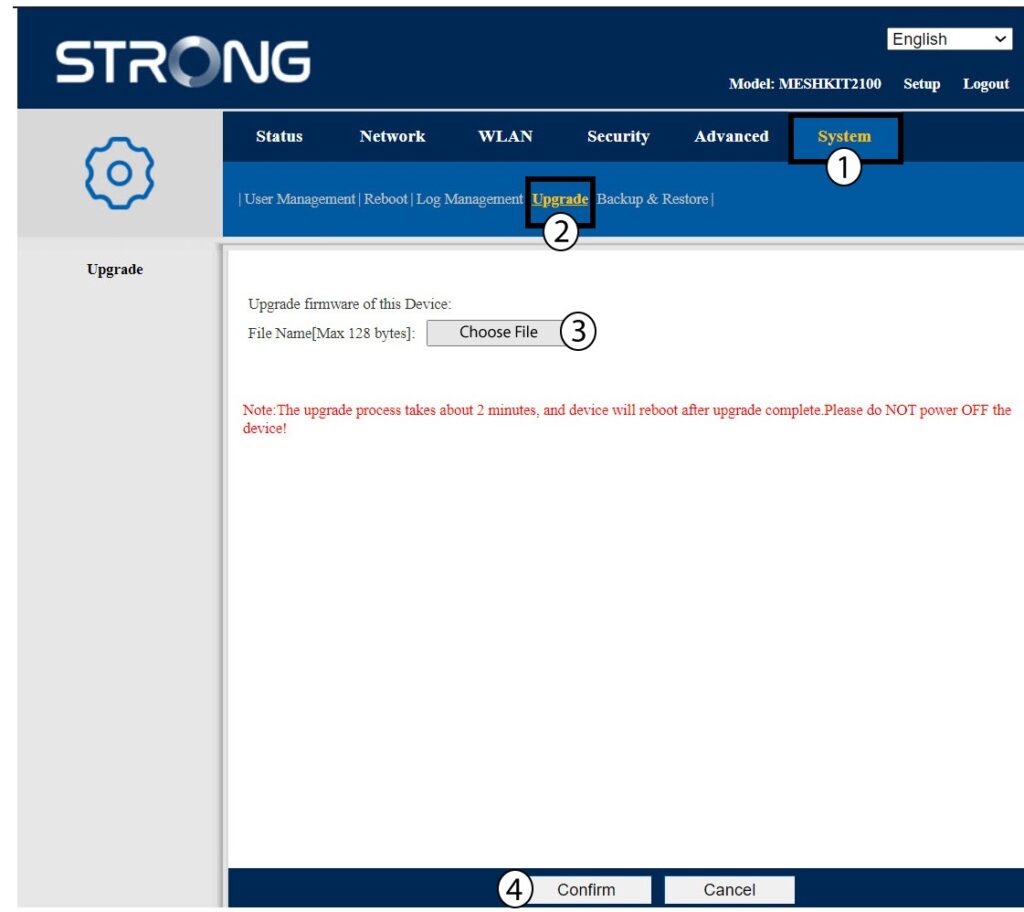
Varoitus: Toista nämä vaiheet kaikkien agenttien osalta ja päivitä ohjain.