ATRIA Wi-Fi 5 Mesh 1200 (add-on)
Kaikki kysymykset
ATRIA Wi-Fi 5 Mesh 1200 (add-on)
Miten minun pitäisi järjestää Mesh -verkko, jotta Wi-Fi-verkko toimisi mahdollisimman tehokkaasti?
Kattavuuden optimoimiseksi sinun tulisi asentaa mesh siihen paikkaan, jossa kattavuudessa on ongelmia, jotta kattavuus ulottuisi mahdollisimman laajalle alueelle kotonasi. Varmista, että mesh -laitteet eivät sijaitse huoneessa, jossa on kantava seinä, sillä mitä paksumpi seinä on, sitä vaikeampaa Wi-Fi-signaalin on läpäistä se.
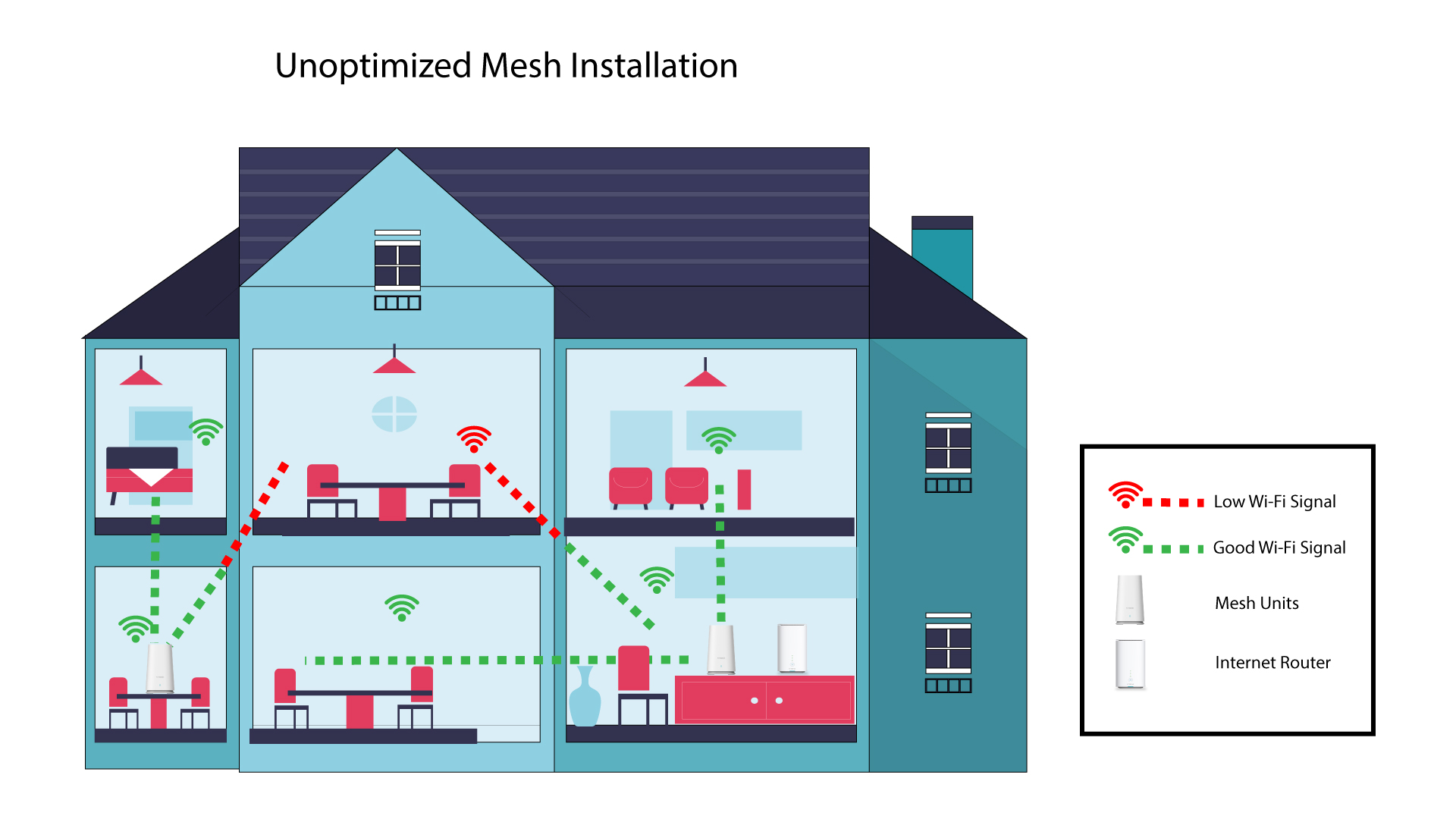
Seuraava kaavio esittää Wi-Fi-kattavuuden talon sisällä, jossa mesh -solmut eivät sijaitse talon oikeilla alueilla riittävän kattavuuden varmistamiseksi.
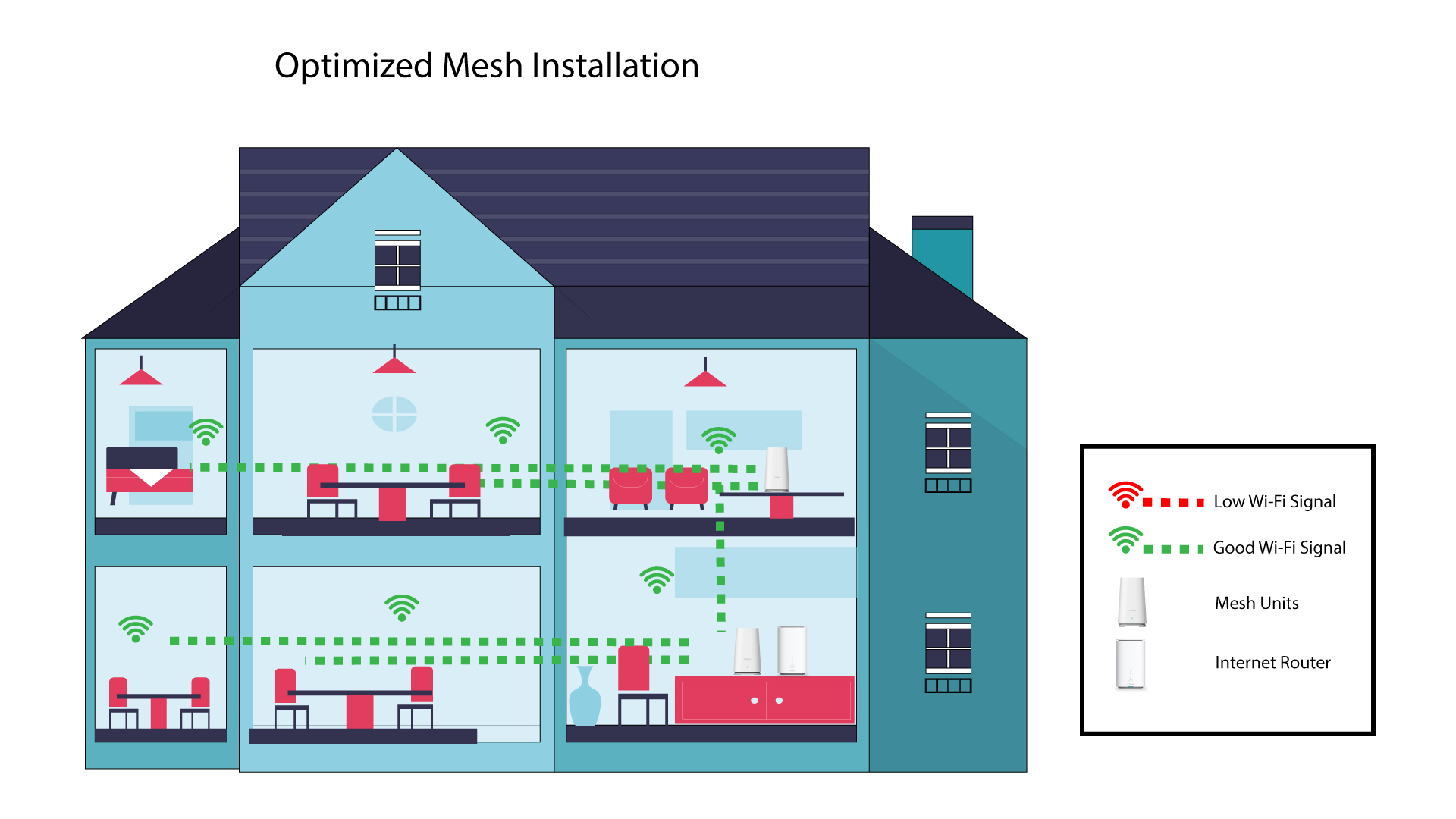
Seuraavassa kaaviossa esitetään Wi-Fi-kattavuus talon sisällä, jossa mesh -solmut on sijoitettu talon oikealle puolelle, jotta kattavuus olisi asianmukainen.
1. Lataasovellus
Lataa Atria Mesh -sovellus.
2Yhdistälaitteen Wi-Fi-verkkoon mesh
Yhdistä mesh -laitteesi Wi-Fi-verkkoon.

3Yhdistäsovellukseen
Syötä käyttäjätunnus ja salasana ennen kuin napsautat Kirjaudu sisään.

4Omaverkosto
Napsauta ”Oma verkko”

5Mesh Verkon tila
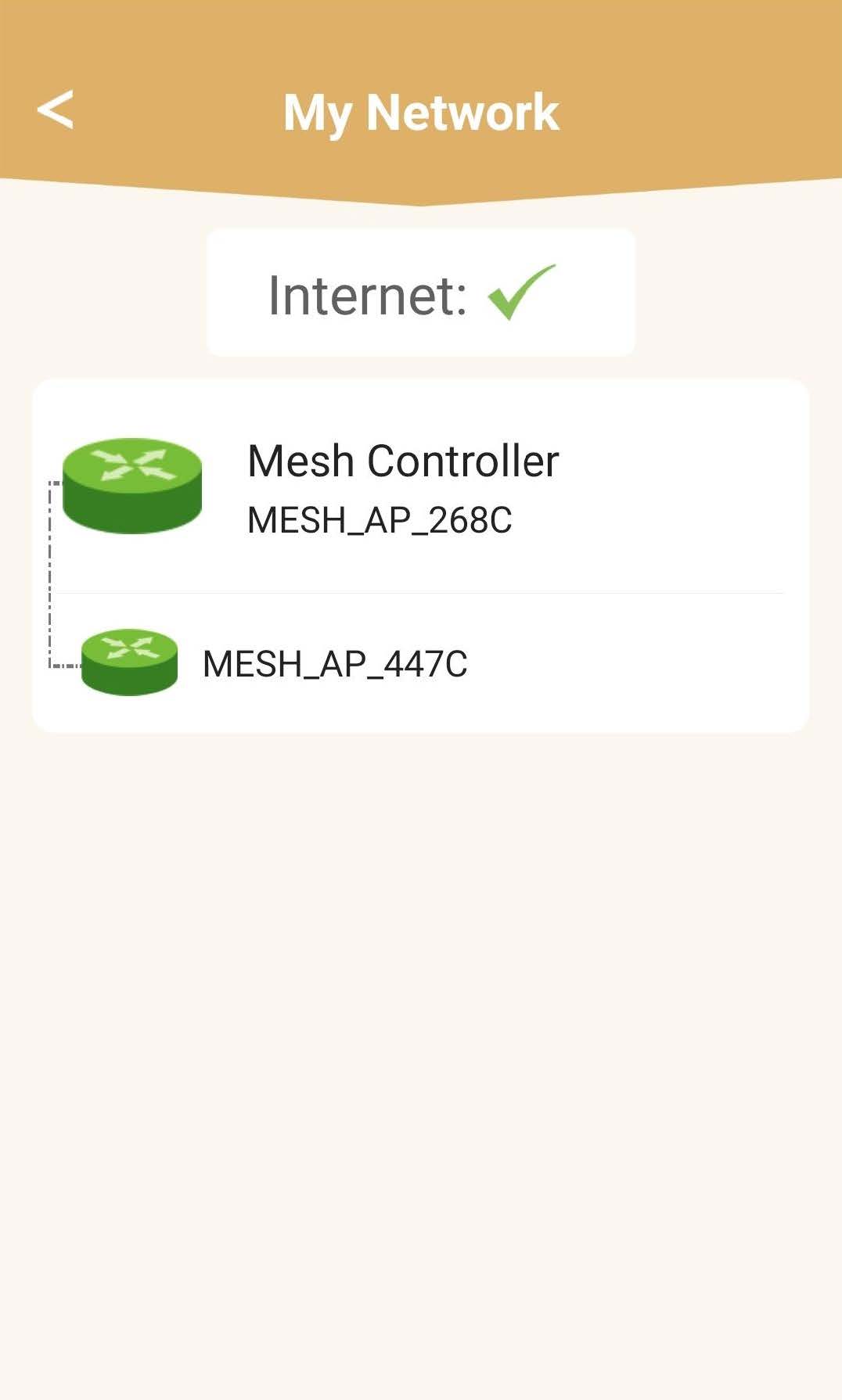
Näet mesh -laitteidesi tarjoaman kattavuuden tilan.
Huomaa, että kun mesh -laitteet näkyvät harmaana, laitteen tarjoama kattavuus ei ole riittävä. Tällöin sinun on muutettava mesh -laitteen sijaintia.
Jos mesh -laitteet näkyvät vihreinä, se tarkoittaa, että ne toimivat oikein ja tarjoavat riittävän kattavuuden.