
ATRIAadd-on 1200 UK
Kaikki kysymykset
ATRIAadd-on 1200 UK
Hallintasalasanan vaihtaminen (verkkokäyttöliittymä)
1Yhdistälaitteesi Wi-Fi-verkkoon mesh
Tätä varten syötä laitteeseesi reitittimen SSID (Wi-Fi-verkon nimi) ja Wi-Fi-salasana:

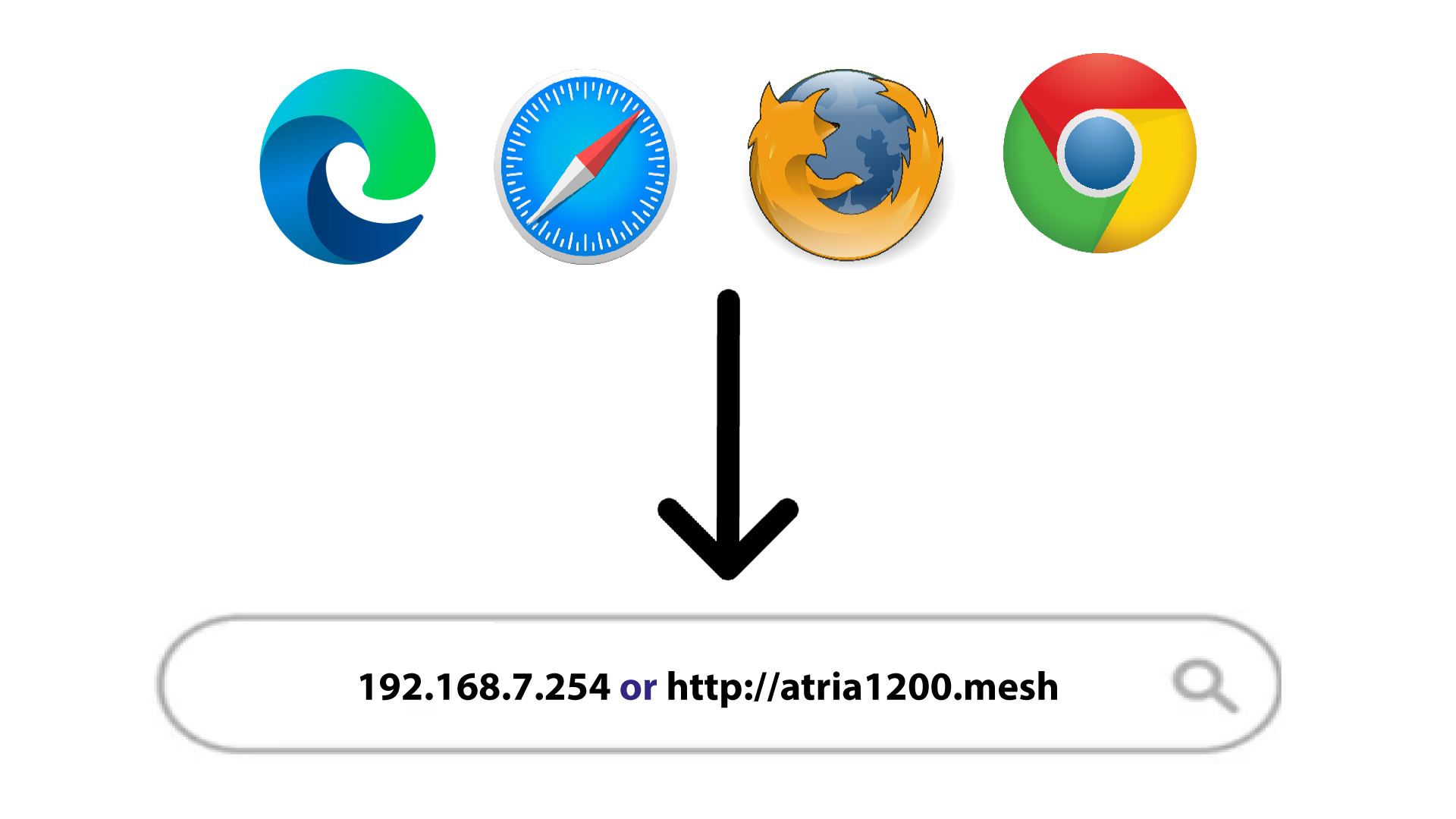
2SiirryIP-osoitteeseen
Syötä sitten selaimeesi seuraava IP-osoite: 192.168.7.254 tai kirjoita seuraava osoite: http://atria1200.mesh
3Syötätunnuksesi
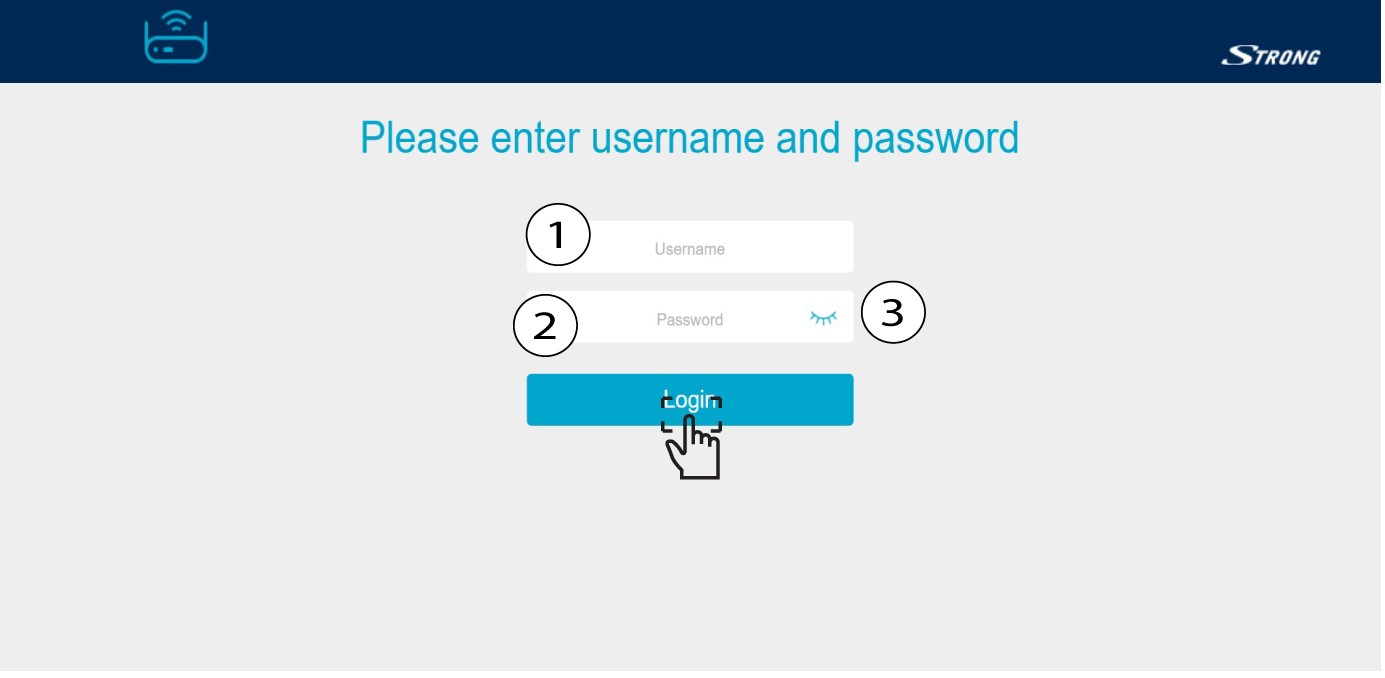
Syötä käyttäjätunnus (admin) ja salasana (admin). Napsauta sitten Kirjaudu sisään.
4Järjestelmäasetukset
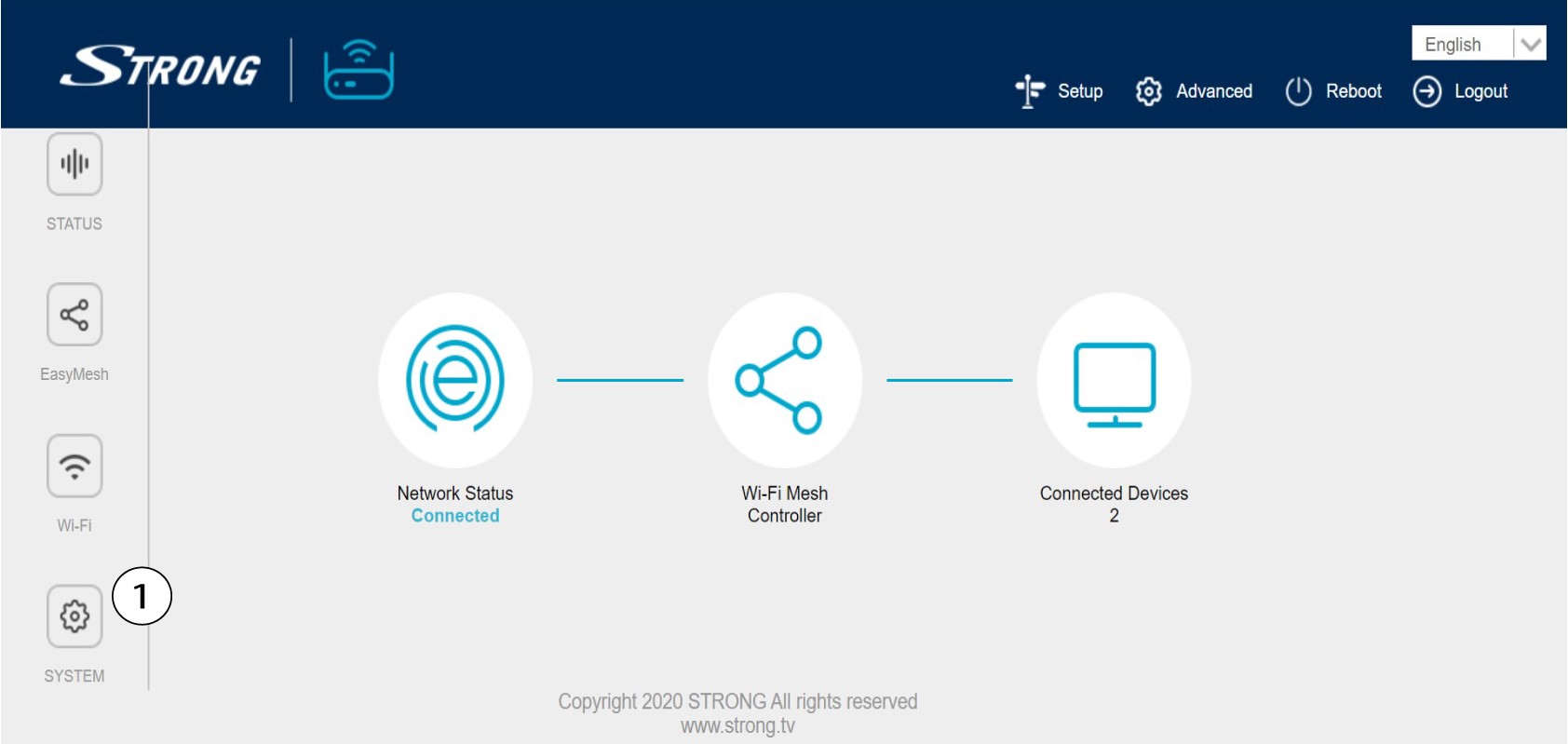
Olet nyt verkkokäyttöliittymän pääsivulla. Ensimmäisen kirjautumisen jälkeen saatat joutua vaihtamaan verkkokäyttöliittymän järjestelmänvalvojan salasanan. Katso ohjeet seuraavasta ohjeesta. Voit tehdä tämän napsauttamalla vasemmassa valikossa kohtaa ”Järjestelmä ”.
5. Muokkaajärjestelmänvalvojan salasanaa
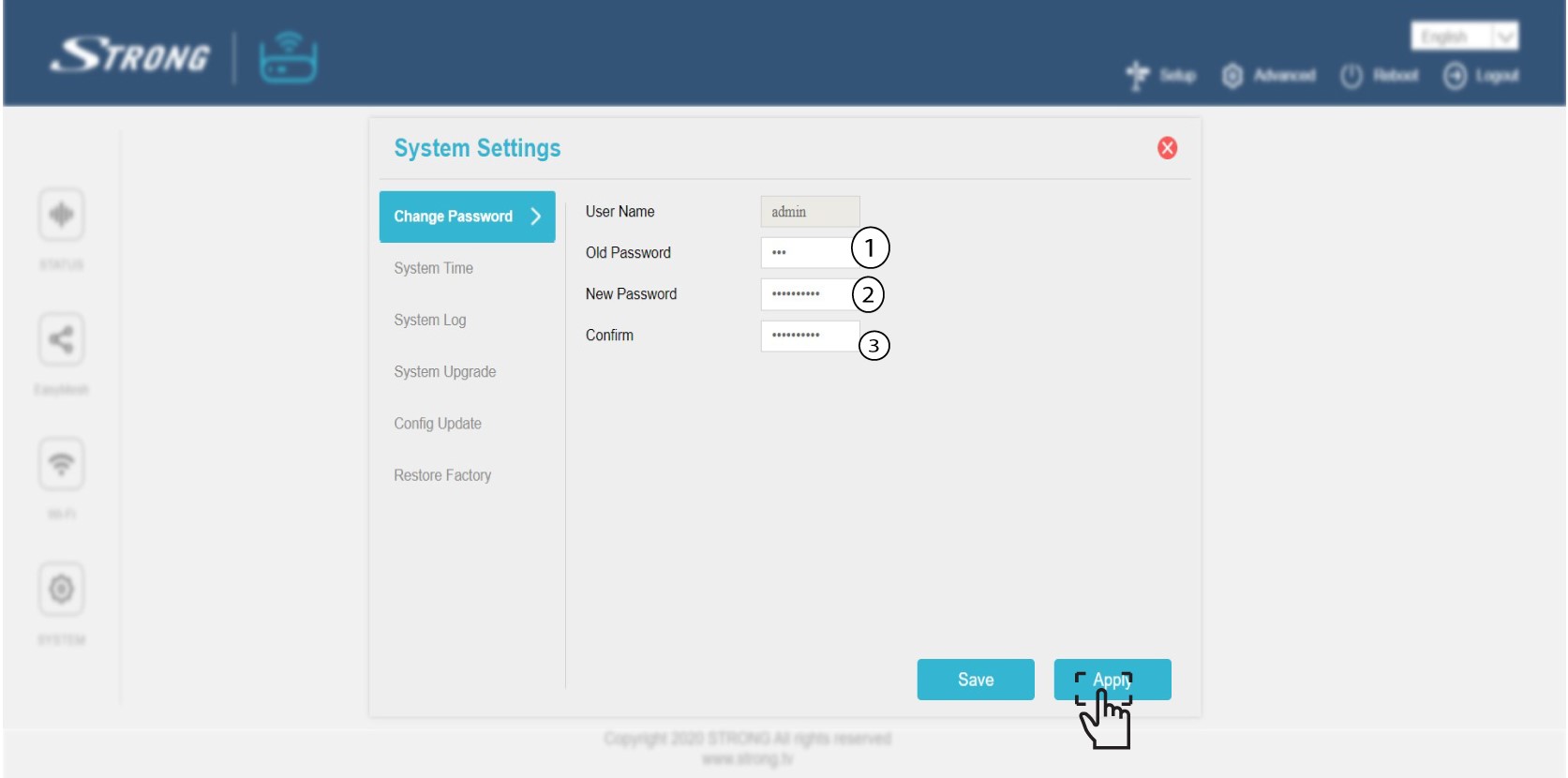
Syötä seuraavat tiedot ennen kuin napsautat Vahvista-painiketta:
o Vanha salasana: Syötä vanha järjestelmänvalvojan salasana
o Uusi salasana: Syötä uusi salasana.
o Vahvista salasana: Syötä sama salasana kuin edellisessä vaiheessa.
Varoitus: Huomaa, että salasanan on oltava 8–32 merkkiä pitkä ja joka sisältää isoja ja pieniä kirjaimia, numeroita sekä vähintään yhden erikoismerkin (@, $, !, %, *, ?, &).
6Kirjoitauusi salasana muistiin
Kirjoita uusi salasana paperilapulle ja kiinnitä se teipillä mesh-sivuston alle.
