
ATRIA Wi-Fi 5 Mesh System 2100 UK (3 kpl:n pakkaus)
Ei löytynyt kohteita.
Ei löytynyt kohteita.
Kaikki kysymykset
ATRIA Wi-Fi 5 Mesh System 2100 UK (3 kpl:n pakkaus)
Ei löytynyt kohteita.
Ei löytynyt kohteita.
Unohdin Mesh -verkkoni Wi-Fi-salasanan. Miten voin selvittää sen?
1Oletustunnistetiedot
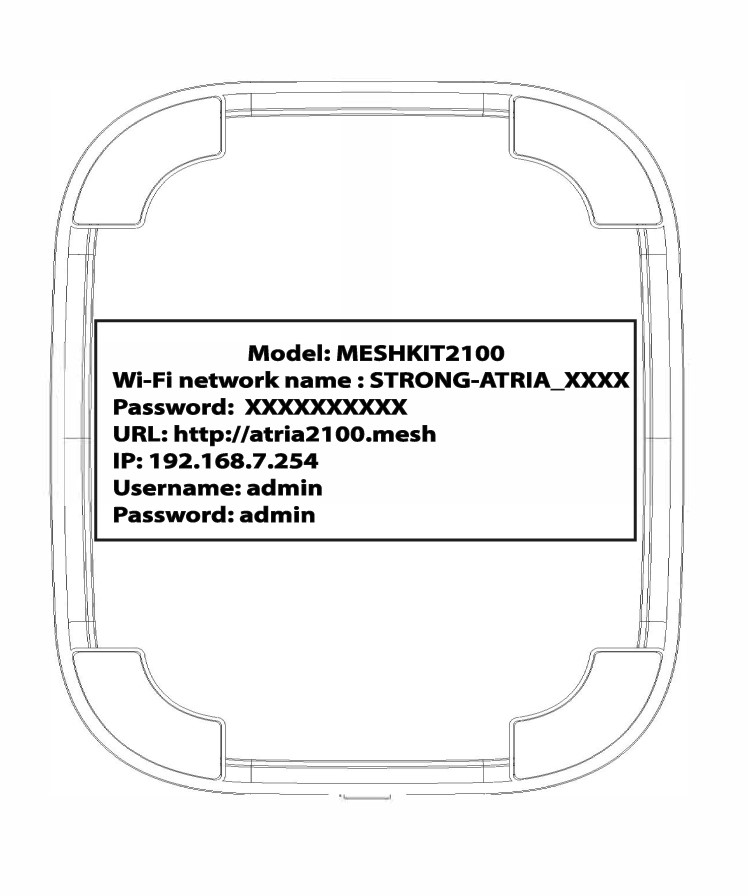
Wi-Fi-salasanan oletusarvo löytyy laitteen pohjasta, mutta jos olet jo muuttanut sitä, saatat joutua palauttamaan Mesh 2100 -laitteen tehdasasetuksiin.
TAPAUS 1: Wi-Fi-verkon tietojen tarkastelu verkkokäyttöliittymässä
Voit muodostaa yhteyden verkkokäyttöliittymään seuraamalla näitä ohjeita: Miten pääsen verkkokäyttöliittymään?
1WLAN
Napsauta WLAN ja WLAN 2,4 GHz. Napsauta sitten PSK -kentän vieressä olevaa silmäkuvaketta.

2. Kirjoitauudet tiedot muistiin
Kirjoita salasana paperilapulle.
TAPAUS 2: Wi-Fi-verkon tietojen tarkastelu sovelluksessa
Voit muodostaa yhteyden verkkokäyttöliittymään seuraamalla näitä ohjeita: Miten Atria- Mesh -sovellusta käytetään?
1Wi-Fi-asetukset
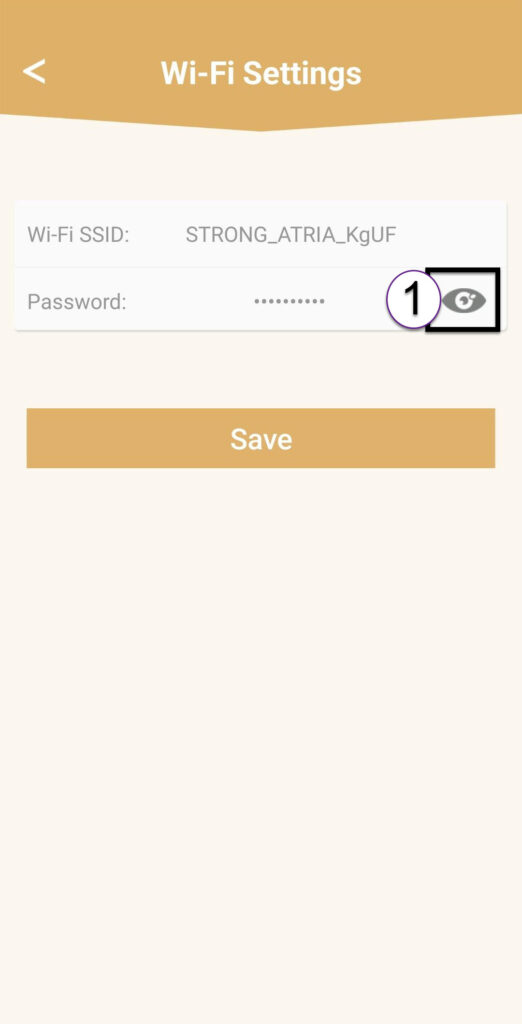
Napsauta sitten Wi-Fi-asetukset.

2Password
Napsauta silmäkuvaketta, jotta salasana tulee näkyviin.
3Kirjoitauudet tiedot muistiin
Kirjoita salasana paperilapulle.