4K GOOGLE TV BOX S3+ | DOLBY VISION ATMOS
Kaikki kysymykset
4K GOOGLE TV BOX S3+ | DOLBY VISION ATMOS
Miksi äänenvoimakkuuden säätö ei vieläkään onnistu, vaikka äänenvoimakkuuden säätötoiminto on poistettu käytöstä?
Jos et vieläkään pysty säätämään äänenvoimakkuutta LEAP S3 -kaukosäätimellä, noudata alla olevia ohjeita ja ”poista” televisio kaukosäätimen asetuksista.
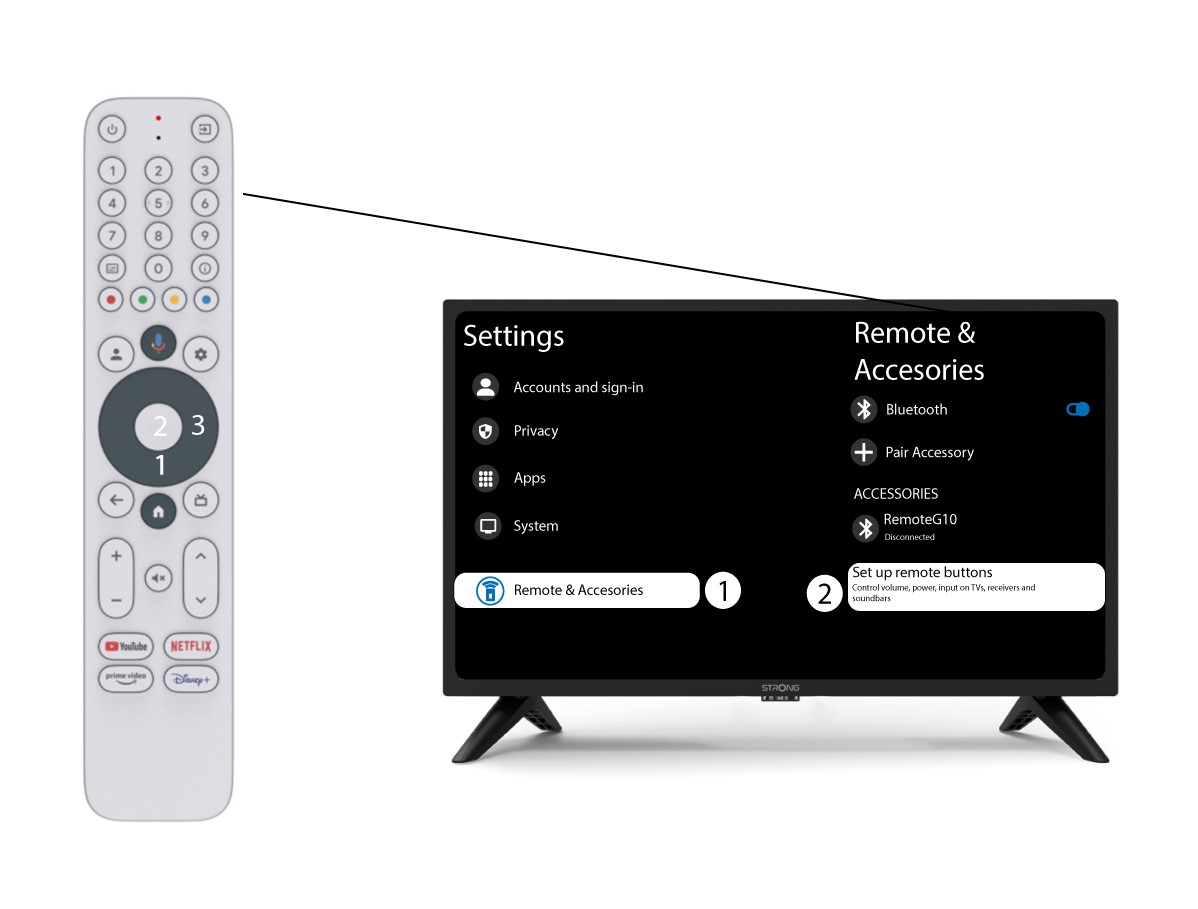
1Asetukset
Paina Asetukset -painiketta ja sitten OK-painiketta

2Kaukosäätimenja lisävarusteiden asetukset
Paina alas-painiketta useita kertoja valitaksesi ”Kaukosäädin ja lisävarusteet” ja paina sitten OK- painiketta. Paina sen jälkeen alas -painiketta useita kertoja valitaksesi ”Kaukosäätimen painikkeiden asetukset”ja paina sitten OK -painiketta.
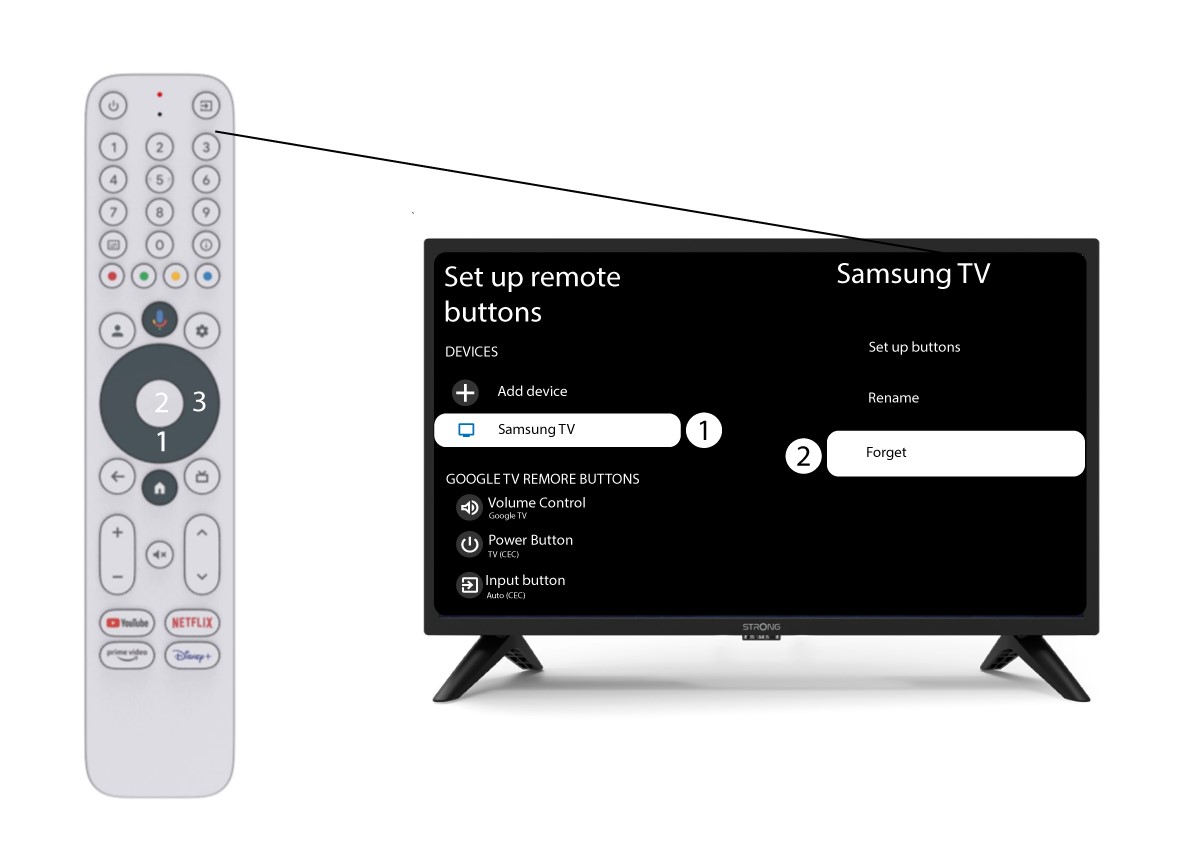
3Unohdakaukosäätimeen liitetty televisio
Jos televisio on jo määritetty ja näkyy luettelossa, sinun on poistettava televisio luettelosta, jotta voit määrittää sen uudelleen.
Tätä varten valitse television merkki ja valitse ”Unohda”, ennen kuin vahvistat valinnan painamalla OK-painiketta.
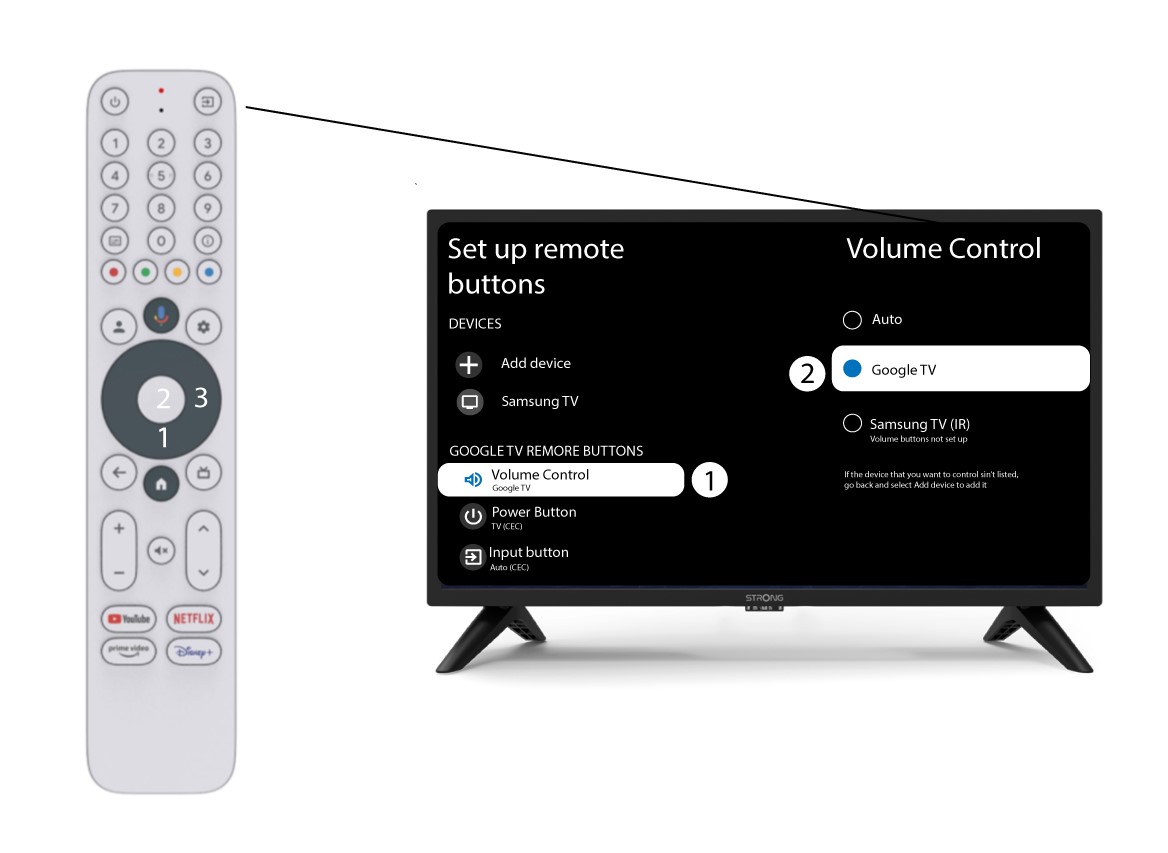
4. Tarkistaäänenvoimakkuuden säätö
Lopuksi sinun on tarkistettava, onko äänenvoimakkuuden säätö asetettu Google TV:lle. Jos näin ei ole, valitse se, jolloin äänenvoimakkuuden säätö toimii oikein molemmilla kaukosäätimillä.